Best AI tools to batch-generate on-model photos for a whole clothing catalog (2026)
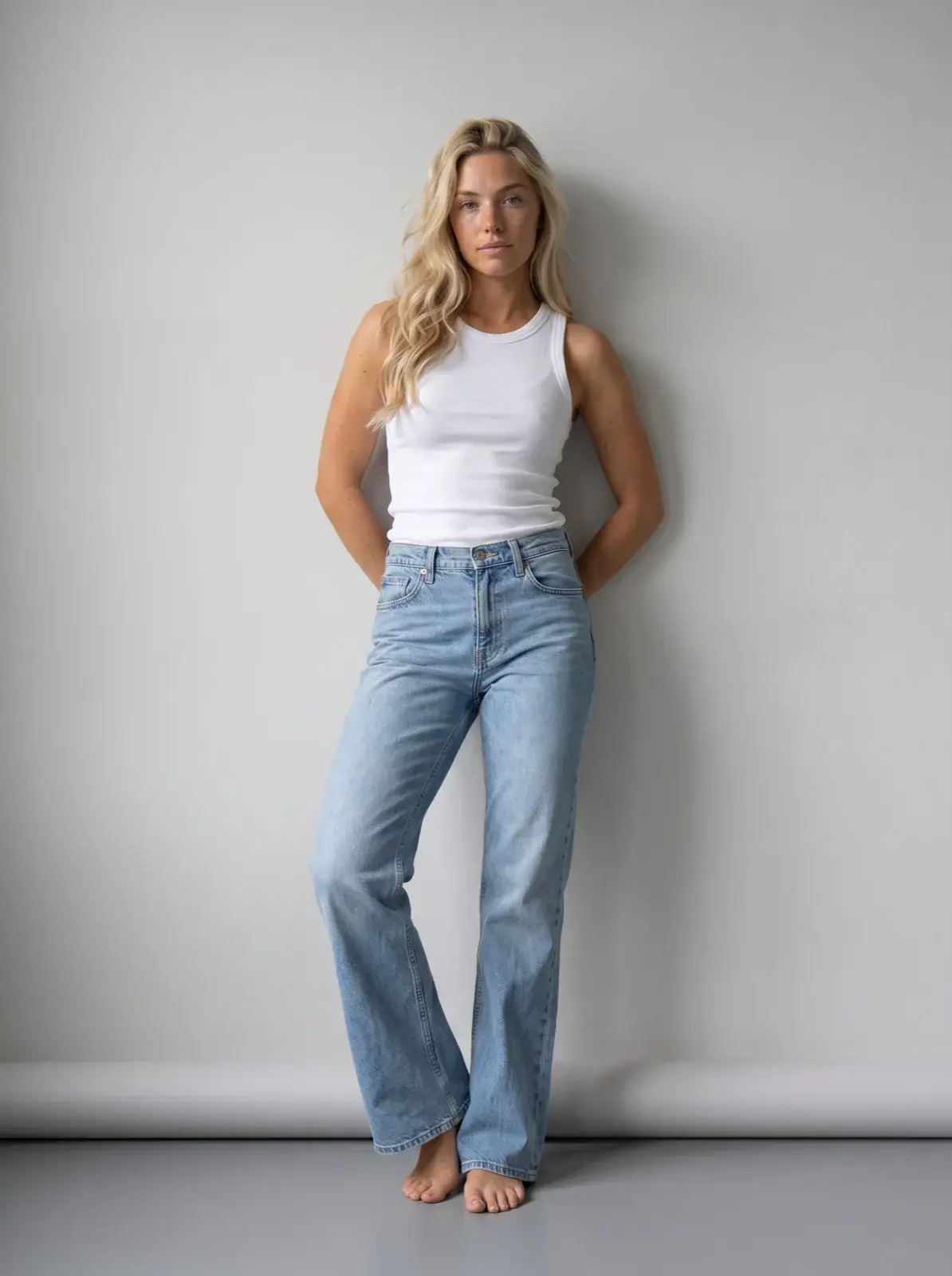
Five AI tools publish a self-serve batch path that puts a clothing catalog on a model: Uwear, Botika, Caimera, Photoroom and The New Black, from 30 images a run to 10,000 photos a batch. FASHN and Claid do it through their APIs; WearView documents batch processing for Enterprise API clients, and Flair a bulk page with no batch size. Before you pick one, check four things: how many products one batch takes, whether the same model stays across the whole batch, how the catalog goes in (a CSV, a folder, a bulk upload or an API), and what a photo costs at the same resolution.
Disclosure. We make Uwear. We have not tested the other tools hands-on; their facts come from their own pages, linked below.
The short answer
- Our pick for whole-collection batches, we make it: Uwear. One batch takes 10,000 photos in Studio or 100,000 through the API, on one saved model and art direction, at 5 credits ($0.50) a 2K photo on Gemini 2.1 or 3 credits ($0.30) on GPT Image 2.5 (Low).
- A catalog kept as folders: Caimera, up to 30 outfits a job.
- Several views per product, retouching on request: Botika.
- Small runs at a low price per 2K photo: The New Black, 30 to 100 images a run, or Photoroom, 250 images a batch.
- Your own code calls an API: FASHN or Claid.
Which AI tools can batch-generate on-model photos for a whole catalog?
Nine tools, compared on batch only. Uwear comes first as our pick, then the others alphabetically; the order is not a score. Prices are per generated photo at 2K where the vendor publishes 2K: the cheapest plan that includes the batch path, billed monthly, with every credit used and no retries, then the yearly rate. A credit on Uwear is $0.10. Numbers in brackets are the sources at the end of the page.
Updated November 16, 2026. Vendor pages accessed November 16, 2026.
| Tool | How a catalog goes in | Batch size, as published | Same model across the batch | Inputs it names | API | Cost per photo at 2K | Sources |
|---|---|---|---|---|---|---|---|
| Uwear | An AI assistant through the MCP server, the REST API, or a CSV or multi-select batch in Studio | 10,000 photos per batch in Studio; 100,000 per API batch | Saved model and saved art direction, set once for the whole batch | Flat lay, ghost mannequin, hanger, packshot, phone photo | Yes: POST /batch takes the whole list in one request; webhooks | 5 credits ($0.50) on Gemini 2.1, the default; 3 credits ($0.30) on GPT Image 2.5 (Low). The check, when switched on, is at no credit cost; a retry costs a photo | [1][2][3][5][6][8] |
| Botika | Drag in photos for all products at once; files group into products by the SKU in the file name | Per upload: not documented. Up to 6 photos per product; 10 generations at once on Pro, 50 on Max | A library model picked per look; models built for the brand on Enterprise | Flat lay, ghost mannequin, hanger, on-model | Listed on Enterprise; public reference not documented | About $0.89 on Personal monthly ($25, 840 credits, 30 credits a 2K photo); $0.60 on Max billed yearly. Image model not named | [9][10][11][12] |
| Caimera | Upload a folder; each subfolder becomes an outfit. A finished job can be duplicated and run again | Up to 30 outfits a job (help center); the product page says 100+ garments in one workflow | One library model reused for every SKU; a custom model on Pro and Enterprise, 75 credits to create | Flat lay, ghost mannequin, studio catalog photo | Listed from Pro; public reference not documented | $1.25 on Mini monthly ($15, 120 credits, 10 credits a 2K catalog photo, 3 regenerations included); about $0.94 on Pro billed yearly. Image model not named | [13][14][15][16][17] |
| Claid | The Fashion API; a managed production service. Pro and Business list batch processing, but its use for on-model photos is not documented | API: 1 to 4 photos per outfit request, 60 generations a minute. Web batch size: not documented | A fixed model image URL in the API, or your own model photos | Flat lay, ghost mannequin; on-model photos through the managed service | Yes: one outfit per request; a fashion batch endpoint is not documented | About $0.10 on Pro monthly ($49, 2,000 credits, 4 credits a generation at standard resolution, up to 2K; a rate by resolution is not documented); $0.07 billed yearly. API $0.118 a photo, resolution not stated. Image model not named | [19][20][21][22][23] |
| FASHN | The Product to Model API, one look per request, or the Agent API, several looks per request; the app runs 1 to 4 outputs at once | 1 to 4 photos a request; Agent API: 6 reference images and 8 operations a request; 6 API requests at once by default | Face reference: 2 extra credits a photo in the app, 3 in the Product to Model API; the Agent API takes a face photo as a reference | Flat lay, ghost mannequin, hanger | Yes: public docs; a larger catalog takes several requests | Product to Model API: $0.15 at 2K (Fast), $0.375 with a face reference. Agent API: $0.075 per 2K operation (Fast); a finished photo can take several operations. App Basic: $0.095, $0.285 with a face reference. Image model not named | [26][28][29][30][31][27][24][25] |
| Flair | Upload product images, pick the content types, generate | Not documented | A trained custom human model, reused; up to 8 on Pro+ | Product-only shots on a neutral background | Scale and Enterprise; public reference not documented | 2K not documented. About $0.44 a generated image on Pro+ monthly ($35, 80 images); about $0.33 billed yearly. Image model not named | [33][32][34][35] |
| Photoroom | The Batch editor in the app; Photoroom for Shopify on Max and Ultra | Up to 250 images a batch; API 60 images a minute | Your own model saved to the Brand Kit and reused across campaigns | Flat lay, ghost mannequin, on-model photo | Yes: one image per call, 1K by default; 2K and 4K on Enterprise | About CA$0.26 on Max monthly (CA$48.99, up to 185 2K photos); about CA$0.13 billed yearly. Prices in Canadian dollars as shown to us. Image model not named | [37][36][38][39][40][41][42] |
| The New Black | Bulk upload or pick from the library, one brief for the run; an agent that reads a Shopify catalog | 30 images a run on Pro, 50 on Business, 100 on Enterprise | One model photo reused across the run, with no training | Flat, hung or on a mannequin | Yes: one generation per request; a bulk endpoint is not documented | $0.21 on Pro monthly ($35, 500 credits, 3 credits a 2K photo); $0.175 billed yearly. Image model not named | [44][45][46][47][48] |
| WearView | Up to 4 photos a generation in the app; batch processing and webhooks for Enterprise API clients | On-model batch size: not documented. Up to 50 garments a run for ghost mannequin and flat-lay packshots; “1,000+ images per day” | Your own AI model from Pro, “same face every time” | Flat lay, hanger, mannequin, ghost mannequin, product-only, on a person | On request; batch and webhooks for Enterprise | About $0.74 on Pro monthly ($49, 200 credits, 3 credits a photo); about $0.61 billed yearly. On-model photos come in “one quality”, not named as 2K. Image model not named | [49][50][51][52] |
On price per photo alone, Claid (at standard resolution, up to 2K), FASHN without a face reference, The New Black and Photoroom cost less than Uwear’s lower-cost model at 2K. None of these prices includes retries or the time your team spends checking photos, so compare the cost per approved photo on your own garments.
What should you check before you batch a whole catalog?
1. The batch limit, and what it counts
Vendors count different things. Uwear counts photos per batch, Photoroom and The New Black count images per run, Caimera counts outfits per job, and the APIs count requests per minute. A 500-SKU catalog with three photos each is 1,500 photos: one batch on Uwear, six on Photoroom, and 15 to 50 runs on The New Black by plan.
2. One model across the whole batch
A catalog looks like one shoot only when the same person, light and framing return on every SKU. Check how the tool holds the model: a saved model set once for the run (Uwear, Photoroom, WearView, Caimera), one reference photo per run (The New Black), a trained custom model (Flair), or a face reference per photo (FASHN: extra credits in its app and Product to Model API; its Agent API takes the face photo as a reference).
3. How the catalog goes in
A CSV lets one file carry per-garment settings: on Uwear a row names the garment, the image model, the saved model, the art direction, the camera and the number of photos. A folder (Caimera) or a bulk upload (Botika, Photoroom, The New Black) applies one setup to everything you upload. An API (FASHN, Claid) means your own code sends the requests and keeps within the rate limits.
4. Cost per photo at the same resolution
Compare 2K with 2K, with the plan that includes the batch path. A cheap headline price is often 1K (the Photoroom API default) or a plan without bulk generation (The New Black Starter). Then check whether retries cost a photo, whether a check of the garment runs in the batch, and whether credits you do not use this month are still there next month.
How do you run a whole catalog through Uwear?
Uwear’s own workflow. We make Uwear.
Three ways in reach the same batch engine. Pick the one that fits where your team works.
- From an AI assistant, through the MCP server. Connect the Uwear MCP server to ChatGPT, Claude or Codex and ask for the run. The system template “Product page set” makes a full-body front, an upper-body front, a back and a short video per garment. The assistant shows a costed brief before the run starts. A prompt to copy:
Load the Product page set template and run it on every garment tagged new-arrivals, with my saved model and my saved studio art direction, at 2K. - From your systems, through the REST API. One
POST /batchtakes the whole list, up to 100,000 photos, with a retry setting from 0 to 5 for the batch. Webhooks tell your system when photos are ready. See the API page. - By hand, in Studio. Select garments or upload a CSV, up to 10,000 photos a batch. Studio lists every photo and its credits before the run starts. The CSV guide explains each column.
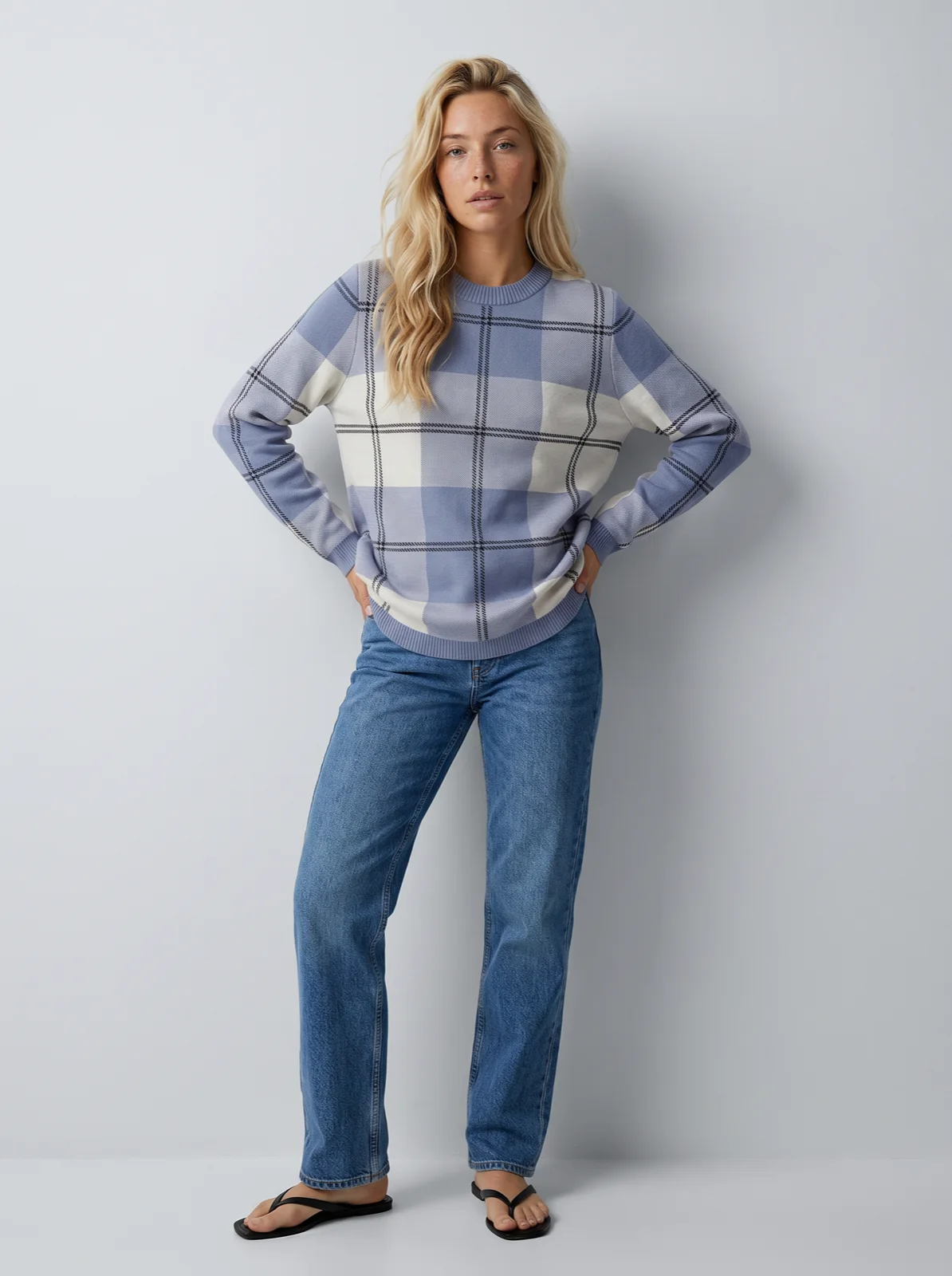
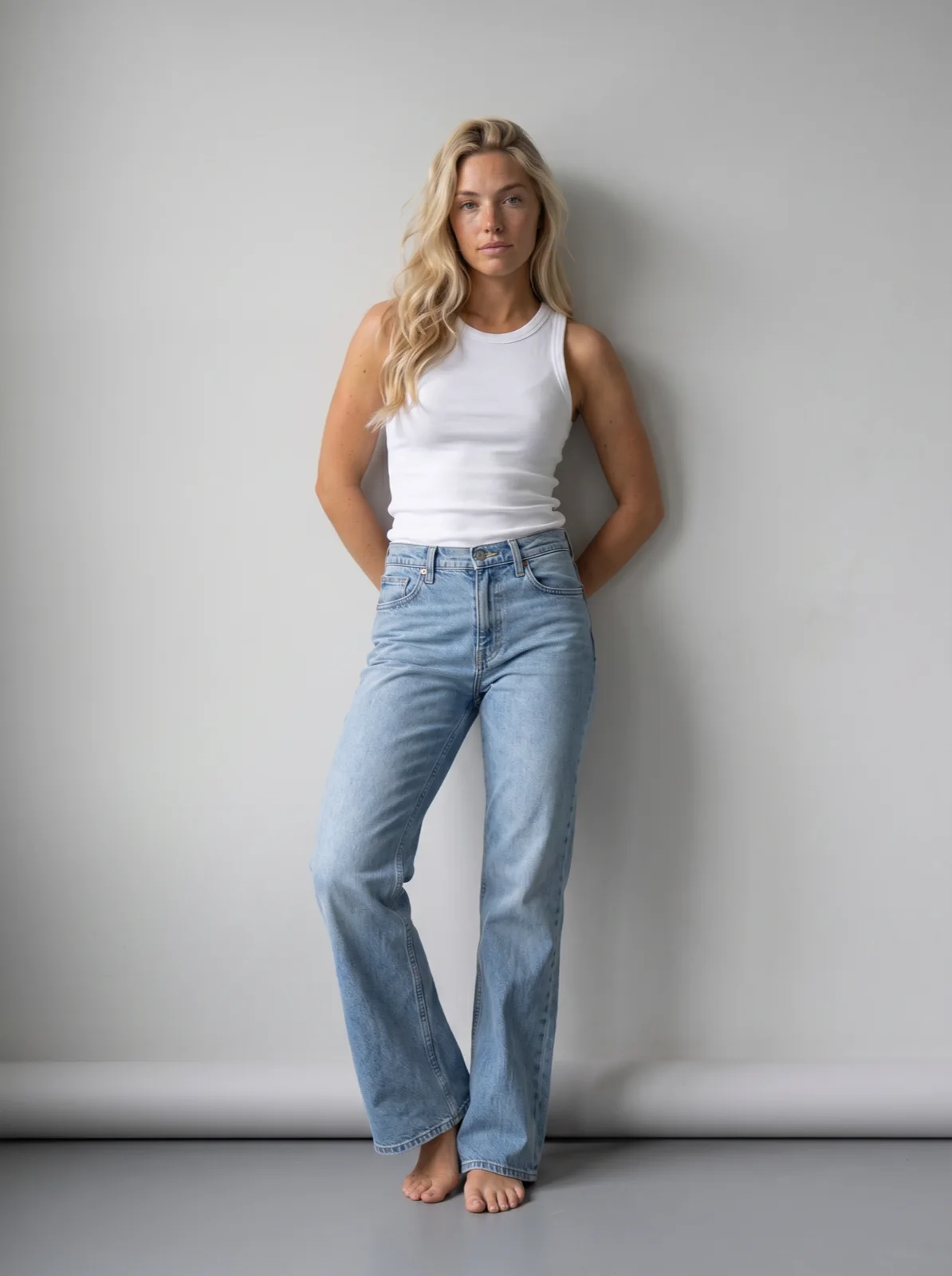 Jeans, front
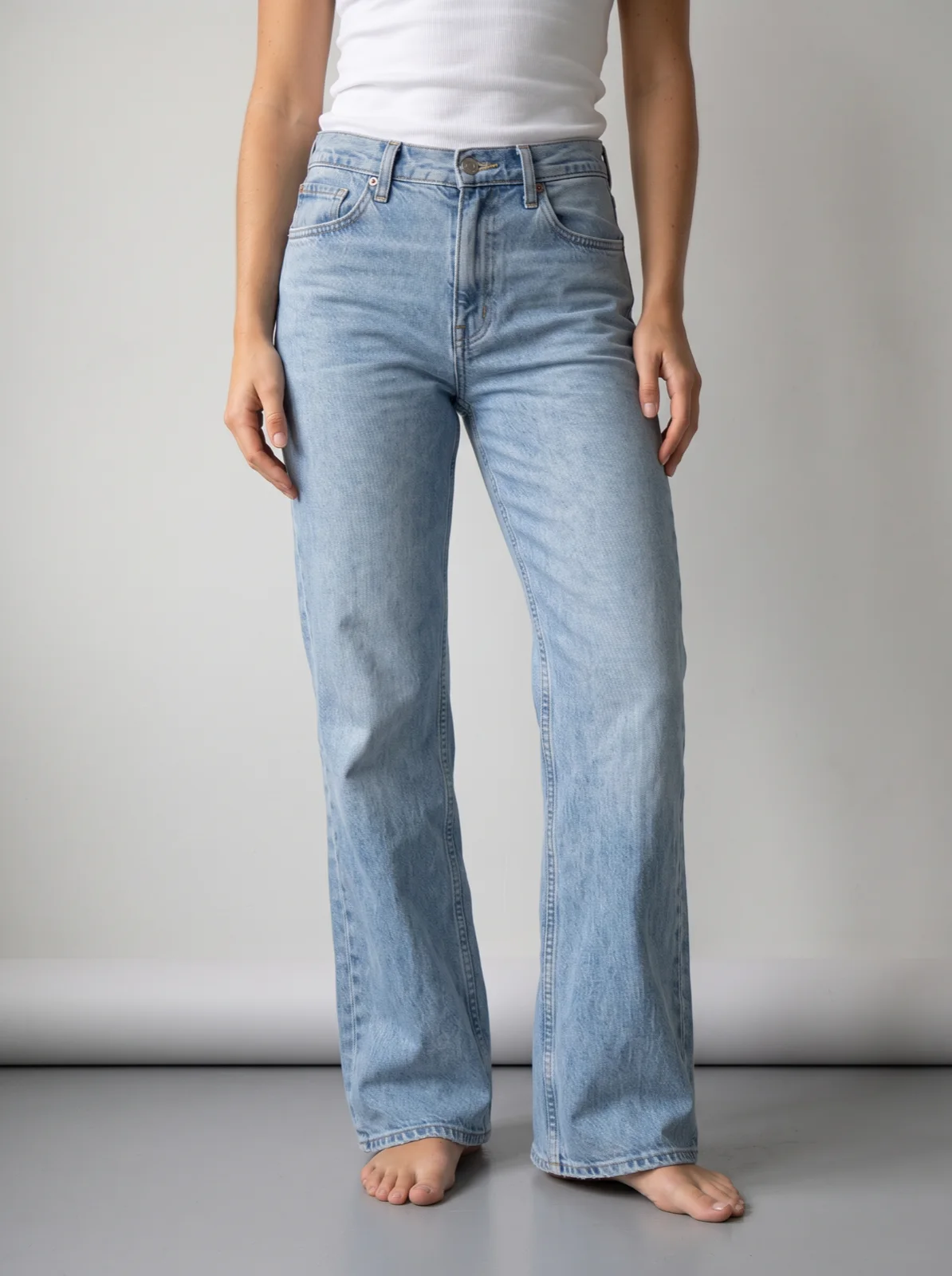 Upper body
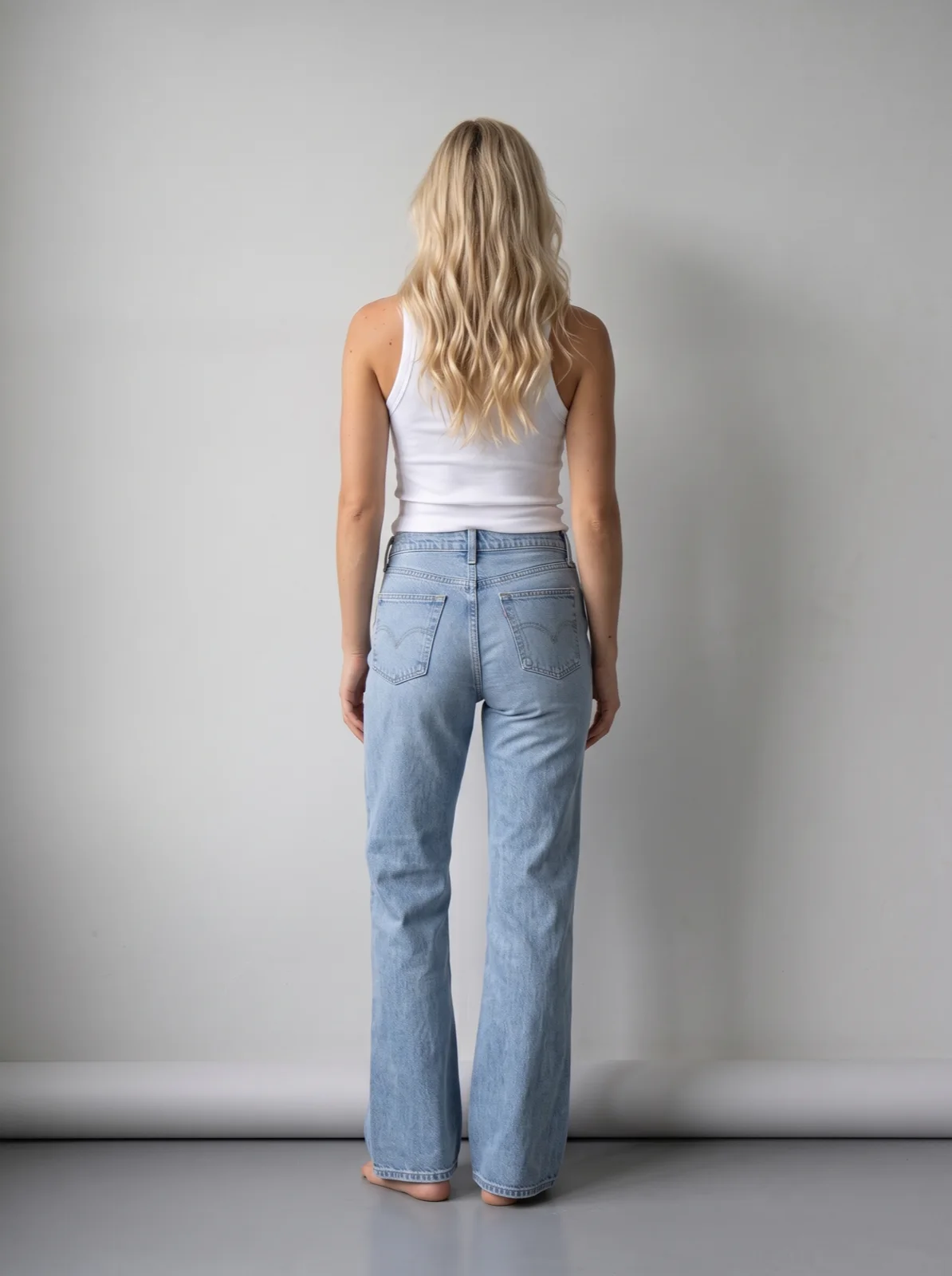 Back
 Sweater, front
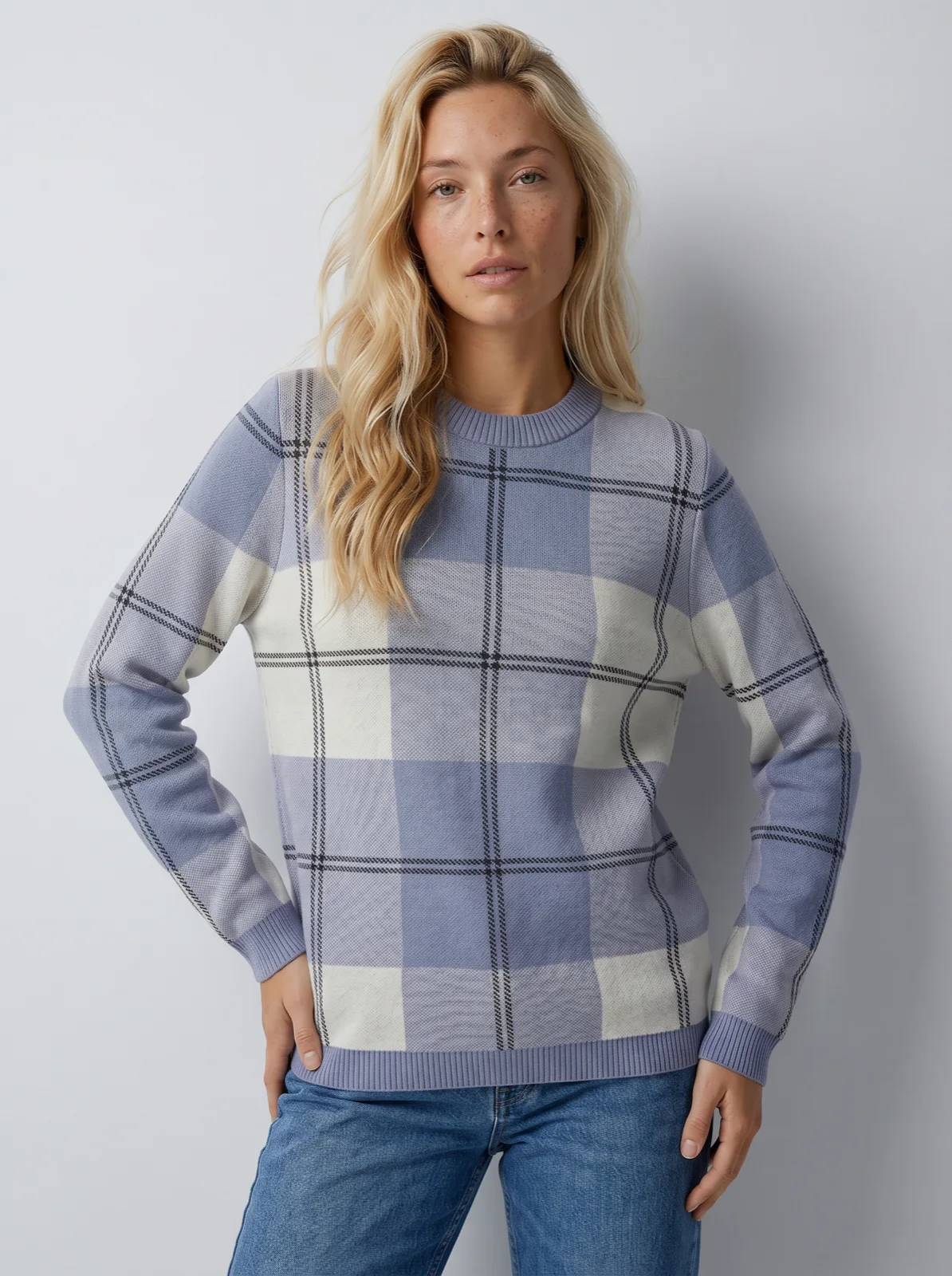 Upper body
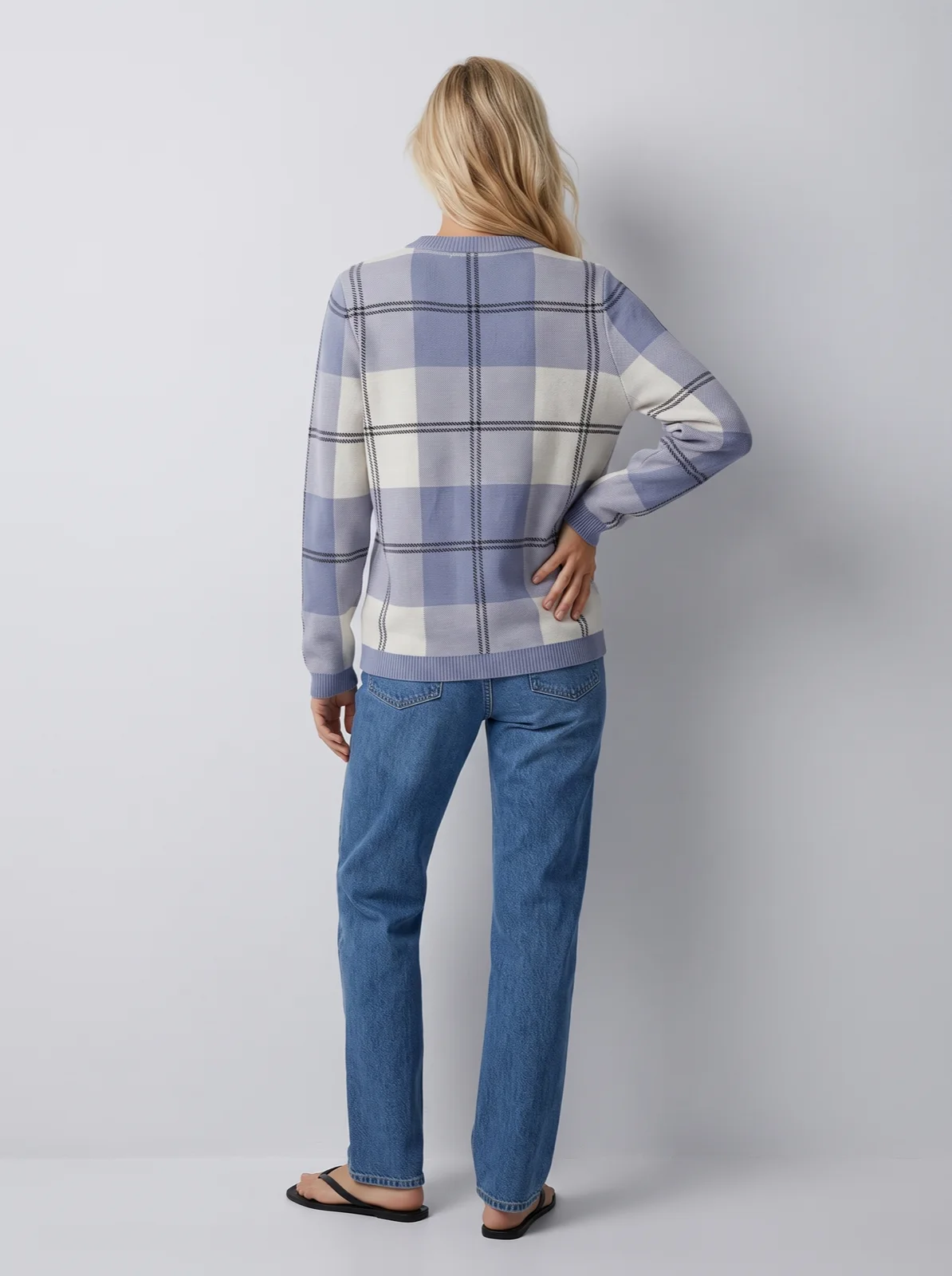 Back
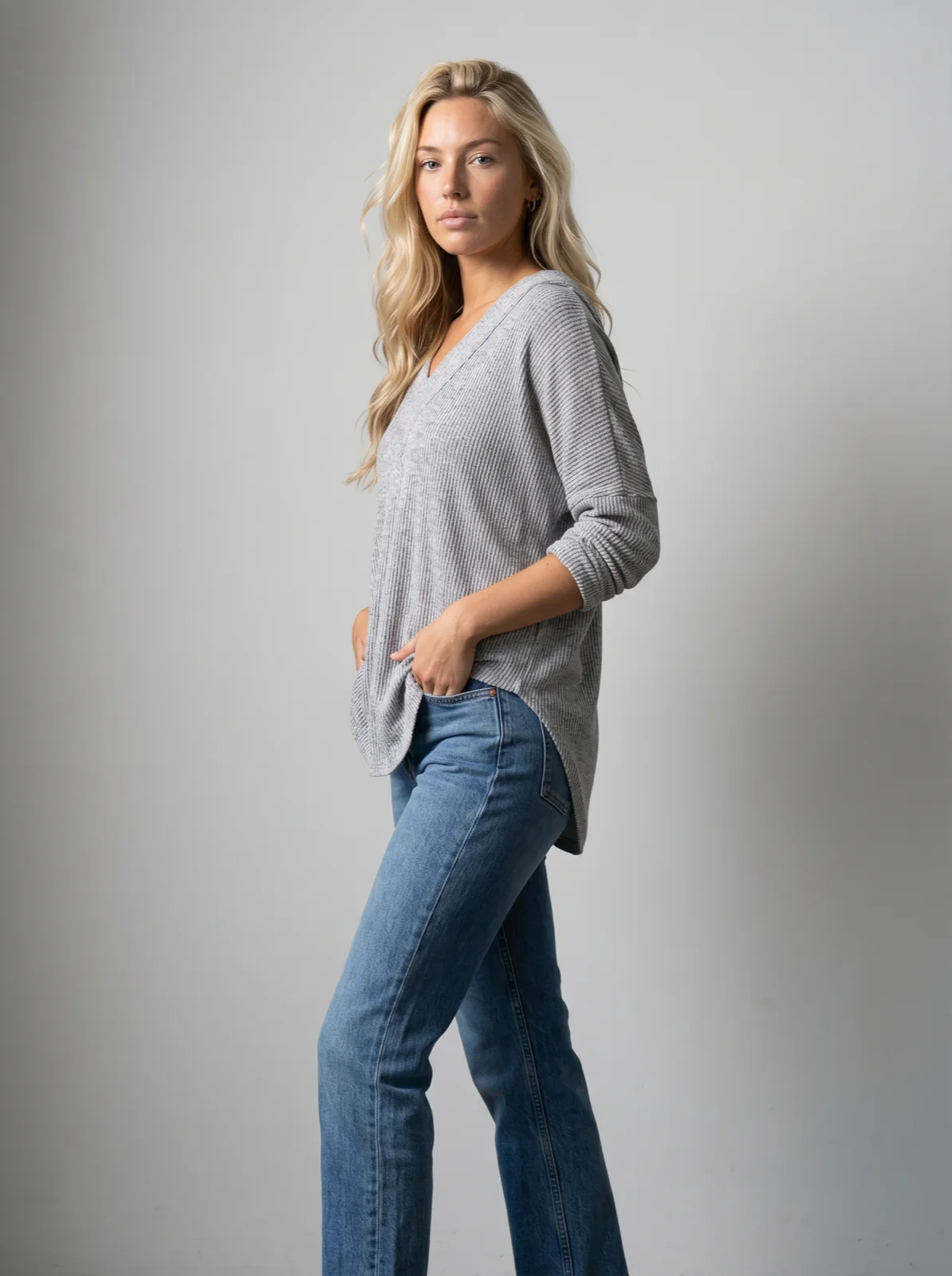 Top, front
 Upper body
 Back
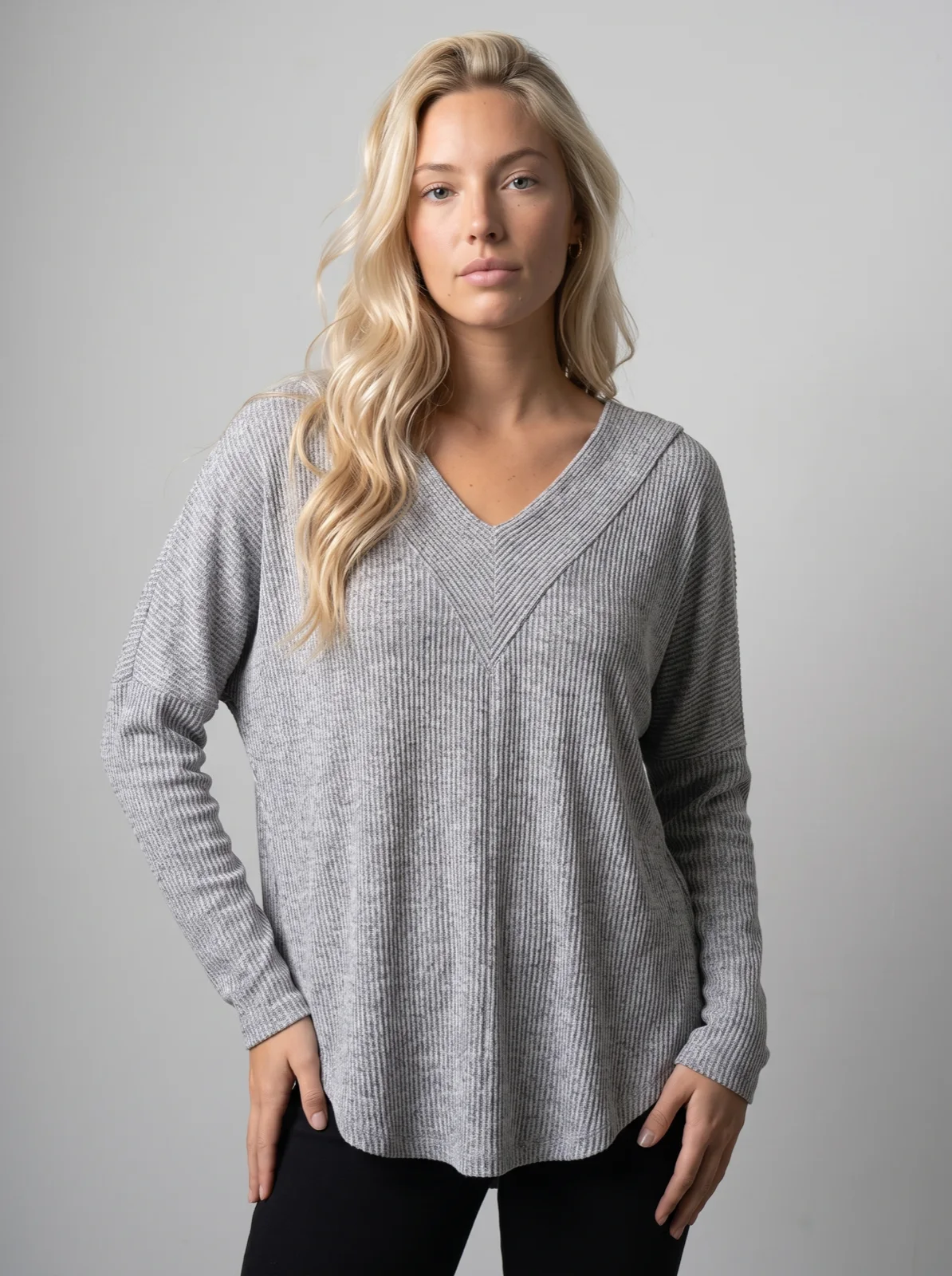
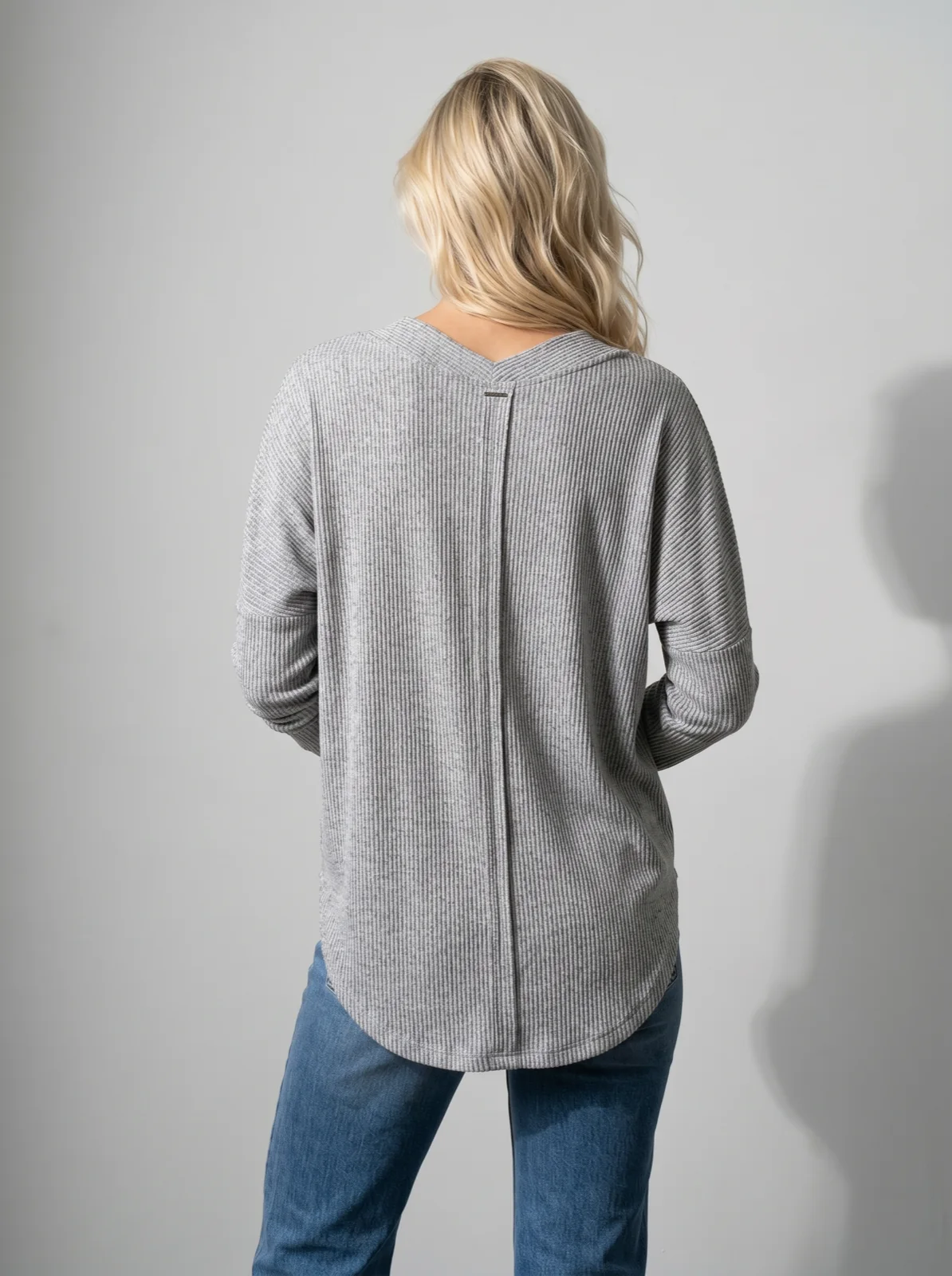
Three garments from seller phone photos, each on the same saved model and the same studio art direction: a front, an upper-body photo and a back. This is what one model across a batch looks like; the steps for your own flat lays are on flat lay to on-model.
For each garment, the batch shows the photos and credits in a table on the batch generation page, with estimates for 50, 500 and 1,000 SKUs. With the check switched on, every photo is compared with its product photo during the run, at no credit cost; a photo that still fails after its retries is marked rejected, with the reason.
Which tool fits which catalog job?
Uwear comes first; the others sit under the job each fits, in alphabetical order.
Our pick for whole-collection batches, we make it: Uwear
Uwear is built for brands that put a whole collection, or a whole back catalog, on the same model in one run.
- One batch takes 10,000 photos in Studio and 100,000 through the API, started from an AI assistant through MCP, the REST API or a CSV in Studio.
- The saved model and art direction are set once for the whole batch.
- A 2K photo is 5 credits ($0.50) on Gemini 2.1, the default, or 3 credits ($0.30) on GPT Image 2.5 (Low).
- Switch on the check and every photo is compared with its product photo during the run, at no credit cost; you set 0 to 5 retries.
Built for collections with several views per product: Botika
Botika is built for retailers that upload a range and get each product on a library model, with retouching on request.
- You drag in all products at once; the SKU in each file name groups the photos [10].
- Up to 6 photos per product: front, back and 4 more angles [10].
- Pro runs 10 generations at once, Max 50 [9].
- A 2K photo is 30 credits; retouching is 10 credits a photo, on request [9].
Built for catalogs kept as a folder per outfit: Caimera
Caimera is built for teams that keep product photos in folders and want each folder back as an on-model set.
- Each subfolder of an uploaded folder becomes one outfit [13].
- A job takes 1 to 30 outfits [14]; a finished job can be duplicated for the next one [13].
- A catalog photo is 10 credits at 2K by default, with 3 regenerations included [13][15].
- A custom model needs Pro or Enterprise and costs 75 credits to create [16].
Built for teams that script the catalog or hand it to a service: Claid
Claid is built for ecommerce teams that call an image API, inside a wider product-photo toolbox.
- The Fashion API returns 1 to 4 photos per outfit request, at up to 60 generations a minute [22].
- A fixed model image URL keeps the same person across requests [22].
- A fashion generation is 4 web credits at standard resolution, up to 2K: about $0.10 on Pro [19].
- A managed service runs whole collections and reviews the output [23].
Built for developers who write their own catalog pipeline: FASHN
FASHN is built for developers adding model photos and try-on to their own product.
- Product to Model returns 1 to 4 photos a request; its docs say a larger catalog takes several requests [28][30].
- The Agent API takes 6 reference images and 8 operations a request, so one request can make several looks [29][30].
- A 2K photo is $0.15 in Fast mode through the API [28][25].
- A face reference keeps one person and adds 3 credits a photo in the Product to Model API [28].
Built for brands that train one custom model and make mixed content: Flair
Flair is built for brands that make product images, videos and ad content from the same upload.
- Bulk generation makes several content types from uploaded product images [33].
- A custom human model is trained from 6 to 10 photos and reused [35].
- Pro+ includes 80 generated images a month for $35 [32].
- Batch size, 2K pricing and a public API reference are not documented [32][33][35].
Built for catalogs of many product types, with a Shopify app: Photoroom
Photoroom is built for fast listing photos across product categories, and AI Fashion Models is one of its batch edits.
- The Batch editor takes up to 250 images at once [37].
- Your own model, saved to the Brand Kit, can be reused across campaigns [38].
- 2K starts on Max, with up to 185 2K photos a month [36].
- The API takes one image per call and outputs 1K by default; 2K and 4K are Enterprise [42][41].
Built for small bulk runs on one model photo: The New Black
The New Black is built for fashion brands and designers, with bulk runs, an API and an agent that reads a Shopify catalog.
- A bulk run takes 30 images on Pro, 50 on Business and 100 on Enterprise [44].
- One model photo is reused across the run, with no training [45].
- A 2K photo is 3 credits, $0.21 on Pro [47][48].
- The API makes one generation per request [47].
Built for hanger and mannequin photos with a preset model library: WearView
WearView is built for brands that shoot on hangers, mannequins or dress forms and pick from a preset model library.
- A generation returns up to 4 photos on Pro [49].
- Your own model, “same face every time”, starts on Pro [49].
- Batch processing and webhooks are for Enterprise API clients [52].
- An on-model photo is 3 credits, about $0.74 on Pro [49].
Head-to-heads with Uwear, with sources: Uwear vs Botika, Uwear vs Claid, Uwear vs FASHN and Uwear vs Photoroom.
Which tool fits a DTC brand that releases a collection every week?
A weekly drop is a small batch on the same model and set as last week. Three things decide whether it stays a small job: the setup is saved, the run starts without someone rebuilding it, and the credits are still there next week.
- Save the setup. On Uwear the model, art direction and shots are saved as a batch template. Caimera duplicates a finished job with the same model, poses and background [13].
- Start the run on its own. A Uwear Automation starts when new clothing is ready or a chosen tag is added. The New Black describes an agent that reads a Shopify catalog and generates shots for products without visuals [44].
- Keep the credits. Credits bought for one week should still be there the next. The rules differ by tool; see the list below.
On Uwear, a 20-piece drop with a front, an upper-body photo and a back each is 60 photos: 300 credits ($30) at 2K on Gemini 2.1, or 180 credits ($18) on GPT Image 2.5 (Low), before retries. A real tag-started run of eight outfits is on product photos for every drop.
- Botika
- Pro credits roll over for 3 months, Max for 6; Personal renews every month. Its FAQ still describes the older rule. [9][10]
- Caimera
- Credits roll over with no limit while the plan is active. [18]
- Claid
- Not documented. [19][20]
- FASHN
- App credits roll over up to 3 times the monthly allowance while subscribed; top-ups last 12 months. [24][25]
- Flair
- Unused credits do not roll over. [35]
- Photoroom
- AI credits expire at the end of each cycle, with no carryover. [43]
- The New Black
- Credits roll over into a bank while a plan is active, up to 2,000 on Pro. [48]
- WearView
- Lite and Pro credits reset each month; Advanced credits roll over. [49]
For Uwear’s current credit packs and plans, see pricing.
How we compared
We read each vendor’s product pages, help center, API docs and pricing on November 16, 2026, one source per claim, listed below. We did not test the other tools hands-on, so this page makes no claim about their output quality; the photos above are Uwear’s. Where a vendor’s pages do not mention something, the table says “not documented”, which does not mean the tool cannot do it. Where two pages of one vendor disagree, the table uses the current pricing page or gives both. Prices divide the list price of the plan by the photos it covers, before tax and before retries. For the same market compared by the photos each tool accepts, see the flat lay and ghost mannequin to model comparison.
Questions about batch on-model photos for a catalog
Which AI tools can batch-generate on-model photos for a whole clothing catalog?
Uwear, Photoroom, The New Black, Caimera and Botika publish a self-serve batch path for on-model photos: Uwear up to 10,000 photos per batch in Studio and 100,000 through its API, Photoroom up to 250 images in its Batch editor, The New Black 30 to 100 images a run by plan, Caimera up to 30 outfits a job, and Botika a bulk upload with no published limit. FASHN and Claid run a catalog through their APIs: Claid one outfit per request, FASHN one look per Product to Model request or several looks per Agent API request. WearView documents batch processing for Enterprise API clients, and Flair a bulk page with no published batch size. We make Uwear; the other facts come from each vendor’s own pages, read on November 16, 2026.
Can I upload a CSV of my catalog to generate model photos?
On Uwear, yes. The same list can also go in without a file: from an AI assistant through the MCP server, or through POST /batch in the API. In Studio, a CSV has one row per garment, with columns for the image model, the saved model, the art direction, the camera and the number of photos, up to 10,000 photos per batch. None of the other eight tools on this page documents a CSV upload for on-model photos. Caimera takes a folder with one subfolder per outfit, Botika groups uploaded photos by the SKU in the file name, Photoroom and The New Black take a multi-image upload, and FASHN and Claid take a catalog through their APIs.
How do I keep the same model across every product in a batch?
Use a saved or reference model and set it once for the whole run. Uwear sets a saved model and a saved art direction for the batch. Photoroom saves your own model to the Brand Kit, WearView offers your own model from Pro, Caimera reuses a library model or a custom model (75 credits to create, Pro and Enterprise), The New Black reuses one model photo across a run, and Flair reuses a trained custom model. FASHN keeps one person with a face reference, which adds 2 credits a photo in the app and 3 in its Product to Model API; its Agent API takes the face photo as a reference. Claid takes a fixed model image URL in its API.
How much does it cost to batch-generate model photos for 500 SKUs?
At three photos a SKU, 500 SKUs is 1,500 photos. On Uwear at 2K that is 7,500 credits ($750) on Gemini 2.1, the default image model, or 4,500 credits ($450) on GPT Image 2.5 (Low), before retries; each retry costs a photo, and the check, when switched on, is at no credit cost. For the other tools, multiply the per-photo price in the table by 1,500, and check that the plan includes that many photos in a month: many plans cover fewer, and unused credits do not always roll over.
Which tools have an API for batch generation of model photos?
Uwear has an MCP server, so an AI assistant can start the batch, and a REST API batch endpoint, POST /batch, that takes up to 100,000 photos in one request, with webhooks. Claid, Photoroom and The New Black have public APIs that take one outfit or one image per request, so a catalog is many requests within their rate limits; FASHN has the same for Product to Model, and its Agent API makes several looks per request. Botika and Caimera list API access on higher plans, WearView on request, and Flair on Scale and Enterprise; none of the four publishes an endpoint reference that we could read.
Which AI image tool fits a DTC brand that releases a collection every week?
A weekly drop is a small batch on the same model and set every week, so three things matter: saving the setup so the next week runs as it is, a start that does not depend on someone rebuilding the run, and credits that are still there next week. On Uwear the model, art direction and shots are saved as a batch template, and an Automation can start the run when new clothing is ready or a tag is added. A 20-piece drop with three photos each is 300 credits ($30) at 2K on Gemini 2.1. Caimera duplicates a finished job and The New Black has an agent that reads a Shopify catalog; credit rules differ, and Photoroom and Flair credits do not carry over.
Sources
We make Uwear. Uwear facts come from its own product; Uwear rates are on the models page. Competitor facts come from their own pages, read on November 16, 2026.
- [1] Uwear: batch generation for a whole clothing catalog. Accessed November 16, 2026.
- [2] Uwear: CSV batch upload, the columns and steps. Accessed November 16, 2026.
- [3] Uwear API reference (POST /batch, webhooks). Accessed November 16, 2026.
- [4] Uwear MCP server. Accessed November 16, 2026.
- [5] Uwear models and credit rates. Accessed November 16, 2026.
- [6] Uwear: how each photo is checked and retried. Accessed November 16, 2026.
- [7] Uwear Production Automation (triggers). Accessed November 16, 2026.
- [8] Uwear: flat lay to on-model. Accessed November 16, 2026.
- [9] Botika: pricing (plans, credits per photo, concurrency, rollover, Enterprise API). Accessed November 16, 2026.
- [10] Botika: FAQ (bulk upload, SKU grouping, views per product, inputs). Accessed November 16, 2026.
- [11] Botika: on-model photography. Accessed November 16, 2026.
- [12] Botika: homepage (hanger-to-on-model example). Accessed November 16, 2026.
- [13] Caimera: Flatlay to Catalog (folder upload, reuse a job, default 2K). Accessed November 16, 2026.
- [14] Caimera help: FAQ, Flatlay to Catalog (outfits per job). Accessed November 16, 2026.
- [15] Caimera help: credits usage (10 credits a catalog image). Accessed November 16, 2026.
- [16] Caimera help: create and use custom models. Accessed November 16, 2026.
- [17] Caimera: pricing (plans, parallel generations, API from Pro). Accessed November 16, 2026.
- [18] Caimera help: FAQs on credits and plans (rollover). Accessed November 16, 2026.
- [19] Claid: web pricing (batch processing on Pro, 4 credits a fashion generation). Accessed November 16, 2026.
- [20] Claid: API pricing. Accessed November 16, 2026.
- [21] Claid: flatlay to model (inputs, custom models). Accessed November 16, 2026.
- [22] Claid API docs: AI Fashion Models input and output (outputs, rate limits, model image). Accessed November 16, 2026.
- [23] Claid: AI fashion production service. Accessed November 16, 2026.
- [24] FASHN help: app plans (credits per output, rollover). Accessed November 16, 2026.
- [25] FASHN help: API pricing. Accessed November 16, 2026.
- [26] FASHN help: Product to Model (inputs, outputs per run). Accessed November 16, 2026.
- [27] FASHN help: Face Reference. Accessed November 16, 2026.
- [28] FASHN API docs: Product to Model (outputs per request, credits by resolution). Accessed November 16, 2026.
- [29] FASHN API docs: Agent Images (limits per request). Accessed November 16, 2026.
- [30] FASHN API docs: Agent API quickstart (a larger catalog takes several requests). Accessed November 16, 2026.
- [31] FASHN API docs: API fundamentals (concurrency). Accessed November 16, 2026.
- [32] Flair: pricing (images per plan, custom models, API). Accessed November 16, 2026.
- [33] Flair: bulk content generation. Accessed November 16, 2026.
- [34] Flair: on-model photography (inputs). Accessed November 16, 2026.
- [35] Flair: FAQ (custom models, rollover, API access). Accessed November 16, 2026.
- [36] Photoroom: pricing (2K from Max, generations per plan, Shopify). Accessed November 16, 2026.
- [37] Photoroom: Batch editor (up to 250 images). Accessed November 16, 2026.
- [38] Photoroom help: use your own model with AI Fashion Models. Accessed November 16, 2026.
- [39] Photoroom: AI Fashion Models tool (inputs). Accessed November 16, 2026.
- [40] Photoroom: how to generate AI fashion models with the API (flat-lay or ghost-mannequin input). Accessed November 16, 2026.
- [41] Photoroom API docs: Virtual Model (1K default, 2K and 4K on Enterprise). Accessed November 16, 2026.
- [42] Photoroom API docs: FAQ (one image per call, 60 images a minute). Accessed November 16, 2026.
- [43] Photoroom help: AI credits (no carryover). Accessed November 16, 2026.
- [44] The New Black: generate AI fashion in bulk (images a run by plan). Accessed November 16, 2026.
- [45] The New Black: one model reference across products. Accessed November 16, 2026.
- [46] The New Black: AI generated models (inputs). Accessed November 16, 2026.
- [47] The New Black: API and integrations (endpoint, rate limits, credits a photo). Accessed November 16, 2026.
- [48] The New Black: pricing (plans, credit bank). Accessed November 16, 2026.
- [49] WearView: pricing (credits per photo, own model, outputs per generation, rollover). Accessed November 16, 2026.
- [50] WearView: Product to Model (inputs, daily volume). Accessed November 16, 2026.
- [51] WearView: homepage (inputs). Accessed November 16, 2026.
- [52] WearView: Enterprise (bulk processing, API with batch and webhooks). Accessed November 16, 2026.
Last updated November 16, 2026. Plans, limits and credit rules change often, so check each vendor’s own page before you buy.