AI photoshoot
AI photoshoot for clothing brands
An AI photoshoot for a clothing brand turns the product photos you already have into on-model listing photos for the whole range, in one run. Upload supplier photos, flat lays or packshots and pick the model and the set once. Every garment comes back as a full-body shot, a back view and a detail crop, on the same model in the same light.
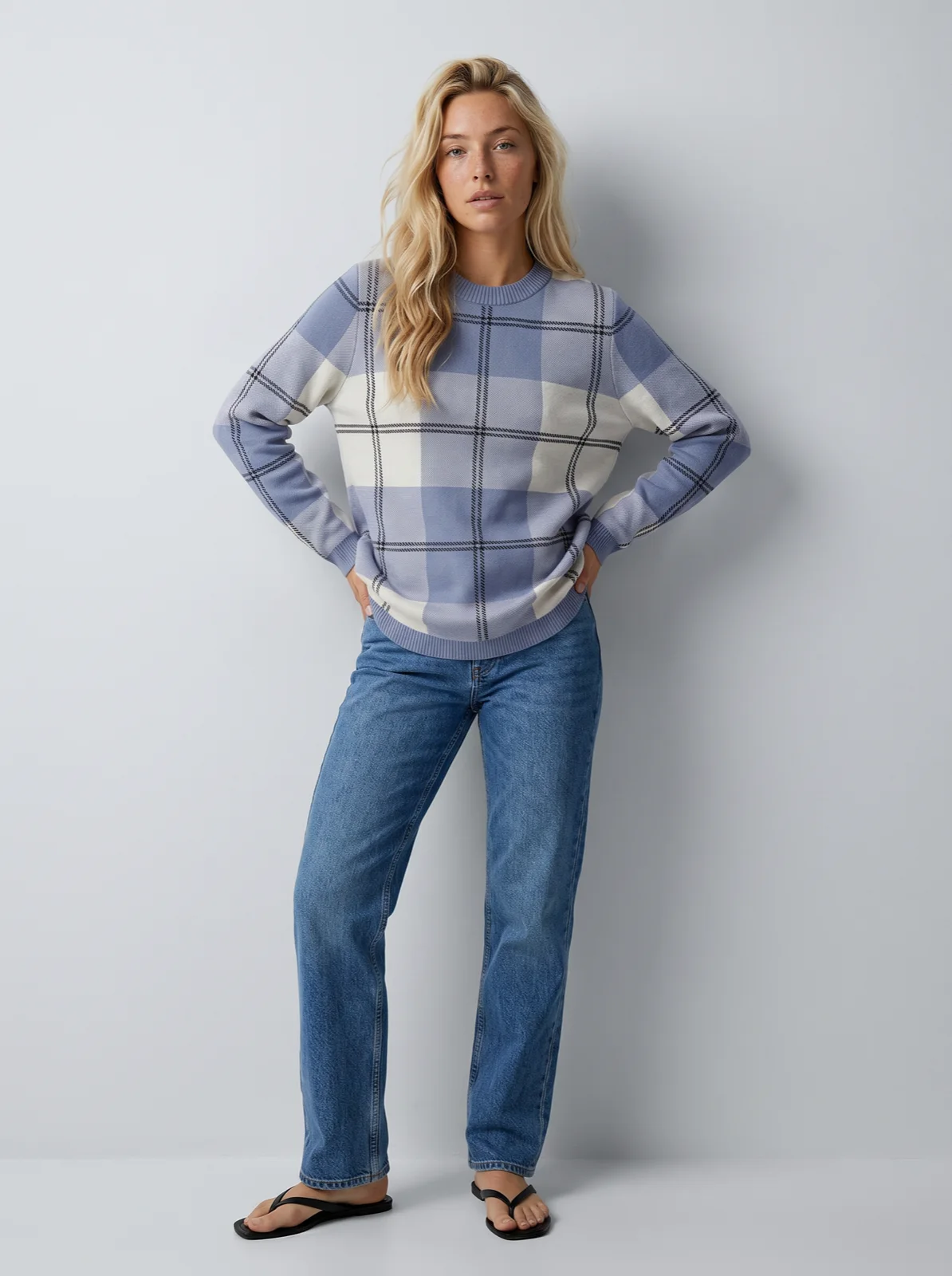
Check crew sweater on the saved model, full-body listing shot. The three pairs below are the same model on the same studio set, each from its supplier photo.
Mechanism
How an AI photoshoot for a clothing brand works
 Input
Input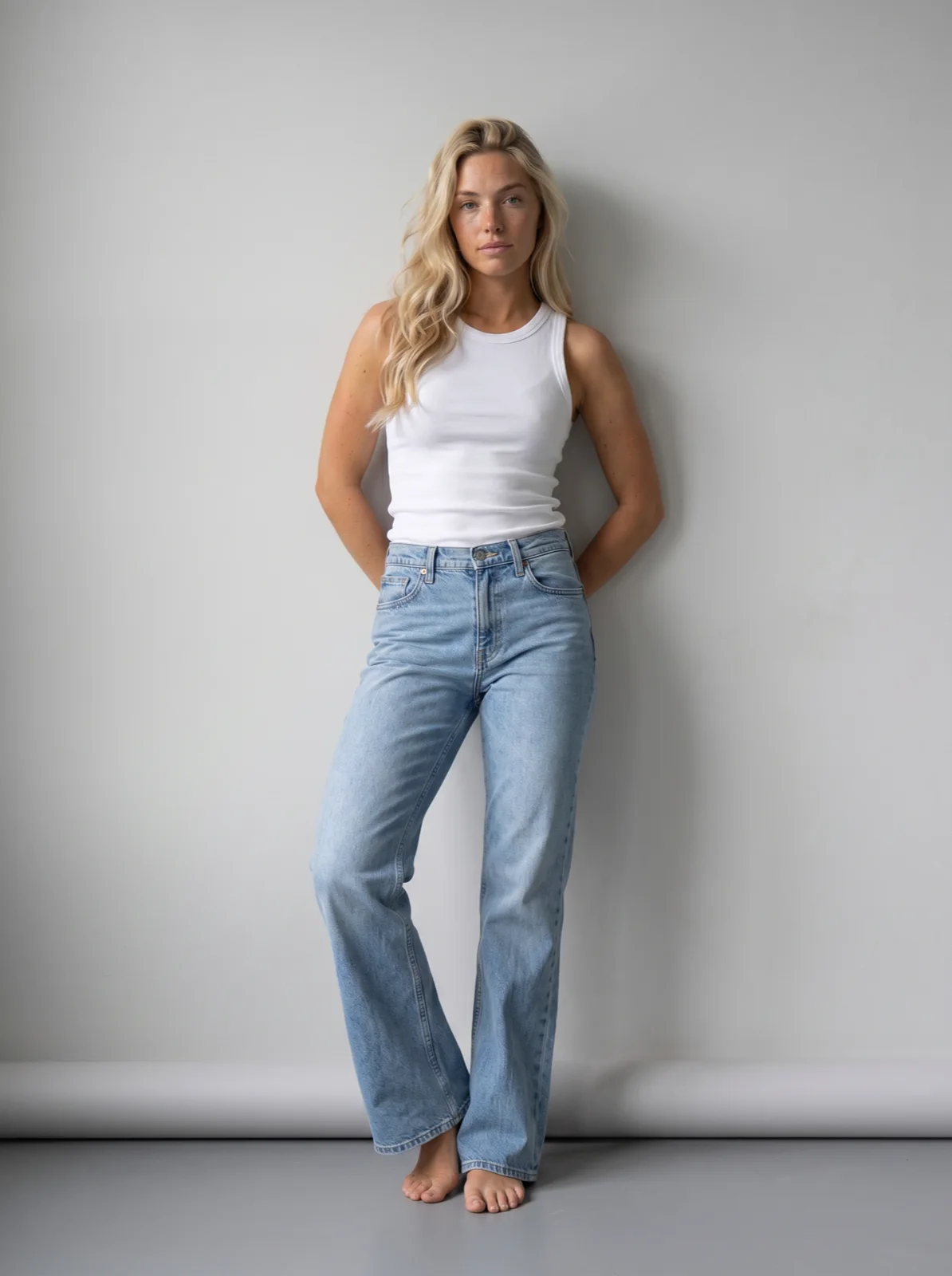 Output
 Input
Input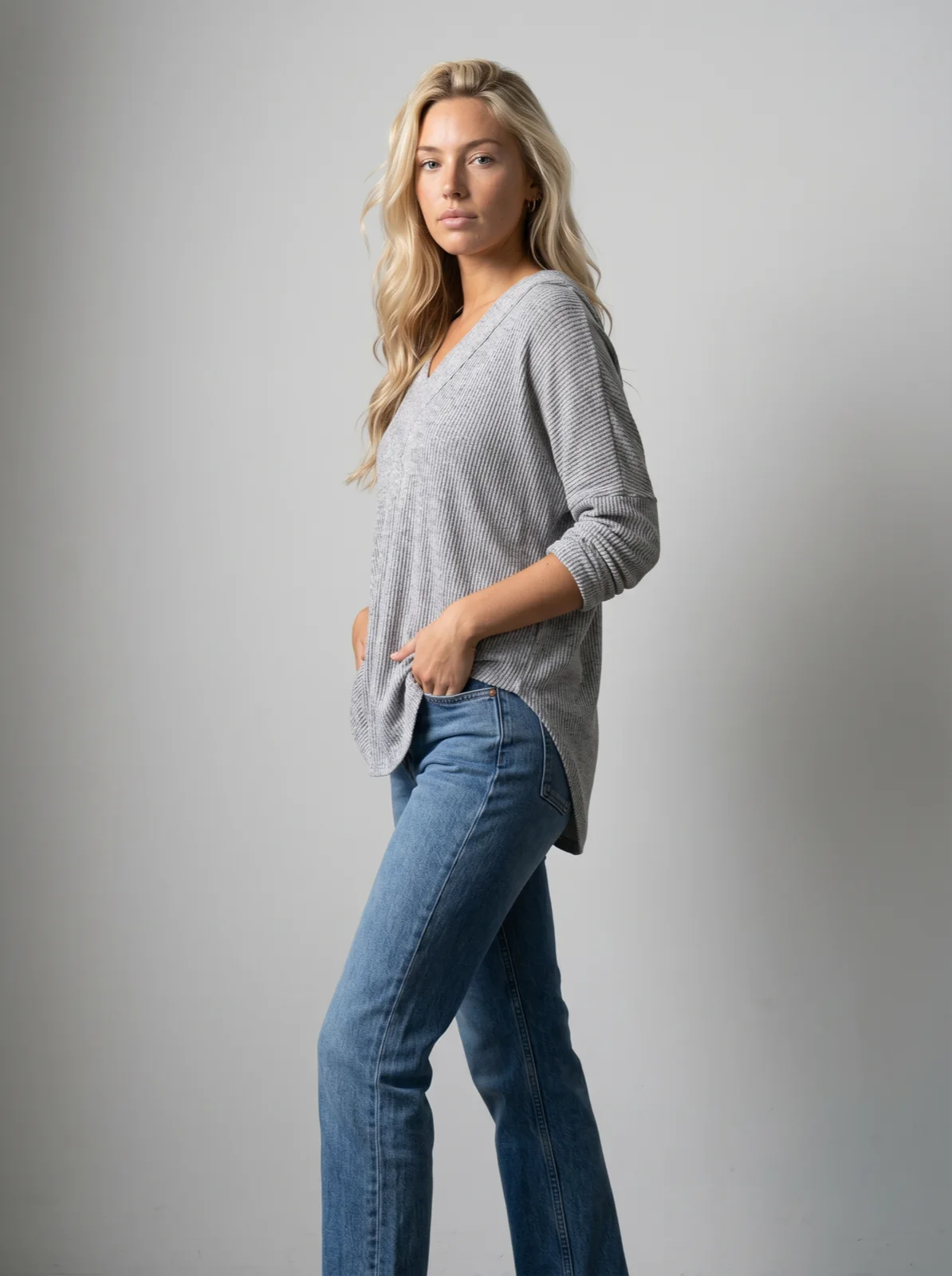 Output
 Input
Input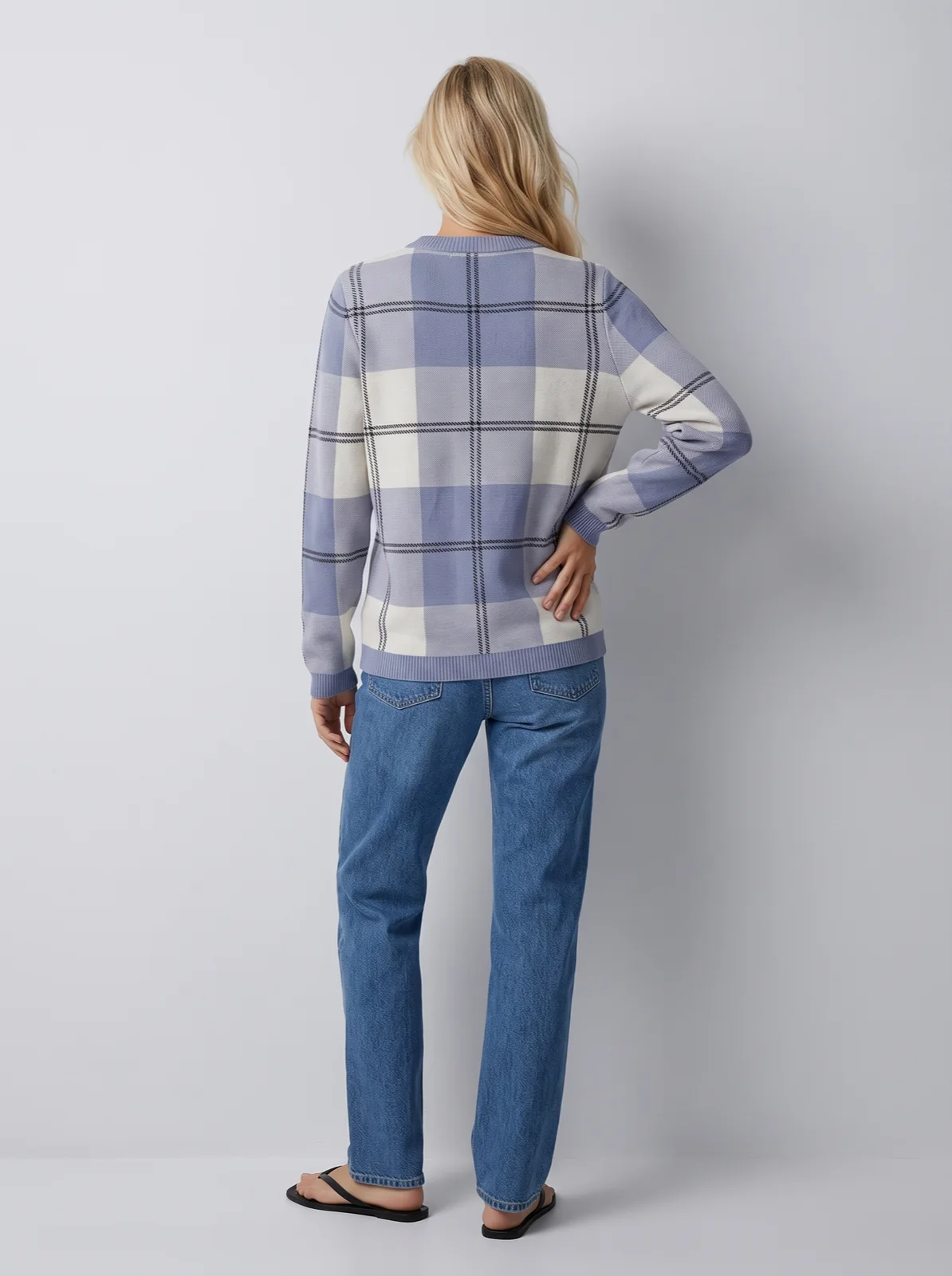 Output
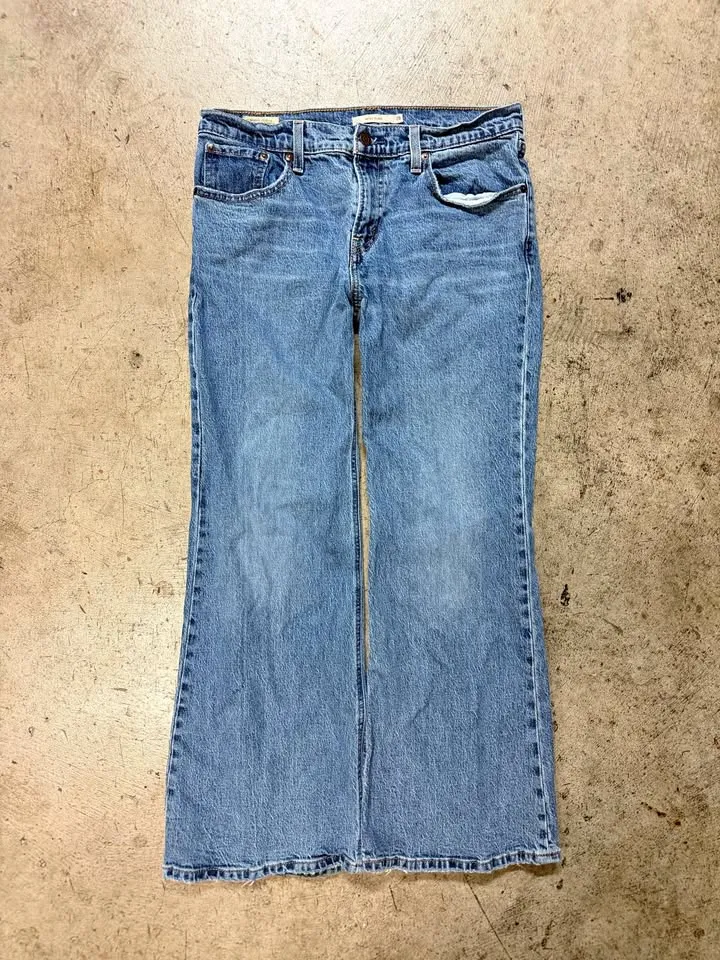
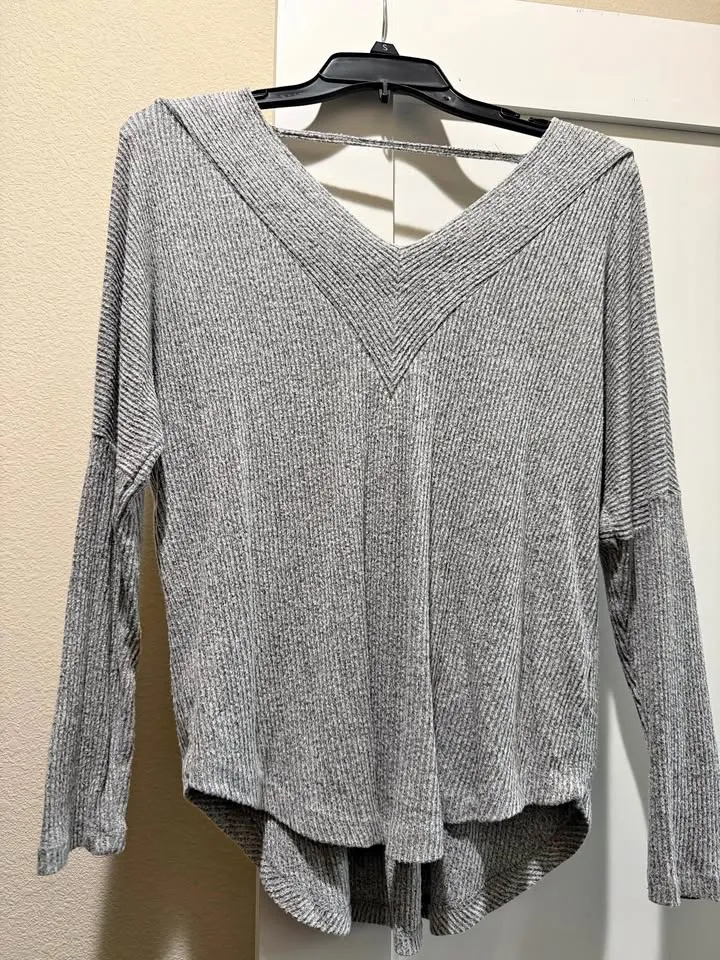
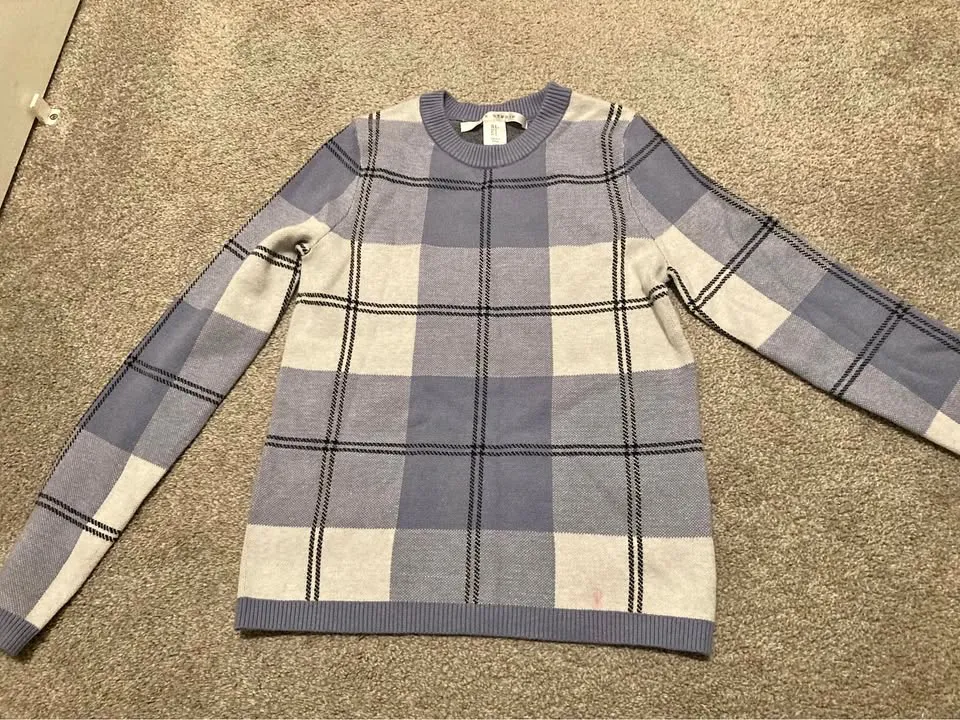
The jeans came from a warehouse floor, the top and the sweater from seller photos. Each was generated on the model saved for this range, in the same grey studio. The back view of the sweater is a camera edit: the approved front photo re-framed rather than generated again, so the person, the light and the set carry over. That is what AI product photography for clothing means here: one run over the range with one model and one set, priced in credits before it starts.
In numbers
What an AI photoshoot costs a clothing brand
| What you send | A product photo per garment | Supplier photo, flat lay, packshot or ghost mannequin. A clear front view is enough. |
|---|---|---|
| What comes back | Full body, back, detail | The Product page set, a ready-made run. Back and detail are camera edits of the approved front. A 360-degree clip can be added. |
| A photo | From 3 credits, $0.30 | Nano Banana 2 at 1K. 5 credits at 2K or with Nano Banana Pro. A credit is $0.10, with no subscription, and credits never expire. |
| A 300-garment run | From 2,700 credits, $270 | Three photos per garment at 3 credits, before any retries. The estimate is shown before you approve. |
| The quality check | Free, optional | Compares each photo with its product photo, writes the reason on each rejection, and can retry what drifted. A retry is priced as a new photo. |
| The model and the set | Saved once | The model costs 1 credit to create. The art direction, meaning set, light and framing, is saved with it. |
| A run | Up to 10,000 images | An Automation can also start a run on its own whenever a new garment finishes processing. |
| Delivery | Your store, the API, the library | Guides for Shopify, WooCommerce, Magento 2, Amazon and Salesforce Commerce Cloud; REST API with webhooks. |
Workflow
Run AI product photography for your clothing range in three steps
Send the range
Upload the product photos you have, one per garment, by drag and drop, CSV or API.
Set the shoot once
Pick or create the model, choose the set, light and framing, and save it as the art direction for the run.
Approve the estimate, receive the assets
The run is priced before it starts. Approve it, then deliver the assets to the store or your systems.
Run it from your assistant
Run AI fashion product photography from ChatGPT or Claude
Connect the Uwear MCP server to ChatGPT, Claude, or Codex and ask for the Product page set template. It is a batch workflow that runs once per garment: front, upper-body, and back product-page shots on a white studio background, plus a 360-degree video, from one garment photo. Any Uwear account can load it by name, and the assistant shows the credit cost of the whole run before anything is generated.
For a campaign set of the same range in a lifestyle setting, ask for the "Instagram drop" template instead: three lifestyle photos and a clip per garment.
Copy this prompt into your assistant
Connect to the Uwear MCP server and load the "Product page set" template. Run it on every garment I upload with my saved model and my saved studio art direction, turn the quality check on, and show me the credit estimate for the whole range before generating.
Questions about AI photoshoots for clothing brands
A run that turns the product photos you already have into listing photos on a model, across the whole range at once. On Uwear the run uses one saved model and one saved art direction, returns a full-body shot, a back view and a detail crop per garment, and is priced in credits before it starts.
Yes. The model is saved in your library and the art direction is saved with the run, so every garment receives the same person, set, light and framing. When the quality check is on, a photo that shows a different person is rejected and retried.
A photo costs from 3 credits ($0.30) with Nano Banana 2 at 1K, and 5 credits at 2K or with Nano Banana Pro. A 300-garment run with three photos per garment starts at 2,700 credits ($270). Credits are $0.10 each, with no subscription, and they never expire. The quality check is free; a retry is priced as a new photo.
Through the store guides, through the REST API with webhooks, or by downloading them from the shared library in the web app. An Automation can start a run whenever a new garment finishes processing and deliver it without anyone opening the app.
Related
- Catalog visuals at scaleThe same run at thousands of products, with batch delivery and continuous intake.
- Art directionSave the set, light, framing and garment rules once; every run reuses them.
- Review and QAWhat the quality check compares, and what it retries.
- AI product photos for a small clothing brandWhat a small brand can stop shooting, what it should still shoot, and a 40-piece drop priced.
- Visuals for every drop and seasonal launchThe same setup run on each New In drop and launch, with a drop and a year priced.
Next step
See your own range in an AI photoshoot.
Bring a few product photos to a demo and see them shot on one model in one set, or look at what the Product page set returns per garment.





