Ecommerce product photos
AI ecommerce product photos, checked against the product
Send the product photos for the range. Get listing photos on one saved model in one studio, with an AI check that compares each photo with the garment it sells and retries the ones that drift, before they reach the product page.
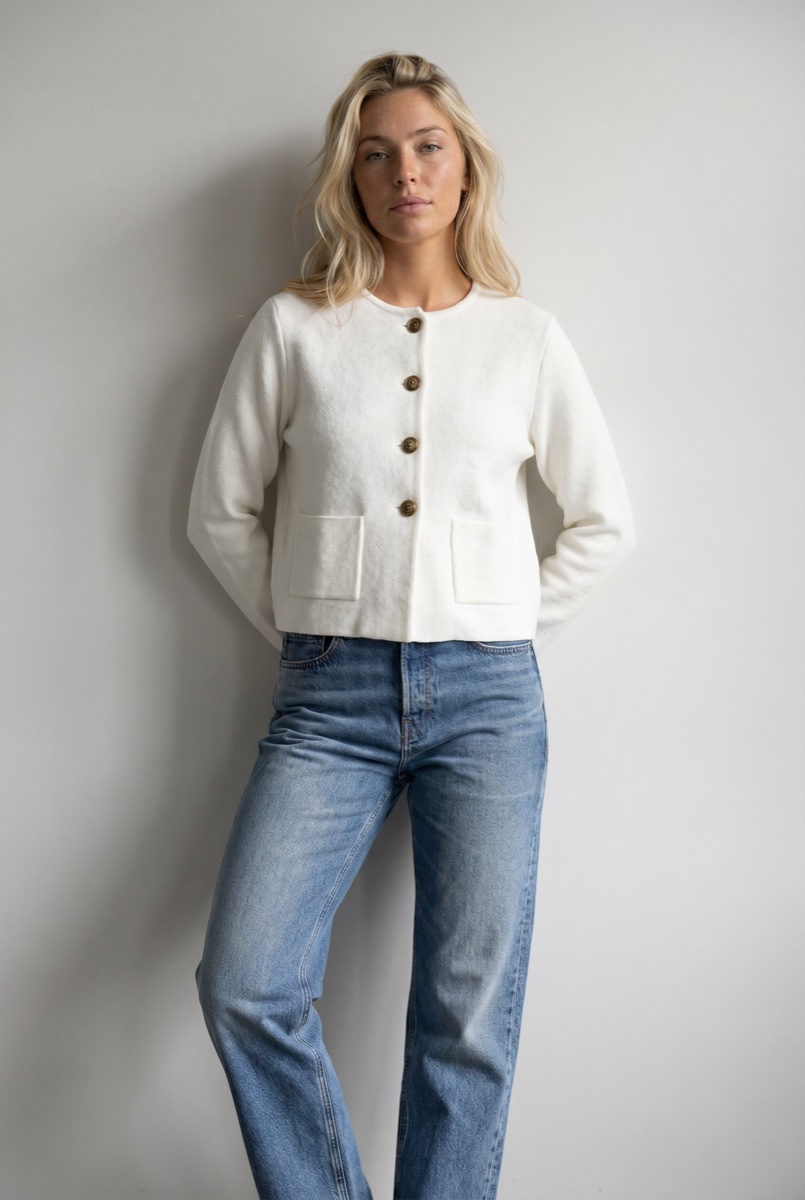
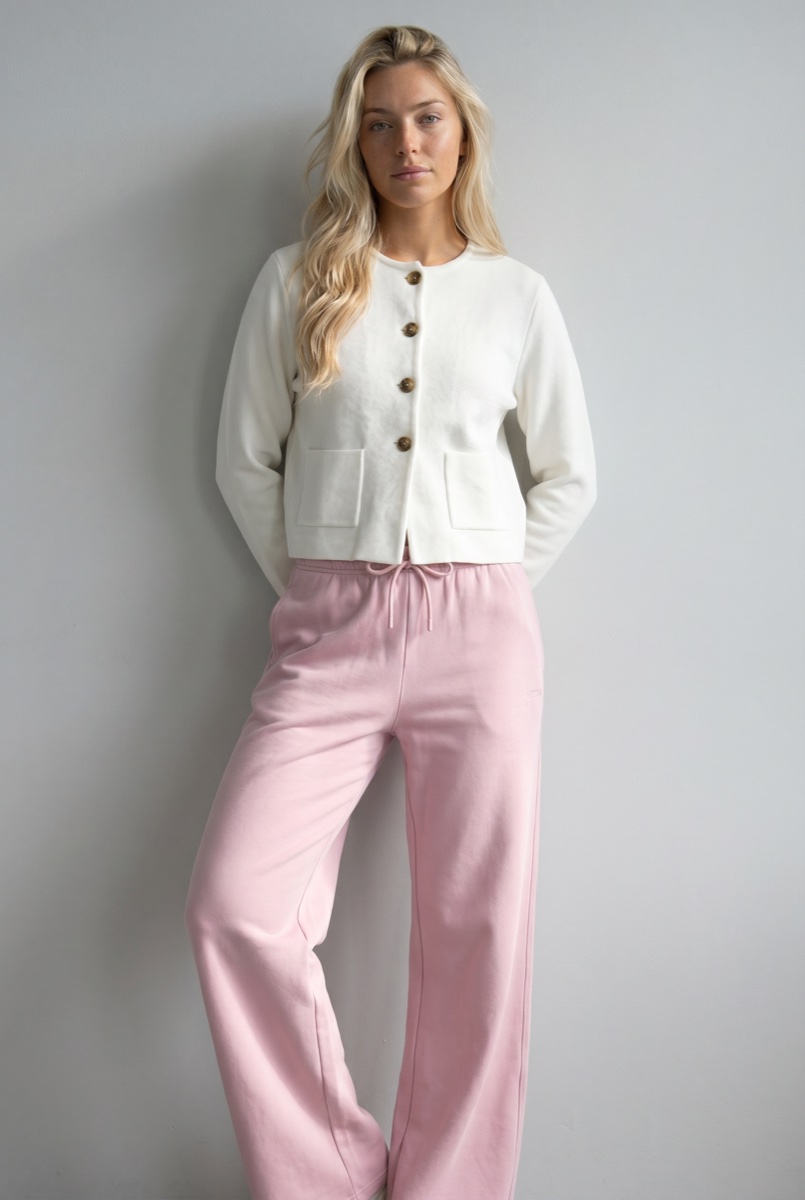
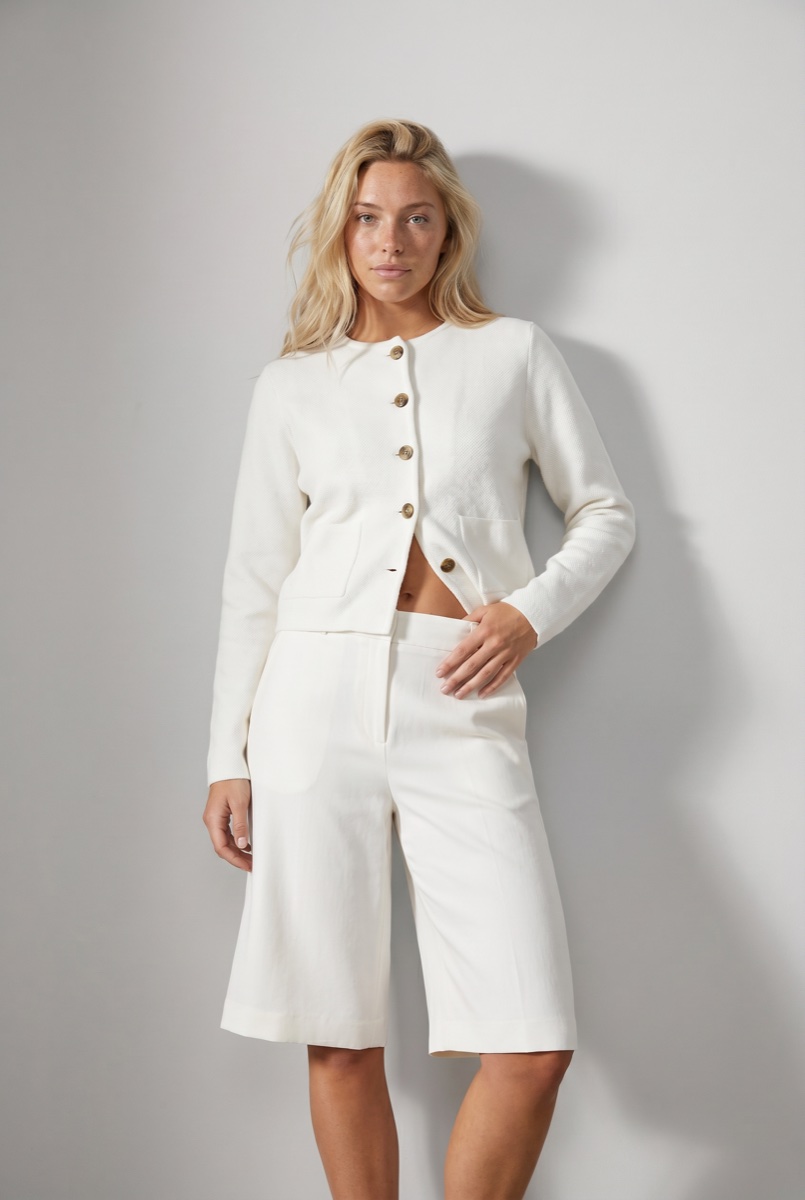
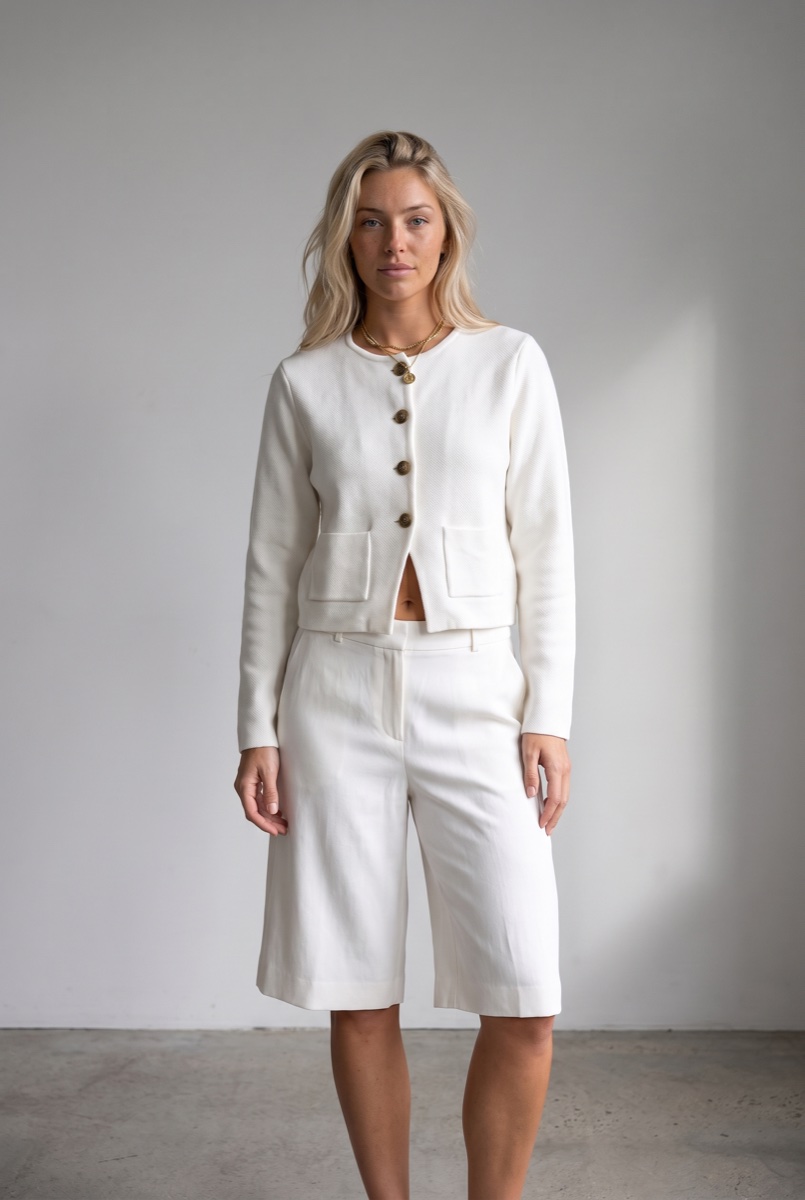
Cropped four-button jacket and light-wash jeans on the saved model, grey studio. Below: the same jacket with sweatpants, the take the check rejected, and its retry.
Mechanism
The check rejected the five-button jacket. The retry has four.
 Output
 Output
 Output
The jacket has four buttons. The first take of the third look came back with five; the AI check compared it with the product photo, rejected it with that reason, and the retry came back with four. That is the difference between a photo generator and a production line: the check is inside the run, not in someone’s afternoon. All three looks are one saved model in one grey studio, each from its product photos.
In numbers
What a listing costs, and what checks it.
| What you send | A product photo per product | Flat lay, packshot, ghost mannequin or supplier photo, by drag and drop, CSV or API. |
|---|---|---|
| What comes back | Full body, upper body, back, detail | The Product page set, a ready-made run. Back and detail are camera edits of the approved front, re-framed not regenerated. |
| The AI check | Free, optional | A pass or fail per criterion with the reason, and a retry up to the limit you set. |
| A photo | From 3 credits, $0.30 | Nano Banana 2 at 1K. 5 credits at 2K or with Nano Banana Pro. A credit is $0.10. |
| A 500-product range | From 4,500 credits, $450 | Three photos per product at 3 credits, with the free check. The worked example is on the blog. |
| The model and the studio | Saved once | 1 credit to create the model. The direction, meaning set, light and framing, is saved with it. |
| Delivery | Your store, the API, the library | Guides for Shopify, WooCommerce, Magento 2, Amazon and Salesforce Commerce Cloud; REST API with webhooks. |
| Provenance | Watermark and C2PA | C2PA is the open standard that records where an image came from; some marketplaces ask for it. |
Workflow
The production loop
Send the range
A product photo per product. Garments are sorted into a store-ready category on the way in.
Set the studio once
Pick or create the model, choose the set, light and framing, save it as the direction, and turn the check on.
Approve, then deliver what passed
The run is priced before it starts. What the check passes goes to the store; what it rejected was retried, with the reasons in the approval queue.
Run it from your assistant
Run this photoshoot from your AI assistant with a Uwear template.
Connect the Uwear MCP server to ChatGPT, Claude, or Codex and ask for the Product page set template. It is a batch workflow that runs once per garment: front, upper-body, and back product-page shots on a white studio background, plus a 360-degree video, from one garment photo. Any Uwear account can load it by name, and the assistant shows a costed brief in credits before generation starts.
For campaign photos of the same products in a lifestyle setting, ask for the "Instagram drop" template instead.
Copy this prompt into your assistant
Connect to the Uwear MCP server and load the "Product page set" template. Run it on every product I upload with my saved model and my saved studio direction, turn the AI reviewer on with one retry, and show me the costed brief and then the rejected takes with their reasons.
Frequently asked questions
Listing photos generated from the product photos you already have: the garment worn by a model, in a set and light you choose, at the sizes a product page needs. On Uwear the model and the set are saved once, every product in the run reuses them, and an optional check compares each photo with its product photo before delivery.
Turn the check on. It compares each photo with the product photo and the shot instructions, records a pass or fail per criterion with the reason, and retries what fails up to a limit you set. Uwear does not offer a fidelity guarantee; it offers the check, the retry and the approval queue where you see the rejected takes.
The Product page set produces front, detail and back views at 2:3 by default, and the marketplace listing images page covers formatting for destination exports and policy checks. Delivered files carry an invisible watermark and C2PA origin metadata, which some marketplaces require for AI-generated imagery.
Related
- How to create AI product photos for your listingsOne packshot in. A complete product listing out.
- Review and QAWhat the reviewer checks, what it retries, and what it costs.
- AI photoshoot for clothing brandsThe run: the range, one model, one set, four listing assets per garment.
- What a 500-SKU catalog costsThe worked example with the reviewer, the retry bound and a studio budget.
- Marketplace listing imagesProduct page set assets formatted for marketplace destinations.
- Which garment details AI gets wrongWhere on-model photos drift from the product, and how to test a tool on your hardest garments.
Next step
Map this workflow into your catalog operation.
Start with the use case, then decide whether the right access path is Studio, API, MCP, or a custom enterprise rollout.





