Product image generator
AI product image generator with a model wearing your clothes
Upload the product photo. Choose a model once and keep her. Every product image shows the garment worn by that model, in the same set and light, and checked against the photo you sent.
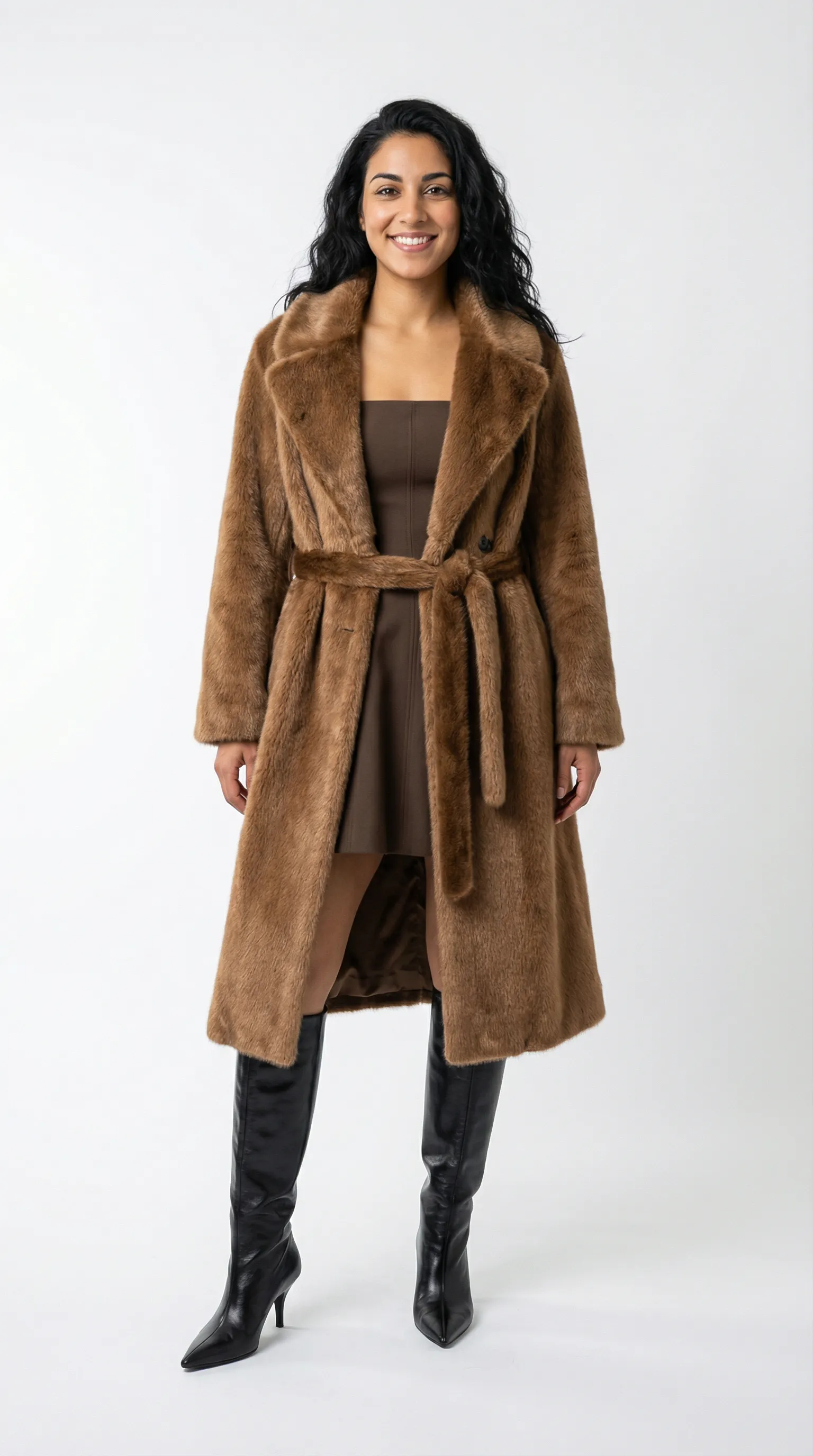
Faux-fur coat, brown mini dress and knee boots on the saved model, white studio, Nano Banana Pro. The pair below is the same model in a second coat.
Mechanism
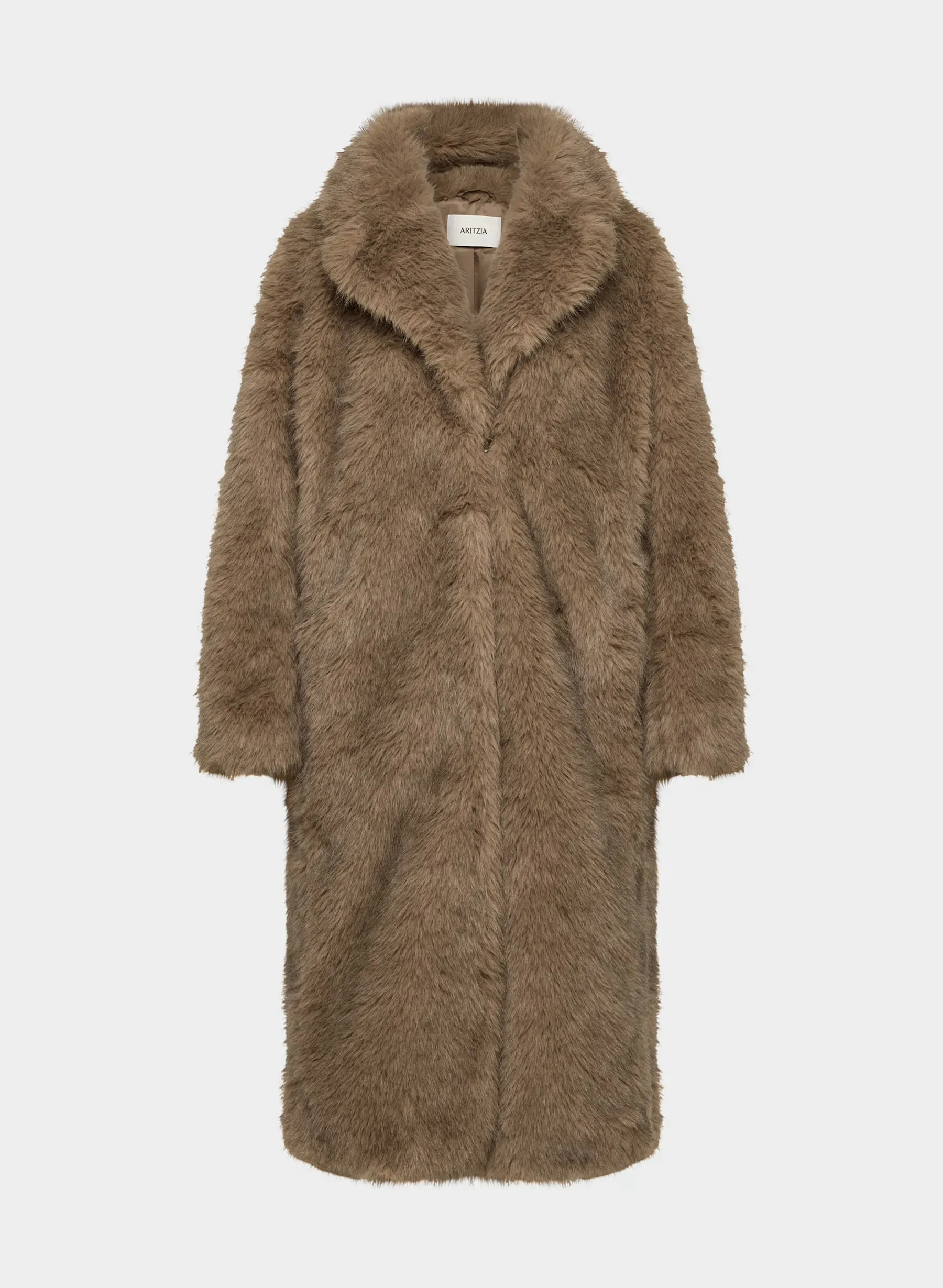
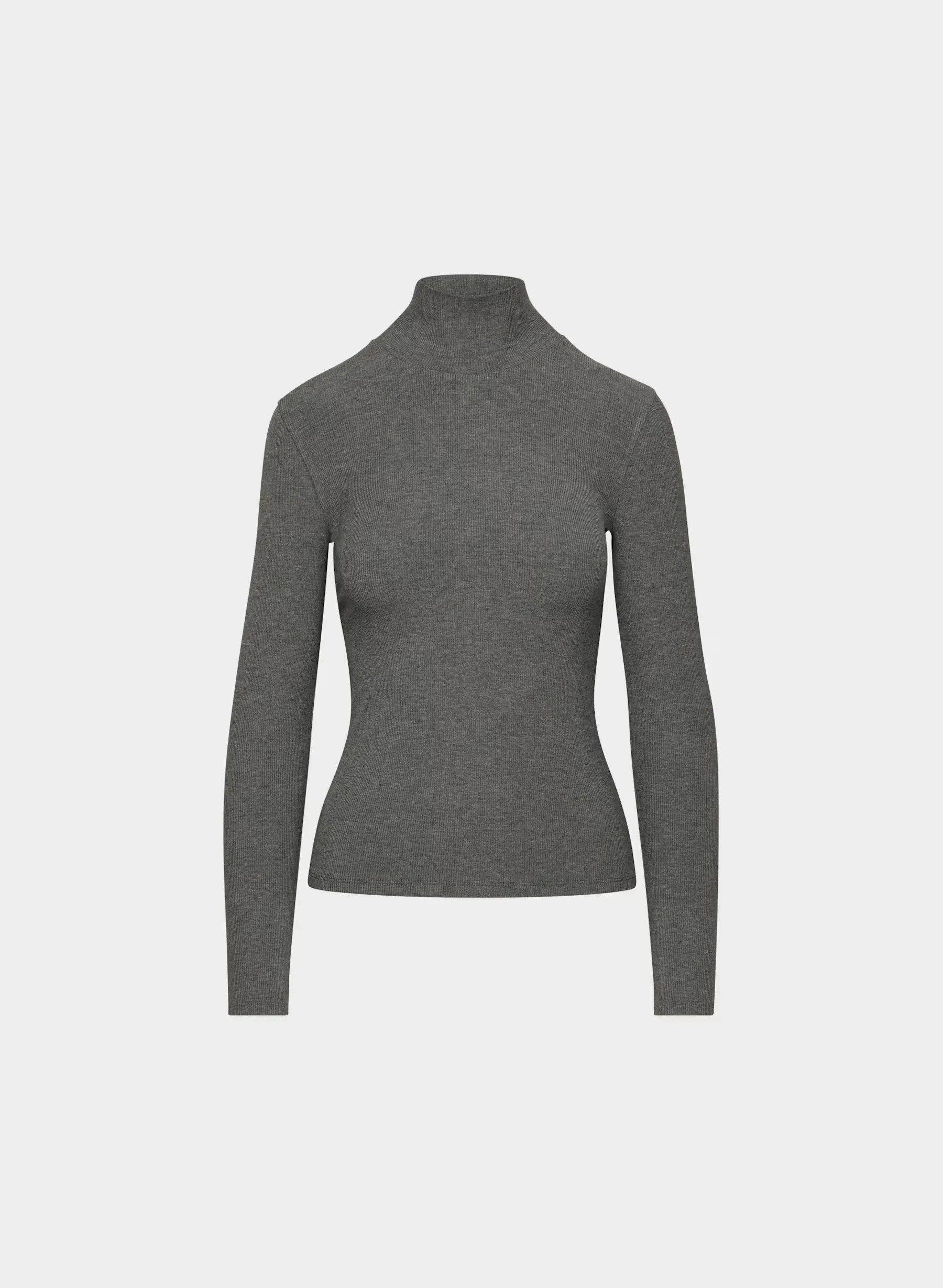
Two product photos in, one model wearing both of them out.
 Input
Input Output
 InputOutput
The coat and the turtleneck on the left are product photos. On the right, the model saved for this brand wears both on the white studio set: Nano Banana Pro inside Uwear, 5 credits. The garment is read from the product photo; the model and the set are saved in your library and reused on every product. The look at the top of the page is the same model, from three other product photos.
In numbers
What goes in, what comes out, what it costs.
| What you send | A product photo per garment | Flat lay, packshot, ghost mannequin or supplier photo. Several garments can be combined into one look. |
|---|---|---|
| The model | 1 credit to create, once | Or free from the library. Saved, and reused on every product. |
| The set and light | A saved direction | White studio, a library direction such as Noir or Coastal, or your own. |
| An image | From 3 credits, $0.30 | Nano Banana 2 at 1K. 5 credits at 2K or with Nano Banana Pro. Your choice per run. |
| What comes back | Full body, upper body, back, detail | The extra views are camera edits of the approved front image. 2:3 or 4:5, 1K to 4K. |
| The AI check | Free, optional | Compares each image with its product photo, retries drift, writes the reason. |
| A run | Up to 10,000 images, priced first | From the web app, the API, or ChatGPT and Claude through the Uwear MCP server, the connector that lets an assistant plan a job. |
Workflow
The production loop
Upload the product photos
One per garment, by drag and drop, CSV or API.
Choose the model and the set once
Pick or create the model, pick or describe the set and light, and save both.
Approve the estimate, receive the images
The run is priced before it starts. Approve it, then deliver the images to the store, your systems or the shared library.
Run it from your assistant
Run this photoshoot from your AI assistant with a Uwear template.
Connect the Uwear MCP server to ChatGPT, Claude, or Codex and ask for the Product page set template. It is a batch workflow that runs once per garment: front, upper-body, and back product-page shots on a white studio background, plus a 360-degree video, from one garment photo. Any Uwear account can load it by name, and the assistant shows a costed brief in credits before generation starts.
For three lifestyle images and a clip per garment in a campaign setting, ask for the "Instagram drop" template instead.
Copy this prompt into your assistant
Connect to the Uwear MCP server and load the "Product page set" template. Run it on my product photos with Nano Banana Pro at 2K, my saved model and the white studio direction, turn the AI reviewer on, and show me the costed brief before generating.
Frequently asked questions
A tool that takes a product photo and returns an image of a person wearing or holding the product. For clothing the hard part is not the first image but the four hundredth: the same person on every product, the garment true to its photo, the same set and light across the range. Uwear saves the model and the direction and checks each image against the product photo.
Yes. The image above was generated from two product photos, the coat and the turtleneck, worn together by the saved model. The look at the top of the page combined a coat, a dress and boots. Each garment stays the reference for its own cut, colour and print.
No. A background generator keeps your product photo and replaces the scene behind it. This generates the product worn by a person, from the product photo, in a chosen set and light. Uwear also does background edits with its Backdrop tool at no extra credits, but the product image generator is the on-model part.
Related
- Flat lay to on-model photosThe most common input and what the generator does with it.
- Can a brand use Nano Banana for product photos?Prompts that work in Gemini, and where the single prompt stops.
- GPT Image 2.5 vs Gemini Pro and Seedream for fashionThree garments, four model settings, with the product references and detail crops.
- Shopify integration guideHow the images get from a run into the product page.
Next step
Map this workflow into your catalog operation.
Start with the use case, then decide whether the right access path is Studio, API, MCP, or a custom enterprise rollout.





