AI fashion photography
AI fashion photography, directed like a shoot
AI fashion photography turns the product photos you already have into photos of a model wearing the clothes. Choose the model, the light, the set and the framing once, and every garment is shot the same way.
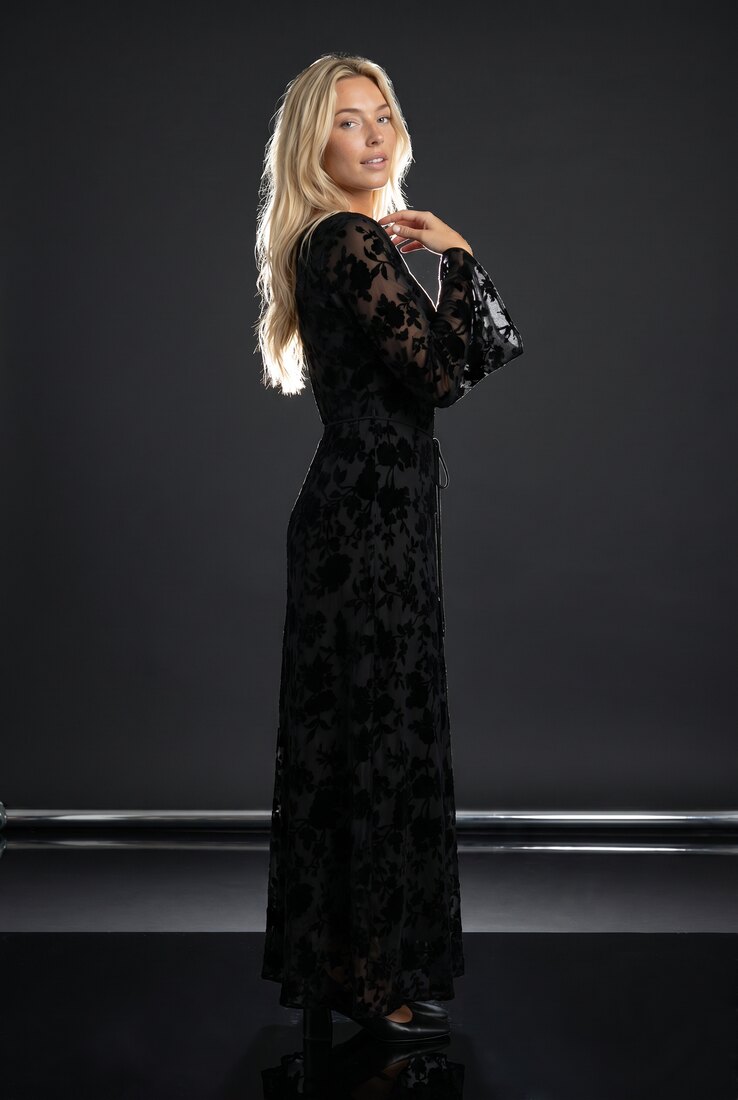
Floral maxi dress in the Noir direction: one dark studio, one hard key light, one saved model. The three looks below share it.
Mechanism
How does AI fashion photography work?
 Output
 Output
 Output
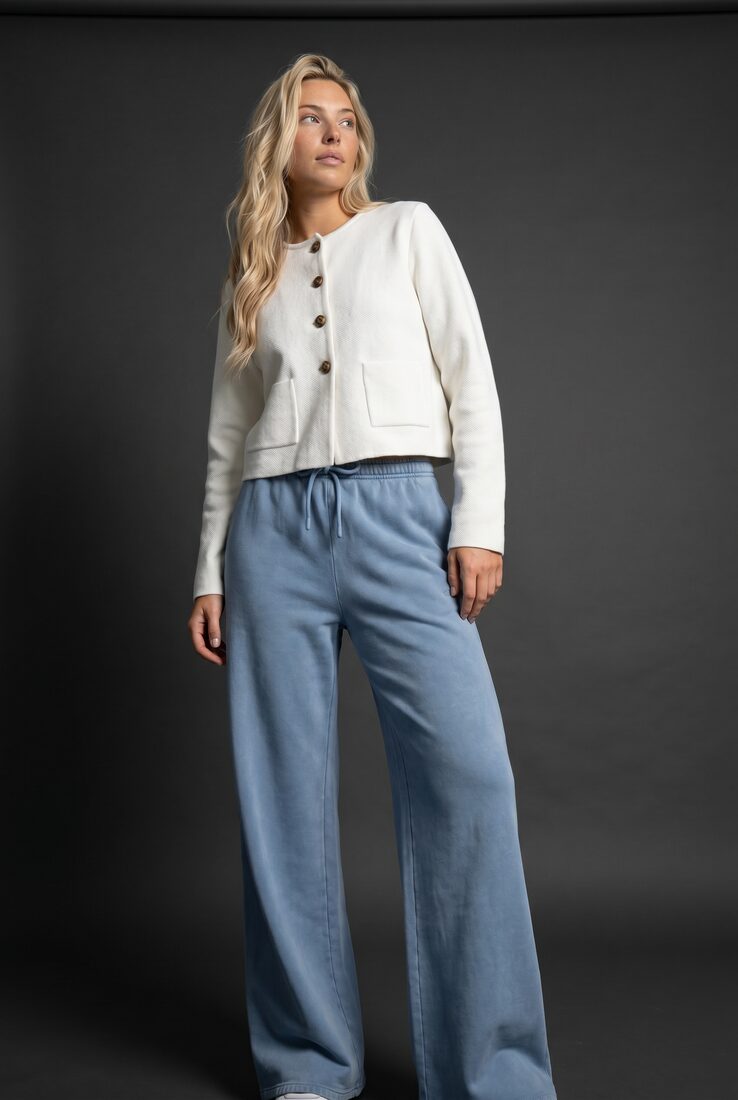
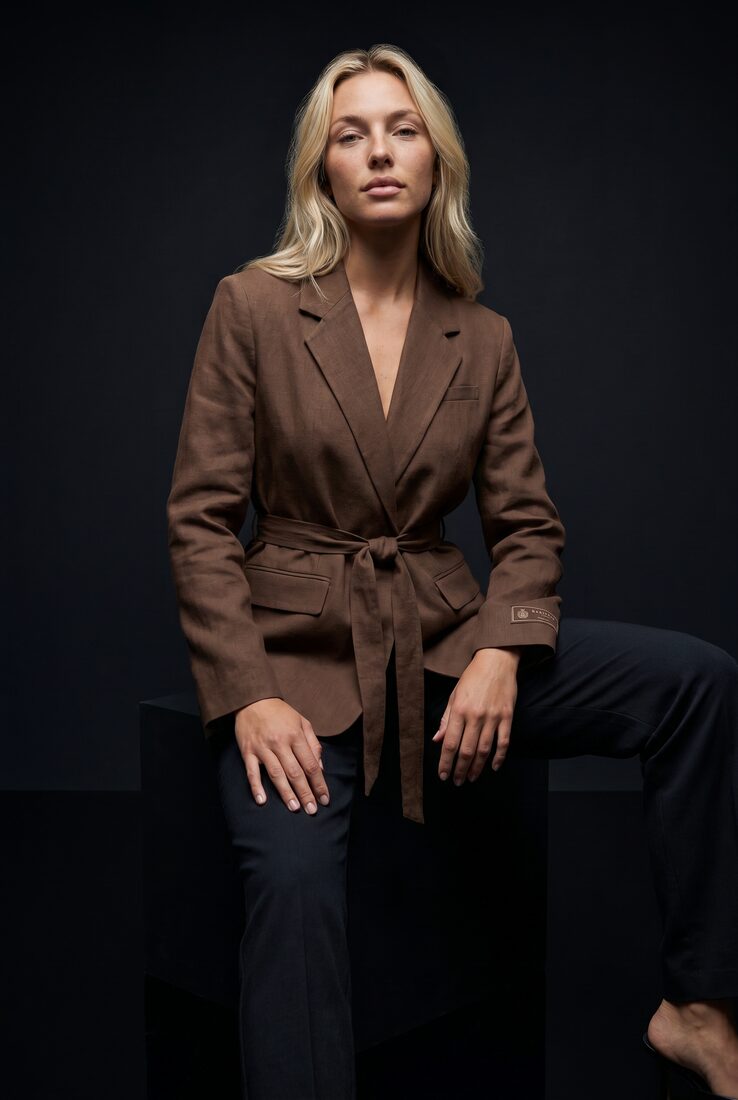
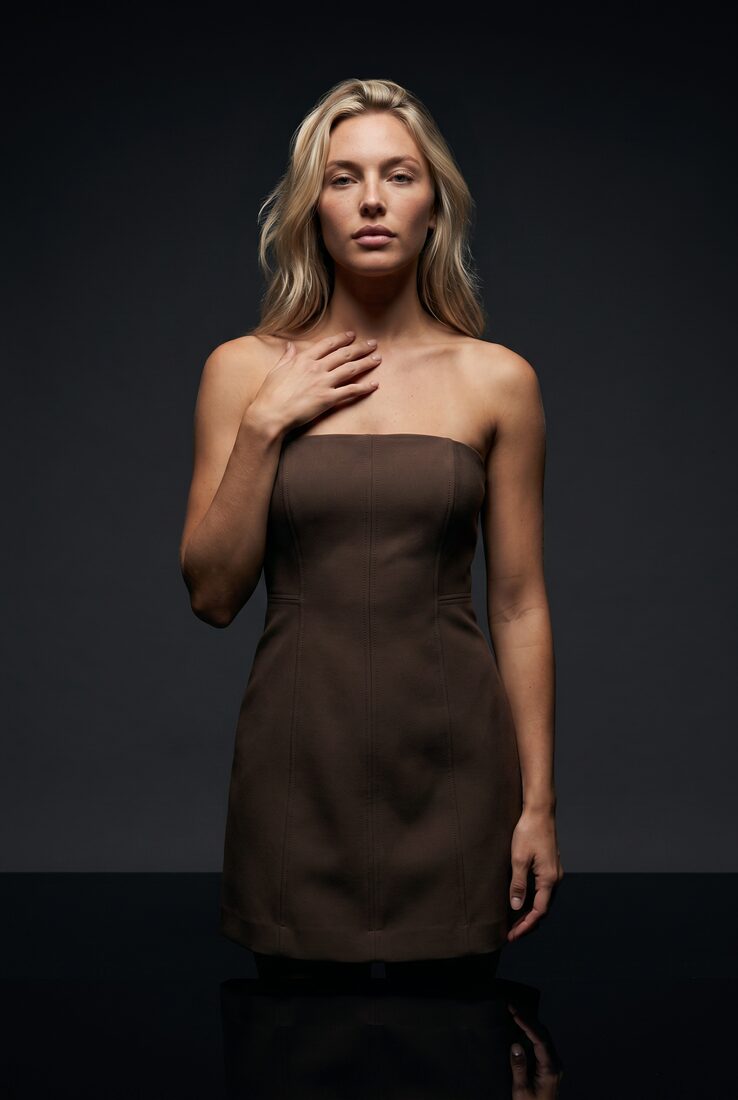
A cropped jacket, a belted linen blazer and a strapless dress, all on the model saved for this brand, in the Noir direction from the library: dark studio, single hard key light, full-body camera at eye height. In a studio those are decisions a photographer makes on the day. Here they are saved once and reused by every garment. Back and detail views use the approved front photo as a reference for camera edits, carrying its lighting and set into the new view.
In numbers
What AI fashion photography costs, and what you get
| Light and set | A saved direction | Library directions: white studio, Noir, Concrete, Coastal and Summer. Or describe your own. |
|---|---|---|
| The model | 1 credit to create, once | From a description or reference photos, or free from the library. Several for several markets. |
| A photo | From 3 credits, $0.30 | Gemini 2.1 (Nano Banana 2.1), the default image model, at 1K. 5 credits at 2K. A credit is $0.10; other image models have their own rates. |
| Format | 2:3 or 4:5, up to 4K | 2:3 for product pages, 4:5 for social. Resolution depends on the image model. |
| The other views | Priced as photos | Upper body, back and detail are camera edits of the approved front photo. |
| The quality check | Free, optional | Checks each photo against its product photo and the saved direction, and says why a photo fails. With retries on, a failed photo is shot again; a retry costs the same as a new photo. |
| A 5-second clip | 23 credits | Kling 3 Pro from an approved photo. A 360-degree turn is included in the Product page set run. |
| Provenance | Watermark and C2PA | C2PA is the open standard that records where an image came from. Check any delivered file on the verify page. |
Workflow
AI fashion photography in three steps
Direct the shoot once
Pick a library direction or describe the light, set, framing and mood you want. Choose the model. Save both.
Send the garments
Upload supplier photos, flat lays or packshots, one per garment.
Run, review, deliver
Turn on the free quality check to catch mismatches, approve the credit estimate, and deliver to your store, your systems or your library.
Run it from your assistant
Run AI fashion photography from ChatGPT or Claude
Connect the Uwear MCP server to ChatGPT, Claude, or Codex and ask for the Instagram drop template. It is a batch workflow that runs once per garment: three lifestyle photos and a short opening clip from one garment, in the Nostalgic Coastal Collage art direction, ready to post as a carousel. Any Uwear account can load it by name, and the assistant shows the credit estimate before anything is generated.
For listing shots on the white studio with front, detail and back views per garment, ask for the "Product page set" template instead.
Copy this prompt into your assistant
Connect to the Uwear MCP server and load the "Instagram drop" template. Run it on my garment photos with my saved model, swap its art direction for my saved Noir studio direction, turn the quality check on, and show me the credit estimate before generating.
Questions about AI fashion photography
Producing the photos a fashion brand needs, on a model, in a chosen light and set, from the product photos it already has, with an image model instead of a camera. On Uwear the photography decisions are saved as an art direction and a saved model, and every garment is generated in them.
A photo costs 3 credits ($0.30) at 1K or 5 credits ($0.50) at 2K with Gemini 2.1 (Nano Banana 2.1), the default image model. Other image models have their own rates. The quality check is free, a retry costs the same as a new photo, and you see the estimate for the whole run before anything is generated. There is no subscription, and credits never expire.
Yes. That is what the art direction holds: the set, the light, the camera framing, the pose family and the garment rules. Pick a library direction or describe your own and refine it. Every garment in the run follows it, and the next run can use a different one.
You choose. Uwear runs image and video models from Google, OpenAI, ByteDance, Kuaishou and PixVerse alongside Drape, its own image model family. The image model is one setting in the run and the rate per photo depends on it.
For catalog and product-page photos, usually yes, and it keeps the same model, light and set on every garment, which is hard to hold across studio days. A studio still wins on fine fabric texture up close, complex campaign scenes, and anything that must match a physical sample exactly. The free quality check flags photos that drift from the product photo, but look closely at the ones that matter most. The three looks above share one direction, so you can judge for yourself.
Related
- Art directionHow a direction is saved, refined and reused across workflows.
- AI photoshoot for clothing brandsThe whole range in one run, four listing assets per garment.
- AI fashion models vs traditional model photographyThe same blouse and skirt on four image models, and where a studio still wins.
- AI fashion product photography guideThe catalog guide: inputs, formats, QA and delivery for brands.
- Tutorial: build an AI art directionEight minutes, recorded in Uwear: references in, a tested direction every photo follows.
Next step
Try AI fashion photography on your own clothes.
Bring a few product photos to a demo and see them on your model, in your set. Or start from one of the saved art directions.





