AI Fashion Product Photography: The Complete Catalog Guide for Brands (2026)
AI fashion product photography is now a practical catalog-production method for clothing brands. A team can start with an existing product image, create on-model or product-only variations, review garment accuracy, and deliver channel-ready assets without rebuilding a physical shoot for every SKU.
The category is still confusing in 2026. There are AI image models, photography tools, API providers, and production platforms competing for attention. This guide separates the models that shape output quality from the tools that manage workflow, then explains input preparation, quality control, model selection, budgeting, and scale for catalogs of 10 SKUs or 10,000.
Want to see the process first? Follow our step-by-step AI product photo tutorial to turn a garment packshot into on-model listing images, alternate camera angles, and product video in Uwear.
What Is AI Product Photography?
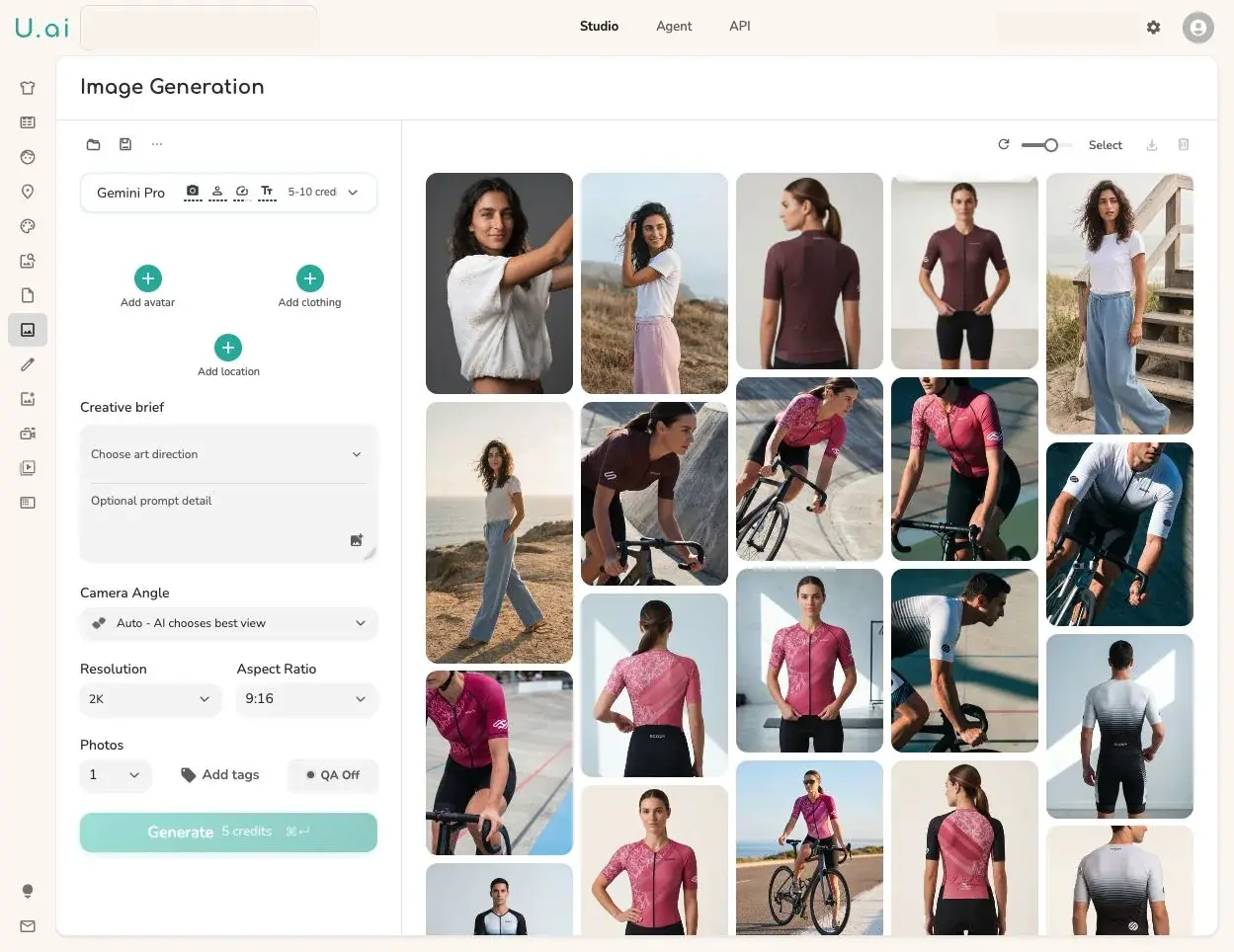
AI fashion product photography uses machine learning to generate or enhance garment images without a traditional photo studio. For clothing brands specifically, the category covers four distinct use cases:
On-Model Generation
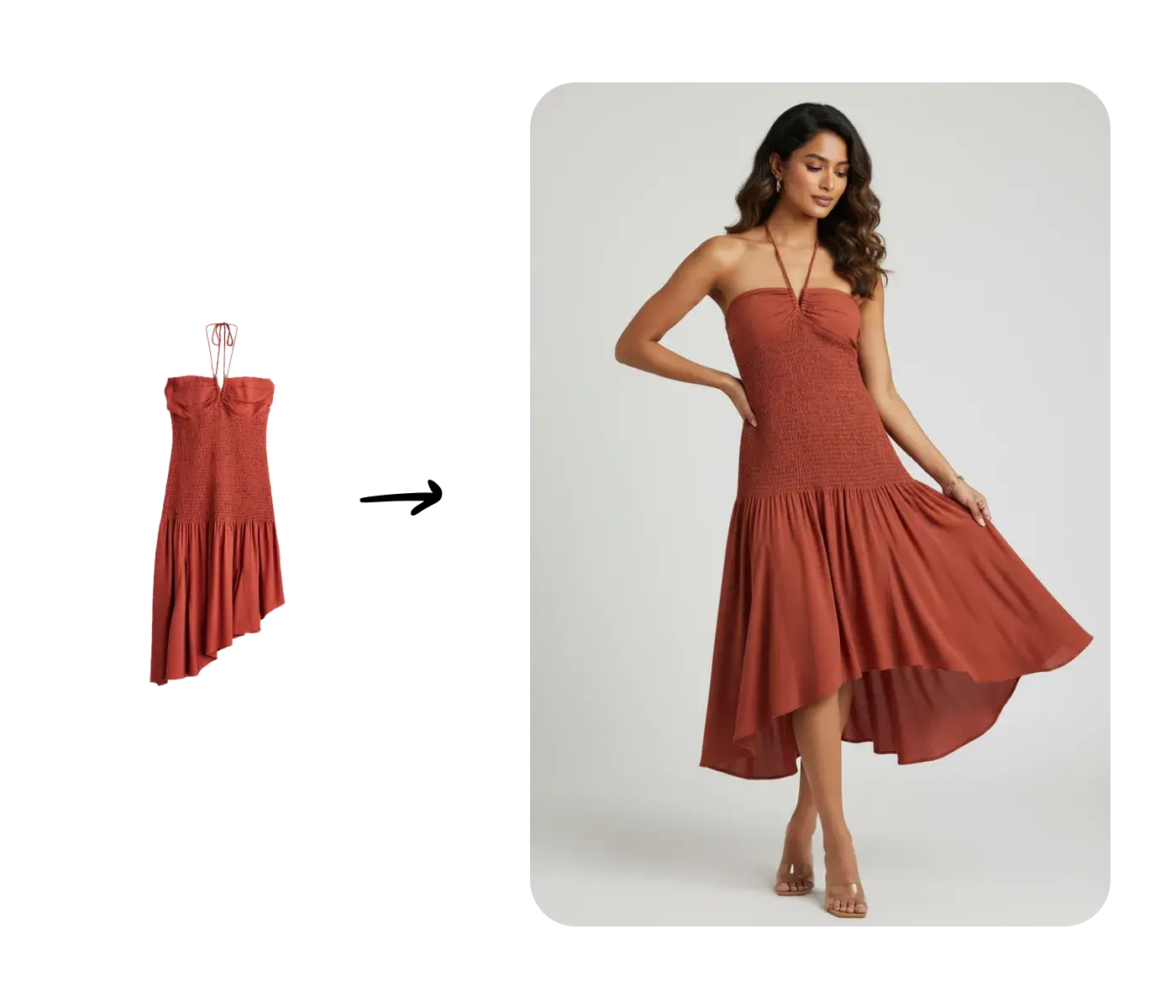
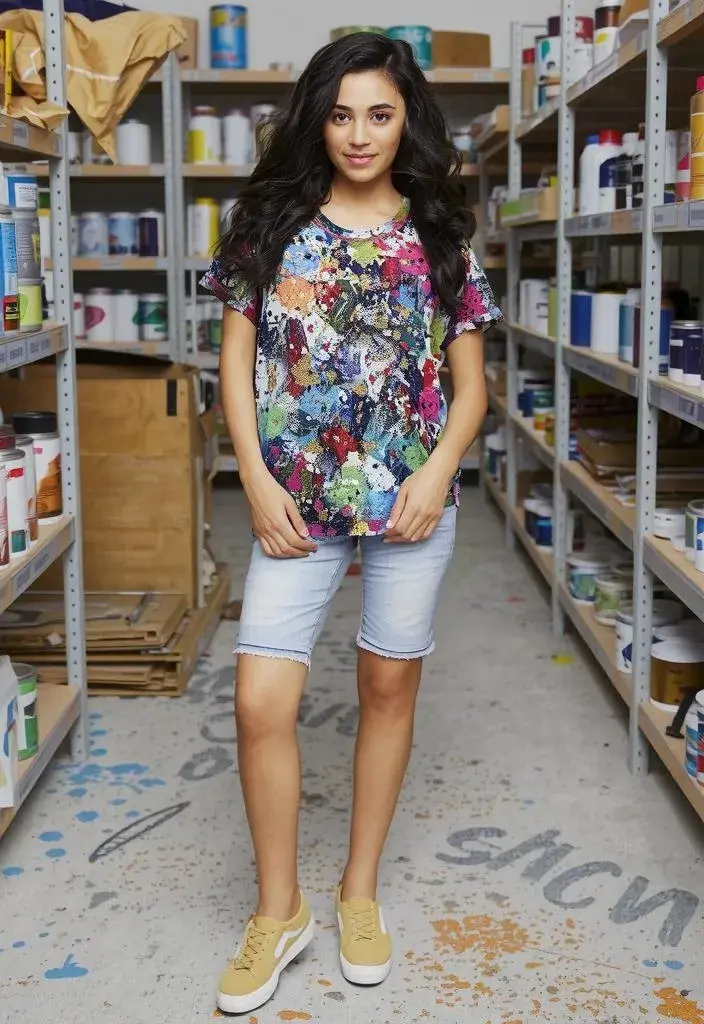
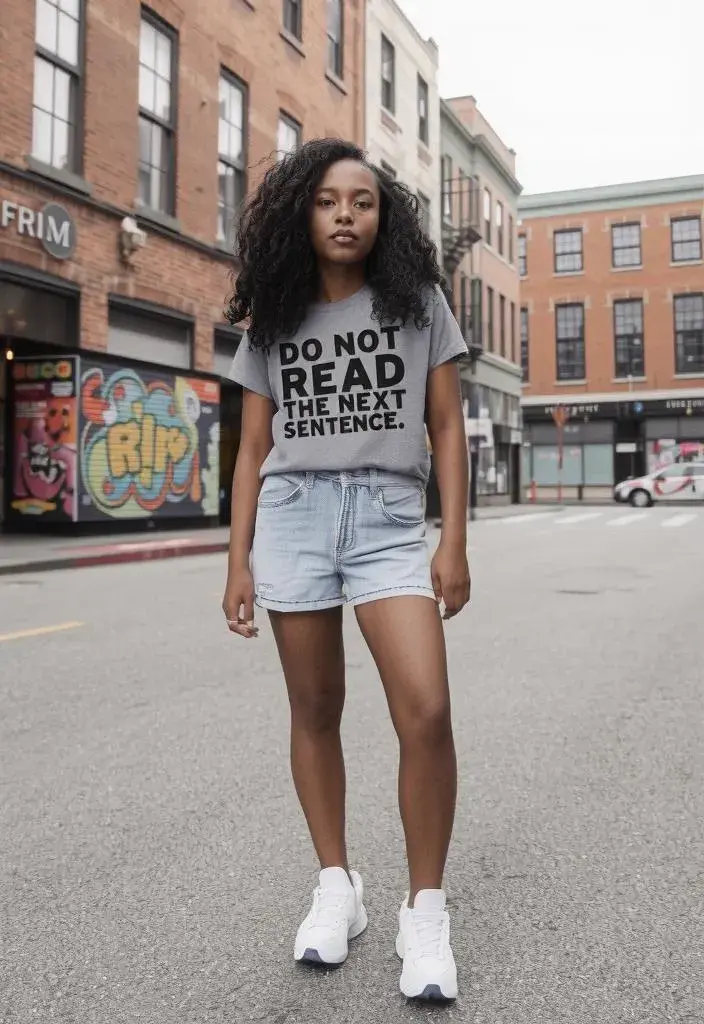
Upload a flat lay photograph or mannequin photo and place the garment on a realistic AI model. The product image remains the reference for visible shape, color, fabric, and construction details.
Background Generation
Keep your product, replace the background with a studio set, lifestyle scene, or solid color. Useful for packshots, accessories, and beauty products.
Image Enhancement
Upscale resolution, clean wrinkled flat-lays, remove backgrounds, or relight product photos. A preprocessing step before generation, or a standalone workflow.
Batch Processing
Apply any of the above to hundreds or thousands of SKUs simultaneously. The difference between a 100-item brand and a 10,000-item catalog workflow.
For fashion brands, on-model generation adds fit, proportion, drape, and styling context that a product-only view cannot provide. The source determines the best conversion path: use a flat lay to on-model workflow when you have overhead product shots, or a ghost mannequin to model workflow when the catalog already contains invisible-mannequin images.
AI does not remove the need for product review. It changes where the work happens: teams spend less time coordinating repetitive capture and more time defining art direction, checking garment fidelity, approving exceptions, and preparing consistent outputs for each sales channel.
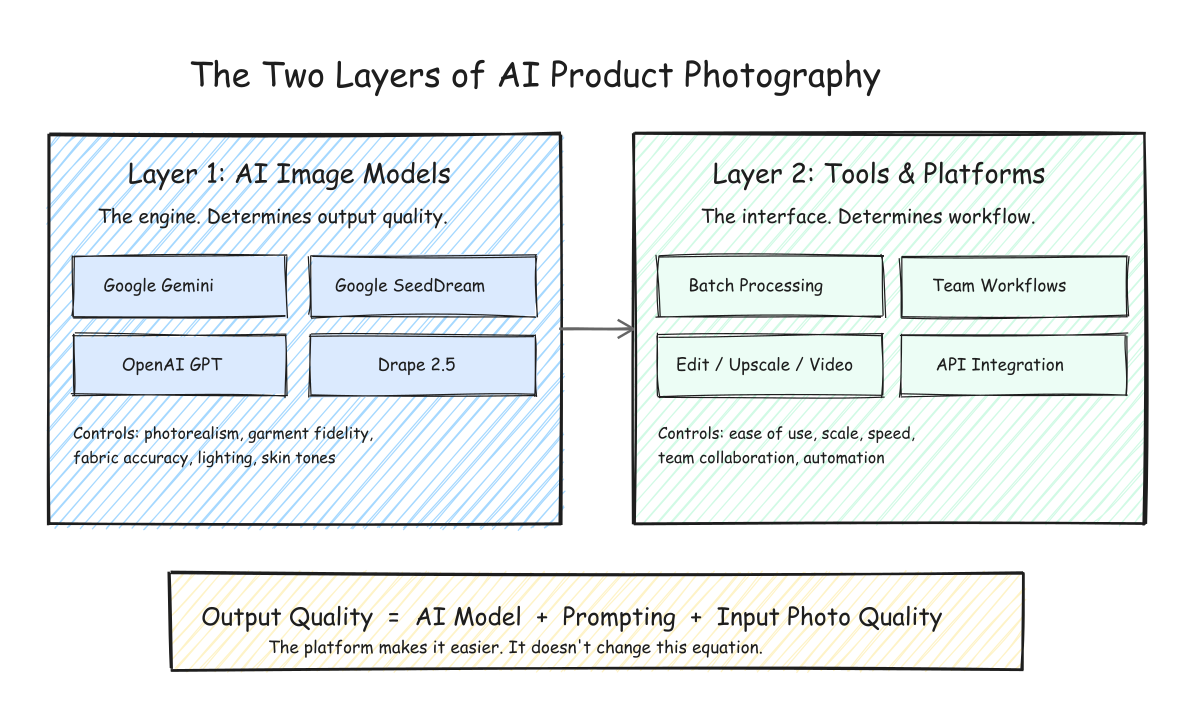
The Two Layers of AI Product Photography
Understanding AI fashion product photography starts with understanding the two layers of technology involved. These layers are often confused, but they serve very different functions.
Layer 1: AI Image Models
These are the foundational models trained by AI labs and research teams: Google's Gemini family, OpenAI's GPT Image family, ByteDance's SeedDream family, and specialist models. They are the engines that generate or transform the images.
The AI model determines the quality of the output: photorealism, garment fidelity, lighting, and how accurately your product is reproduced.
Layer 2: AI Tools and Platforms
These are the software products that make AI models usable for fashion brands: Uwear, and other AI fashion generators. They provide the interface, batch processing, workflow automation, and integrations.
The tool determines the experience: how easy it is to use, how it fits into your team's workflow, and how efficiently you can scale.
The key insight: AI models + prompting + quality of input photos determine the quality of your output. The AI tool or platform you use determines only how easy it is to get there. Both matter, but for different reasons.
This distinction also frames a practical decision every brand faces: should you call AI model APIs directly (the build route) or use an existing platform (the buy route)? The answer depends on your internal technical capabilities and the scale of your operation.
Build or Buy: Two Approaches to AI Product Photography
Once you understand that AI image models and AI tools are separate layers, the next question is how your brand should access them.
The Build Route: Direct API Access
Connect directly to Google's Gemini API, or other model providers, and build your own generation pipeline. You control the prompts, the workflow, and the integration with your existing systems.
- Full control over prompts and parameters
- Can integrate into existing internal tools
- Requires engineering resources to build and maintain
- No batch UI, model management, or editing tools out of the box
The Buy Route: Use a Platform
Use a tool like Uwear or another AI fashion generator that wraps AI models in a purpose-built interface for fashion photography.
- Ready-to-use UI with batch processing and editing
- Multiple AI models available without separate API keys
- Designed for fashion-specific workflows
- Trade-off: less control over raw model parameters
This is the classic build-versus-buy decision. Brands with strong engineering teams and very specific pipeline requirements sometimes prefer the direct route. Most fashion brands, especially those whose core competency is design and merchandising rather than software, get better results faster with a platform that has already solved the workflow problems.
Choosing the Right AI Image Model for Fashion
Whether you go the build or buy route, the AI image model is what determines the quality of your AI product photography. Here is what we have learned from working with fashion brands on Uwear, where we offer multiple models and see which ones brands gravitate toward.
There Is No Single Best Model
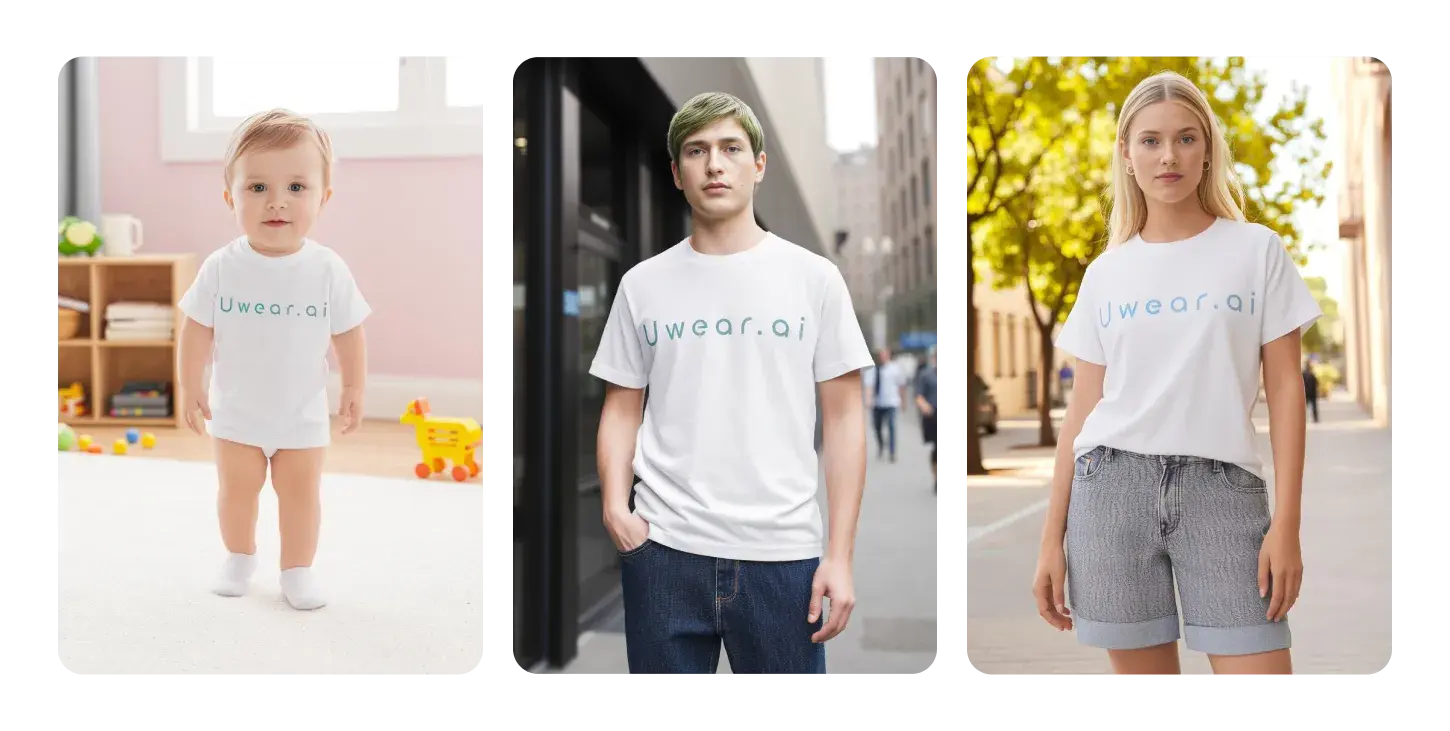
As of October 2026 Uwear's default and recommended image model is Gemini 2.1 (Nano Banana 2.1), the most recent and best-performing model Uwear offers. The other image engines are grouped into tiers rather than ranked: fast (Gemini Flash 2 Lite, GPT Image 2.5 (Low), GPT Image 2 (low), Gemini Flash), balanced (Gemini Flash 2, Seedream 5.0 Pro, GPT Image 2.5 (High), Qwen Intimate), and best quality (Gemini Pro, GPT Image 2.5 (Max)). Separate utility engines handle backdrops and image expansion, dedicated upscalers handle resolution, and a video tier covers product motion. There is no clear winner across every garment and shot. The right model depends on the product, required fidelity, desired aesthetic, reference inputs, turnaround, and budget. Because model availability changes quickly, use the live Uwear model catalog for the current lineup and rates.
Aesthetic and Style
Each model has a different visual signature. Some produce warmer tones, some handle shadows differently, some render fabric textures with more detail. Choosing a model is partly a matter of taste. The only reliable way to find your match is to test the same garment across multiple models and compare.
Product Category Matters
Different models perform better for different product types. Fast models are useful for drafts and straightforward garments, while fine textures, prints, sheer materials, and layered outfits may need a higher-quality or specialist engine. Seedream 5.0 Pro remains an option for some lingerie photoshoot workflows, where lace and strap detail has to carry from the product photo. Some models refuse revealing garments because of their content policies, so the model choice is part of the setup for that category.
Cost Is a Real Factor
AI image models vary significantly in cost, and the cheapest generation is not always the cheapest approved image. Budget for the selected model, expected retries, required edits, upscaling, and the number of final views per SKU. Run the same evaluation set through a fast tier and a best-quality tier, then compare cost per approved output rather than price per click.
For current image-model capabilities, quality tiers, credit rates, and guidance on matching an engine to garment complexity, review the AI image and video models available for fashion production.
Our recommendation: Start with a representative evaluation set of 5 to 10 products, including simple and difficult garments, then generate each through 2 or 3 models. Compare fabric fidelity, print and trim accuracy, skin rendering, lighting, first-pass approval rate, and total cost after retries. Pick a default model for routine work, but keep category-specific exceptions where another engine performs better.
Choosing the Right AI Photography Tool
If the AI model determines output quality, the tool determines how efficiently you get that output into production. For fashion brands, the tool choice comes down to workflow fit.
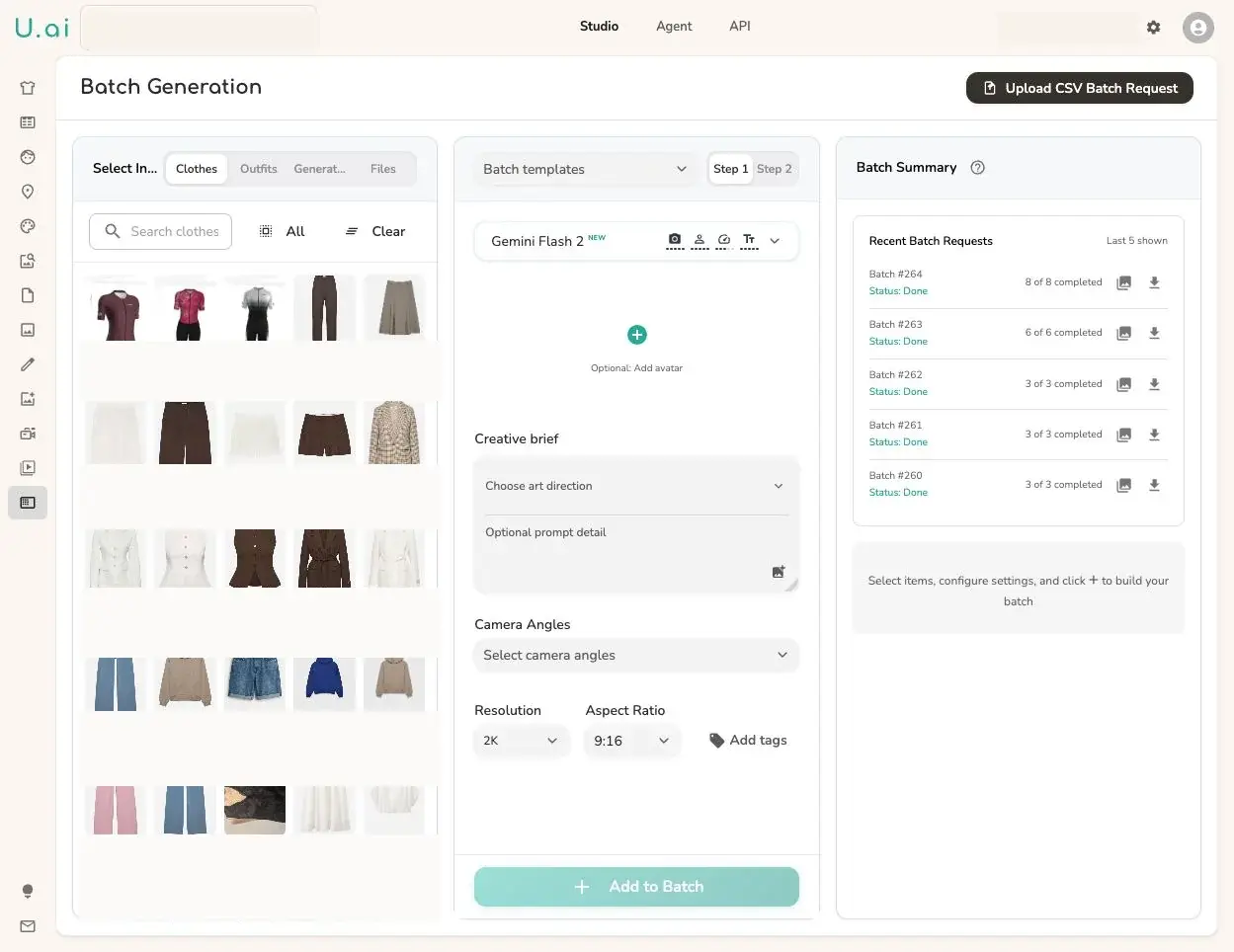
Batch Processing and Scale
A production batch needs more than a large prompt queue. It should keep each product ID tied to its source assets, art direction, AI model, camera angle, output count, QA policy, retry history, and delivery files. CSV intake and reusable templates turn those fields into a repeatable workflow for hundreds or thousands of SKUs.
Team Workflow Integration
How does the tool fit into your digital creation team's existing workflow? Can your product photographer upload flat-lays, your art director configure the scene and model, and your e-commerce manager export the finals? Tools that automate steps across team roles eliminate bottlenecks.
Multi-Step Pipelines
The best results often require multiple steps: generate the on-model image, review it against the source, retry or edit exceptions, upscale approved frames, then create alternate crops or motion. A tool that keeps generation, QA, edits, upscaling, and video attached to the same product record reduces handoff errors.
Pricing Transparency
Obscure tiers, expiring balances, and hidden operation fees make catalog budgets difficult to forecast. Look for visible rates before a run and record four numbers during evaluation: generation cost, retry rate, edit or upscale cost, and approved outputs. That gives procurement a defensible cost per approved image for each product category.
For a detailed comparison of the AI fashion photography platforms available in 2026, including feature breakdowns and pricing, see our comparison of eight AI fashion generators by use case.
What Determines AI Product Photography Quality
This is the formula every fashion brand should know. Three inputs determine the quality of your AI fashion product photography, and they are all within your control:
1. AI Model Choice
The foundational model sets the ceiling for quality. Different models excel at different things: photorealism, fabric accuracy, skin tones, lighting.
2. Prompting and Settings
Camera angle, scene description, model characteristics, background. Explicit settings produce consistent, predictable results. Vague prompts produce inconsistent output.
3. Input Photo Quality
Clean, well-lit flat-lay photos on a plain background produce the best results. Wrinkles, harsh shadows, and cluttered backgrounds degrade output regardless of which model you use.
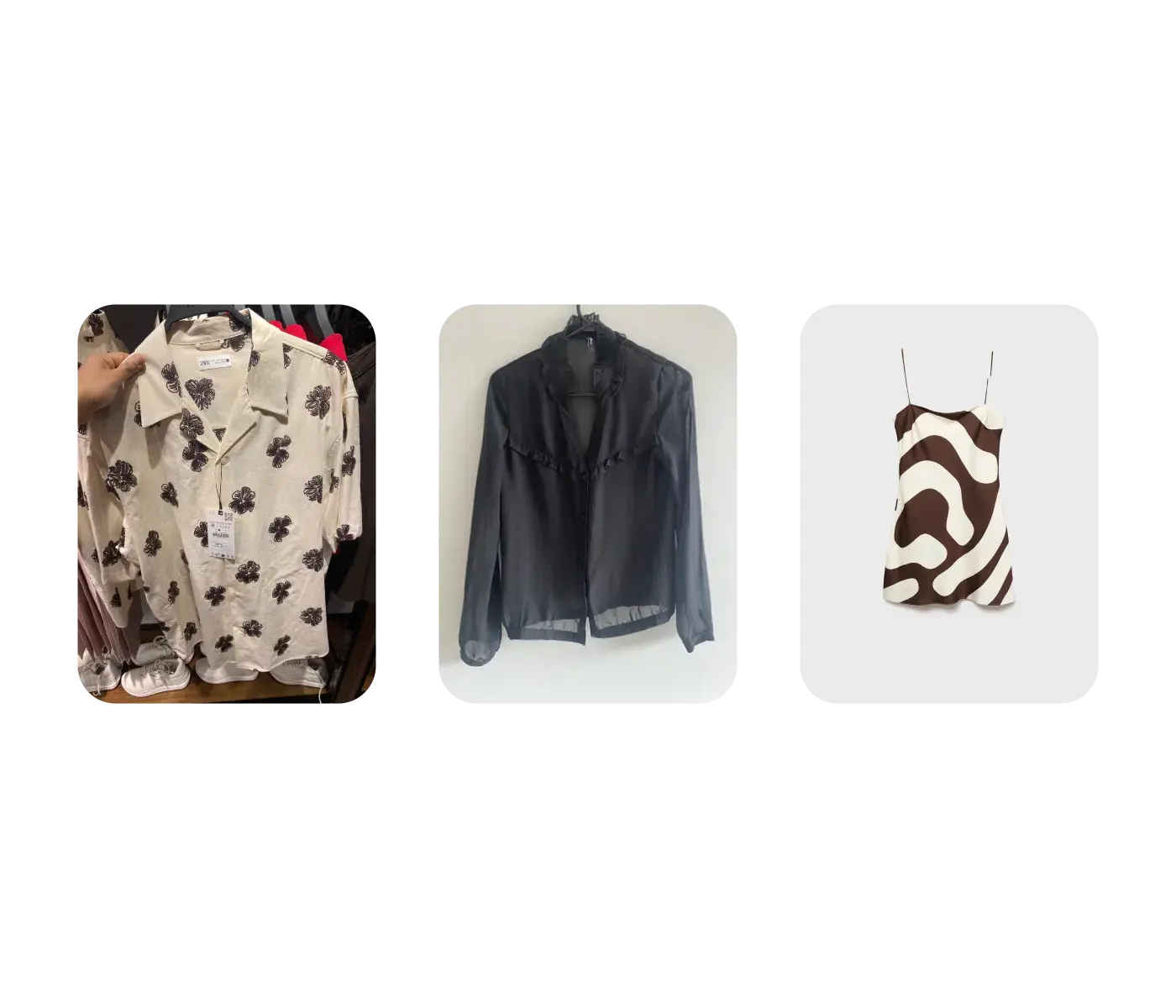
The AI tool or platform you use does not change this equation. It makes the process easier, faster, and more scalable, but the output quality is always a function of these three inputs. A bad flat-lay photo will produce mediocre results on any platform, with any AI model.
Getting Better Input Photos
If your existing flat-lay photography is not clean enough for AI generation, you have two options: reshoot with better lighting and backgrounds, or use an AI cleanup tool to prepare your existing photos. Uwear's flat-lay cleanup feature can remove wrinkles, fix lighting, and clean backgrounds before generation, turning imperfect source photos into usable inputs.
How Do You Know the Output Is Right? Automated Image QA
Generation is the easy half. The hard half is knowing which of the images you just produced are actually usable, without a person opening every one. At ten SKUs you can eyeball the output. At ten thousand you cannot, and this is where most AI product photography projects quietly fail: the generation works, the review does not scale, and a human ends up checking every frame anyway.
The answer is to make review part of the pipeline rather than a step after it. In Uwear, an automated QA pass can run on each generated result and compare it back against the inputs that produced it. It is a structured check rather than a general “does this look good” score: the pass is built from the actual inputs of that generation, so it reports separately on each one. The dimensions it covers, and the exact criteria within them, are configurable — what follows is the shape of a typical check:
Garment accuracy, per item
Every garment attached to the generation gets its own set of criteria, so a two-piece outfit is not collapsed into one overall impression. The criteria are configured to the things a merchandiser would reject an image for — color and print accuracy, construction detail, length, fit — measured against the source product photo.
Model identity and pose
When the shot uses a reusable avatar, a separate group of criteria applies to it — typically whether the person in the output is still the same person, and whether the pose matches what was requested. Identity drift is one of the most common failures in a long batch.
Scene and lighting consistency
When a location is part of the setup, it gets its own criteria group — typically scene and lighting consistency against the direction, so one product does not arrive lit differently from the rest of the drop.
Prompt-to-image agreement
A separate check asks whether the final image actually matches the instruction that was sent to the model — the mismatch that produces a technically beautiful image of the wrong thing.
What happens when a check fails
A verdict is only useful if something acts on it. Each result carries a QA status and a decision, so an image the check rejects can be retried automatically instead of waiting for a human to notice it. One failed criterion is enough to reject the image — the check does not average a bad garment against a good background. Retries run against a budget you set per batch, capped at five, because an unbounded retry loop on a large catalog is a cost problem rather than a quality strategy. In a multi-step production workflow the QA gate is a node in the graph, so a failure can re-run from the step that caused it rather than restarting the whole job.
Two consequences are worth stating plainly. First, retries consume credits, so the number to manage is cost per approved image, not cost per generation. Second, automated QA narrows what a person has to look at; it does not remove the person. The realistic target is that your team reviews exceptions instead of reviewing everything.
A failure mode worth knowing about: reference competition
When identity drifts across a batch while the garments themselves render correctly, the reference set is usually worth checking before the model is blamed. Every image you attach competes for the model's attention, so a large or loosely chosen reference set — back views, side views, detail crops all sent at once — can pull against the avatar's own identity references. The practical guidance is to keep reference sets deliberate and camera-specific, so the identity references and the relevant front garment views stay dominant. More references is not more control.
For how QA passes, verdicts, and retries work in production, see automated QA and retries.
AI Product Photography Workflow for Fashion Brands
For fashion brands, the workflow that delivers the best results follows a consistent pattern. Here is what works in practice:
Step 1: Prepare Clean Input Photos
Photograph flat-lays on a plain white or neutral background under even lighting. Avoid wrinkles, shadows, and cluttered backgrounds. If your existing photos need cleanup first, a tool like Uwear's flat-lay cleanup feature can prepare them before generation.
Step 2: Choose Your AI Model
Test 2 to 3 current models on the same representative products. Use fast tiers for early exploration, higher-quality tiers for fine textures, prints, and layered outfits, and specialist models for restricted categories or reference-image requirements. There is no universal best; choose by approval rate, fidelity, aesthetic, and total cost after retries.
Step 3: Select AI Avatars That Represent Your Customers
Choose or create AI models that reflect your brand and customer base. Consider diversity of ethnicity, body type, and age. For catalog consistency across seasons, use persistent model identities that maintain the same appearance across separate generation runs.
Step 4: Configure Scene and Settings
Set camera angles, backgrounds, and scenes appropriate for your channel. E-commerce product pages benefit from clean studio backgrounds. Social media and lookbooks can use lifestyle scenes. Be explicit rather than relying on defaults.
Step 5: Run Batch for Large Catalogs
For catalogs with more than a few dozen SKUs, batch generation is where AI product photography pays for itself. Upload a CSV with your items configured, apply shared art direction and QA rules, then monitor every row as tracked production work. Keep rejected outputs and retries attached to the same product record so approved files remain auditable.
Step 6: Upscale, Edit, and Export
Approve the faithful frames first, then edit exceptions and upscale only the images that need higher delivery resolution. Check zoom views for texture artifacts before export. If the channel needs motion, use an approved still as the first frame so the video begins from a reviewed product image.
How Do I Standardize Product Photos Across a Large SKU Catalog?
The single most useful thing we have learned from rebuilding real brand catalogs is this: a product page's image set is not four independent photos. Teams new to AI generation usually produce each PDP slot separately — a front shot, a back shot, a detail shot — and then wonder why the model's face changes between slots, why the location shifts, and why the set does not look like one photoshoot.
It happens because independent generations have no reason to agree with each other. The fix is to treat the set as a shot pack: generate one accepted hero image, then derive every other view from it as a dependent edit. Continuity stops being something you hope for and becomes structural: because the alternate pose, the back view, and the detail crop all descend from the same accepted frame, they are far more likely to preserve the same model, location, and light than four independent generations are.
Shot roles by garment category
The right sequence is not the same for every product type, and using one template for all of them is a reliable way to get bad crops. Three patterns cover most fashion catalogs:
Dresses
Full-body front as the hero, then an alternate full-body front with a deliberately different pose, a three-quarter or over-shoulder back view, and a detail crop on the garment's strongest feature. The alternate front must be told to change the pose, or it will simply reproduce the hero.
Tops and cardigans
Generate a full-body front first as a context parent, even though it may never be published, then derive the upper-body front from it. Going straight to an upper-body generation produces a cropped parent and duplicate edits downstream. The visible hero on the product page is often an edit, not the root image. Detail crops go to the collar, placket, buttons, sleeve, or knit texture.
Trousers, shorts, and jeans
Full-body front hero, with a neutral fitted top if no companion garment is specified, then a waist-to-feet front crop and a waist-to-footwear back crop. Do not reuse the over-shoulder portrait rules from dresses and tops here — they are wrong for lower-body crops. Detail crops go to the waistband, pockets, drawstring, print, stitching, or hem.
Separate the brand world from the camera plan
The second structural lesson is to keep two things apart. Art direction should carry the stable, brand-level decisions: the world the photographs live in, allowed settings and color grade, pose language, category rules, and styling. The shot sequence and the specific cameras belong in reusable templates instead. When those get mixed — when the art direction also carries workflow logic and correction history — it dilutes, and every product needs its own bespoke version.
This separation also makes debugging tractable. When an output is wrong, the cause is usually a missing asset, the wrong avatar, the wrong template, or a broken parent chain — not the art direction. Editing the direction first is the most common way to waste a day. Change it only once you have ruled the other four out.
Test the prompt before you spend the credits
Before running a category across a full catalog, run a cheap prompt smoke test: confirm the direction, camera, and references compile into the instruction you expect, without dispatching a paid generation. Then compare a handful of finished outputs against the product pages you are trying to match, side by side, before deciding anything is ready to scale. Both steps are far cheaper than discovering a systematic framing error after two thousand images.
Fashion-Specific Considerations
Fashion brands have requirements that general-purpose AI product photography does not always address. A few areas to evaluate carefully:
Garment Fidelity
The AI must reproduce the actual fabric, color, stitching, trims, print, and construction details. Some models "reimagine" the garment rather than rendering the source faithfully. Test a distinctive product with a print, textured material, visible fasteners, or unusual cut, then review the result against explicit acceptance criteria.
Model Diversity
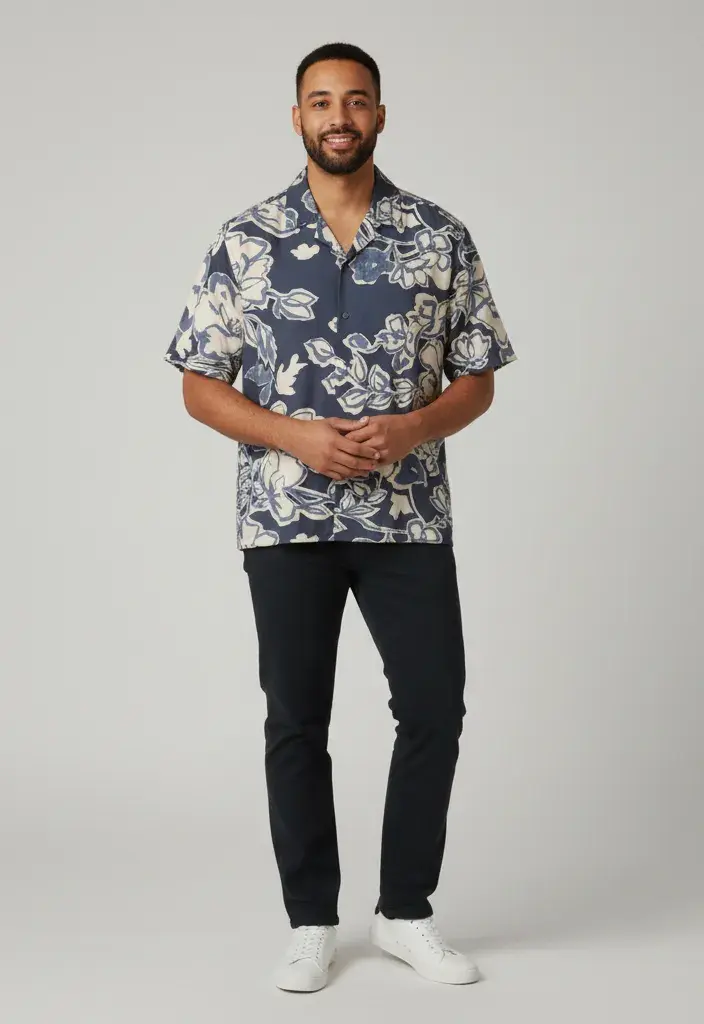
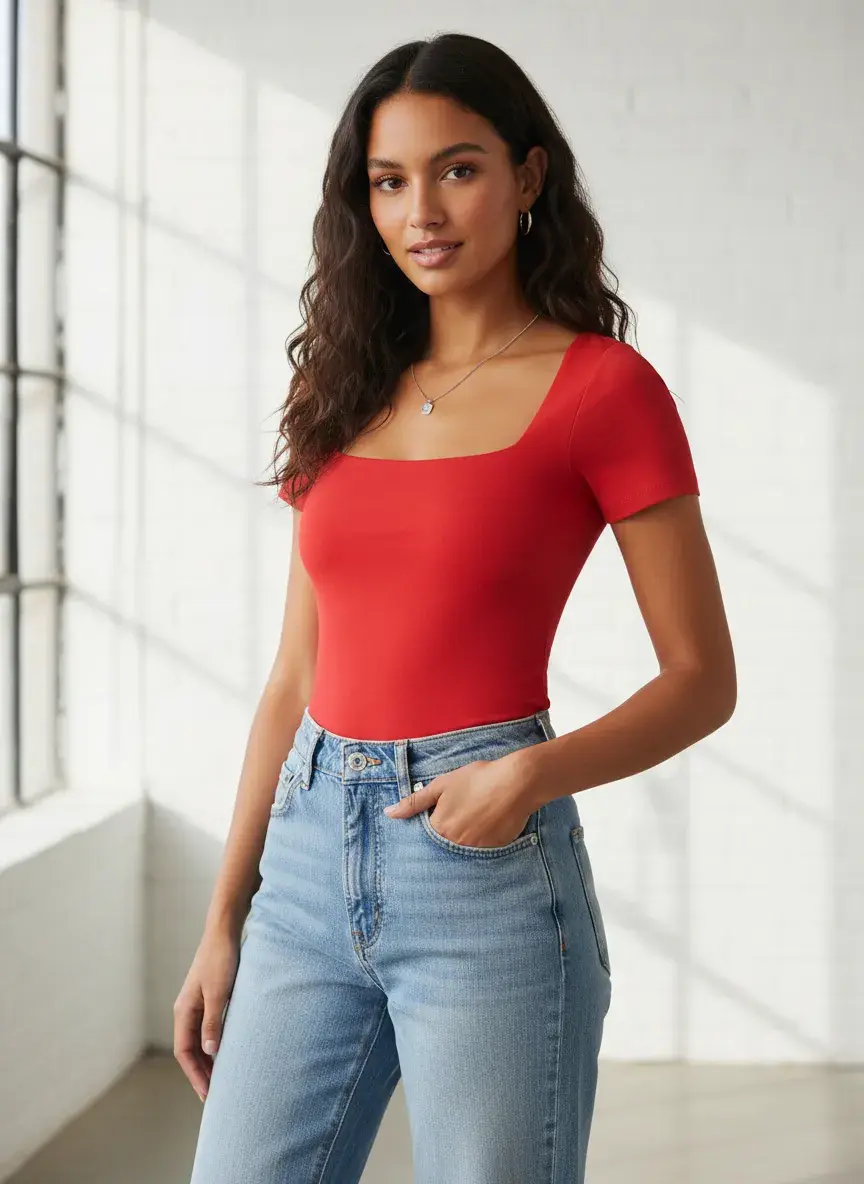
Your product images should reflect your actual customer base. Evaluate each platform's range of ethnicity, body type, age, and pose options. This is both a brand consideration and an inclusivity one.
Lingerie and Swimwear
AI models vary widely in what they will generate for intimate apparel. If lingerie or swimwear are core categories for your brand, this is a critical factor in both model and platform selection. See the lingerie photoshoots and swimwear photoshoots use cases for how those categories are set up.
Catalog Consistency
For a cohesive catalog, you need the same model identity and shooting environment across hundreds of products. Check whether the platform supports persistent model profiles that maintain consistent appearance across separate generation runs.
How Do I Generate On-Model Product Photos Programmatically at Scale?
Once the art direction and the shot pack are settled, the remaining problem is throughput: getting thousands of SKUs through the same pipeline without a person driving the interface. There are three ways to do that, and they suit different teams.
CSV batch — no engineering required
A merchandising or product-content team can drive a full catalog run from a spreadsheet: one row per SKU, mapped to the garment, template, and camera. This is the right starting point for most brands, and it needs no developer time. See the CSV batch upload guide.
REST API — for a PIM or DAM integration
When generation needs to be triggered by another system — a new product landing in your PIM, an asset request from a DAM — the generation API takes a batch of generation intents directly. Two details matter in production: batches accept an idempotency key so an ambiguous response can be safely retried without duplicating a run, and QA can be switched on for a whole batch with a retry budget rather than configured per item.
MCP — drive the studio from an AI assistant
The Uwear MCP server exposes the same production capabilities as tools an assistant can call, so a photoshoot can be specified in conversation and then executed for real. The assistant can search your library for an existing art direction, outfit, or location, propose a brief, estimate its cost, run it, poll for results, and queue a QA pass — against your actual account and assets, not a sandbox.
Make the shoot reproducible, not just automated
Automation alone does not give you a repeatable catalog. Reproducibility comes from pinning the setup: a saved preset that names a concrete image model, camera, and art direction helps keep the treatment stable over time, whereas “whatever the default model is” leaves it free to change underneath you. For a multi-shot sequence — the hero and its dependent edits from the previous section — a batch workflow template encodes the order, so every product in the category goes through the same steps.
The practical shape for most brands is a combination: templates hold the shot logic, CSV or the API supplies the SKUs, automated QA filters the output, and a person reviews only what failed. That is the difference between generating images and running catalog production. See catalog visuals at scale for how the pieces fit together, or talk to us about a catalog migration if you are planning one.
Frequently Asked Questions
What makes a foundation model suitable for ecommerce product photography rather than general image generation?
Three things a general model is not optimized for. First, reference fidelity: the garment in the output has to be the garment in your product photo, down to color, print placement, trim, and construction — not a plausible garment of the same description. Second, identity persistence: the same model has to look like the same person across every shot in a set and across the whole catalog. Third, controllable framing, so a full-body hero and a waist-to-feet crop can be requested deliberately rather than hoped for. A general-purpose model can produce a beautiful fashion image; catalog production needs the same result repeatedly, on a specific product, which is a different requirement.
What tools let me create brand-consistent product images at scale across a large catalog?
Look for four capabilities, because consistency at scale is a workflow property rather than a model property: reusable art direction that holds the brand world separately from the shot plan; persistent avatars and locations to reduce identity and location drift between products; batch execution via CSV, API, or MCP; and automated QA with retries so likely failures are flagged for focused review instead of a person checking every frame. A tool with an excellent model and none of the four will still produce an inconsistent catalog.
What is the best AI image pipeline for a large retail product catalog?
The shape that holds up in production: clean the input photos, pin a concrete model and art direction in a reusable preset, define the shot pack per garment category as a hero plus dependent edits, run the catalog through CSV or the API in batches with an idempotency key, let automated QA check garment accuracy and model identity on each result, retry the failures within a fixed budget, and route only the exceptions to a human. The specific vendor matters less than whether the pipeline has all seven stages — most failed rollouts are missing the QA and exception-handling stages, not the generation stage.
What is AI fashion product photography?
AI fashion product photography uses machine learning models to generate, enhance, or modify garment images without a traditional photo studio. For clothing brands, the most valuable application is on-model generation: uploading a flat-lay photo of a garment and having the AI produce a professional image of a model wearing it. Output quality depends on three factors: the AI image model, the prompting and settings, and the quality of the input photo.
How much does AI product photography cost?
Cost depends on the image model, output count, retries, edits, upscaling, and the platform used to run the workflow. In Uwear each operation is priced in credits, and the rate varies by engine and output resolution — a 4K render costs more than the same generation at standard resolution. Because automated QA retries also consume credits, budget on cost per approved image rather than per generation. Check the current model rates before budgeting, then measure cost per approved image on your own evaluation set.
Can AI replace traditional product photography?
AI can replace parts of repetitive catalog production when the inputs, art direction, and approval rules are well defined. Traditional shoots remain valuable for hero campaigns, original location work, complex physical interaction, and creative concepts that depend on a photographer's live direction. Many brands use a hybrid model: AI for repeatable catalog coverage and human crews for work where physical capture adds value.
Which AI model should I use for fashion product photography?
There is no single best model. Flat basics may pass on a fast tier, while fine textures, prints, layered outfits, or reference-image workflows may need a higher-quality or specialist engine. Test the same 5 to 10 representative products across 2 to 3 models and compare first-pass approval, fidelity, aesthetic, speed, and total cost. The current Uwear model catalog lists the live image engines and rates.
How do I get good results from AI product photography?
Input quality is the biggest factor. Clean, well-lit flat-lay photos on a plain background produce the best AI-generated results. For clothing, front-and-back flat-lays give the AI more information to work with. Be explicit in your settings about camera angle, scene, and model characteristics. And test multiple AI models on your actual products before committing to one.
Do I need technical skills to use AI product photography tools?
Most platforms are designed for non-technical users: upload a photo, configure settings, download results. No coding required for basic workflows. For high-volume batch processing and API integrations, some technical knowledge helps. Platforms like Uwear offer both a visual interface for individual images and API access for teams that want to automate their workflow.
The Bottom Line
In 2026, AI fashion product photography is a production workflow, not a one-click experiment. Its business case is strongest when a brand has repeatable inputs, many product views to produce, reusable art direction, clear garment-accuracy checks, and a process for retrying exceptions without restarting the entire job.
The key decisions are: which AI image model matches your products and aesthetic, and which tool fits your team's workflow and scale. The model determines quality. The tool determines efficiency. Get both right and you have a catalog production pipeline that keeps up with your design team.

Try AI product photography with your own garments
Uwear lets you generate on-model photos from real product inputs using pay-as-you-go credits. Upload a flat lay or product image, choose a model, set the art direction and camera, then review the result against the source. Test multiple engines on the same garment before selecting a default for production.
Start at platform.uwear.ai or read the step-by-step generation guide to see the workflow before signing up.
Compare AI models
Review the current image engines, quality tiers, capabilities, and credit rates.
AI models for fashion productionScale your catalog
Learn how to process thousands of SKUs with CSV batch generation.
CSV batch upload guideCompare the platforms
Full breakdown of AI fashion model generators across 8 platforms.
AI fashion generator comparison