Use cases · Marketplace listing images
Generate marketplace-compliant listing images from one garment photo set
Generate a starting set with Uwear MCP. Your tools pad or crop its 2:3 Pure White images for each destination; the template does not establish marketplace acceptance.
What the job involves
Proposed owners: marketplace operations, product content and feed teams. Match each product to its required slots, views and AI eligibility before upload.[1][2][3]
| Owner | What the source says |
|---|---|
| Zalando | Requires three compliant apparel images per article. A minimum set is not a monthly production rate.[1] |
| Trendyol | Allows at most eight images per barcode in product-create v2. This is an upload ceiling.[2] |
| Walmart US | Recommends four or more images per item. A recommendation differs from a mandatory view count.[3] |
How teams do it today
Requirements and constraints
| Rule | Requirement or guidance |
|---|---|
| Zalando apparel | “Must have been photographed with a real person”. Model views use approved gray/beige backgrounds; packshots use white. Confirm the separate AI rules before replacing a required photographed view.[1] |
| Trendyol product-create v2 | “1200x1800 pixels and 96dpi”; HTTPS image URLs, at most eight per barcode. This API page does not establish AI permission.[2] |
| Walmart US | “Images generated by artificial intelligence must be truthful, accurate and not misleading.” The guide lists 2200 × 2200, 1:1, white RGB 255/255/255 and a 5 MB maximum.[3] |
| eBay listings | “Photos must be at least 500 pixels on the longest side.” At least one photo, minimum 500 pixels on the longest side; no inaccurate photos, added text, borders or watermarks. Used goods cannot use stock images.[4] |
| Mercado Livre Brazil | Recommends 1200 × 1200; at least 500 pixels on the longest side. Its apparent 50-pixel shortest-side typo is unresolved, not an export rule. Check the separately cited fashion-cover guide for eligible categories and its Packs exclusion.[5][6] |
| Google Merchant Center | “At least 500 x 500 pixels”. The page announces a 500 × 500 minimum for 31 January 2027, while its current table already says 500 × 500. Report this conflict; retain generative-origin DigitalSourceType metadata.[7] |
| Myntra partner guidance | Current first-party limits were unavailable. Fynd reports 1080 × 1440+, 3:4 and category-dependent counts; this is integration-provider guidance, pending the partner guide.[9] |
| Farfetch partner guidance | No current public seller image specification was established. Obtain the applicable partner guide; dimensions and AI eligibility remain unverified.[15] |
Assistant workflow
How do you run this from your assistant?
Proposed workflow: your assistant runs Uwear MCP; your team owns reference permissions, destination checks and publishing.[16][7][12]
Supply source views and destination rules
Use the approved garment photos and avatar. List missing views and confirm synthetic-model eligibility for each slot before the costed proposal.[16]
Approve the Product page set brief
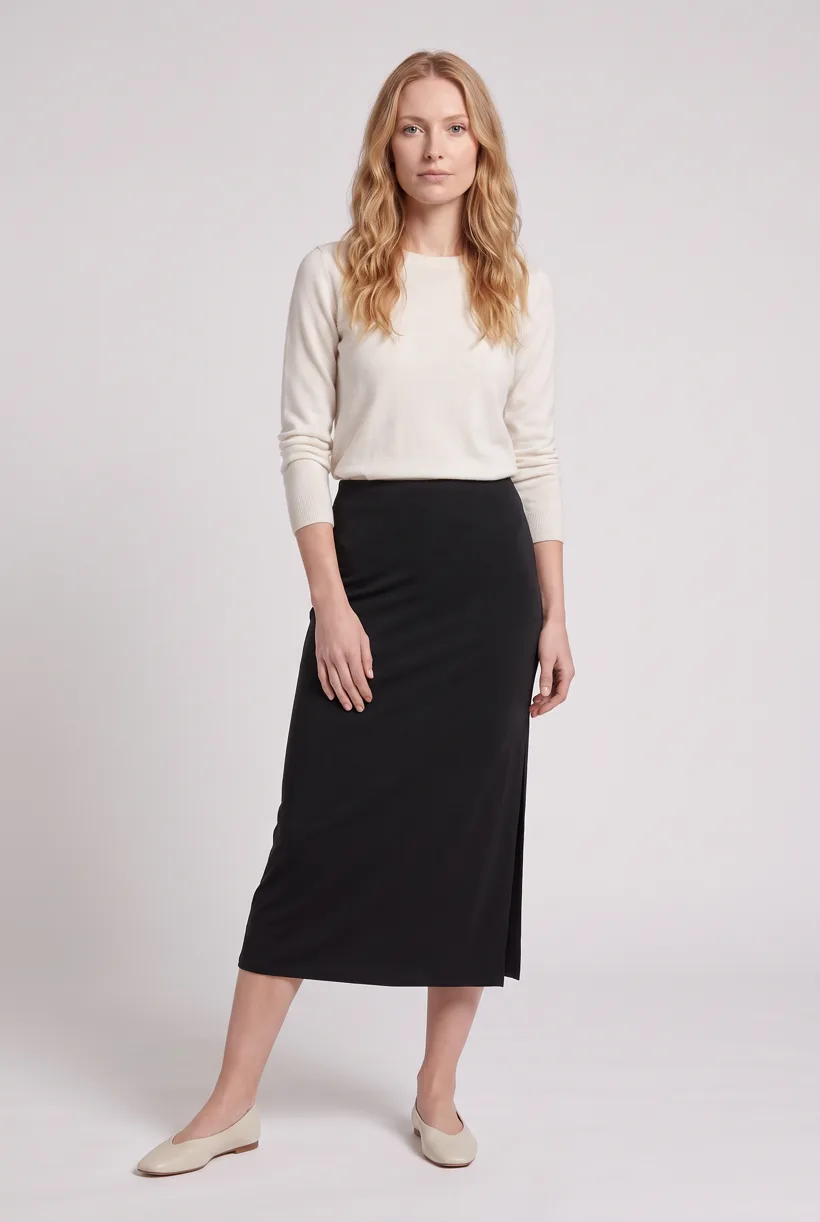
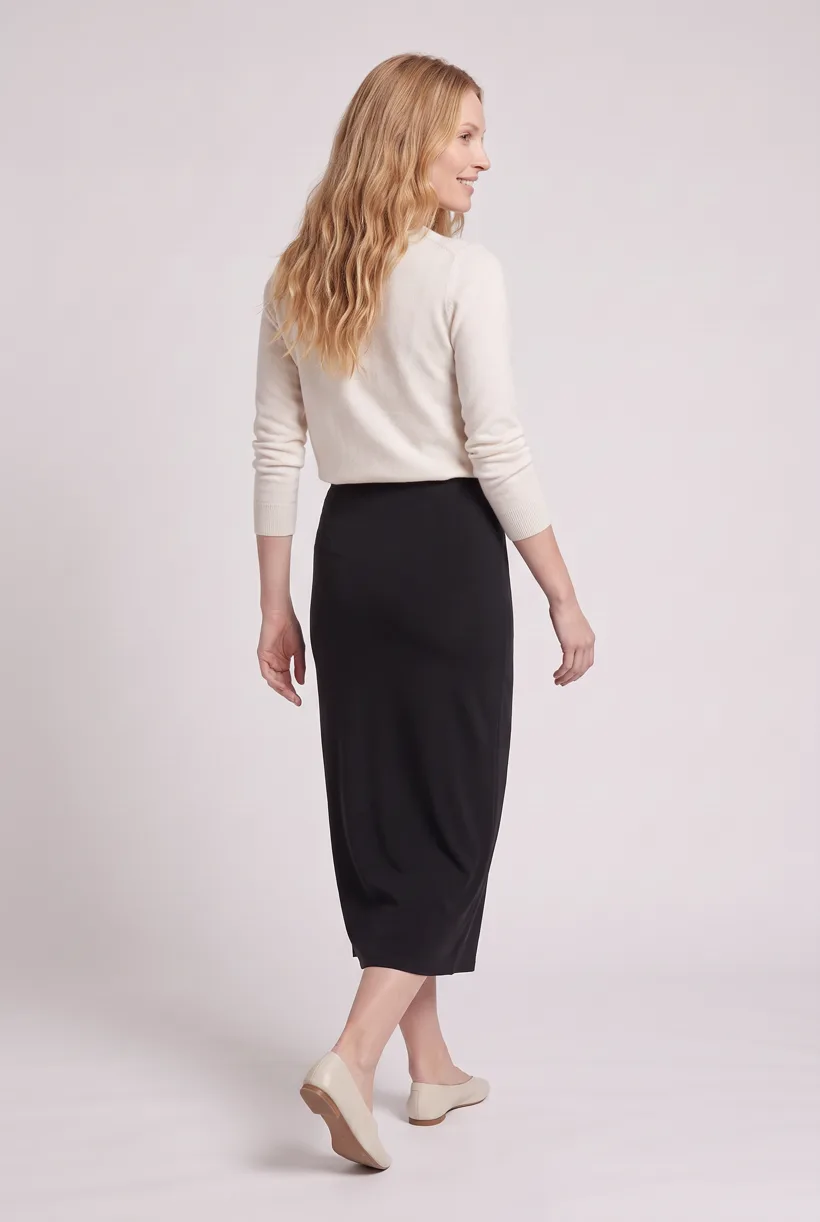
Product page set makes front, upper-body and back white-studio photos plus a 360 video per garment. Review the avatar, art direction and cost in credits before generation.[16]
Run it from your assistant
Run this photoshoot from your AI assistant with a Uwear template.
Connect the Uwear MCP server to ChatGPT, Claude, or Codex and ask for the Product page set template. It is a batch workflow that runs once per garment: front, upper-body, and back product-page shots on a white studio background, plus a 360-degree video, from one garment photo. Any Uwear account can load it by name, and the assistant shows a costed brief in credits before generation starts.
Proposed prompt: adapt the inputs and delivery checks to your own tools. The template returns assets; your team owns final selection and publication.
Copy this prompt into your assistant
Use the Uwear MCP to prepare Product page set for these adult garment photos and our approved avatar. Use Pure White, nano-banana-pro and the AI reviewer. Show the costed proposal and wait for approval. Return image and video URLs and flag missing source views. Our team will check each destination’s AI eligibility, pad or crop the 2:3 images, apply metadata and test uploads. Refer to the Amazon integration guide for Amazon. Do not publish.
What one run does, per garment
Generate the front hero
One full-body front photo of the garment on the template model, in the Basic white photoshoot art direction on the Pure White studio location.
Edit to the upper-body crop
A camera edit that reframes the front result to an upper-body front frame instead of generating a new image, so the crop comes from the same session as the hero.
Edit to the back view
A second camera edit of the front result to a full-body back frame, so the product page gets the back of the garment from the same session.
Render the 360 turn
A 5-second Kling 3 Pro video from the front photo: the model turns a slow, full 360 degrees in place, garment readable throughout.
Outputs per garment
- Full-body front photo, 2K, 2:3
- Upper-body front photo, 2K, 2:3
- Full-body back photo, 2K, 2:3
- 5-second 360-degree video
The setup the template pins
- Template kind
- Batch workflow: runs once per garment row
- System key
- demo_full_pdp_test_white_studio
- Art direction
- Basic white photoshoot (system art direction)
- Location
- Pure White (system studio location)
- Model
- The Uwear system model by default; the assistant can swap in one of your saved models when it proposes the brief
- Image model
- nano-banana-pro, 2K, 2:3
- Video model
- Kling 3 Pro, 5 seconds
- QA
- Optional. With the AI reviewer on, each result is checked against the source product photo and flagged results are retried
- Approval
- The assistant shows a costed brief in credits before anything generates
Pure automation
Run it without an assistant
Run asynchronous generation
Use REST jobs with polling or webhooks for pure automation. Production Automation can start on garment-processed, tag-added or outfit-created events, with immutable published versions, idempotent runs and upfront credit reservation.[16]
Deliver through your own systems
Your service maps result URLs to the destination and checks the served assets. Studio is the manual path: select the source photos and setup, then download the results.[16]
Tools that target this job
Documented features from the linked sources. These are not independent quality tests.
Photoroom API
Offers background removal and image editing. A fit for normalizing an existing packshot; editing calls do not include marketplace acceptance.[10]
Myntra Assured Shoot Program
Named in an undated partner deck. A fit for exploring retailer-assisted production; current availability and pricing need confirmation.[8]
Frequently asked questions
Yes. Connect Uwear MCP, supply garment photos and approved references, and request a costed Product page set proposal. Approve it before generation; your tools handle destination delivery.[16]
The source announces 500 × 500 from 31 January 2027, but its minimum table already lists that value. Confirm the applicable current requirement rather than treating January as a September deadline.[7]
Uwear uses credits at $0.10 per credit; rates are on /models. QA is automatic and toggleable: when on, an AI reviewer compares results with source photos and retries flagged results.[16]
Yes. Studio is the manual path: choose source photos, avatar and generation setup, then download results. Your team handles destination formatting, disclosure and publication.[16]
Research
Sources and access dates
- [1]
- [2]product-create image URL, dimension and per-barcode ceiling
Accessed 2026-09-07
- [3]US image guide, AI rule and category FAQ; updated 2026-05-12
Accessed 2026-09-07
- [4]binding eBay picture policy and used-item restrictions
Accessed 2026-09-07
- [5]
- [6]
- [7]
- [8]
- [9]
- [10]API pricing FAQ, operation distinction and billing conditions
Accessed 2026-09-07
- [12]existing Amazon detail, read locally; deliberately not repeated
Accessed 2026-09-07
- [15]
- [16]sole approved Uwear context, read locally
Accessed 2026-09-07
Next step
Connect your catalog to Uwear.
Start with an assistant-led test, then build the API delivery your catalog needs.