Solutions · Fashion marketplaces
Generate consistent on-model listing photos across marketplace sellers
Use seller photos to run Product page set through Uwear MCP. Reuse a studio direction, then check each marketplace’s views, backgrounds and AI asset rules.
Who this is for
For platforms that bring independent brands, boutiques and sellers into one catalog. Seller counts describe the network, not the number of garments to photograph.[1][2][3]
| Operator | Published context and limits |
|---|---|
| Zalando | Its group fact sheet lists more than 7,000 brands, including the ABOUT YOU business. This is brand scale, not a SKU count.[1] |
| FARFETCH | Its live directory brings together independent boutiques and their designer assortments.[2] |
| Trendyol | About 250,000 sellers across categories; this is not a fashion-only inventory count.[3] |
How teams produce photos today
Normalize incoming seller images
Claid’s Kasta case describes flat-lay-to-model images, face swaps and extra poses. The case gives no absolute photography cost or images-per-hour baseline.[5]
Where the images must land
| Specification | Requirement or guidance |
|---|---|
| Zalando portrait files | JPEG, 1:1.44 width:height; recommended 1801 × 2600 px, minimum 762 × 1100 px, maximum 20 MB. Designer brands have a separate 1800 × 2600 px minimum.[7] |
| Zalando backgrounds and AI tags | Model photos use accepted gray/beige backgrounds; packshots use white. Check category views, production-type filename tags and current AI marking rules. A white template does not establish acceptance.[7] |
| Catalog and moderation queue | Proposed delivery: your system keeps seller, style and view IDs with each result and prepares the destination files. Claid documents PIM/DAM integration targets, not these operators’ software stacks.[8] |
Assistant workflow
How do you run this from your assistant?
Proposed workflow: your assistant runs Uwear MCP; your own systems handle asset matching, destination checks and publishing.[11][7]
Collect seller photos and identifiers
Supply source views with seller and style IDs. Ask the assistant to flag missing angles before preparing a shared casting and studio brief.[11]
Approve the Product page set brief
Load Product page set on Pure White with the AI reviewer on. Review the chosen avatar, saved art direction and cost in credits before generation. The template makes front, upper-body and back photos plus a 360 video per garment.[11]
Run it from your assistant
Run this photoshoot from your AI assistant with a Uwear template.
Connect the Uwear MCP server to ChatGPT, Claude, or Codex and ask for the Product page set template. It is a batch workflow that runs once per garment: front, upper-body, and back product-page shots on a white studio background, plus a 360-degree video, from one garment photo. Any Uwear account can load it by name, and the assistant shows a costed brief in credits before generation starts.
Proposed prompt: adapt the supplied identifiers and destination checks to your own systems. A delivery manifest is a workflow request, not a native publishing connector.
Copy this prompt into your assistant
Use the Uwear MCP to prepare Product page set for the garment photos and seller/style IDs I supply. Reuse the agreed casting and art direction across this seller batch. Show the costed brief and wait for my approval before generation. Enable automatic QA with retries. Return image and video URLs grouped by seller, style and view. Check the current destination rules and list missing views, background changes, file-size changes and AI metadata needed before catalog delivery. Do not publish to the marketplace yet. Use the Pure White studio setup with nano-banana-pro and turn the AI reviewer on. Keep any delivery manifest in our own workflow; do not publish yet.
What one run does, per garment
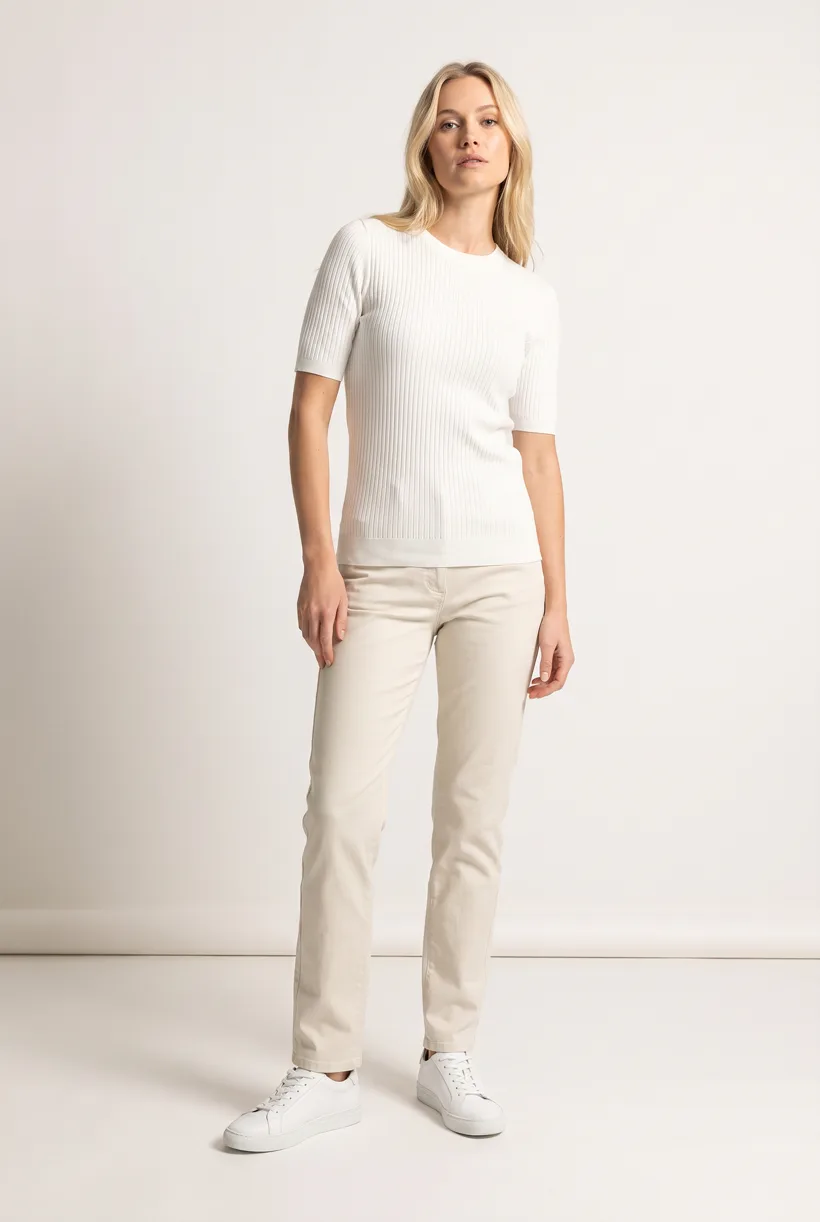
Generate the front hero
One full-body front photo of the garment on the template model, in the Basic white photoshoot art direction on the Pure White studio location.
Edit to the upper-body crop
A camera edit that reframes the front result to an upper-body front frame instead of generating a new image, so the crop comes from the same session as the hero.
Edit to the back view
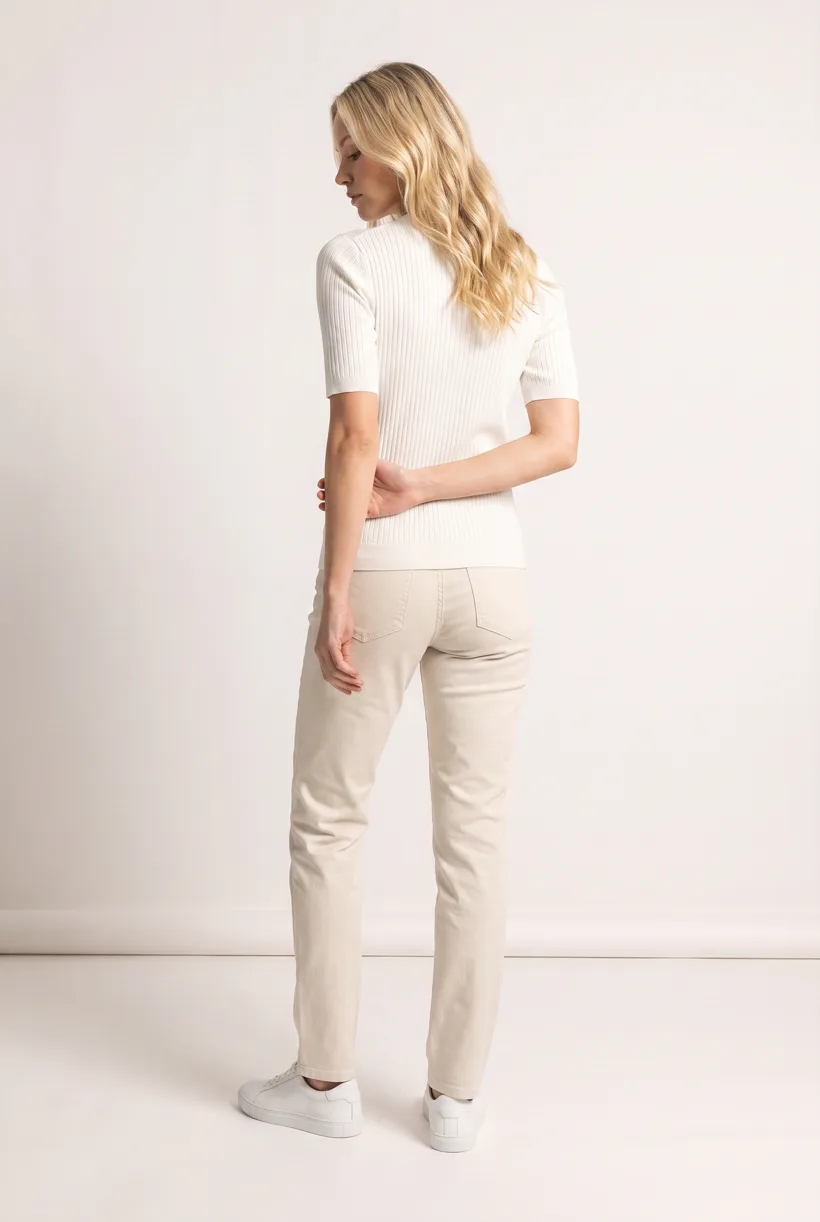
A second camera edit of the front result to a full-body back frame, so the product page gets the back of the garment from the same session.
Render the 360 turn
A 5-second Kling 3 Pro video from the front photo: the model turns a slow, full 360 degrees in place, garment readable throughout.
Outputs per garment
- Full-body front photo, 2K, 2:3
- Upper-body front photo, 2K, 2:3
- Full-body back photo, 2K, 2:3
- 5-second 360-degree video
The setup the template pins
- Template kind
- Batch workflow: runs once per garment row
- System key
- demo_full_pdp_test_white_studio
- Art direction
- Basic white photoshoot (system art direction)
- Location
- Pure White (system studio location)
- Model
- The Uwear system model by default; the assistant can swap in one of your saved models when it proposes the brief
- Image model
- nano-banana-pro, 2K, 2:3
- Video model
- Kling 3 Pro, 5 seconds
- QA
- Optional. With the AI reviewer on, each result is checked against the source product photo and flagged results are retried
- Approval
- The assistant shows a costed brief in credits before anything generates
Pure automation
Run it without an assistant
Run asynchronous generation
Use REST jobs with polling or webhook callbacks. Production Automation can instead start from garment-processed, tag-added or outfit-created events, with published versions, idempotent runs and upfront credit reservation.[11]
Tools that target this operator
Documented features from the linked sources. These are not independent quality tests.
Claid
Markets category rules, image processing and catalog integration. A fit for varied seller intake; its Kasta results are vendor-reported, not an independent quality test.[8]
Photoroom
Its Depop case documents embedded background removal, shadows and resizing. A fit for editing during listing creation; this case does not establish full on-model generation.[10]
Frequently asked questions
Yes. Connect Uwear MCP to a supported assistant, supply actual garment photos, and request a costed Product page set proposal. Approve the brief before generation. Uwear returns result URLs; delivery to your catalog needs your own tools and permissions.[11]
Uwear uses credits at $0.10 per credit; see /models for model rates. The assistant shows a costed brief before generation. QA is automatic and toggleable: when on, an AI reviewer compares results with source photos and retries flagged results.[11]
Yes. Studio is the manual path: select the garment photos and generation setup, then download the results. Your team checks destination rules and uploads the files with its own catalog tools.[11]
Research
Sources and access dates
- [1]Group scale, partner and owned-label mix
Accessed 2026-09-07
- [2]Live multi-boutique assortment
Accessed 2026-09-07
- [3]Marketplace scope and seller/customer figures
Accessed 2026-09-07
- [5]
- [6]Zalando content production and trend-driven creative work
Accessed 2026-09-07
- [7]
- [8]Marketplace offering, PIM/DAM targets and verbatim vendor FAQ questions
Accessed 2026-09-07
- [10]Embedded seller editing deployment and vendor-reported adoption
Accessed 2026-09-07
- [11]
Next step
Connect your catalog to Uwear.
Start with an assistant-led test, then build the API delivery your catalog needs.