Use case · Denim
Photograph denim ranges straight from the product shots
Send the jeans, skirts, and jackets, set one direction, and receive model photos where the wash and the fit follow the product shot.
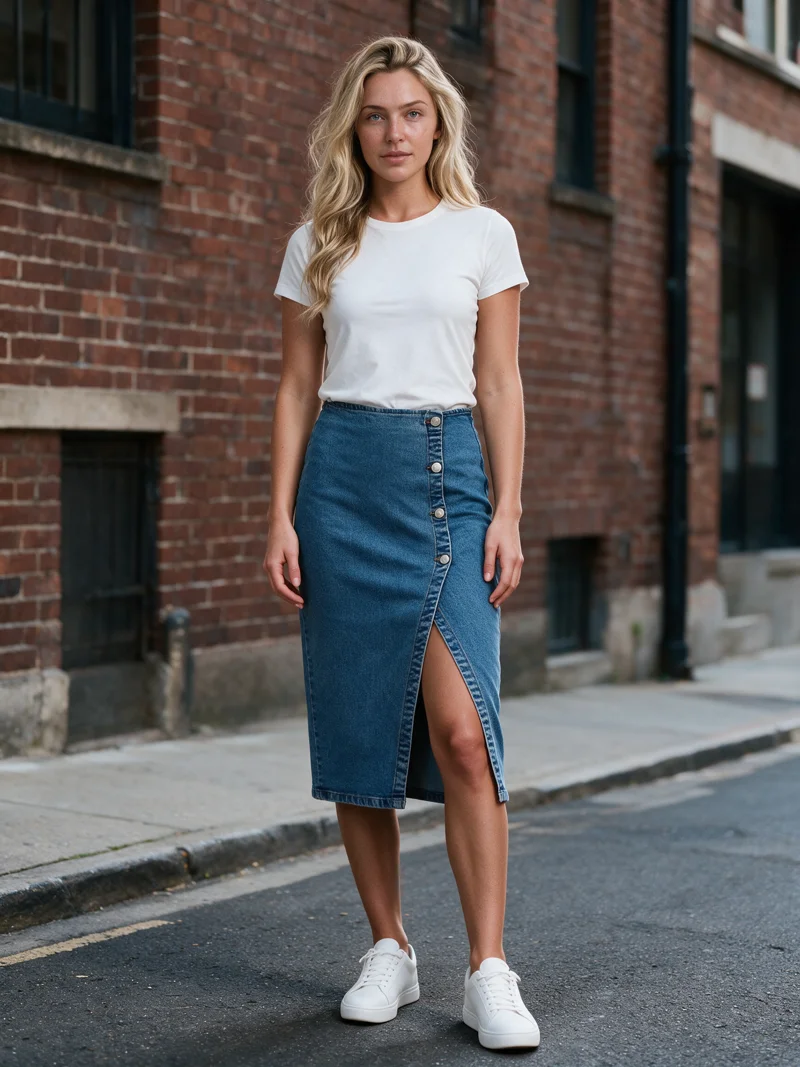
Production signals
- Wash and fades from the product photo
- Silhouette and seams from the source
- Optional AI reviewer
Mechanism
Hold the wash and the silhouette to the source.
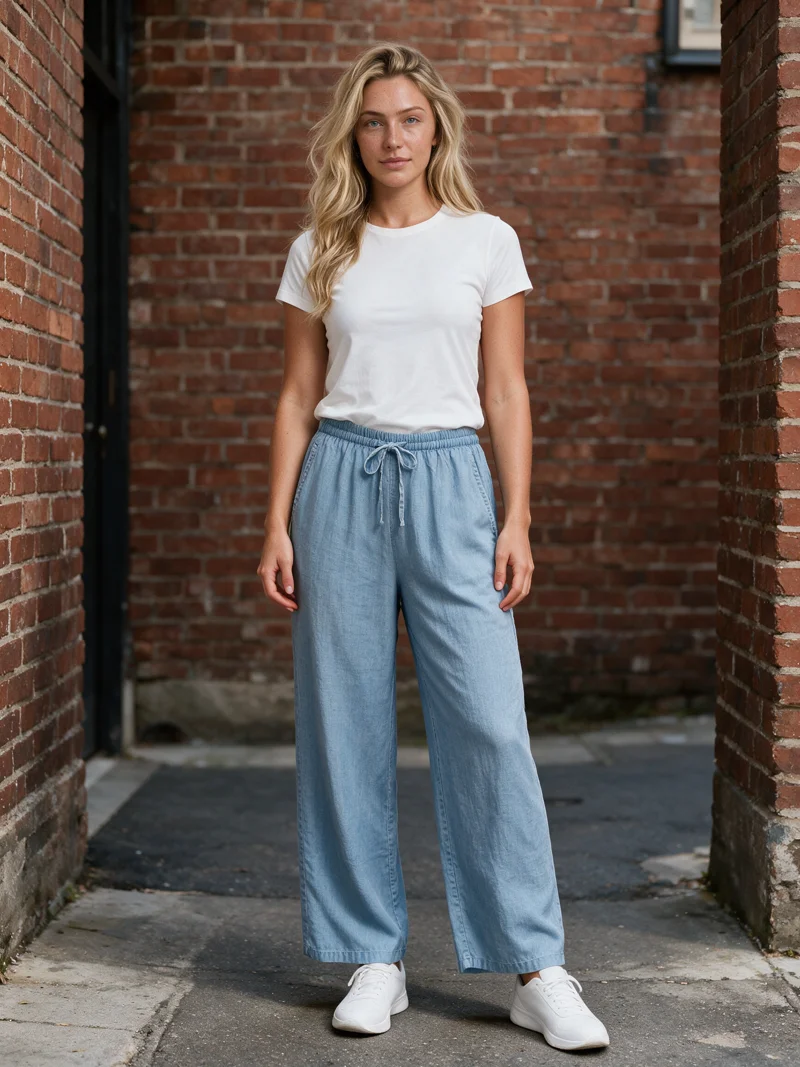
A denim wash is the product: fades, whiskers, and seams identify the piece, and the silhouette decides whether a wide leg reads wide. Uwear uses the garment photo as the source of truth for wash and construction, while the saved direction holds the model, the setting, and the light across the range. When QA is on, an AI reviewer compares each result with the source and retries images where the wash or shape drifts.
Workflow
The production loop
Send the denim range
Upload flat lays for jeans, skirts, and jackets, with back views for pocket and yoke details.
Set one direction
Choose the model and setting once. Denim ranges suit both clean studio and urban directions.
Run with QA on or off
Generate the range with the AI reviewer on or off. Flagged washes and shapes retry automatically.
Outcomes
What this unlocks
The wash identifies the piece
Fades, whiskers, and contrast stitching carry from the product photo into the finished photo.
Fits look like their names
Wide legs read wide, straight cuts read straight, and hems land where the product sets them.
Colourways multiply cleanly
Each new wash reuses the saved direction, so the range grows without another shoot.
Run it from your assistant
Run this photoshoot from your AI assistant with a Uwear template.
Connect the Uwear MCP server to ChatGPT, Claude, or Codex and ask for the Product page set template. It is a batch workflow that runs once per garment: front, upper-body, and back product-page shots on a white studio background, plus a 360-degree video, from one garment photo. Any Uwear account can load it by name, and the assistant shows a costed brief in credits before generation starts.
Copy this prompt into your assistant
Connect to the Uwear MCP server and load the "Product page set" template. Run it on my denim range on its white studio setup, turn the AI reviewer on so the wash and the seams are checked against each product photo, and show me the costed brief before generating.
What one run does, per garment
Generate the front hero
One full-body front photo of the garment on the template model, in the Basic white photoshoot art direction on the Pure White studio location.
Edit to the upper-body crop
A camera edit that reframes the front result to an upper-body front frame instead of generating a new image, so the crop comes from the same session as the hero.
Edit to the back view
A second camera edit of the front result to a full-body back frame, so the product page gets the back of the garment from the same session.
Render the 360 turn
A 5-second Kling 3 Pro video from the front photo: the model turns a slow, full 360 degrees in place, garment readable throughout.
Outputs per garment
- Full-body front photo, 2K, 2:3
- Upper-body front photo, 2K, 2:3
- Full-body back photo, 2K, 2:3
- 5-second 360-degree video
The setup the template pins
- Template kind
- Batch workflow: runs once per garment row
- System key
- demo_full_pdp_test_white_studio
- Art direction
- Basic white photoshoot (system art direction)
- Location
- Pure White (system studio location)
- Model
- The Uwear system model by default; the assistant can swap in one of your saved models when it proposes the brief
- Image model
- nano-banana-pro, 2K, 2:3
- Video model
- Kling 3 Pro, 5 seconds
- QA
- Optional. With the AI reviewer on, each result is checked against the source product photo and flagged results are retried
- Approval
- The assistant shows a costed brief in credits before anything generates
Frequently asked questions
Yes. The garment photo is the source of truth, so the wash, fades, and contrast stitching carry into the finished photo. An optional AI reviewer compares each result with the source and retries images where the wash drifts.
The product photo sets the silhouette: wide-leg, straight, or tapered cuts render as the garment defines them, and flagged shape drift retries automatically when QA is on.
Each new wash runs through the same saved direction, so a range of colourways lands with one consistent model, setting, and light.
The Product page set template. It is a batch workflow: for each denim piece it generates a full-body front photo in the Basic white photoshoot art direction on the Pure White studio, edits it to an upper-body front and a full-body back frame, and renders a 5-second 360-degree video. Photos are 2K at 2:3. With the AI reviewer on, each result is checked against the product photo so the wash and the seams match. Any Uwear account can load it by name through the MCP server.
Next step
Map this workflow into your catalog operation.
Start with the use case, then decide whether the right access path is Studio, API, MCP, or a custom enterprise rollout.





