Use case · Swimwear
Run swimwear photoshoots without the swimwear shoot
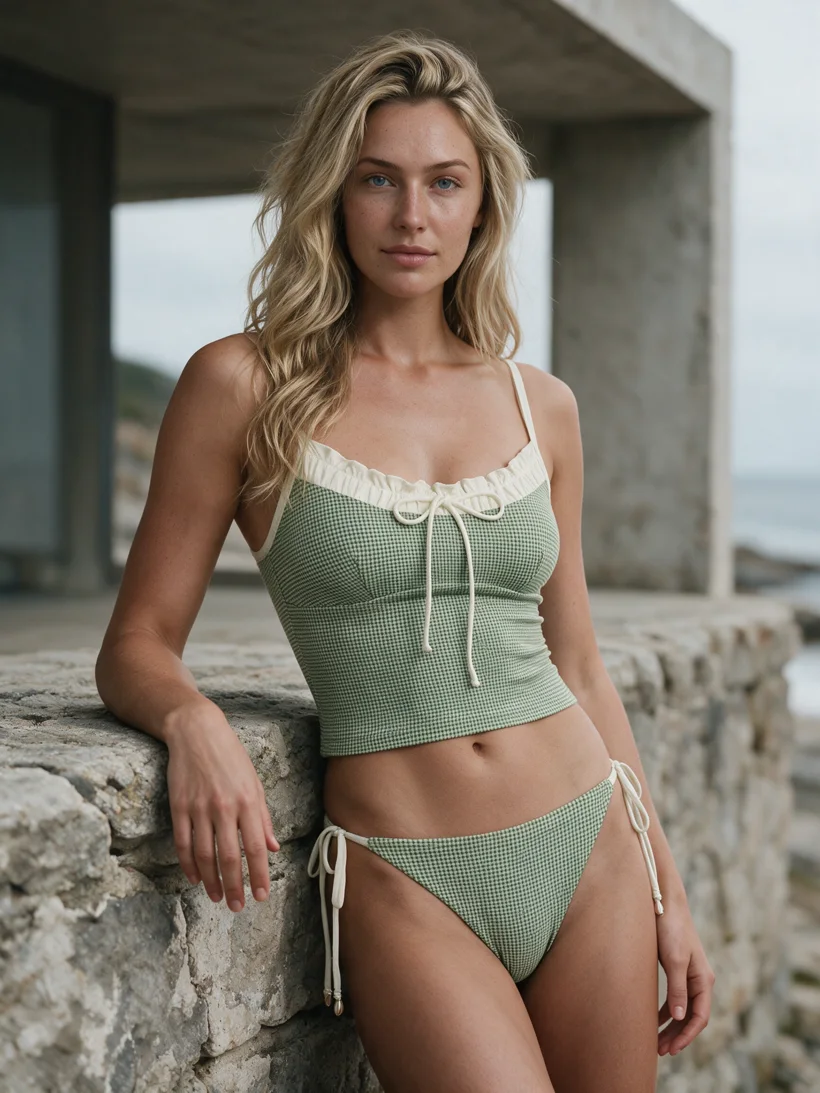
Send flat lays of the swim range, choose the model and the coast, then receive finished photos on real models before the season starts.
Production signals
- Straps and prints from the product photo
- One coastal direction per collection
- Optional AI reviewer
Mechanism
One saved direction covers the whole swim drop.
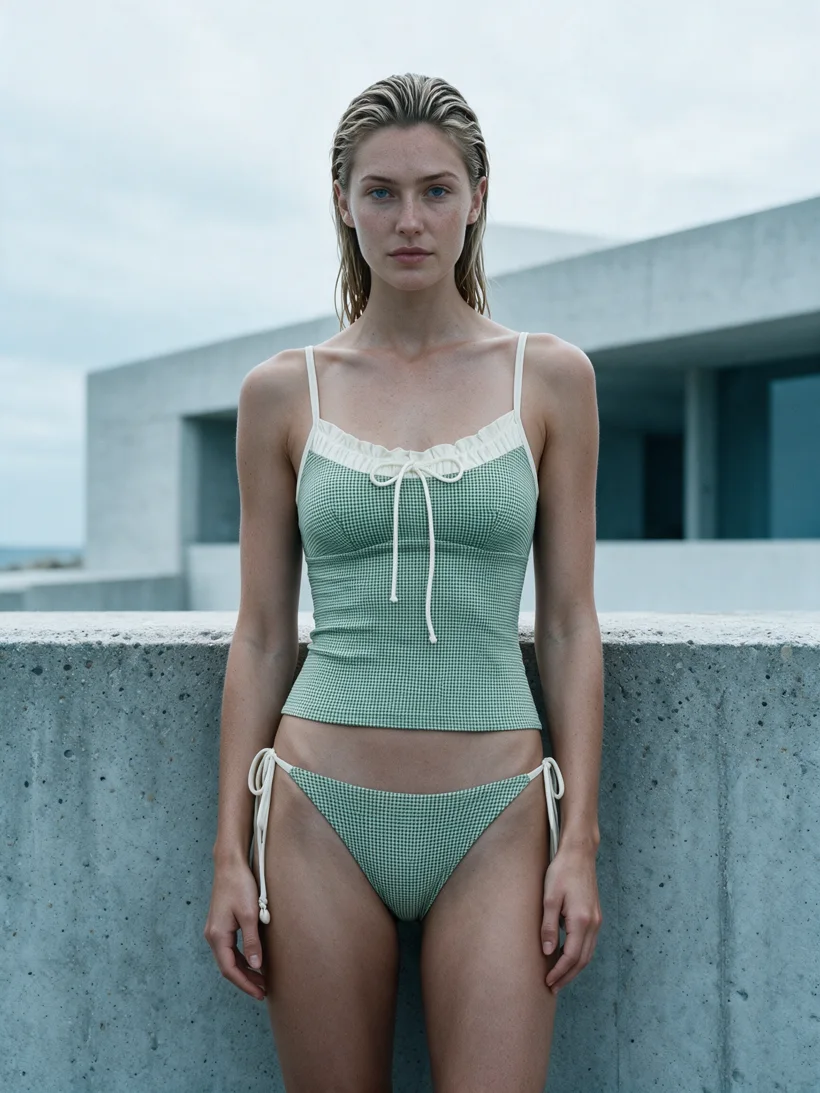
Swimwear ranges are seasonal: many styles arrive at once, and every listing needs the same light, water, and mood. A saved art direction locks the model, the coastal setting, and the framing, so each new style lands in the same campaign world. The garment photo stays the source of truth for straps, seams, prints, and cut. When QA is on, an AI reviewer compares each result with the source and retries what it flags.
Workflow
The production loop
Send the swim range
Upload flat lays or packshots for the bikinis and one-pieces in the drop, front views at minimum.
Pick the coast once
Choose the model and a coastal or poolside direction one time. Every style in the drop reuses it.
Receive the season
Run the batch with the AI reviewer on or off, then deliver listing-ready photos before the sun does.
Outcomes
What this unlocks
The drop launches on time
No studio booking, no travel, no waiting for samples to return. The photos exist when the season opens.
Details carry from the product photo
Strap widths, prints, and cuts carry from the product photo into the finished image, with an optional automatic check on every result.
One world per collection
Every style shares the same model, light, and shoreline, so the collection page reads as one campaign.
Run it from your assistant
Run this photoshoot from your AI assistant with a Uwear template.
Connect the Uwear MCP server to ChatGPT, Claude, or Codex and ask for the Instagram drop template. It is a batch workflow that runs once per garment: three lifestyle photos and a short opening clip from one garment, in the Nostalgic Coastal Collage art direction, ready to post as a carousel. Any Uwear account can load it by name, and the assistant shows a costed brief in credits before generation starts.
For white-studio listing shots of the same range, ask for the "Product page set" template instead: front, upper-body, and back shots plus a 360-degree video per garment.
Copy this prompt into your assistant
Connect to the Uwear MCP server and load the "Instagram drop" template. Run it on my swimwear flat lays, keep its Nostalgic Coastal Collage art direction, turn the AI reviewer on, and show me the costed brief before generating.
What one run does, per garment
Generate the hero frame
A wide, in-situation establishing shot where the scene does the talking. The camera is chosen automatically for the garment.
Animate the hero
A 5-second Kling 3 Pro clip from the hero frame: a few natural steps, wind in hair and fabric, one soft glance toward camera. No camera shake.
Generate the closer candid
A half-body candid moment with a different setting detail than the hero frame.
Generate the quiet frame
A seated or paused moment with the garment silhouette fully readable.
Outputs per garment
- Hero lifestyle photo, 2K, 4:5
- Half-body candid photo, 2K, 4:5
- Seated or paused photo, 2K, 4:5
- 5-second opening clip from the hero frame
The setup the template pins
- Template kind
- Batch workflow: runs once per garment row
- System key
- demo_instagram_drop
- Art direction
- Nostalgic Coastal Collage (system art direction): coastal hills, dunes, beach steps, and diffused golden light
- Location
- None pinned; the art direction carries the scene
- Model
- The Uwear system model by default; the assistant can swap in one of your saved models when it proposes the brief
- Image model
- nano-banana-pro, 2K, 4:5
- Video model
- Kling 3 Pro, 5 seconds
- QA
- Optional. With the AI reviewer on, each result is checked against the source product photo and flagged results are retried
- Approval
- The assistant shows a costed brief in credits before anything generates
Frequently asked questions
Yes. Uwear generates swimwear model photos from the flat lay or packshot you already have. The product photo carries the cut, straps, and print into the finished image, and an optional AI reviewer checks each result against the source.
Save one art direction for the drop: the model, the coastal setting, the light, and the framing. Every style in the collection reuses that direction, so the listings read as one campaign shoot.
A batch run covers the whole drop as the flat lays arrive. There is no studio booking or sample logistics, so the photos are ready when the season starts rather than after it.
The Instagram drop template. It is a batch workflow: for each swimwear garment it generates three lifestyle photos at 2K, 4:5 in the Nostalgic Coastal Collage art direction and a 5-second clip from the hero frame. Any Uwear account can load it by name through the MCP server, and the assistant shows a costed brief before generating. For white-studio listing shots, the Product page set template runs front, upper-body, and back shots plus a 360-degree video per garment.
Next step
Map this workflow into your catalog operation.
Start with the use case, then decide whether the right access path is Studio, API, MCP, or a custom enterprise rollout.





