Use case · Knitwear
Generate on-model photos of knitwear with the texture and the gauge legible
Supply flats with stitch, neckline, cuff and hem close-ups. Your assistant loads Product page set, shows the credit estimate, and the AI reviewer compares texture and color with your references.
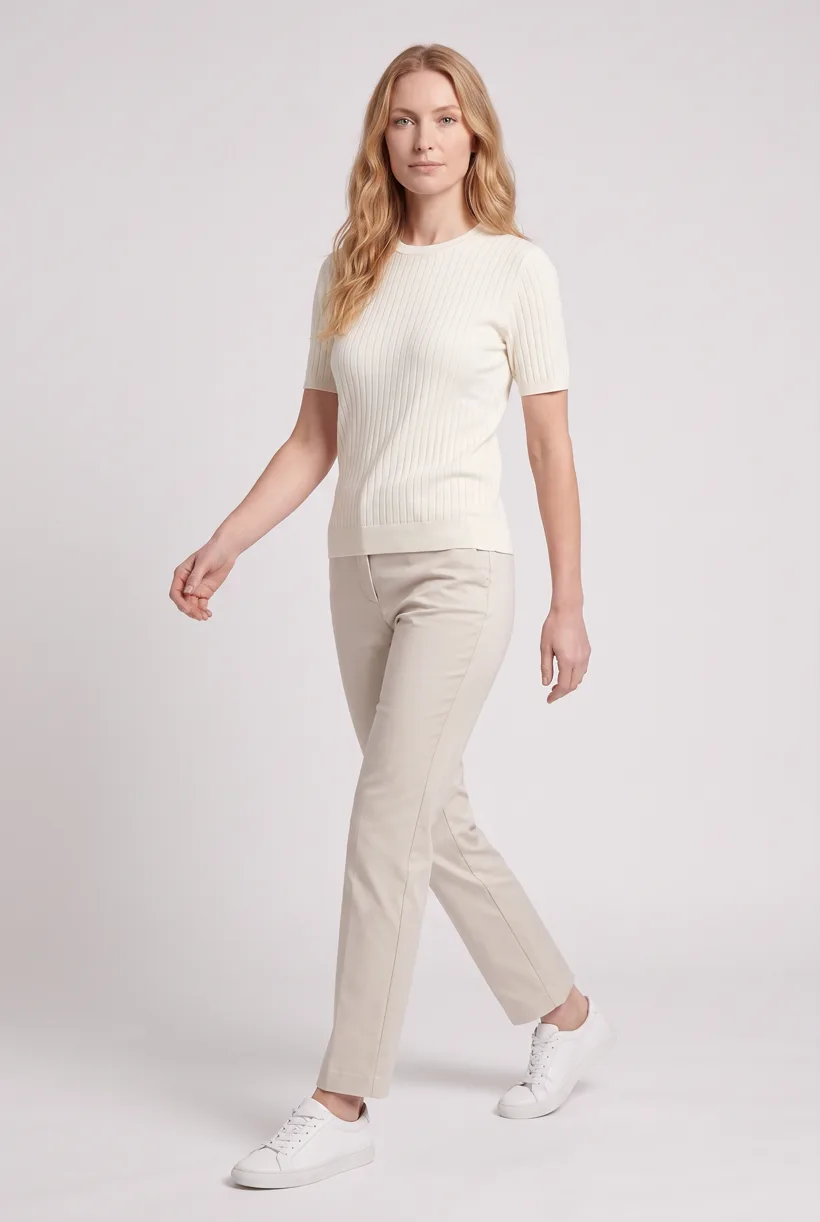
Front hero from the Product page set template: ribbed short-sleeve knit top on the Pure White studio, generated with nano-banana-pro through the Uwear MCP.
Production signals
- Source photos guide the brief
- Cost approval before generation
- Automatic QA, on or off
Mechanism
How does the assistant build the photo set?
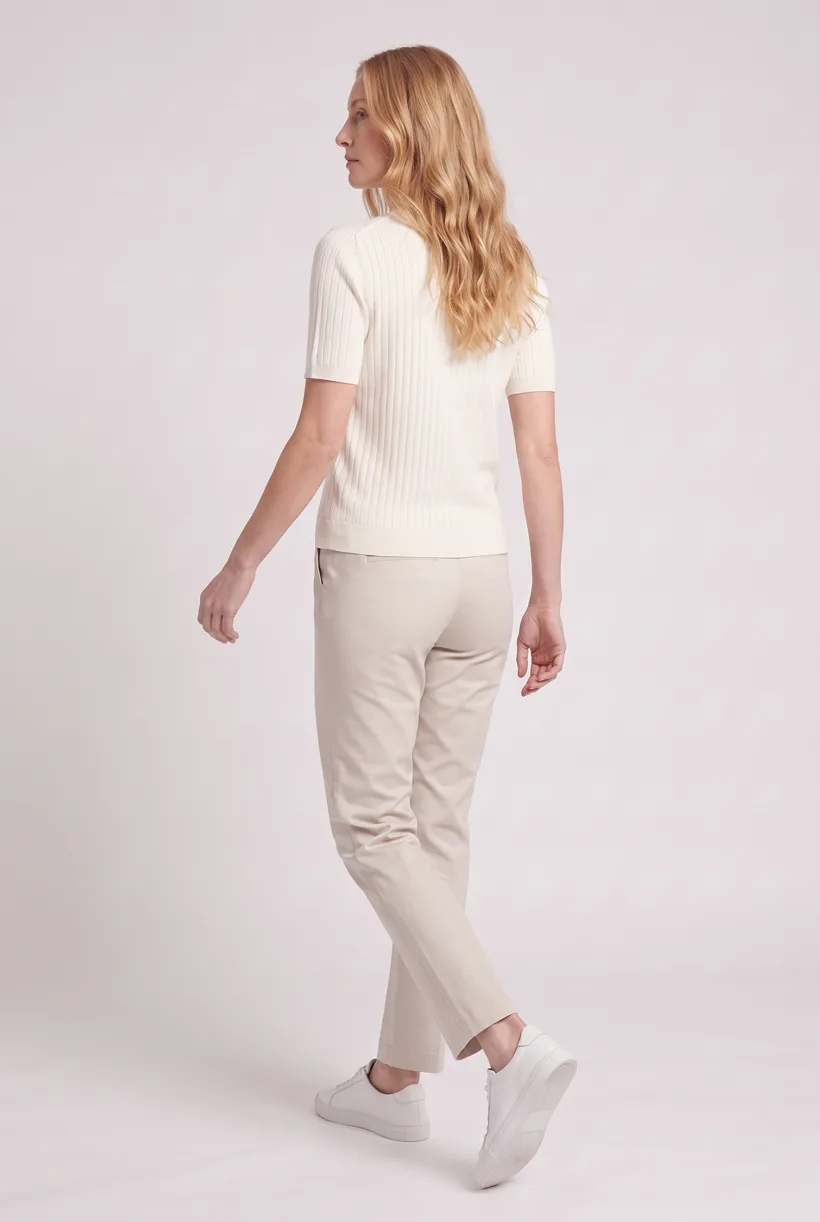
Ask the Uwear MCP to prepare Product page set from knitwear photos and close detail references. Camera edits reuse the front result; stitch texture and colour remain explicit checks.
Workflow
The production loop
Compare the results
QA is automatic and toggleable: when on, an AI reviewer compares results with source photos and retries flagged results.[9]
Outcomes
What this unlocks
Compare stitch texture and garment shape
Use close references for jersey, cables and ribbing, alongside full-sleeve views. A care instruction to store folded is not an instruction to photograph the item folded.[2][3][4]
Check the destination brief
Zalando’s apparel guide asks for tops’ sleeves to be visible in full. It does not establish a mandatory macro image for every knit. Its AI/model eligibility wording remains unresolved. Confirm the destination brief before submitting the set.[6][7]
Run it from your assistant
Run this photoshoot from your AI assistant with a Uwear template.
Connect the Uwear MCP server to ChatGPT, Claude, or Codex and ask for the Product page set template. It is a batch workflow that runs once per garment: front, upper-body, and back product-page shots on a white studio background, plus a 360-degree video, from one garment photo. Any Uwear account can load it by name, and the assistant shows a costed brief in credits before generation starts.
For a separate campaign, propose Instagram drop with Nostalgic Coastal Collage: three lifestyle photos and a clip per item. A macro-knit view is an extra brief request.
Copy this prompt into your assistant
Use the Uwear MCP to prepare a Product page set for my knitwear with Basic white photoshoot on Pure White, using nano-banana-pro. Review the front, back, stitch, neckline, cuff and hem references. Flag missing detail or colour evidence before generation. Show the costed brief in credits and wait for approval. Turn the AI reviewer on to compare results with source photos and retry flagged results, then return image and video URLs. Note unresolved texture checks for review.
What one run does, per garment
Generate the front hero
One full-body front photo of the garment on the template model, in the Basic white photoshoot art direction on the Pure White studio location.
Edit to the upper-body crop
A camera edit that reframes the front result to an upper-body front frame instead of generating a new image, so the crop comes from the same session as the hero.
Edit to the back view
A second camera edit of the front result to a full-body back frame, so the product page gets the back of the garment from the same session.
Render the 360 turn
A 5-second Kling 3 Pro video from the front photo: the model turns a slow, full 360 degrees in place, garment readable throughout.
Outputs per garment
- Full-body front photo, 2K, 2:3
- Upper-body front photo, 2K, 2:3
- Full-body back photo, 2K, 2:3
- 5-second 360-degree video
The setup the template pins
- Template kind
- Batch workflow: runs once per garment row
- System key
- demo_full_pdp_test_white_studio
- Art direction
- Basic white photoshoot is the starting system art direction. For the separate Instagram drop proposal, keep Nostalgic Coastal Collage.
- Location
- Pure White (system studio location)
- Model
- The Uwear system model by default; the assistant can swap in one of your saved models when it proposes the brief
- Image model
- nano-banana-pro, 2K, 2:3
- Video model
- Kling 3 Pro, 5 seconds
- QA
- Optional. With the AI reviewer on, each result is checked against the source product photo and flagged results are retried
- Approval
- The assistant shows a costed brief in credits before anything generates
Frequently asked questions
QA is automatic and toggleable: when on, an AI reviewer compares results with source photos and retries flagged results. Use the Uwear MCP first. Credits cost $0.10 per credit; see /models for model rates. The REST API is the fallback for pure automation, with polling or callbacks. Studio is the manual path.[9]
Sources and access dates
- [2]GOBI: jersey knit and care
Accessed 2026-09-07
- [3]N.Peal: cable knit construction
Accessed 2026-09-07
- [4]Picjam: knit source resolution
Accessed 2026-09-07
- [5]Reddit: cashmere operator question
Accessed 2026-09-07
- [6]Zalando: apparel image guide
Accessed 2026-09-07
- [7]Zalando: AI and model rules
Accessed 2026-09-07
- [9]Uwear: capability specification
Accessed 2026-09-07
- [10]Uwear: segment pairing specification
Accessed 2026-09-07
- [12]WearView: knitwear example
Accessed 2026-09-07
Next step
Map this workflow into your catalog operation.
Start with the use case, then decide whether the right access path is Studio, API, MCP, or a custom enterprise rollout.





