How do fashion and apparel brands use AI product photography at scale?
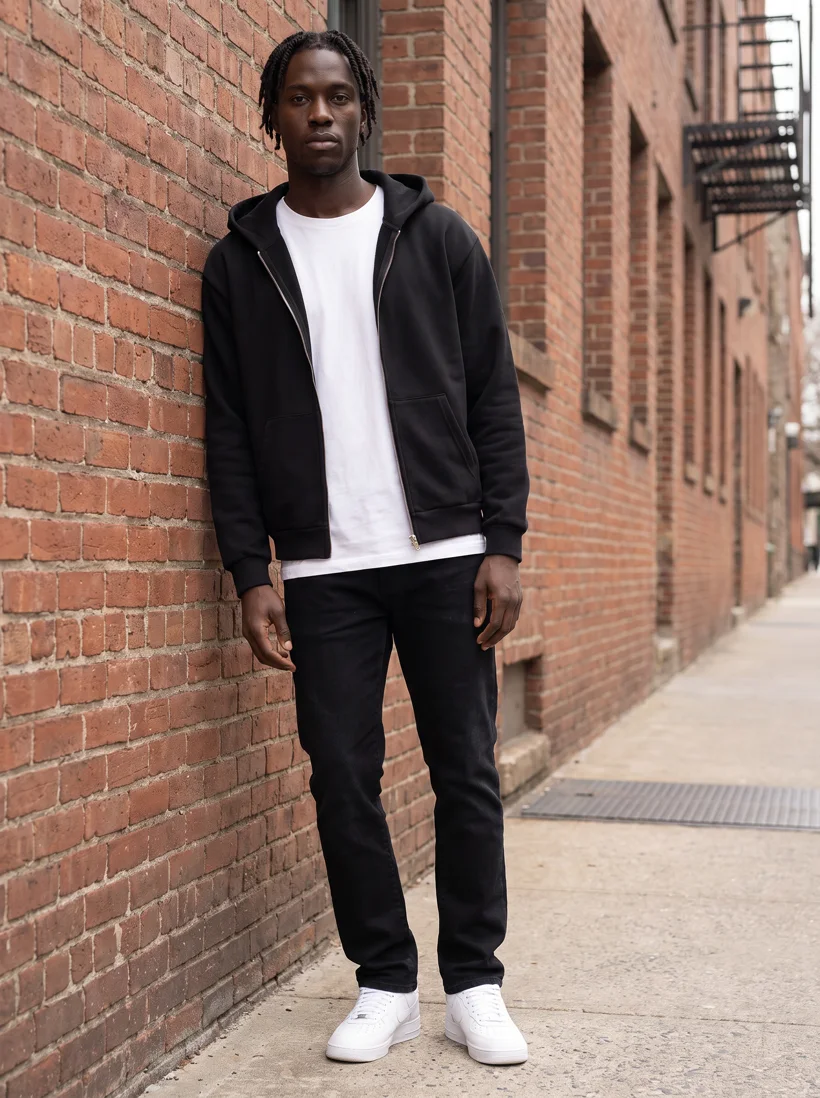
Fashion and apparel brands use AI product photography to make the photos that have to exist for every garment: the product-page set, the campaign or lifestyle photo, and the detail crop. They upload the product photo they already have, a flat lay, a packshot or a supplier photo, save one model, one art direction and one location, and generate the same set for every SKU. An automatic reviewer compares each result with the product photo and retries the ones that drift.
At scale the work runs three ways. An assistant such as ChatGPT or Claude operates Uwear through the MCP server. An automation or the REST API shoots each garment as it is added. A team runs the same shoot by hand in Studio. The photos on this page were made the first way, from two product photos, on one saved model, and each one cost 5 credits on Gemini Pro at 2K.
What do fashion brands use AI product photography for?
Three jobs cover most of what a brand publishes about a garment. The same two product photos, a zip-up hoodie and a heavyweight tee, went through all three below on the same saved model.
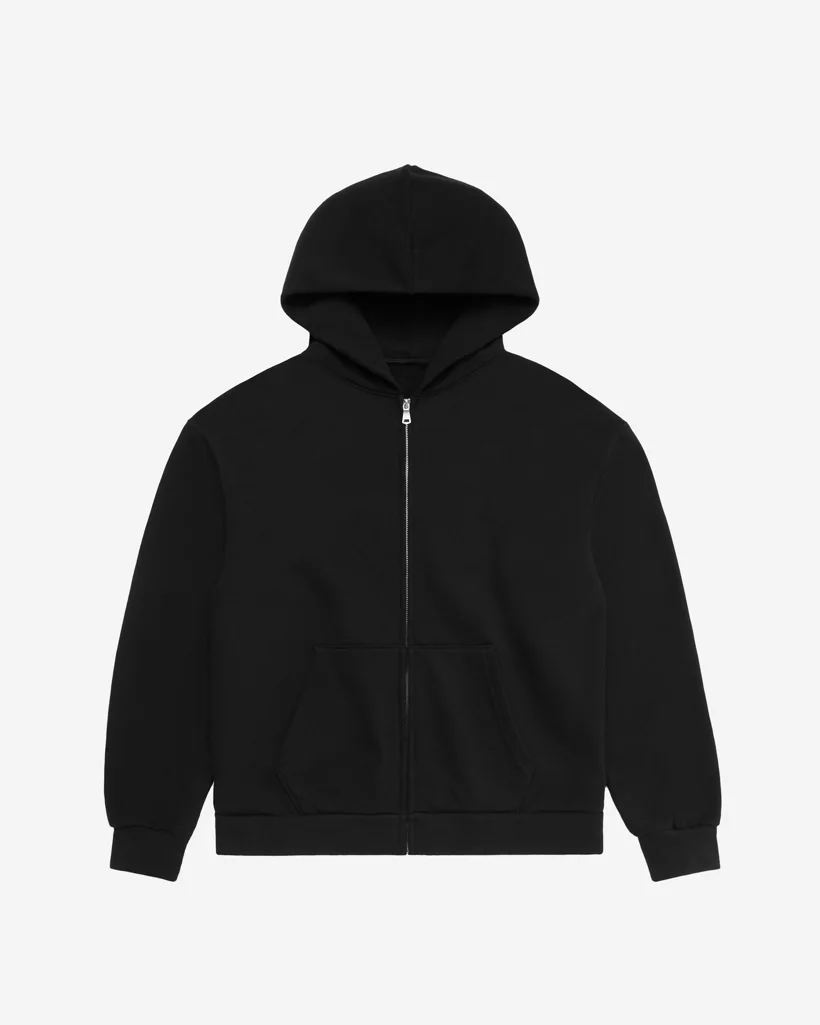
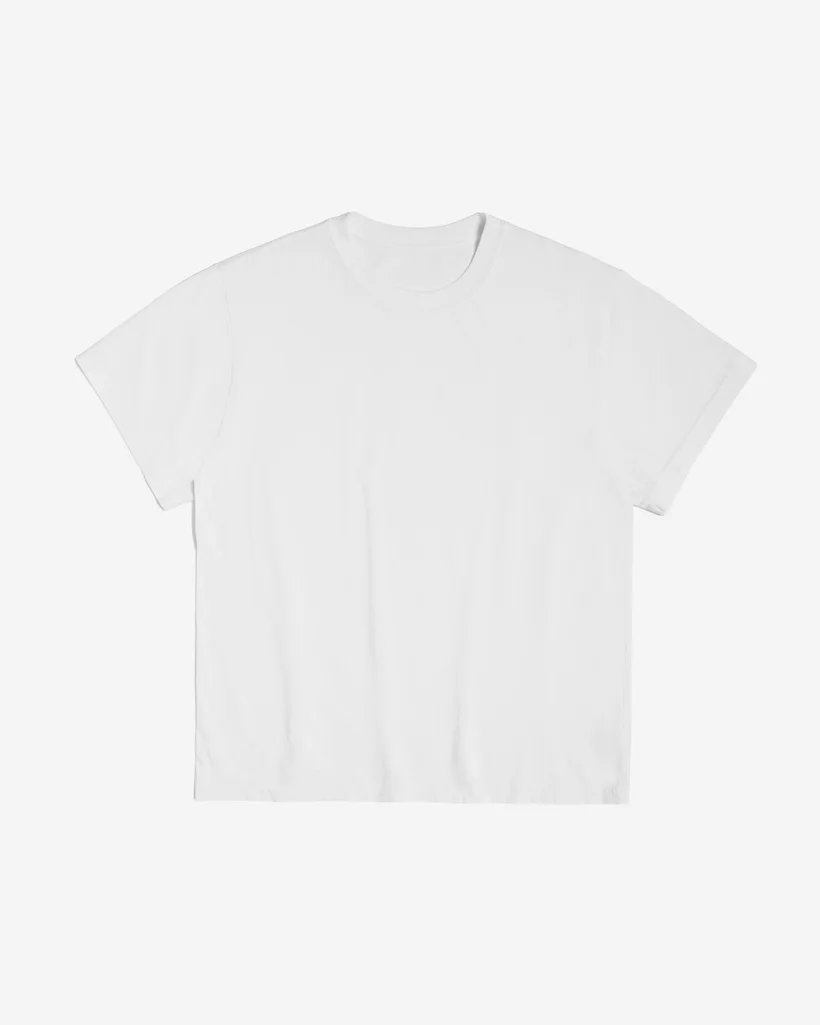
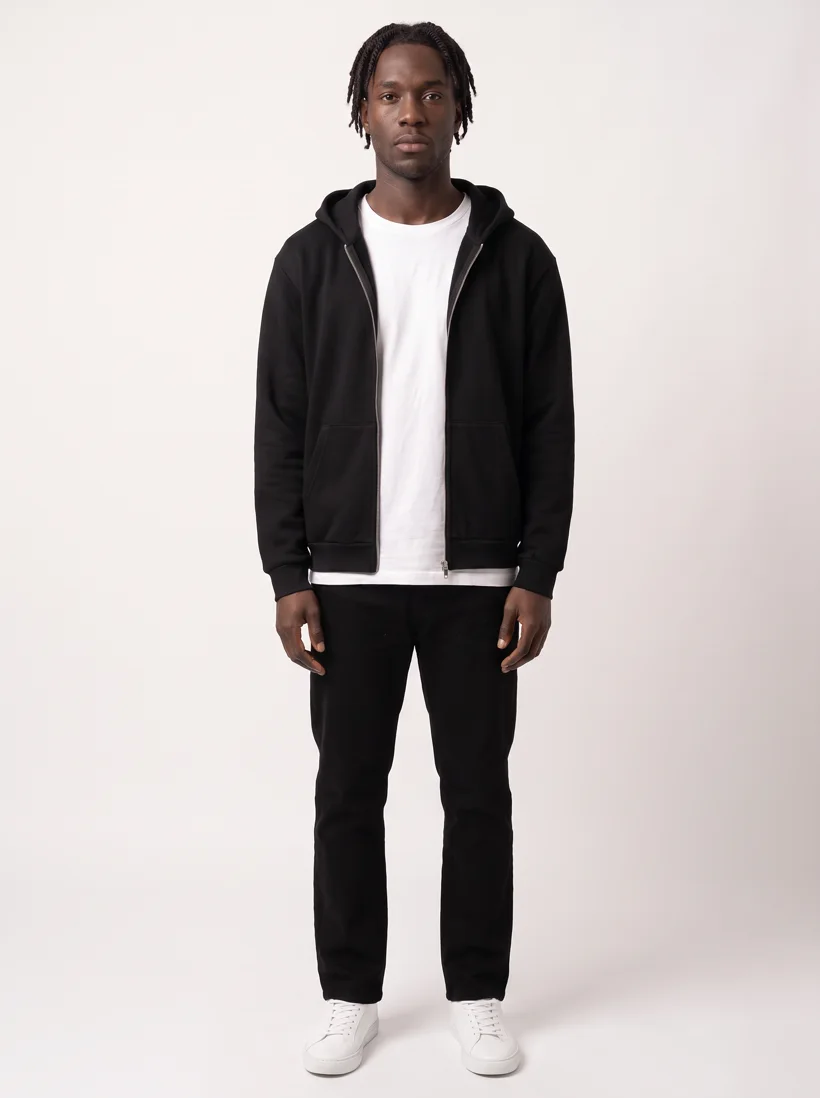
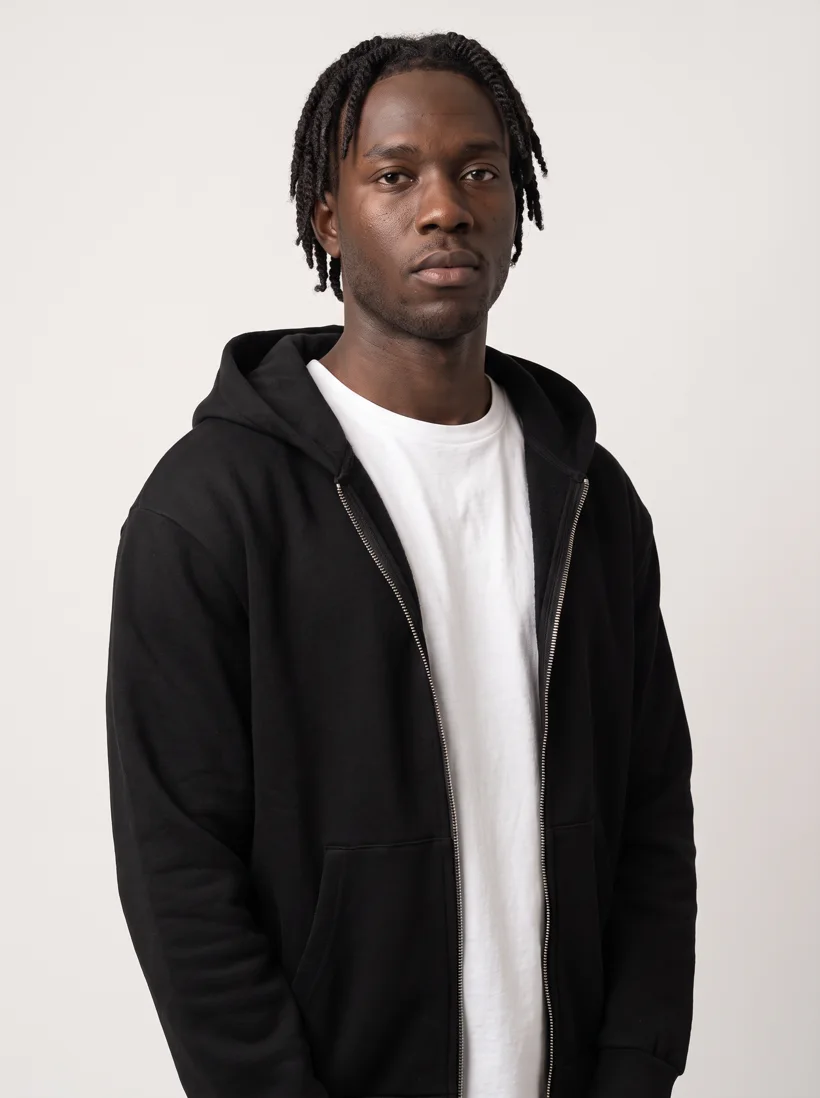
- 1The product-page set. Front, upper body, back, sometimes a short video, on a plain studio background. This is the photo that has to exist for every garment, so it is the first job brands automate. The product photos at scale use case shows a full set made from one raw photo.
- 2The campaign or lifestyle photo. The same garment in a saved art direction: a location, a light, a pose family. Brands use these for the collection page, email, paid social and marketplace lifestyle slots.
- 3The detail crop and the variants. A camera edit of an approved photo: chest-up, back, a sleeve, a second colourway, a second model. Because the edit starts from the approved photo, the set, the light and the model stay connected.
How do different kinds of fashion brands run it at scale?
The mechanism is the same everywhere: save the inputs once, generate per garment, let the reviewer sort the takes. What changes by brand type is the trigger and the standard. The rows below describe how the brands we work with run it, by type rather than by name.
| Brand type | What they photograph | How they run it |
|---|---|---|
| Vertically integrated retailer | Weekly drops of its own womenswear. Every garment needs a product-page set the day it lands. | One saved model and one saved art direction per line. A hero photo is generated per garment, then camera edits make the upper-body and back views from it. Runs as garments are added; the reviewer checks each take against the product photo. |
| Marketplace | Supplier photos of every kind: flat lays, ghost mannequins, mixed backgrounds. | One standard for all of them: the same model family, the same background and crop, so listings from different suppliers read as one store. The supplier photo is the reference the reviewer compares against. |
| Manufacturer or blank supplier | A small range of styles in many colourways, sold to wholesale buyers. | The same blank on the same model in the same studio for every colourway, plus a detail crop of the collar and hem. The set on this page is that workflow. |
| Brand with an in-house content team | Product-page photos and campaign photos for several categories. | The team works in Studio with a shared library, saved art directions and one bill. Product-page photos run as an automation; campaign photos are briefed by hand from the same assets. |
How do brands keep the photos consistent across hundreds of SKUs?
By saving the three things that make photos look alike and reusing them for every garment: the model, the art direction, and the location. The photo for SKU 400 is then generated from the same saved face, the same light and the same crop as the photo for SKU 1, without anyone re-describing them. The reviewer closes the loop: it compares each take with the product photo and retries the ones that drift. The full mechanism, with a three-look series on one saved model, is in how to create consistent product photos for a fashion brand with hundreds of SKUs.
How do you run AI product photography at scale on Uwear?
From the assistant you already use, through the MCP server
Connect the Uwear MCP server to ChatGPT, Claude, Claude Code or Codex, then ask for the work in plain language. The assistant loads a system template by name, proposes a costed brief in credits, and runs it when you approve. The template for the first job is called Product page set: a front photo, an upper-body edit, a back edit and a five-second turn, from one garment photo. A Shopify store can pair it with Shopify's own MCP so the assistant reads the catalog and writes the photos back.
Prompts that run the three jobs from chat
Copy one into an assistant connected to the Uwear MCP server. Each becomes a costed brief you approve before anything generates.
Run the product-page set for a new drop
“Load the "Product page set" template. Shoot every garment I uploaded this week on our saved model Mila in the Studio Grey art direction, then show me the costed brief before you run it.”
Add a campaign photo to an approved listing photo
“Take the approved front photo of SKU 4471 and shoot the same garment on the same model in our Urban Brick art direction, full body, leaning against the wall.”
Check the results and deliver the keepers
“Run QA on everything generated today, retry anything rejected once, and download the approved photos into assets/pdp named by SKU.”
From your own systems, through the REST API or an automation
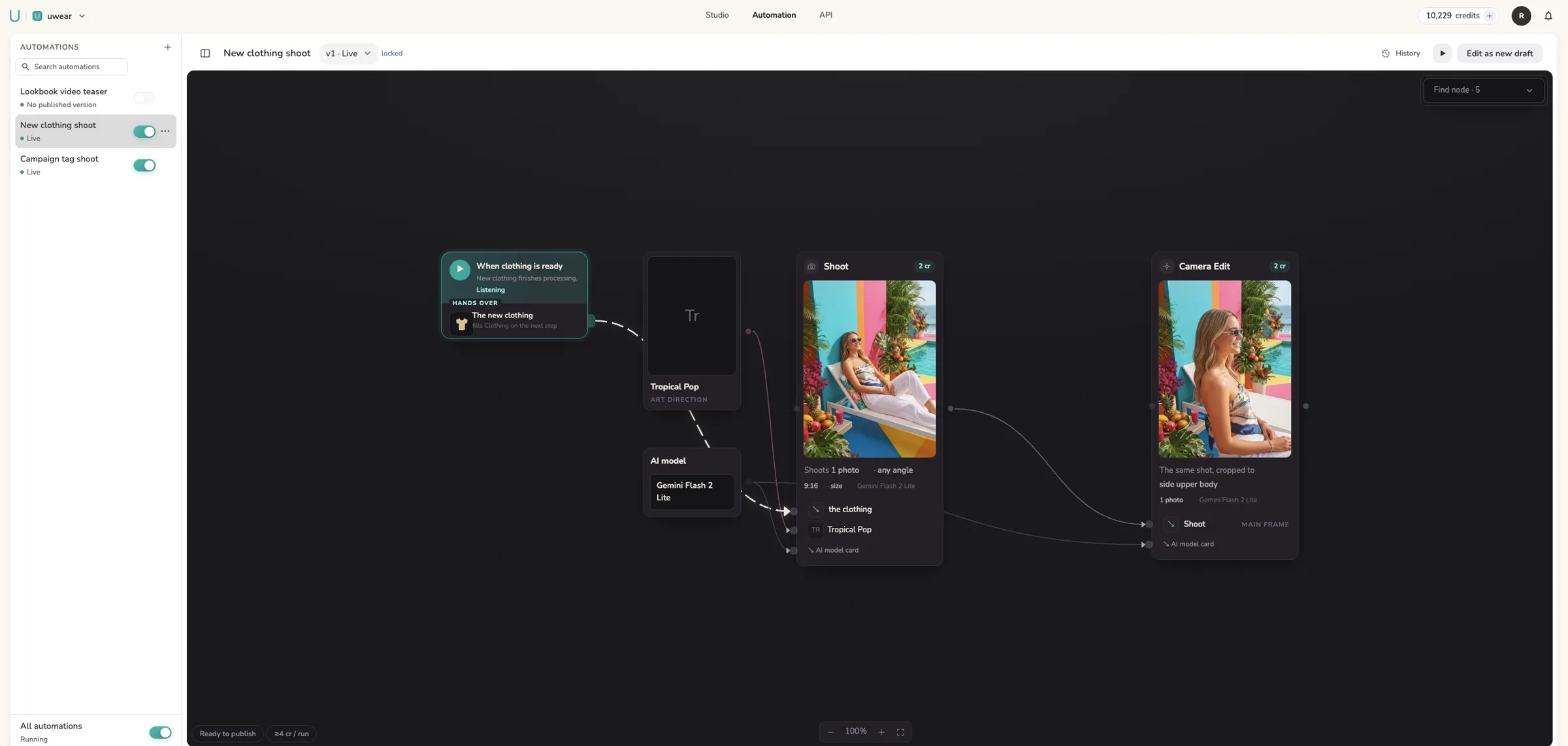
For pure automation, a REST call submits the same generation command the MCP uses, with a webhook that fires when the photos are stored. Inside Uwear, a Production Automation wires the saved shoot to a trigger such as a garment being added, so the product-page set exists without anyone briefing it. The canvas below is a real automation from our own workspace.
By hand, as a team, in Studio
Studio is the manual path: pick the garment, the model and the art direction on one panel, generate, review the verdicts, export. It works on the same saved objects as the MCP and the API, so what a team saves in Studio is what the assistant and the automation reuse. The Team Studio use case covers shared libraries, invites and unified billing.
What does it cost at scale?
Uwear is priced in credits. Each step, a shoot, an edit, a review, a video, is billed at the rate of the AI model it runs on, and the rates are published on the models page. The three photos above cost 5 credits each on Gemini Pro at 2K; a faster model costs less per photo. The MCP and the automation builder total the estimate before a run starts, including the worst case if the reviewer rejects and retries the full allowance, so the spend on a thousand-SKU season is a number you read before you approve it.
What still needs a studio shoot?
The image that is the campaign: a hero visual with a particular photographer, a location or talent that is part of the story. Fit documentation on a real body for size guidance. Fabric behaviour in motion when that is the selling point. Brands keep the shoot budget for those and let the generated photos cover the listing work that has to exist for every garment. How the two compare in quality, with the same garment on four AI models, is in the quality difference between AI fashion models and traditional model photography.
Frequently asked questions
Do fashion brands still shoot with real models when they use AI product photography?
Yes, for the images that are the campaign. Brands move the listing photos, the ones that have to exist for every garment, to AI generation, and keep the studio budget for hero visuals with a particular photographer, location or talent. The two coexist: the campaign photo sets the art direction, and the saved art direction carries that look into every generated listing photo.
Can AI product photos use our own model instead of a stock face?
Yes. On Uwear a brand creates a model once from a description or from reference photos, saves it, and reuses it in every generation. Face, body and styling carry from that saved reference into every generation, and the automatic reviewer flags a take where they drift. Brands that need several models save several and choose one per garment family.
How do brands check AI product photos before publishing them?
With an automatic reviewer that compares each generated photo with the product photo that was uploaded and flags anything that drifts: a changed neckline, a lost print, a different model. Flagged photos are retried within an allowance the brand sets, and every verdict comes with a written reason. The reviewer is toggleable and runs inside the production loop, so a team reviews verdicts, not loose files.
Which product photo do I need to start AI product photography?
The one you already have: a flat lay, a packshot, a ghost-mannequin shot or a supplier photo. A clear front view is enough to begin. Add a back view or a detail photo when the garment has graphics, closures or construction that the front does not show, because the generated photo carries its garment detail from those references.
Run the product-page set on your own garments
Connect the MCP server to your assistant, load the Product page set template, and approve the costed brief. Or open Studio and run the same shoot by hand.