Can I just use ChatGPT to make product photos for my clothing brand?
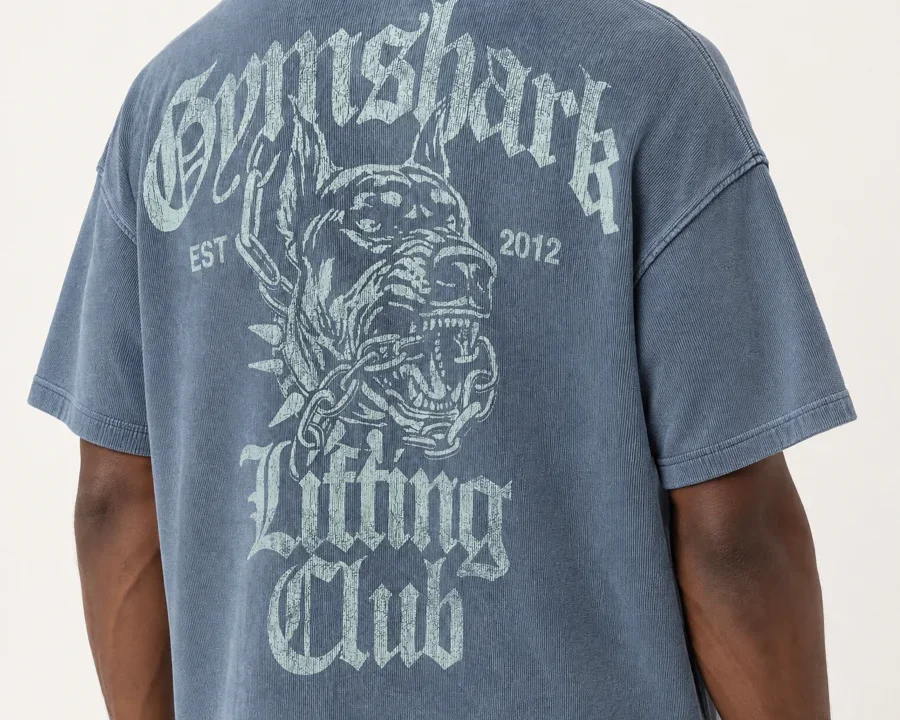
Yes, for one photo. Attach a product photo in ChatGPT, describe a model and a setting, and the image model behind it, GPT Image 2.5, will put the garment on a body. For a mood board or a social post that is often all you need.
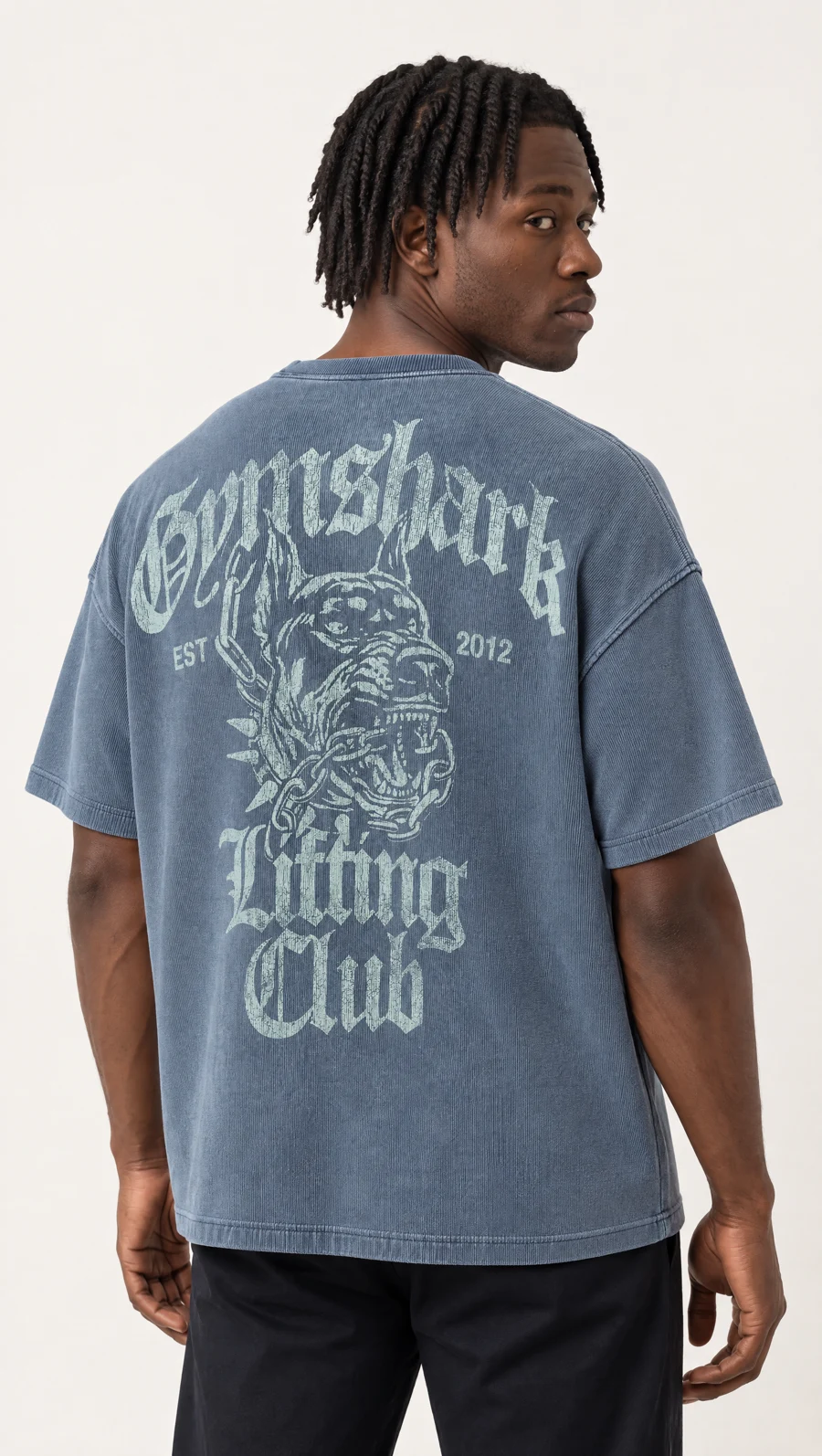
A clothing brand never needs one photo. It needs the same model on the next forty products, the lace or the print checked against the product it is selling, the back view and the detail crop for each listing, and all of it again next month when the new drop lands. That is production, and it is the part a single prompt does not carry. Uwear runs the same GPT Image 2.5, alongside Gemini Pro, Seedream and its own models, inside a system that does carry it. The photo at the top of this page is a crop of a GPT Image 2.5 generation on Uwear from the product photo shown below.
What does ChatGPT do well for a single product photo?
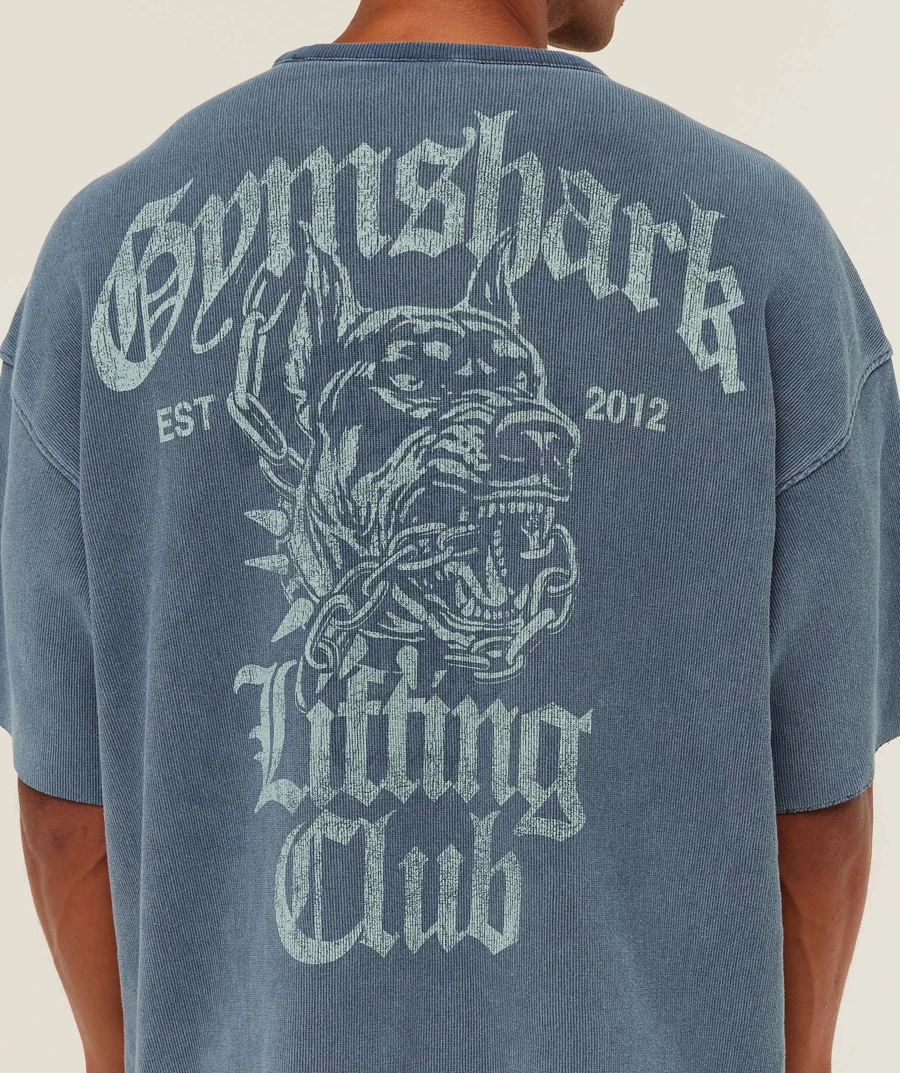
Quite a lot, and for one photo the honest answer is that Uwear would give you much the same thing. The image model behind ChatGPT is GPT Image 2.5, and Uwear runs that same model. Give either one a clear product photo and a plain description and you get the garment on a body, with the fabric, the print and small lettering rendered well. The photo below was made with GPT Image 2.5 on Uwear; in ChatGPT it would look much the same.
The one difference at this stage is choice. ChatGPT gives you GPT Image 2.5. Uwear gives you GPT Image 2.5, Gemini Pro, Seedream and its own models side by side, so you can pick the render you prefer for each garment; the same three garments on four models shows how much they differ. Images from both carry an invisible watermark and origin metadata, so a shopper or a marketplace can check that they were generated [2].
Where does a single prompt stop and a production system start?
Put the same image model on both sides and the difference is everything around it. A single-prompt tool passes your photo and a sentence to the model and returns whatever comes back. A production system passes more, and checks what comes back. Two of the things it passes have names on Uwear: a saved model, meaning the person who wears the clothes, created once and reused; and a saved art direction, meaning the set, the light and the framing, also created once. Both live in a library your team shares.
| What a brand needs | One photo in ChatGPT | A range on Uwear |
|---|---|---|
| The garment | A photo attached to the chat, and a sentence about it. | The product photo is the reference for every generation, and the automated QA check compares each result with it. |
| The model (the person) | Described in the prompt, or a reference photo attached each time. OpenAI notes the image model "may occasionally struggle to maintain visual consistency for recurring characters" across generations [1]. | A saved model. Create it once; every generation receives it, and the QA check rejects a photo that shows a different person. |
| The look | Re-described per image: the set, the light, the framing, the pose. | A saved art direction: the set, light, camera and mood, saved once and reused by every garment, so SKU 400 is shot in the same world as SKU 1. |
| The check | Your eyes, one image at a time. | An automated QA check, built by Uwear, compares the result with the product photo and the saved model, records a pass or fail for each criterion, and retries up to a limit you set. You can switch it off. |
| The run | One request per image, in the chat. | One priced plan for the whole range, approved once, whether you send it from ChatGPT, from Uwear's web app, or as a standing rule that shoots each new garment as it is added. |
| The set per product | Ask again for each angle. | Upper-body, back and detail views are derived from the approved front photo by changing the camera, so they keep its model, set and light. |
| The library | Your chat history. | Garments, models, directions and results saved once and shared by the team, searchable by meaning, delivered to your store or your systems. |
| Provenance | Images carry C2PA metadata and a SynthID watermark, checkable at openai.com/verify [2]. | Delivered files carry Uwear's invisible watermark, C2PA origin metadata and a server-side origin record, whichever image model made them, checkable on the verify AI image page. |
What does the difference look like on the second garment?
The first photo is where every tool looks the same. The second and third are where a brand finds out whether it has a system. Below, one saved model, one saved art direction, three garments. The model is the same one wearing the Gymshark T-shirt in the comparison above: created once on Uwear, from front, side and back, and handed to every generation as a reference. That is the part a chat cannot hold. ChatGPT sees a description of a model, or the last image in the thread, and reinterprets it on every new prompt. A saved model is the same document on every product, this month and next, and the QA check reads it too.
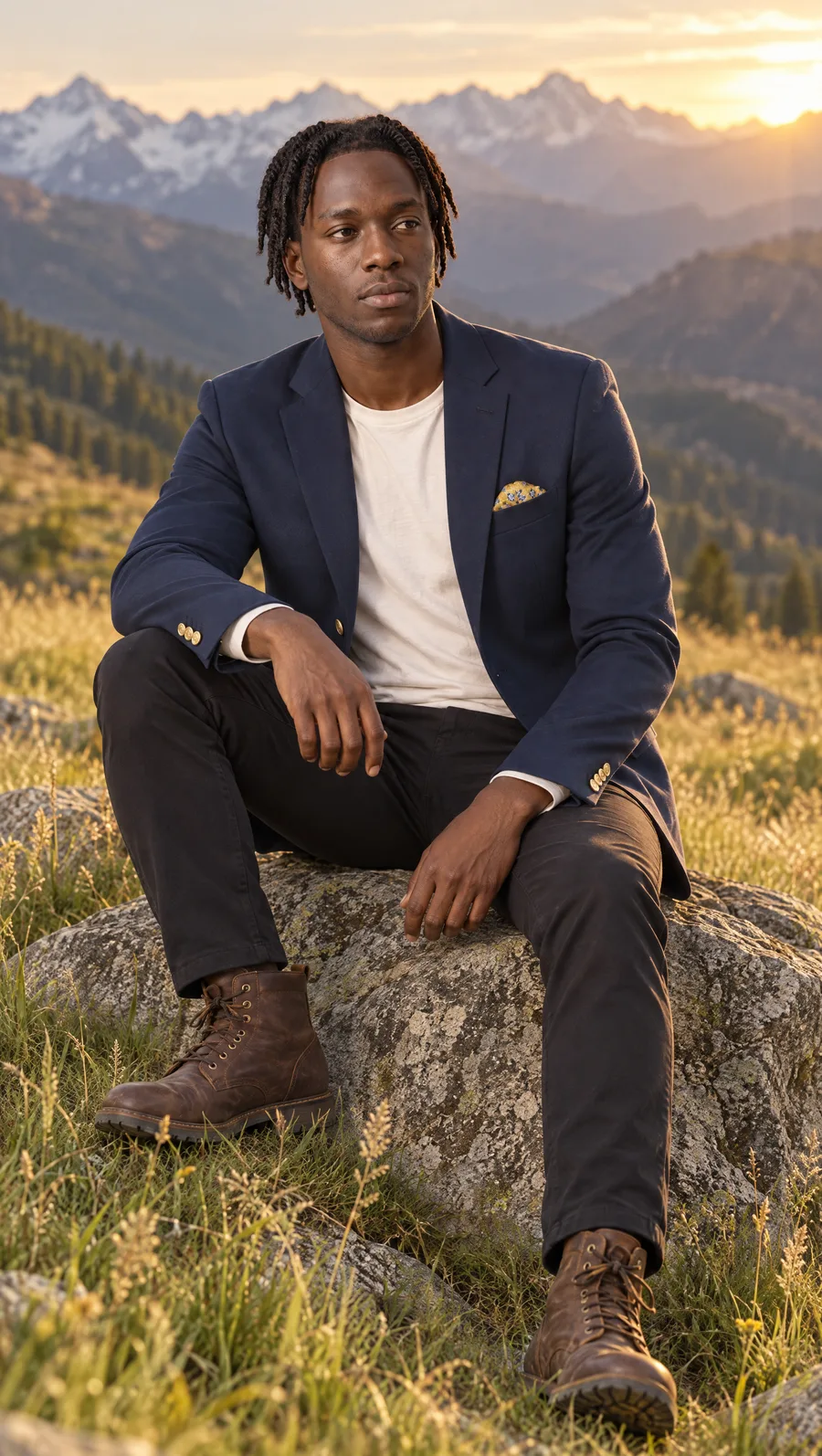
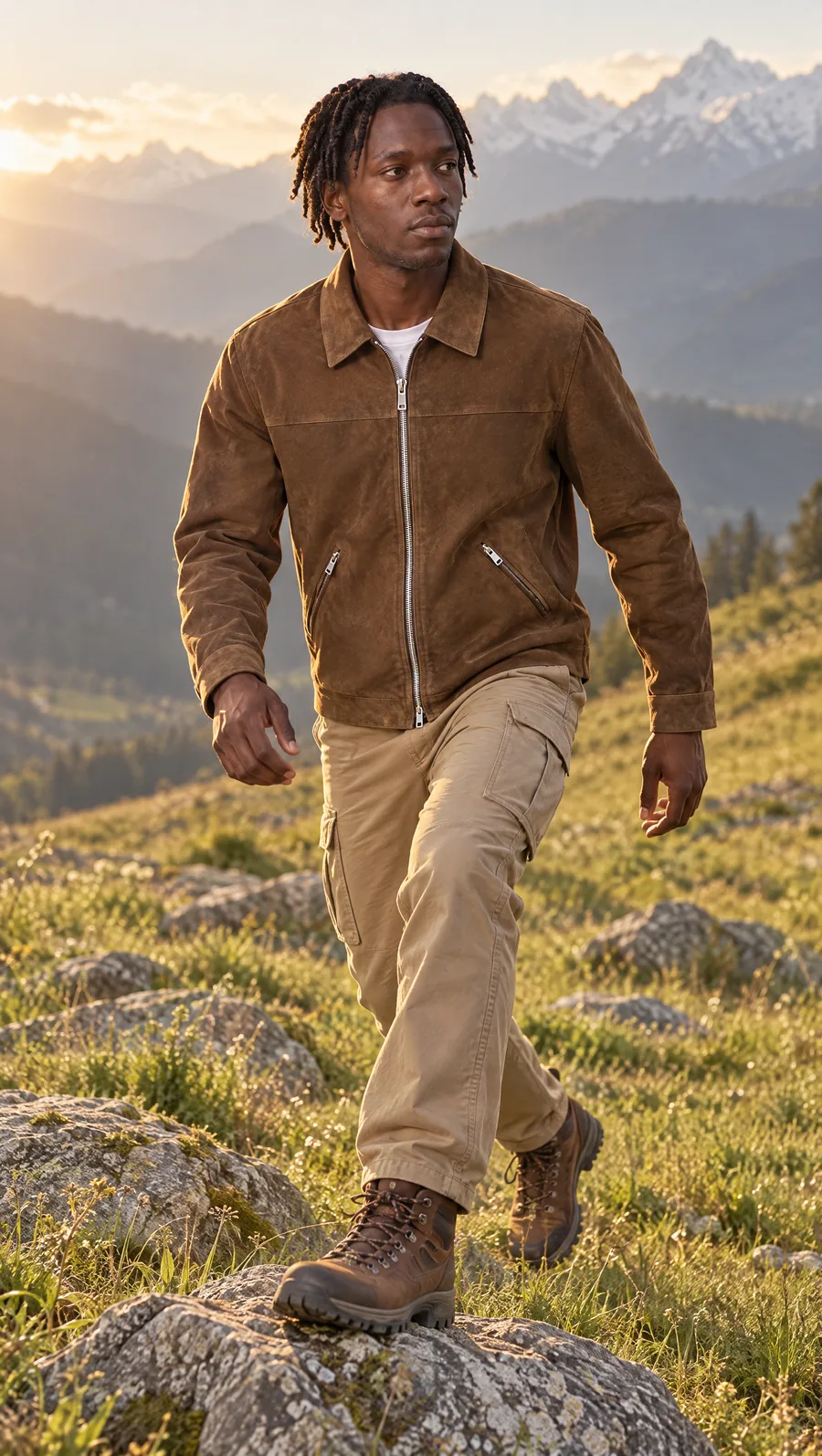
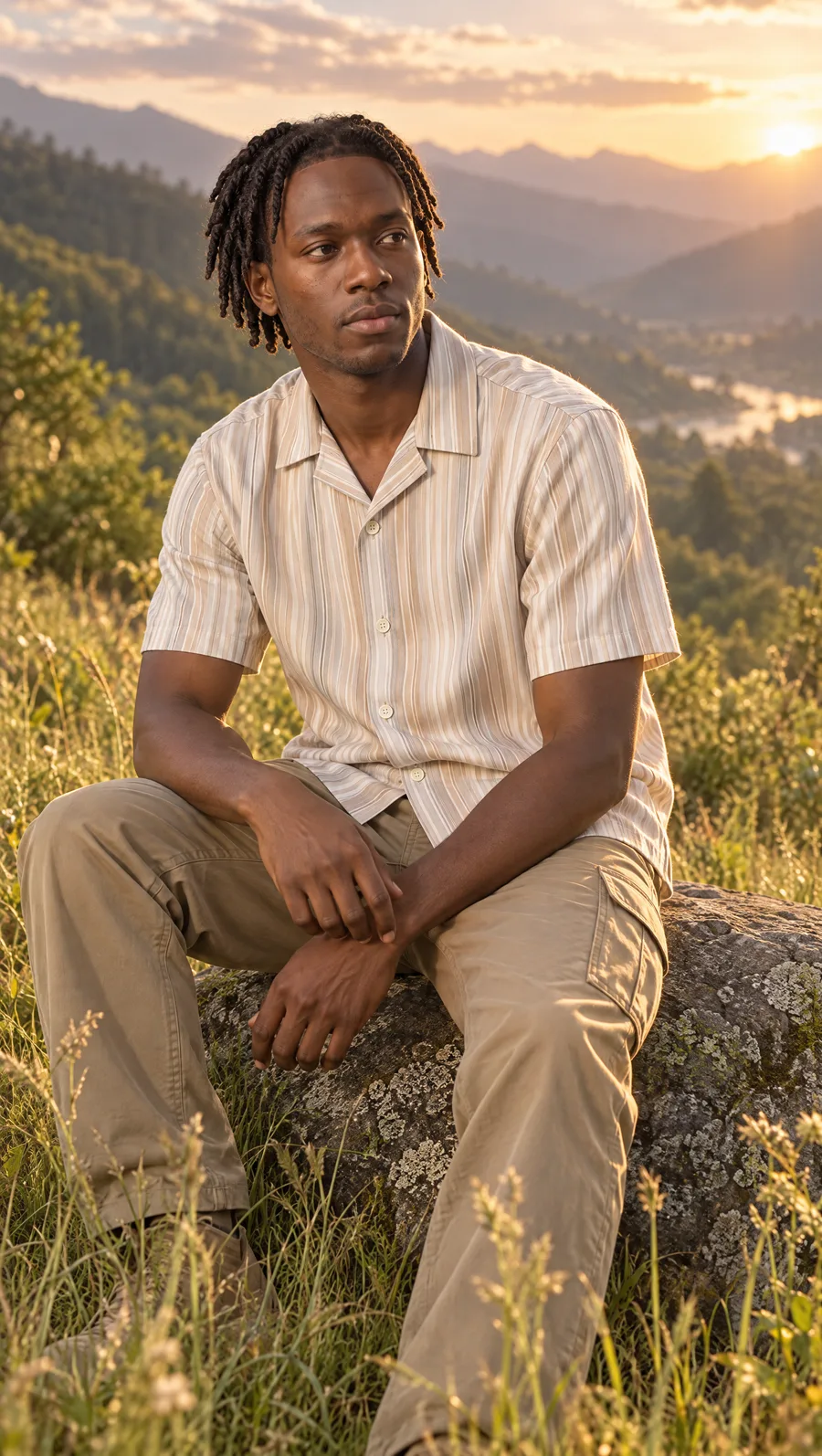
Same face, same hair, same meadow, same light, three garments. Nobody re-described the model between photos, and nobody compared the results by eye. Each result was reviewed by the automated QA system Uwear built, against the product photo and the saved model, and a photo that drifts, on the garment or on the person, is rejected and retried before it reaches the brand. That is the second half of the system: not only that drift is rare, but that when it happens, it is caught by a check and not by a person scrolling a folder forty products in.
A full series with every QA verdict quoted is on how to create consistent product photos across hundreds of SKUs. The QA check can be switched off and is free; how it works at batch scale is on the QA and retries page.
How do you keep ChatGPT and still get the production system?
Connect ChatGPT to Uwear
You do not have to leave the chat. Uwear publishes an MCP server, the standard way to give an AI assistant a set of outside tools. Connect it to ChatGPT, Claude, Claude Code or Codex, and the assistant runs the production system for you: it finds your saved model and art direction by name, proposes a priced plan in credits for the whole range, and runs it when you approve. A ready-made template called Product page set makes the front photo, the upper-body view, the back view and a short turning video for every garment in the run. Choose GPT Image 2.5 as the image model if that is the render you already like; the product-photo reference, the saved model, the QA check and the delivery come with it either way.
In ChatGPT the connection is a plugin. Since September 2026 Uwear is listed in ChatGPT's plugin directory: open Plugins in the sidebar, search for Uwear, click Install plugin and log in with your Uwear account. Nothing else to set up, and the listing is here.
Prompts that turn a chat into a production run
Copy one into an assistant connected to Uwear. Each becomes a priced plan you approve before anything generates.
Shoot a drop from ChatGPT with the production system behind it
“Connect to the Uwear MCP server, then run the "Product page set" template on every garment tagged drop-42 using our saved model Giulia and the Urban Brick Editorial art direction. Show me the priced plan before generating.”
Run the same shoot on GPT Image 2.5
“Run that plan again with GPT Image 2.5 High as the image model, QA on, one retry allowed, and list every rejected photo with its reason.”
Finish the product-page set from the approved photos
“For every approved front photo from that run, make an upper-body edit and a back edit with the Product page set template and tag the results ready-for-store.”
From your own systems, through an automation or the REST API
When the range grows every week, an automation is a standing rule: each garment added to the library is shot on the saved model in the saved art direction, passed through the QA check, and the approved photos are tagged for the store. The REST API submits the same job from your own systems and calls you back when it is done.
By hand, as a team, in the web app
Studio , Uwear's web app, runs the same shoot from one panel, with a picker that shows every image model and its credit rate. The web app, the assistant connection and the API share the same saved model, art direction and library, so a team can start by hand and hand the repeat work to the assistant or the automation later without re-saving anything.
Frequently asked questions
Is there a Uwear plugin inside ChatGPT?
Yes. Since September 2026 Uwear is in ChatGPT's plugin directory. Open Plugins in the ChatGPT sidebar, search for Uwear, click Install plugin and log in with your Uwear account. ChatGPT can then plan a photoshoot on your own garments, saved model and art direction, show the priced brief, and run it when you approve.
Is Uwear just a wrapper around ChatGPT?
No. Uwear runs several image models side by side, including GPT Image 2.5, Gemini Pro, Seedream and models of its own, and the image model is one setting in a production job. The rest of the job is what a single prompt does not carry: the product photo as the reference, a saved model (the person wearing the clothes), a saved art direction (the set, light and framing), an automated QA check built by Uwear that compares each result with the product photo and retries when it fails, a library the whole team shares, and delivery to your store or your systems. Uwear is priced in credits at $0.10 per credit, with the estimate for a run shown before you approve it.
Can ChatGPT keep the same model across every product?
OpenAI's own developer guide says the image model "may occasionally struggle to maintain visual consistency for recurring characters or brand elements across multiple generations". In ChatGPT you can attach a reference photo of the model to each request and describe them again. On Uwear the model is saved once in your library, from a description or from reference photos, and every generation receives it. Uwear's automated QA check compares each result with it and rejects a photo that shows a different person.
When is ChatGPT on its own the right tool for a clothing brand?
For one-off images where nobody needs to reproduce the result: a mood board, a social post, a quick test of whether a garment reads on a body at all. The moment a second garment has to match the first, or a listing has to be defensible against the product it sells, you are running production, and the missing pieces are the saved model, the automated check and the repeatable run.
What does a product photo cost on Uwear compared with ChatGPT?
Image generation in ChatGPT is part of your ChatGPT plan and is not priced per image. Uwear is priced in credits at $0.10 per credit; the rate depends on the image model, and current per-model rates are on the models page. A Gemini Pro photo at 2K is 5 credits, for example, with a free automated QA check when it is on. The full estimate for a run, including the worst case if the QA check uses all of its retries, is shown before you approve it.
Keep ChatGPT. Add the system.
Connect Uwear to the assistant you already use, save your model and art direction once, and brief the first drop from chat. Every garment after that reuses the same model, the same art direction and the same check.
Sources and review dates
OpenAI documentation checked September 18, 2026. Image observations come from Uwear's own generations, published on the two linked answer pages, not from provider marketing. Nothing on this page states what ChatGPT cannot do; where OpenAI's documentation does not describe a capability, the table describes what a chat gives you today.
- [1] OpenAI developer documentation: Image generation. Accessed September 18, 2026.
- [2] OpenAI Help Center: Provenance signals (Content Credentials, SynthID) in OpenAI-generated content. Accessed September 18, 2026.