Why AI Fashion Photos All Look the Same, and How to Fix It
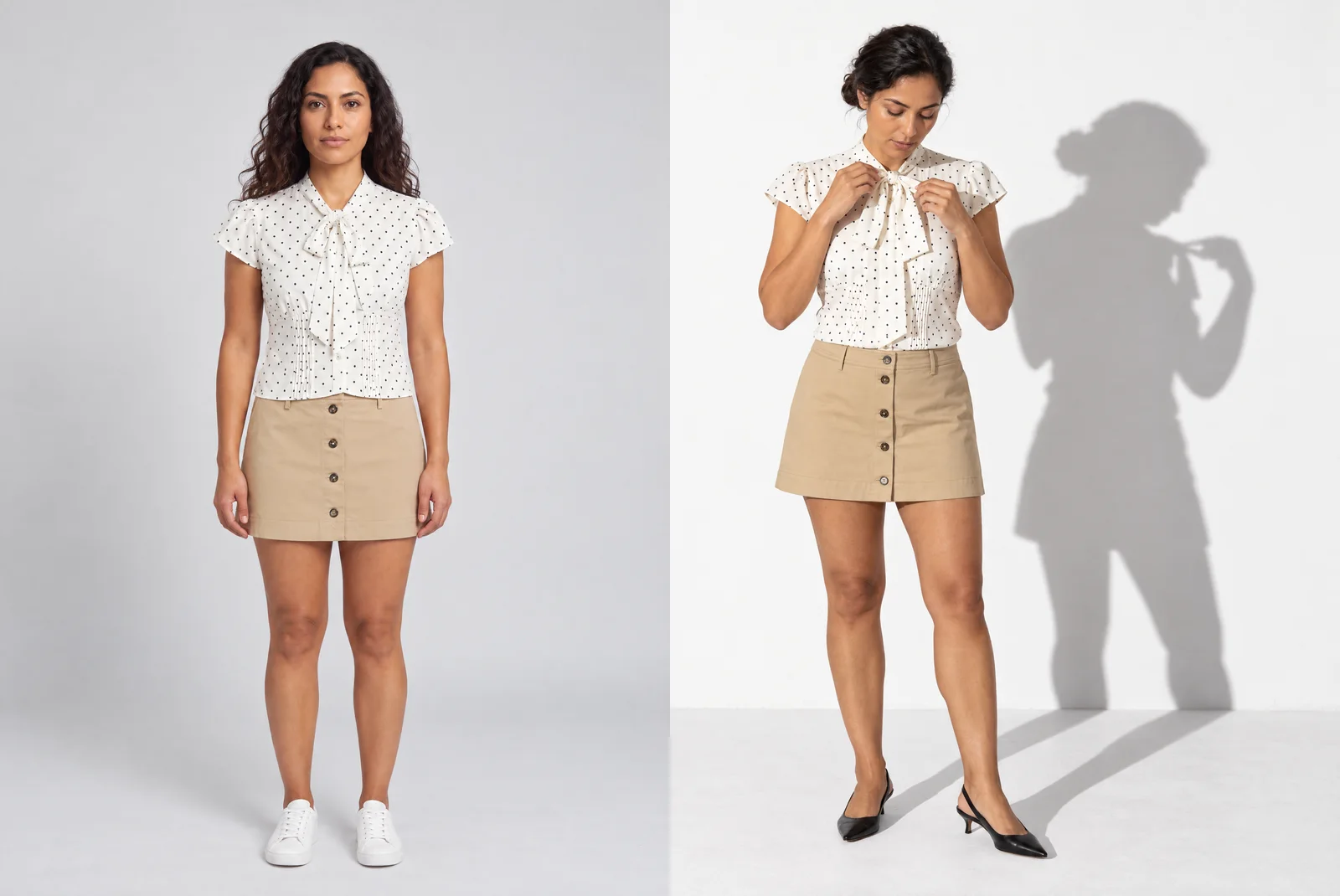
AI fashion photos look the same because the image model makes every decision you leave open, and it makes the same one for everyone. Light, backdrop, framing, pose, shoes: when the brief does not set them, the model falls back to its average. That average is what shoppers now recognize as AI.
The fix is not a longer prompt. It is direction: make those decisions on purpose, write them down once, and apply them to every image. Below is one outfit on two image models, Gemini Pro and GPT Image 2.5, first with the decisions left open, then with them made.
What does an AI fashion photo look like when the model decides?
Both engines got the same polka-dot blouse, khaki mini skirt and saved model, with a one-line prompt for a studio product photo. Two different engines returned nearly the same frame: a light-grey seamless, soft even light, a centered frontal pose, arms at the sides, white sneakers.
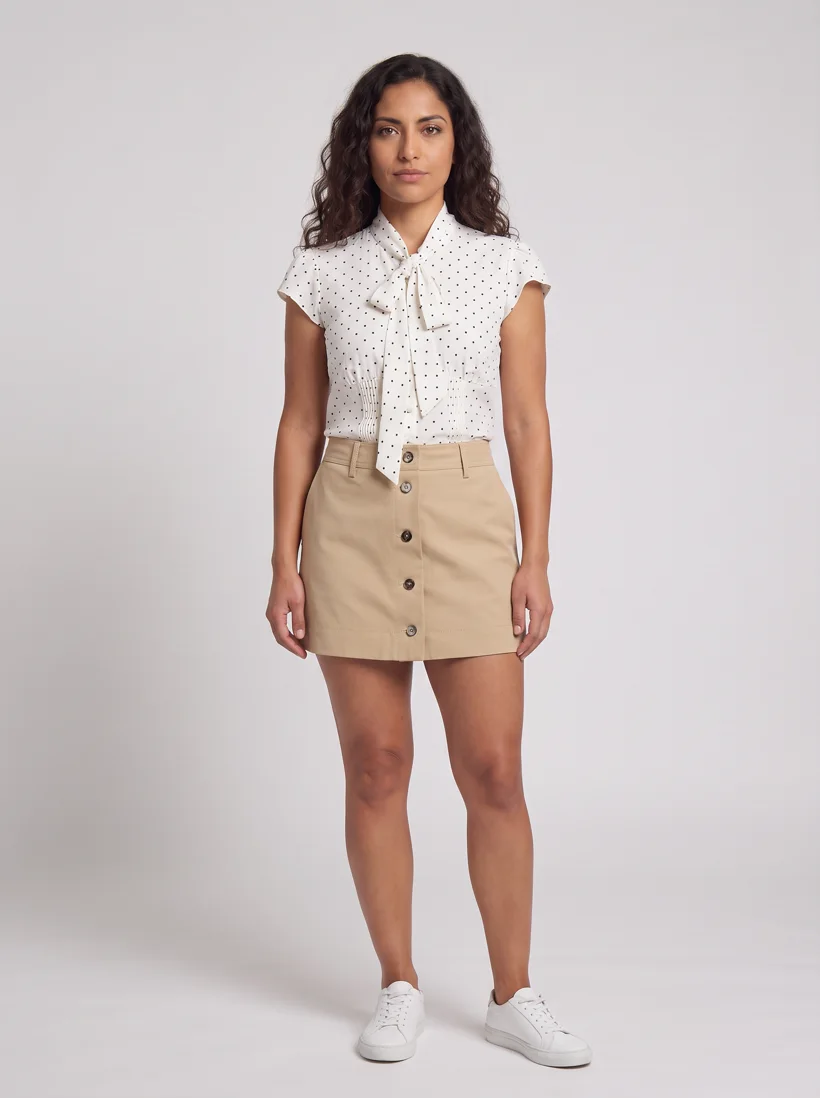
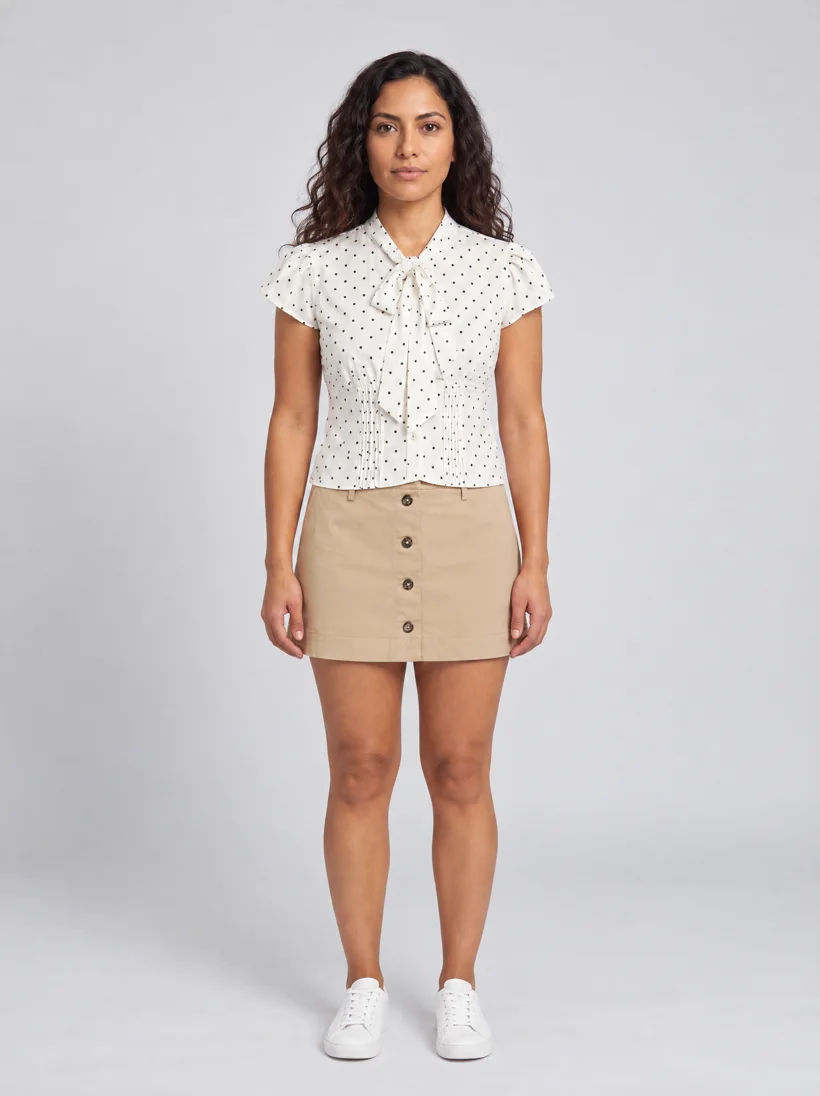
Outside, the result repeats. A prompt for a city street gave both engines a generic sidewalk, a frontal stance and the same white sneakers.
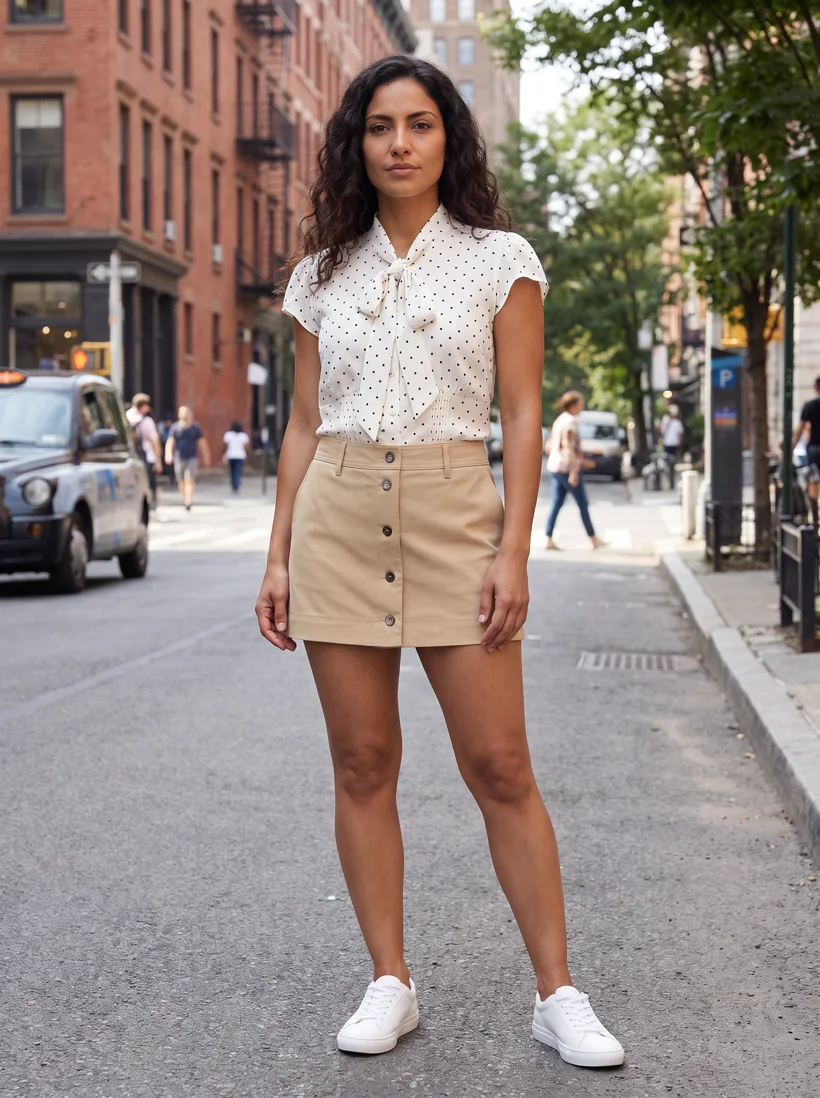
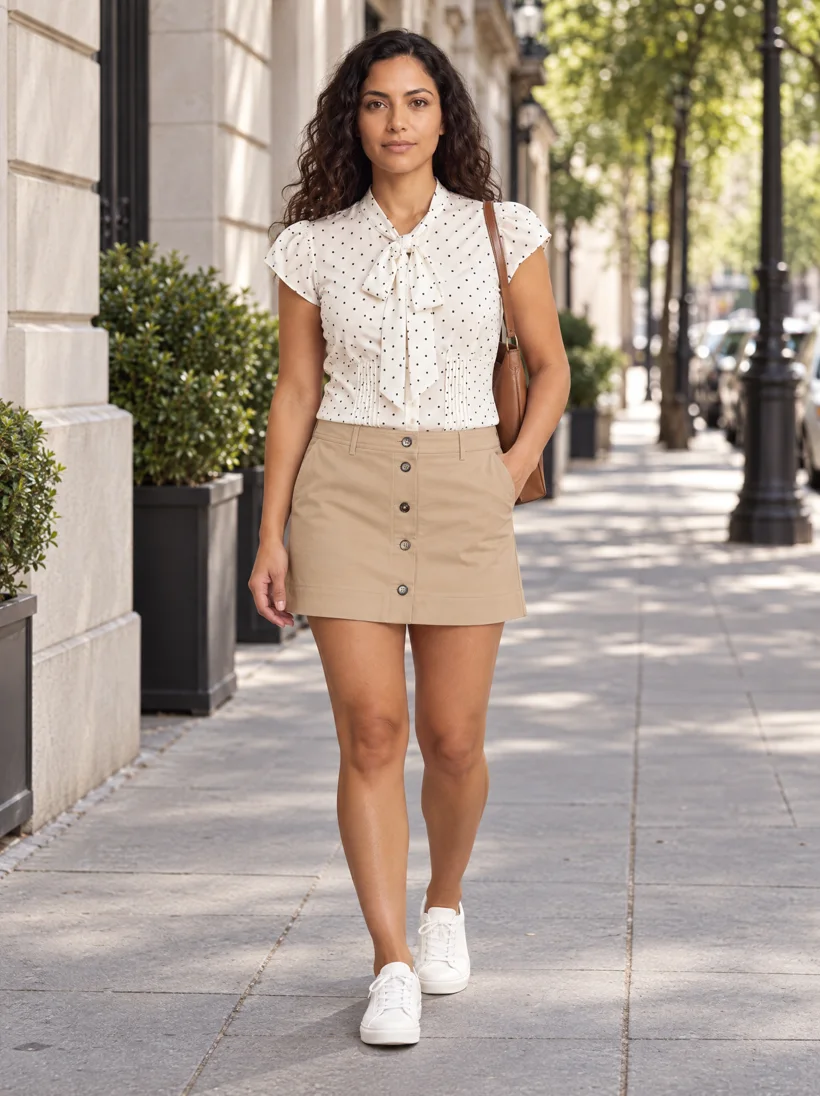
None of these images is wrong. They are simply nobody's photos. Gemini Pro has been a favorite engine in fashion, so its default frame is one that shoppers see often, and learn to spot.
Why does leaving decisions to the model produce slop?
An image model is built to give a plausible answer to any prompt. When the prompt leaves a decision open, the model picks the most likely option: the middle of everything it has seen. Every brand that leaves the same decisions open gets the same middle.
A photographer settles a dozen of these decisions before the shutter: where the light comes from and how hard it falls, what the backdrop is, how tight the frame is, how the model stands, what is on their feet, which moment the picture catches. Left to the model, that uncertainty does not turn into creativity. It turns into the median.
So the work is to take the decisions back. Not with more adjectives in every prompt, but with a direction that makes them once, for every image.
Can a white background still look like your brand?
Most product pages need a white or light-grey background, which rules out the easy answer of a colored set. It does not rule out a signature. Here are four art directions for the same outfit, the same model and the same white-to-grey range, generated with GPT Image 2.5.
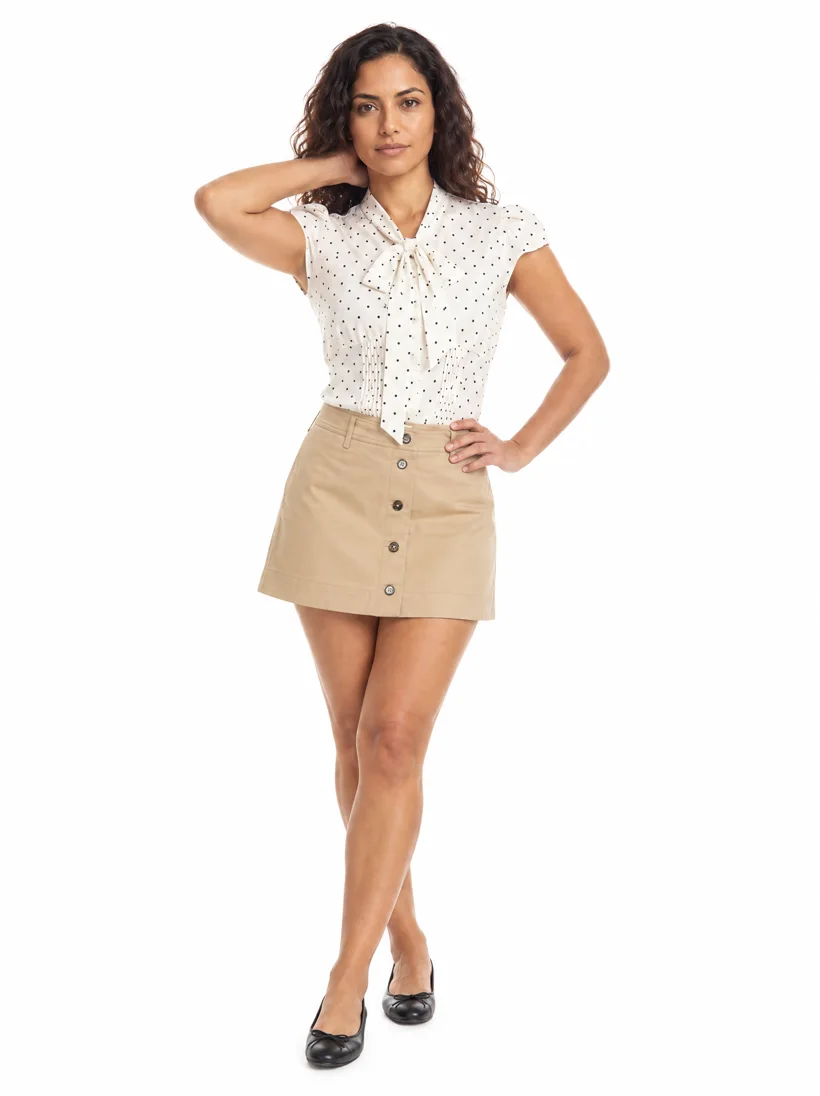
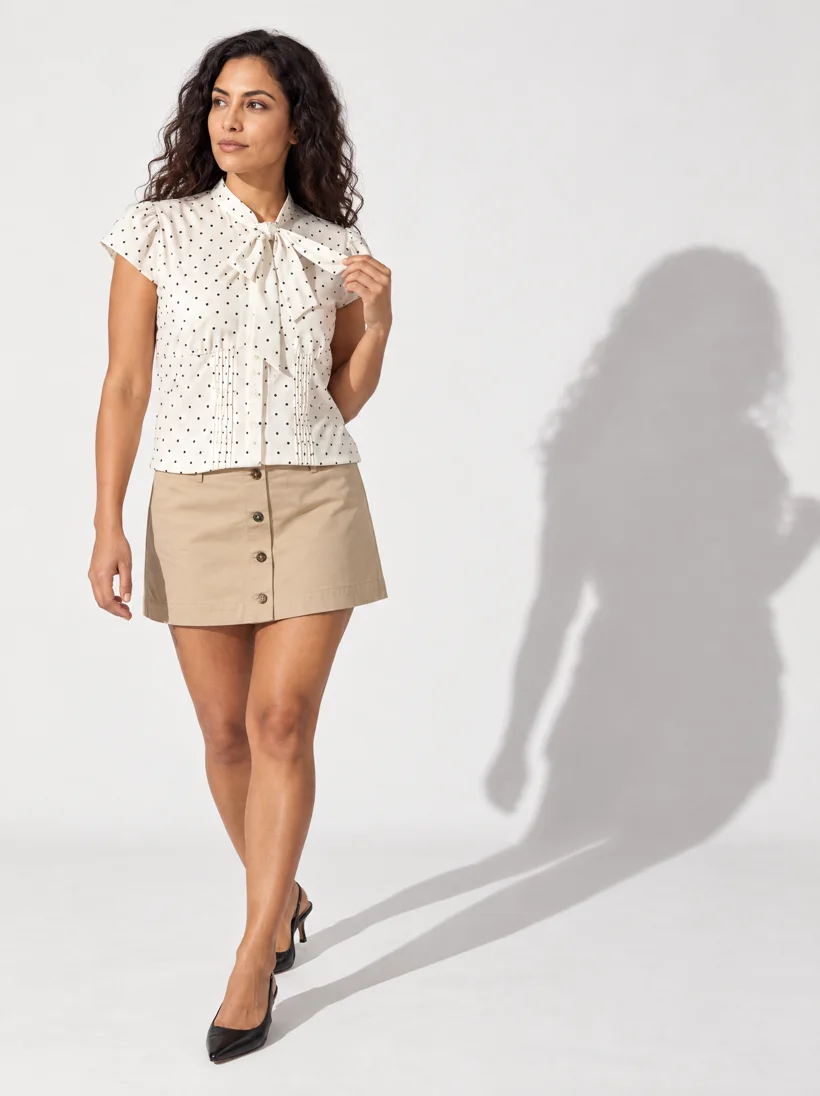
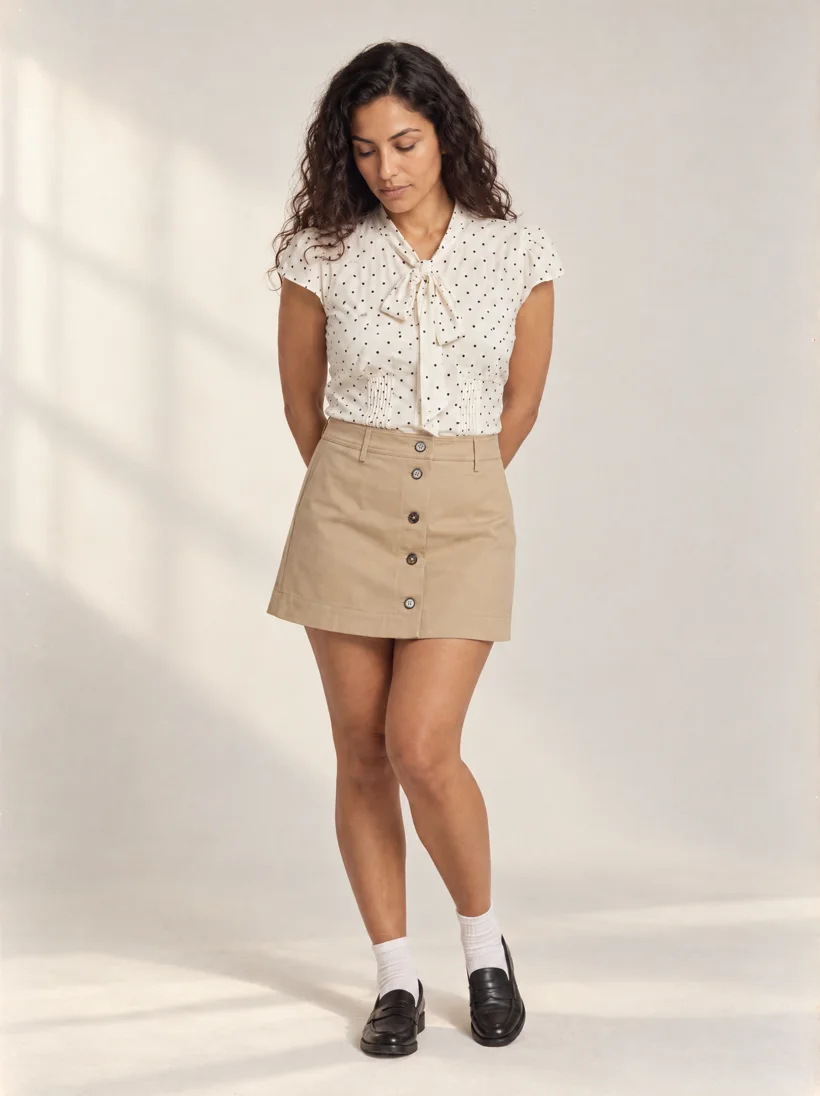
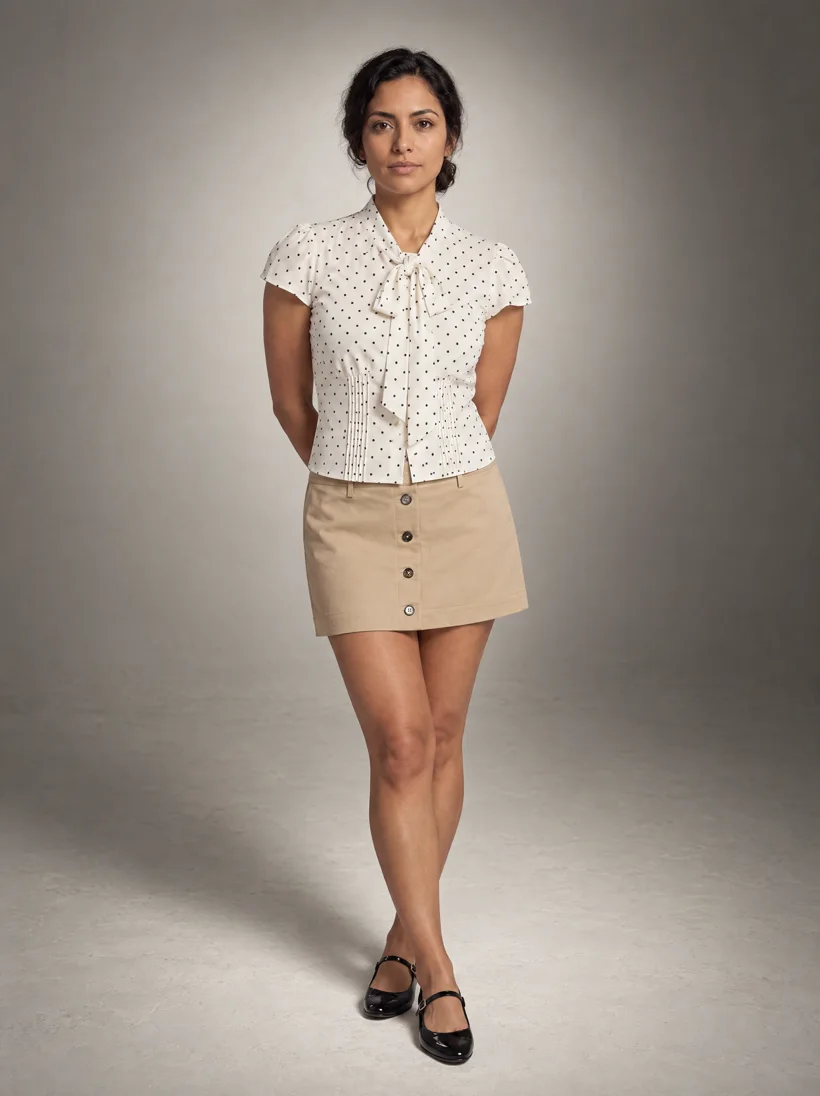
The inputs are the same in all four. What changes is light, shadow, tone and attitude, and that is where a brand lives.
How do you get variety without losing consistency?
A direction that settles every decision gives consistent images, and consistent can turn stiff: the same pose, image after image. Photographers solve this with a moment, not a pose. A step, a gust of wind, a prop, a corner of the set. The pose follows from what is happening.
In a Uwear art direction, the moments are part of the direction: a short list that the platform rotates across the images of a set, while the light, backdrop and styling follow the direction. Here are the same four directions after adding moments.
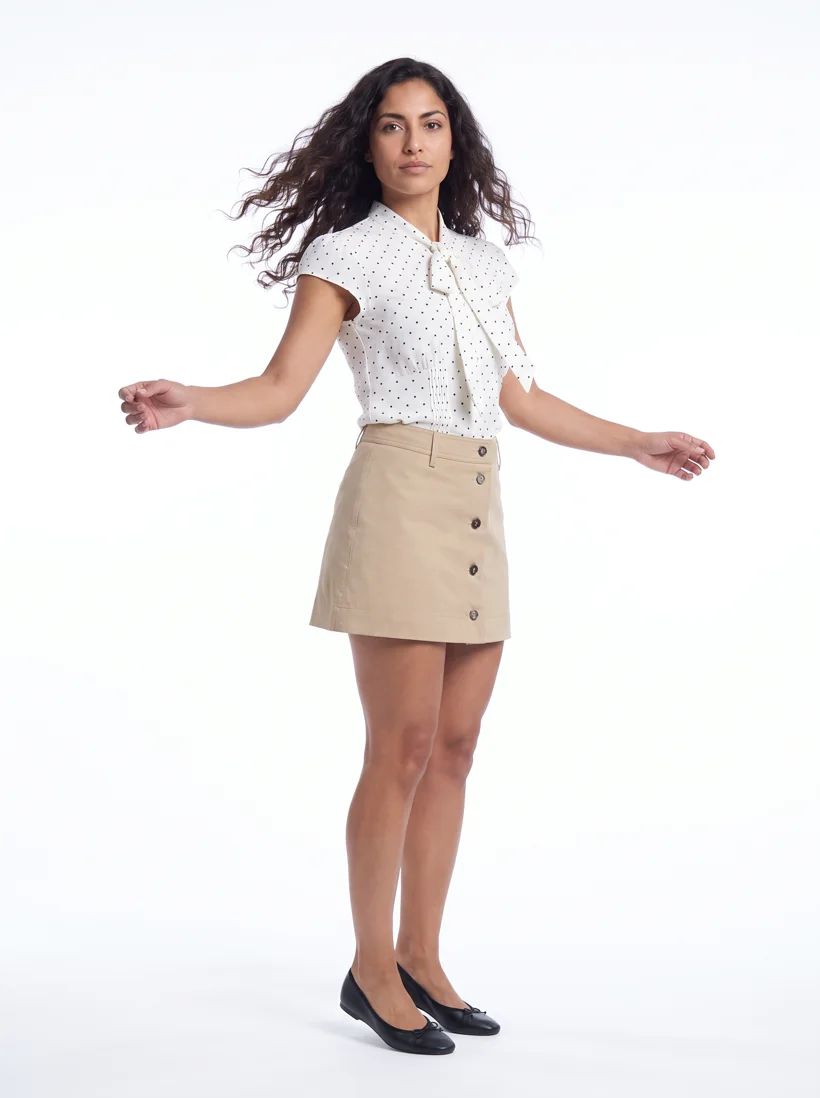
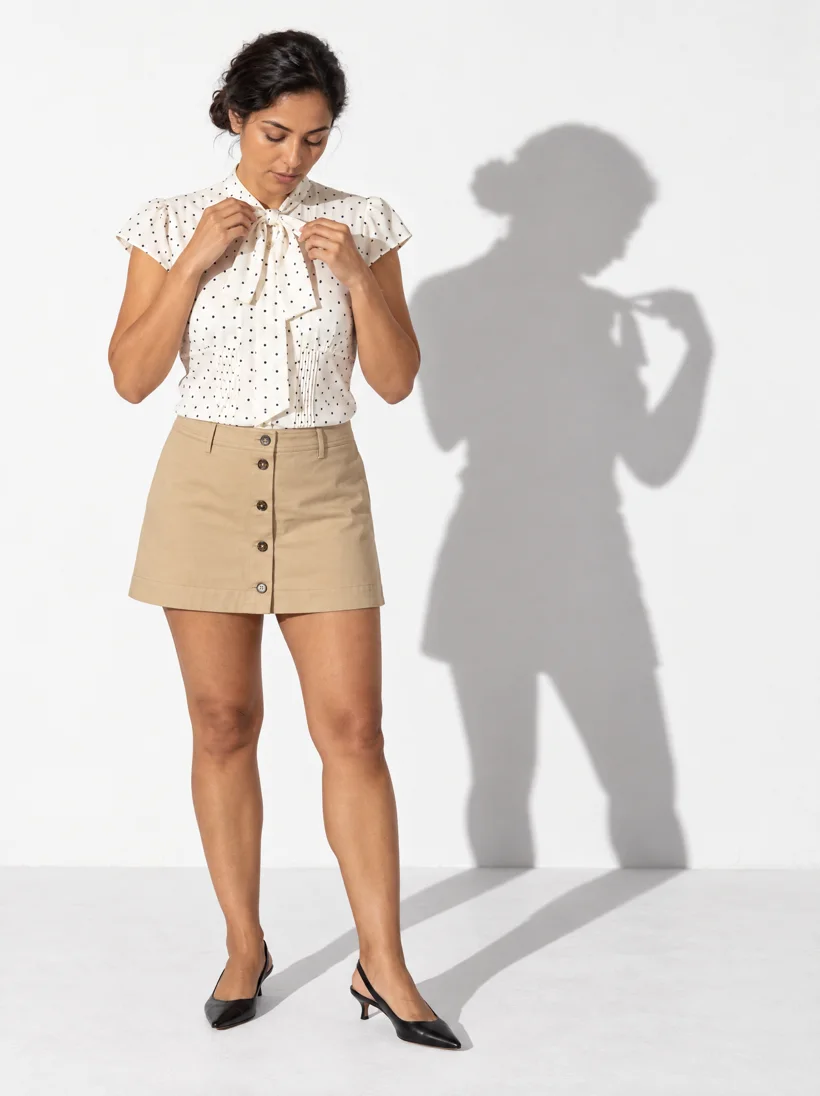
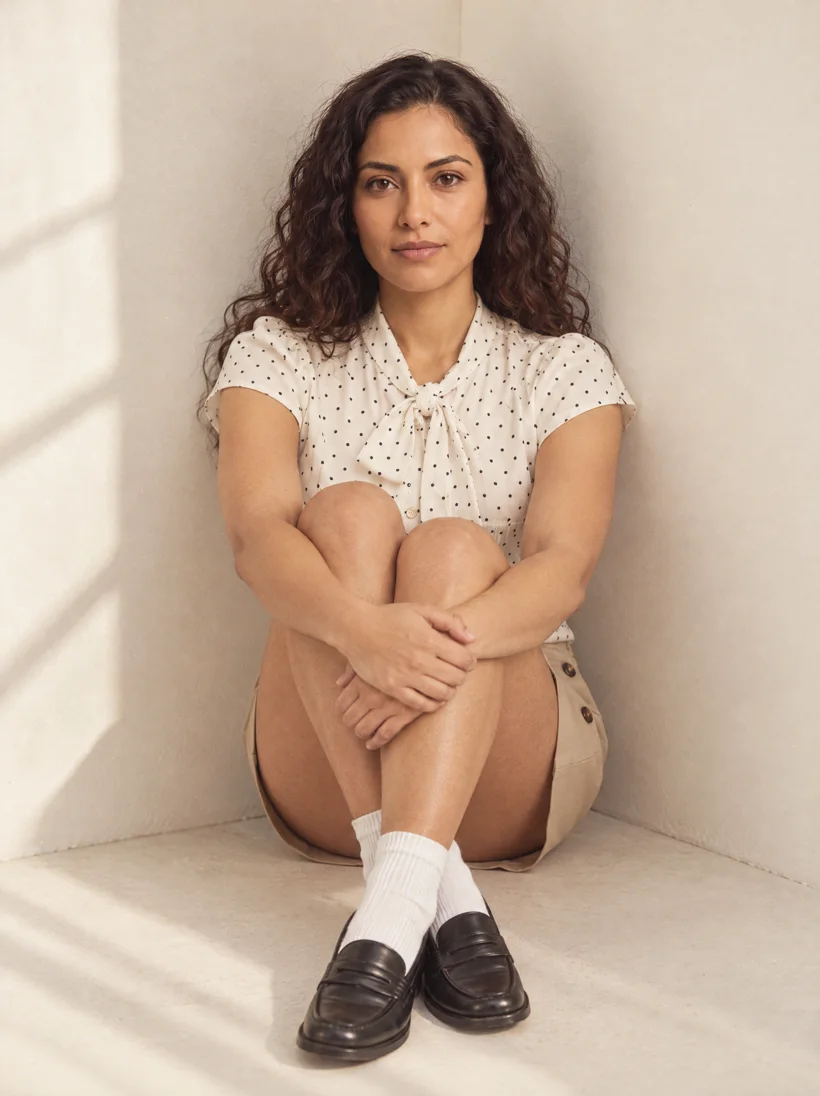
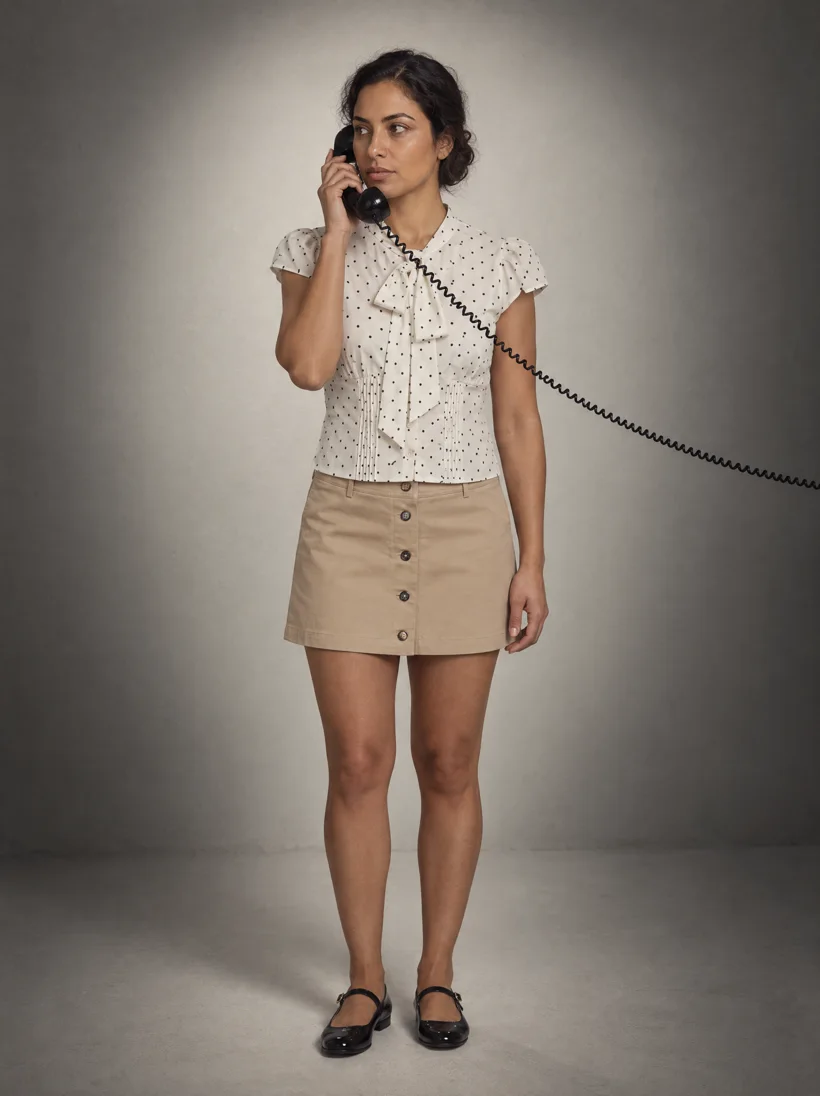
Moments need judgment too. A crouch reads well in trousers and wrong in a mini skirt, so the moments in a direction are chosen for the garment, not only for the mood.
What changes when you leave the studio?
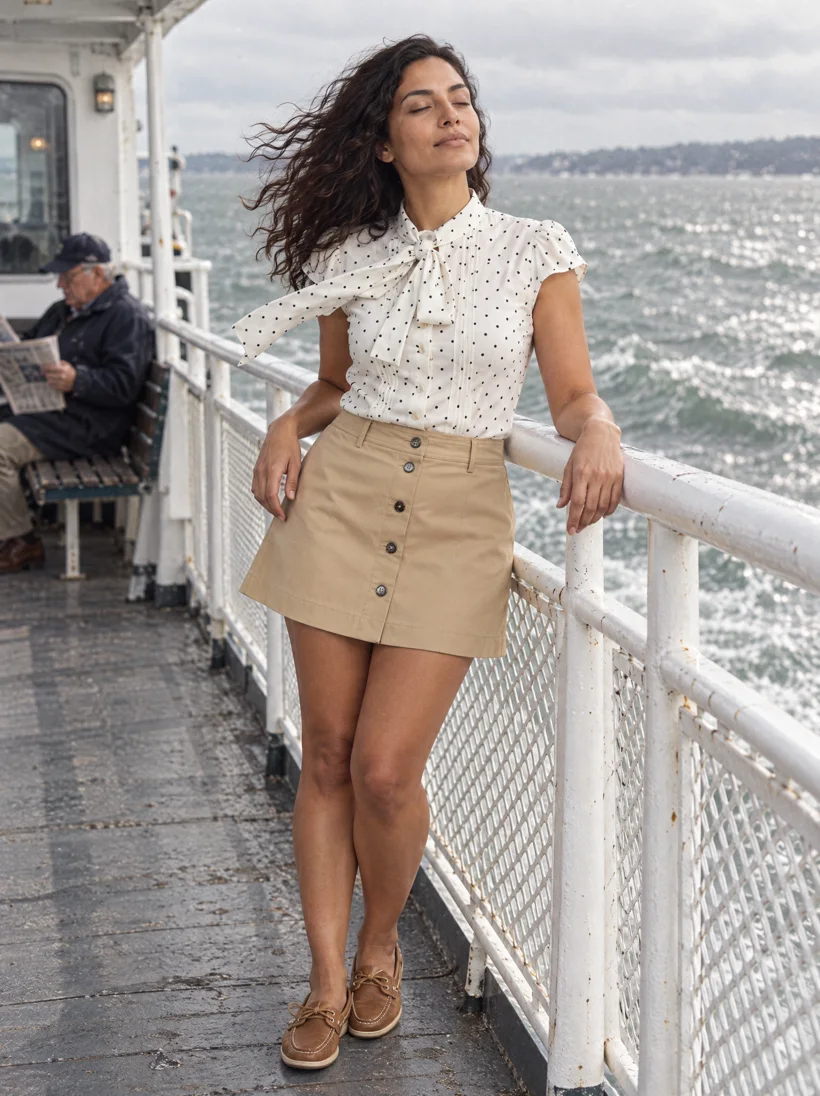
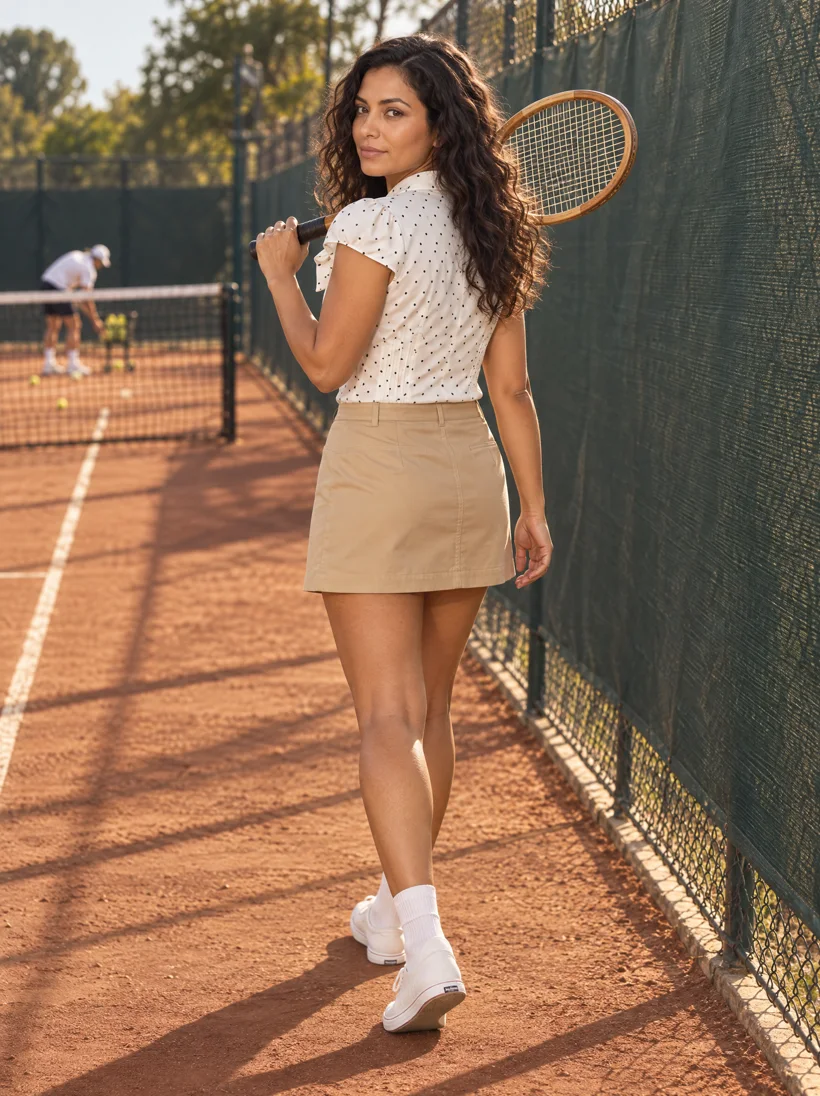
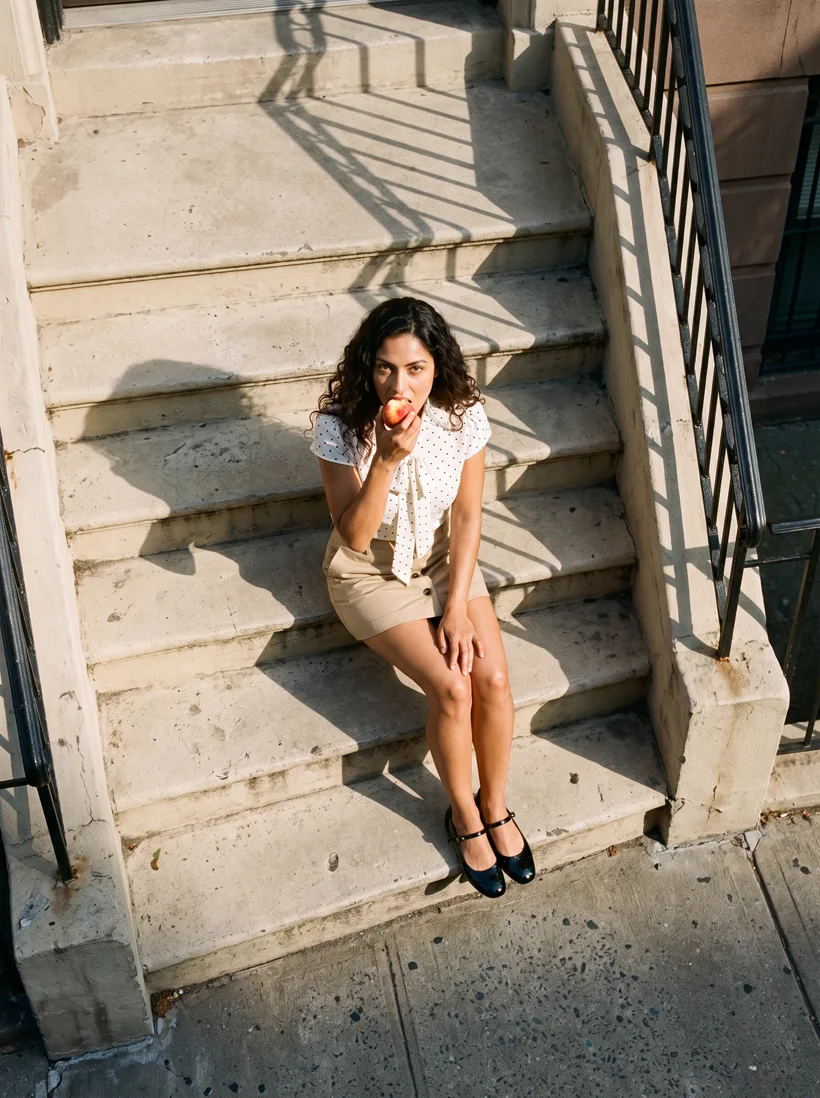
On location, the default is a sidewalk. A direction picks a place with a reason to be there, a time of day, and something happening in it. Three directions for the same outfit:
Do Gemini Pro and GPT Image 2.5 read a direction the same way?
No. With the same art direction and the same prompt, each engine brings its own taste, and the pattern holds. GPT Image 2.5 does what the prompt says, with the detail it says. Gemini Pro fills what the prompt leaves unsaid with a good-looking default of its own, which is also why its look is so easy to spot.
| Same direction | GPT Image 2.5 | Gemini Pro |
|---|---|---|
| Light and cast shadows | Followed the described light closely: wall shadows, window patterns | Softer, more even light |
| A second person in the scene | Kept them in both scenes that asked for one | Left them out in both scenes |
| Hair and face | Stayed closest to the saved model | Followed the styling direction more literally, and drifted further from the saved face |
| Film grain and texture | Showed some grain and film texture | Stayed cleaner |
| A view from above | A gentler high angle | The steeper, stronger view from above |
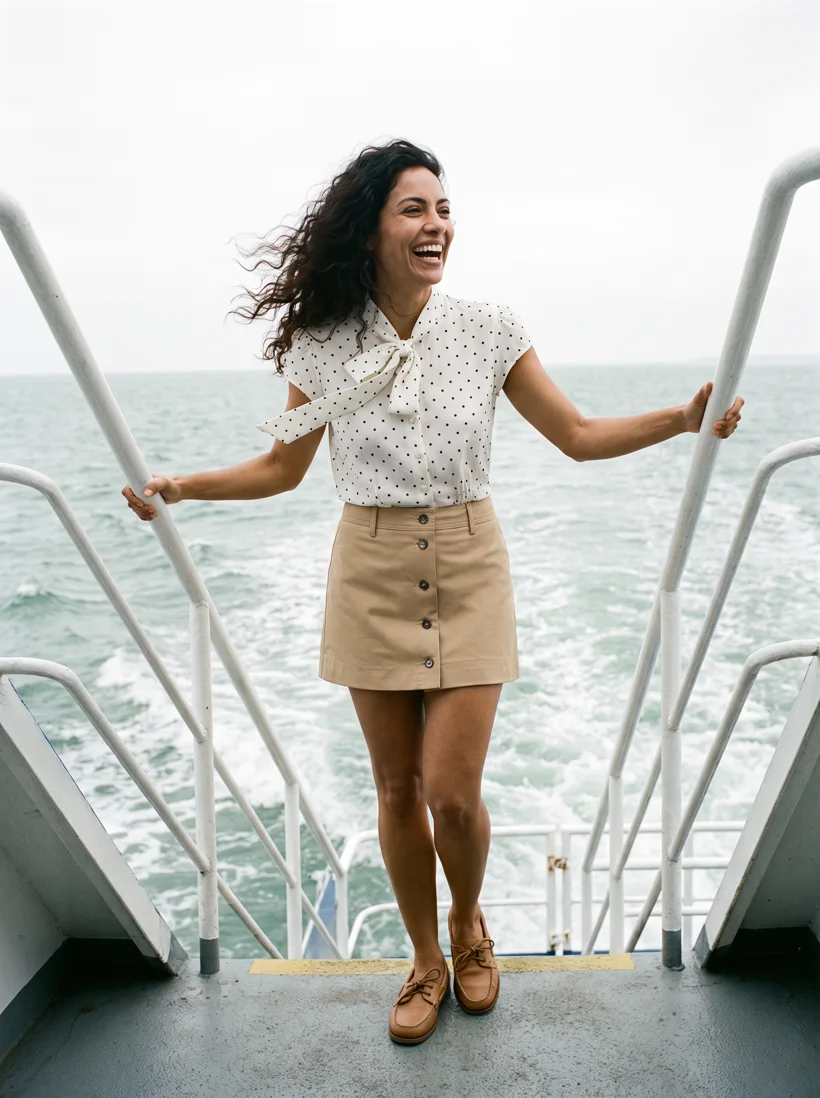
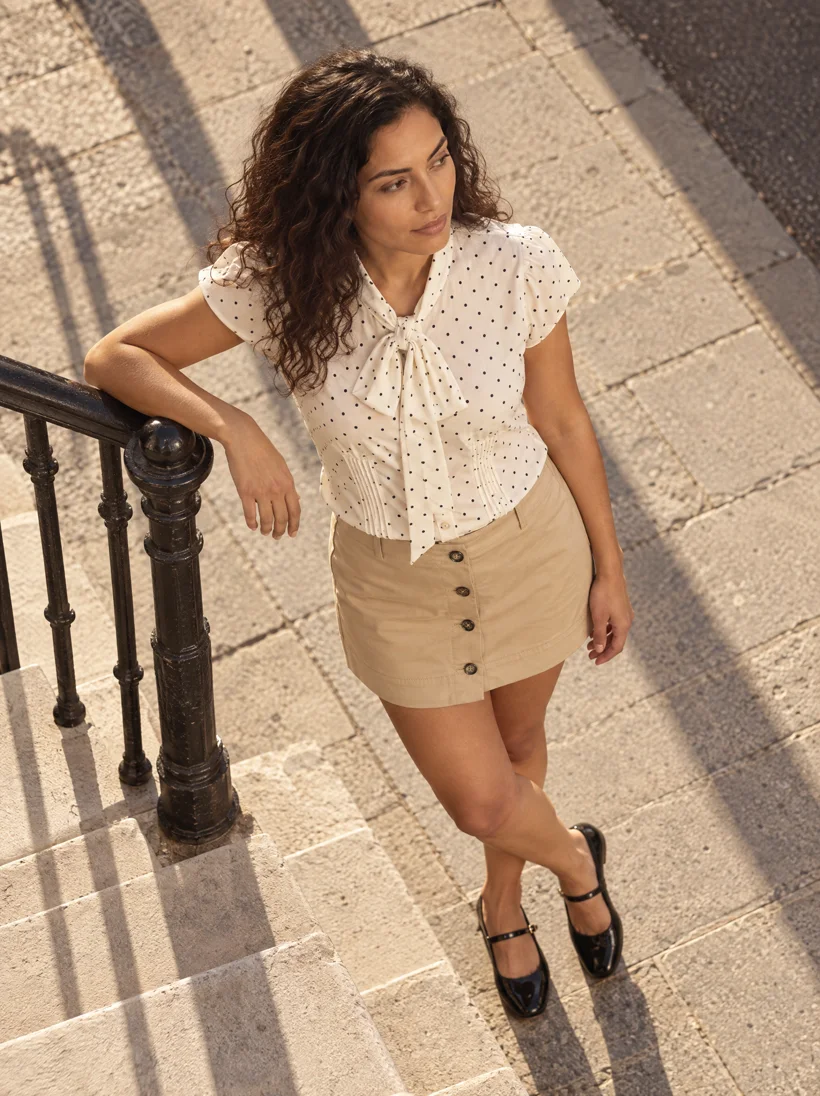
This is not a ranking. The more specific the direction, the more GPT Image 2.5 gives back, and the more work it takes, because it does what it is told and little more. Gemini Pro asks for less and brings more of its own look. The engine is one more creative decision, and testing a direction on more than one model is part of making it. For this outfit we preferred GPT Image 2.5 in the studio and Gemini Pro for the view from above.
For small details such as garment lettering and fabric texture, see GPT Image 2.5 vs Gemini Pro and Seedream for fashion. For each engine on its own, see Nano Banana for clothing product photos and ChatGPT for clothing product photos. The current catalog is on the models page.
What is an art direction in Uwear?
It is the object Uwear builds for this problem. An art direction is a saved, written direction attached to a shoot. It holds the decisions a brand does not want left to chance: light, backdrop, framing, pose language, styling, footwear, and the moments to rotate. It keeps the brand's knowledge and taste in one place, applies them to every product, and sets where variation is allowed.
Uwear does not paste the art direction into the image model. A second AI, the prompt builder, reads the direction, the moment drawn for this image, and anything you add for the shot. Then it writes the prompt that the image model receives. Its instructions are written for that one job: take from a long direction what matters for this image, and leave the rest out.
You can do the same by hand outside Uwear. Keep the direction as a document, give it to your AI assistant with every request, and let the assistant write the prompt for the image model. Uwear does that step for you, for every image in a set.
Consistency and variety stop pulling against each other: every image in a set follows one direction, and the moments keep the set from repeating one pose. Browse saved directions on the art direction page, or start from AI fashion photography prompts by shot.
How do you build and refine an art direction?
The art direction is a native object of the Uwear platform. You can create it and change it in Uwear Studio, through the Uwear MCP server, or through the API. Every shoot reads the same saved direction, whichever way you made it.
To build and refine one, we recommend the MCP if you already work with Claude, ChatGPT or Codex. Exploring a direction is a conversation: harder light, no crouching in a mini skirt, add a gust of wind. Your own assistant also knows more about you and your business, so it starts with context. It revises the direction, runs one test image, and you react to it.
Prompts to start an art direction
Paste these into Claude, ChatGPT or another assistant connected to the Uwear MCP server. Attach or name your products first.
Start a direction
“Create a Uwear art direction for these products. Keep a white or light-grey background. Make the light, the pose and the styling distinct from a standard product photo, name the shoes, and add three moments to rotate between images that suit these garments. Show me the direction, then run one test image with GPT Image 2.5.”
Change one thing at a time
“Keep everything else in the art direction. Make the light harder and lower from the left, so it throws a long shadow on the wall. Run one more test image.”
Studio works well too: it edits the same art direction, with its own copilot. The Uwear API applies a saved direction to automated jobs.
Questions about generic AI fashion photos
Why do AI fashion photos all look the same?
An image model fills every decision a prompt leaves open with its most likely choice. For a fashion photo that means soft even light, a light-grey backdrop, a centered frontal pose and white sneakers. Every brand that leaves the same decisions open gets the same average, so the images converge. With a one-line prompt, Gemini Pro and GPT Image 2.5 returned nearly the same studio frame for the same outfit.
How do you make AI fashion photos look less generic?
Decide what a photographer decides before the shutter: the light and its shadow, the backdrop, the framing, the pose, the shoes and styling, and the moment the picture catches. Write those decisions once in a reusable art direction, test one image, and change one decision at a time. A longer prompt has to be rewritten for every image; a saved direction applies the same decisions to all of them.
Can a product photo keep a white background and still look distinct?
Yes. With the backdrop locked to white or light grey, light and shadow carry the signature: a hard side light with a long wall shadow, soft window light on warm paper, or a white-to-grey vignette. Pose, expression and styling do the rest. Four directions for one outfit on one white-to-grey range can look like four different brands.
Is Gemini Pro or GPT Image 2.5 better for fashion photos?
They differ more than they rank. GPT Image 2.5 follows the prompt closely and rendered small details such as garment lettering more clearly in Uwear’s GPT Image 2.5 comparison. Gemini Pro fills what the prompt does not say with good-looking defaults for light and camera angle, which is also why its look is easy to recognize. The more specific the direction, the more GPT Image 2.5 gives back, but it takes more direction, because it does what it is told and little more.
Does Uwear send the art direction straight to the image model?
No. A second AI, the prompt builder, reads the art direction, the moment drawn for the image and any note added for the shot, then writes the prompt that the image model receives. Its instructions are written for that one job. Outside Uwear, the same step is manual: give the direction document to an AI assistant with each request and let it write the image prompt.
What is an art direction in Uwear?
An art direction is a saved, written direction that Uwear applies to every image in a shoot. It holds the decisions a brand does not want left to the model, such as light, backdrop, framing, pose language, styling, footwear and a list of moments to rotate. It is not tied to one image model, and it works in Uwear Studio, through the Uwear MCP server and through the API.
Does an art direction make every image identical?
No. The direction sets the look, and it can also list the moments that change between images, such as a step, a gust of wind or a prop. Uwear rotates through those moments across the images in a set, so the light and styling follow one direction while the pose and action vary.