AI fashion photography prompts for clothing brands, and what a prompt cannot hold
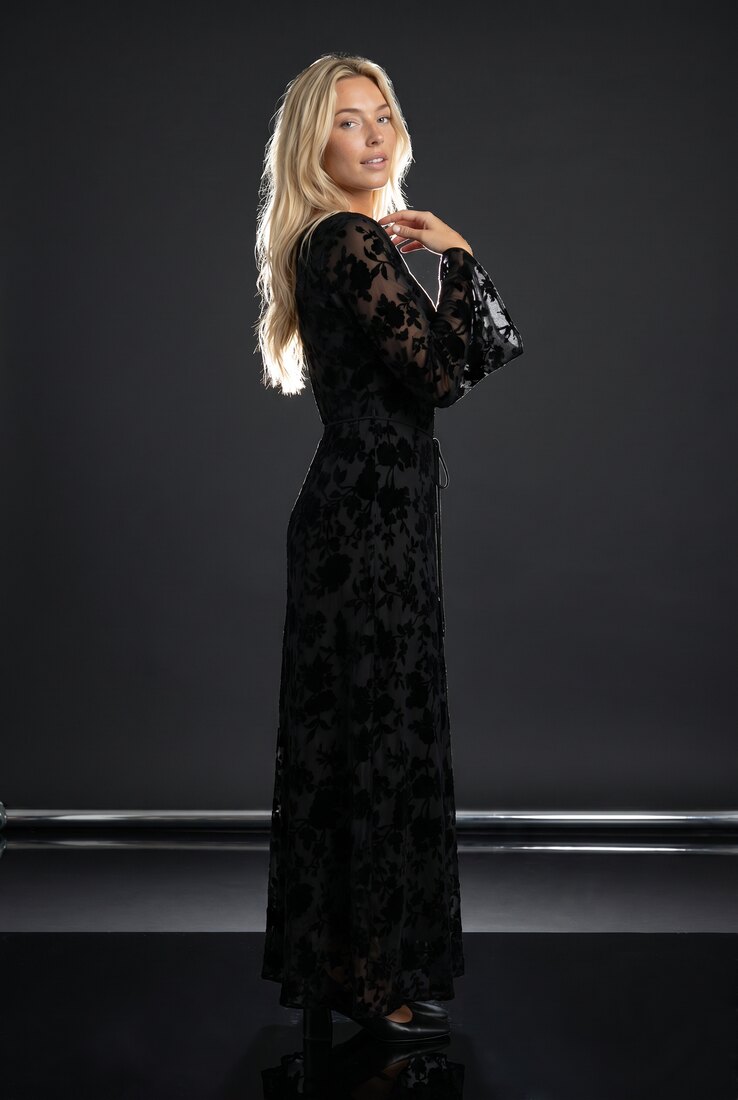
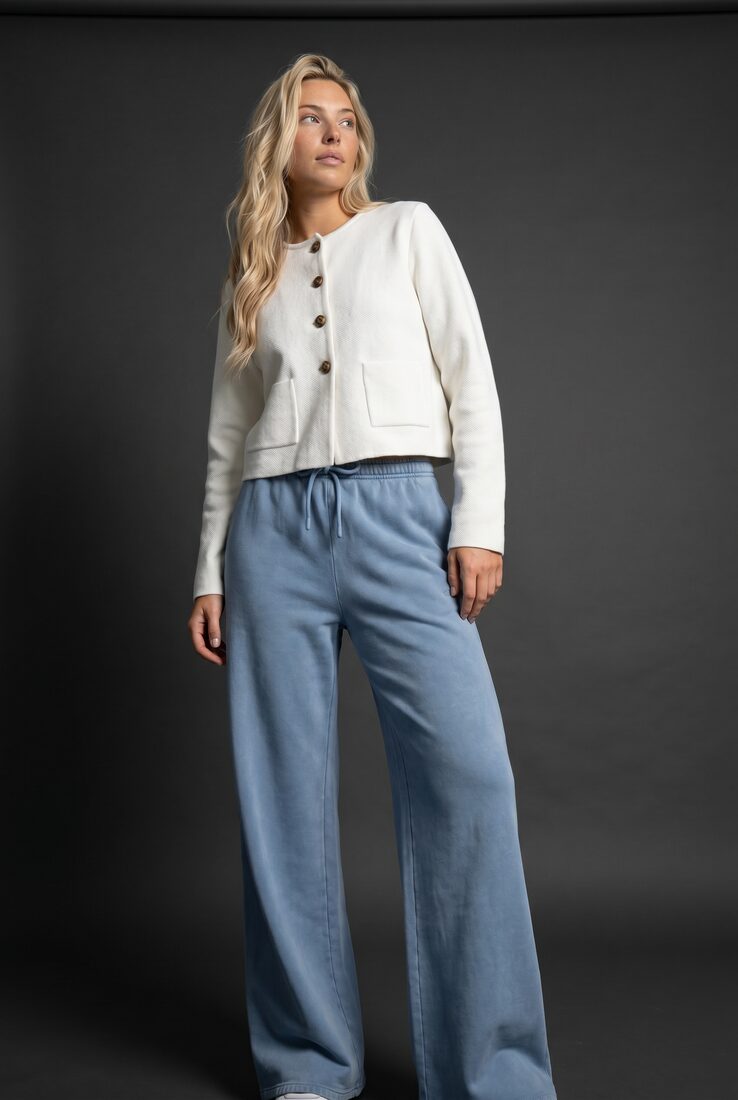
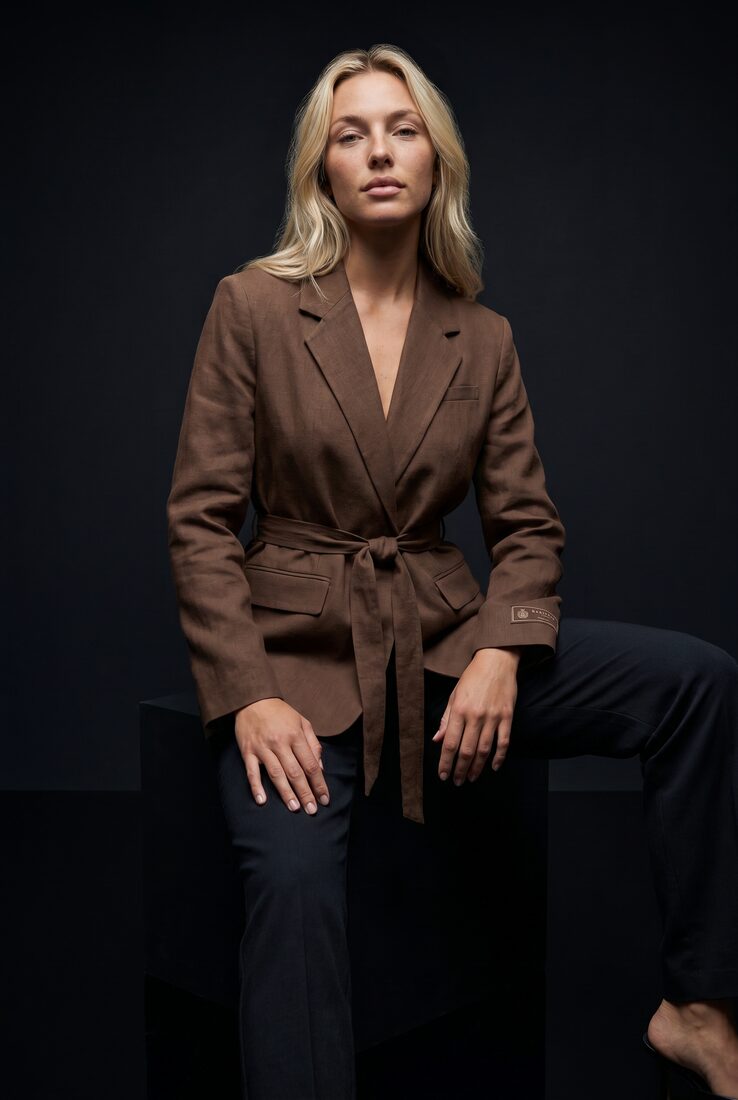
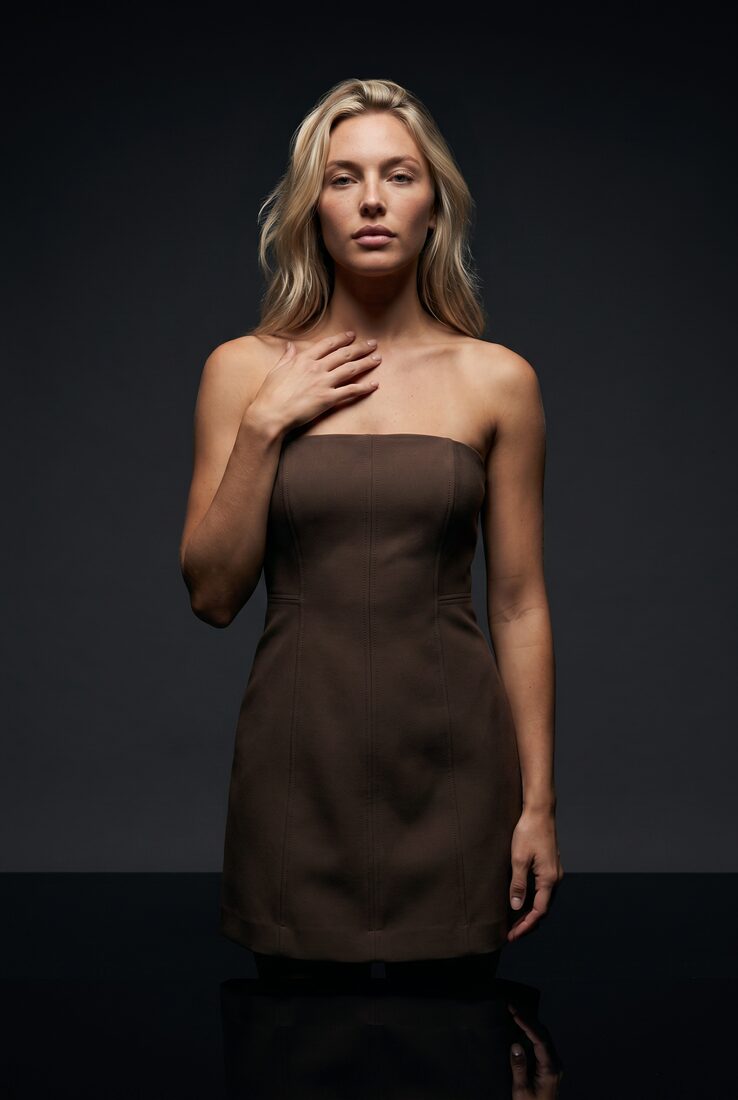
The prompts are below, sorted by the shot a clothing brand actually needs: the product page front, its back and detail views, a lifestyle look, a flat lay turned into a worn garment, a five-second clip, and the two fixes you will need most. They are written for ChatGPT, Gemini or any assistant that takes an attached image. One rule makes all of them work, and one limit applies to all of them: a prompt describes a look, it does not hold one. The three photos on this page are three garments on one saved model in one saved direction, made on Uwear, a system that generates on-model photos and video from product photos. They are here so you can see what holding a look means.
The rule
Attach the garment, and say what must stay identical. A garment described in words comes back as a cousin of itself; a garment attached as a photo, with the sentence “keep its cut, colour, print and seams identical”, comes back as the garment. Google documents reference images for exactly this, up to 10 object images with high fidelity and up to 4 images of a person for consistency [1]. Then describe the light, not the mood: “one soft key light from camera left, low fill” gets you the same thing twice; “moody” does not. Name the aspect ratio every time. Keep the person out of the garment’s way: hair back, arms relaxed, nothing crossing the print.
Product page: front, back, detail
Attach the product photo to the first prompt. Attach the approved front photo to the second and third; the back and the detail are edits of a photo you already like, not new photos.
Front, product page
“The attached image is the garment; keep its cut, colour, print, seams and hardware identical. Generate a full-body photo of a woman wearing it, standing straight, weight even, facing the camera, arms relaxed, on a plain light-grey studio backdrop with soft even light from the front and no shadows on the wall. Neutral expression, hair away from the garment. No text, no props. 2:3 aspect ratio.”
Back view of an approved photo
“The attached image is an approved photo. Show the same person in the same garment, same backdrop, same light and same distance from the camera, from directly behind, full body. Change nothing about the garment, the person or the lighting.”
Detail crop of an approved photo
“From the attached approved photo, produce a close crop of the garment from the collar to the hem, same light and colour, sharp on the fabric texture, seams and buttons. Do not add or move anything. 4:5 aspect ratio.”
Lifestyle and campaign
Attach the model’s reference photos and the garment. The first prompt is roughly the direction the three photos above share; written as a saved direction on Uwear it is a name in a menu, and every garment gets it.
Dark studio, one key light
“The first attached image is the model; keep her face, hair and body identical. The second is the garment; keep it identical. Full-body photo on a charcoal studio backdrop, one soft key light from camera left, low fill, deep shadow on the right, gentle reflection on a dark floor. Standing, calm expression, looking just past the camera. 2:3 aspect ratio.”
Golden hour outdoors
“Same model and garment as attached, both identical. Photograph her on a coastal cliff path an hour before sunset: warm low sun from behind and to the side, hair lit at the edges, sea out of focus behind. Natural pose, mid-step. Slight film grain. 4:5 aspect ratio.”
Street, overcast
“Same model and garment as attached, both identical. Photograph her on a quiet city street under an overcast sky, flat soft light, concrete and glass out of focus behind, standing at a kerb, hands in pockets if the garment has them. Muted colours, no signage. 3:4 aspect ratio.”
From the photos you have
Flat lays and packshots are the inputs most brands start with. Say how the garment sits on a body; the model will otherwise reproduce the flat lay’s shape.
Flat lay to model
“The attached image is a flat lay of a garment photographed from above. Dress a woman in it as it would be worn: the collar sits on the neck, sleeves on the arms, the hem where its length puts it. Keep the fabric, colour, print and every seam identical to the flat lay. Full body, front, white studio, soft even light. 2:3 aspect ratio.”
Two products in one look
“The first attached image is a jacket, the second is a pair of trousers; keep both identical. Generate a full-body photo of the attached model wearing the jacket open over a plain white tee and the trousers, standing, front, plain studio, soft light. 2:3 aspect ratio.”
Video
Give the clip a start photo you have already approved and one movement. A clip that starts from an approved still keeps its garment; a clip prompted from scratch invents one.
Five-second clip from an approved photo
“Start from the attached approved photo. Five seconds: the model shifts her weight, turns a quarter to the left so the side of the garment shows, and looks back at the camera. Camera still, no zoom. The garment keeps its exact colour and print throughout. No sound.”
The two fixes
Prints and faces are where results drift. Both fixes re-attach the reference and name the one thing to correct.
The print or logo changed
“Redo the attached result. The front print must be identical to the attached product photo: same artwork, same placement, same scale, same colours. Do not redraw or simplify it. Keep everything else as it was.”
The model changed
“Redo the attached result with the attached model reference. Face, hair, skin tone and build must match the reference exactly. Keep the garment, pose, backdrop and light as they were.”
What a prompt cannot hold
Every prompt above produces one image, and the next image starts from nothing but what you attach again. That is fine for a mood board or a first look at a garment on a body. A clothing brand needs the next forty garments worn by the same person in the same light, with the print checked against the product, and all of it again next month. The table is the difference between writing a prompt and saving one.
| What has to carry | A prompt in a chat | A saved direction on Uwear |
|---|---|---|
| The garment | Attached to every request; you re-read the result for drift | The product photo is the reference for every generation; the reviewer compares each result with it |
| The person | Reference photos attached to every request; you judge each face | A saved model that every generation receives; a different person is rejected |
| The look | Re-described per prompt: set, light, camera, mood | A saved art direction, written once, shared by every garment in the run |
| The other views | A new prompt per angle, attaching the approved photo | Back, upper-body and detail views are camera edits of the approved front photo, meaning the approved photo re-framed rather than generated again, |
| The check | Your eyes, one image at a time | A pass or fail per criterion, recorded, with retries up to your limit |
| The run | One prompt per image | One priced plan for the range, approved once; up to 10,000 images a batch |
What the same shots cost as a run
| Item | Credits |
|---|---|
| A photo from a prompt like the ones above | From 3 credits (Nano Banana 2 at 1K); 5 at 2K; Nano Banana Pro 5 |
| Back, upper-body or detail view of an approved photo | Priced as a photo, same rates |
| A five-second clip from an approved photo | 23 credits with Kling 3 Pro; 14 with Kling 2.5 Turbo Pro |
| AI reviewer, per photo | Free, optional |
| Saving a direction or a model from a result | 0 credits |
| A credit | $0.10, no subscription |
Rates per image model are on the models page [3] and the credit price on the pricing page [4]. The Noir direction the photos above share is one of the library directions [2]; you can also write your own in the same words as the prompts on this page, and save it.
Questions brands ask about fashion prompts
Which AI tool are these prompts for?
Any assistant that accepts an attached image with the prompt: ChatGPT, Gemini, Claude with an image model, or the API behind them. The prompts lean on attachments because a garment described in words comes back as a different garment; a garment attached as a photo comes back as itself, most of the time. Tools that take no attachment will interpret the garment rather than reproduce it.
What aspect ratio should a clothing photo be?
Product pages are mostly 2:3 or 3:4 portrait; Instagram feed is 4:5; stories and short video are 9:16; marketplaces often want 1:1 on a white background. State the ratio in the prompt every time, or the model picks one.
How do I get the same model in every photo?
Attach the model’s reference photos to every request and say that the face, hair and body must stay identical; Google documents up to 4 character reference images for consistency in Nano Banana 2. You then check each result yourself. On Uwear the model is saved once and every generation receives it, and the AI reviewer rejects a photo that shows a different person.
The print or the logo changed. What do I write?
Attach the product photo again and name the element: “keep the front print identical to the attached photo, same placement, same scale, same colours; do not redraw it.” Prints, lettering and fine stripes are where image models drift most, so the fix prompt at the bottom of this page is written for exactly that. On Uwear the reviewer compares the print with the product photo and retries a mismatch on its own.
Do negative prompts help?
A short one does: no text overlays, no extra garments, no props unless named, no mannequin. Long lists of what to avoid work less well than a clear statement of what must stay identical.
What does a prompt like this cost to run?
In a consumer assistant it is included in the plan. On Uwear a photo is from 3 credits at $0.10 a credit, depending on the image model and resolution, a five-second clip is 23 credits with Kling 3 Pro, and the optional AI reviewer is free. The estimate is shown before you approve a run.
Sources
Claims about Google's models quote Google's documentation as read on the access date. Prices are Uwear's published rates on that date; the models page carries the current ones.
- [1] Google AI for Developers: Gemini API image generation guide (reference images for characters and objects, aspect ratios). Accessed September 20, 2026.
- [2] Uwear art direction: the library of saved directions (Coastal, Noir, Concrete, Summer) and how a direction is saved. Accessed September 20, 2026.
- [3] Uwear models page: per-model credit rates for photos and video. Accessed September 20, 2026.
- [4] Uwear pricing: $0.10 per credit, estimate shown before every run. Accessed September 20, 2026.