How to check AI-generated product photos for mistakes at scale (2026)
Updated November 16, 2026. Vendor features change often: check each vendor’s page before you buy.
How do you check AI-generated product photos for mistakes at scale?
Check every output against the product photo it was made from: the garment first, then the model, then the image. At scale, automate that comparison and keep people for the photos it flags. A vision model compares each photo with its product photo and gives a verdict with a reason; failures are retried or sent to a person, and people also review the hardest products and a sample of the passes. The checklist, the method and the tools that do it are below.
Disclosure. We make Uwear. We have not tested the other tools hands-on; their facts come from their own pages, linked below and read on November 16, 2026.
What goes wrong in AI-generated product photos?
An image model redraws the product on a body; it does not paste the product photo. Most of the time the result is right, but each photo is a new attempt, so the same product can come out right in one photo and wrong in the next. The mistakes fall into three groups:
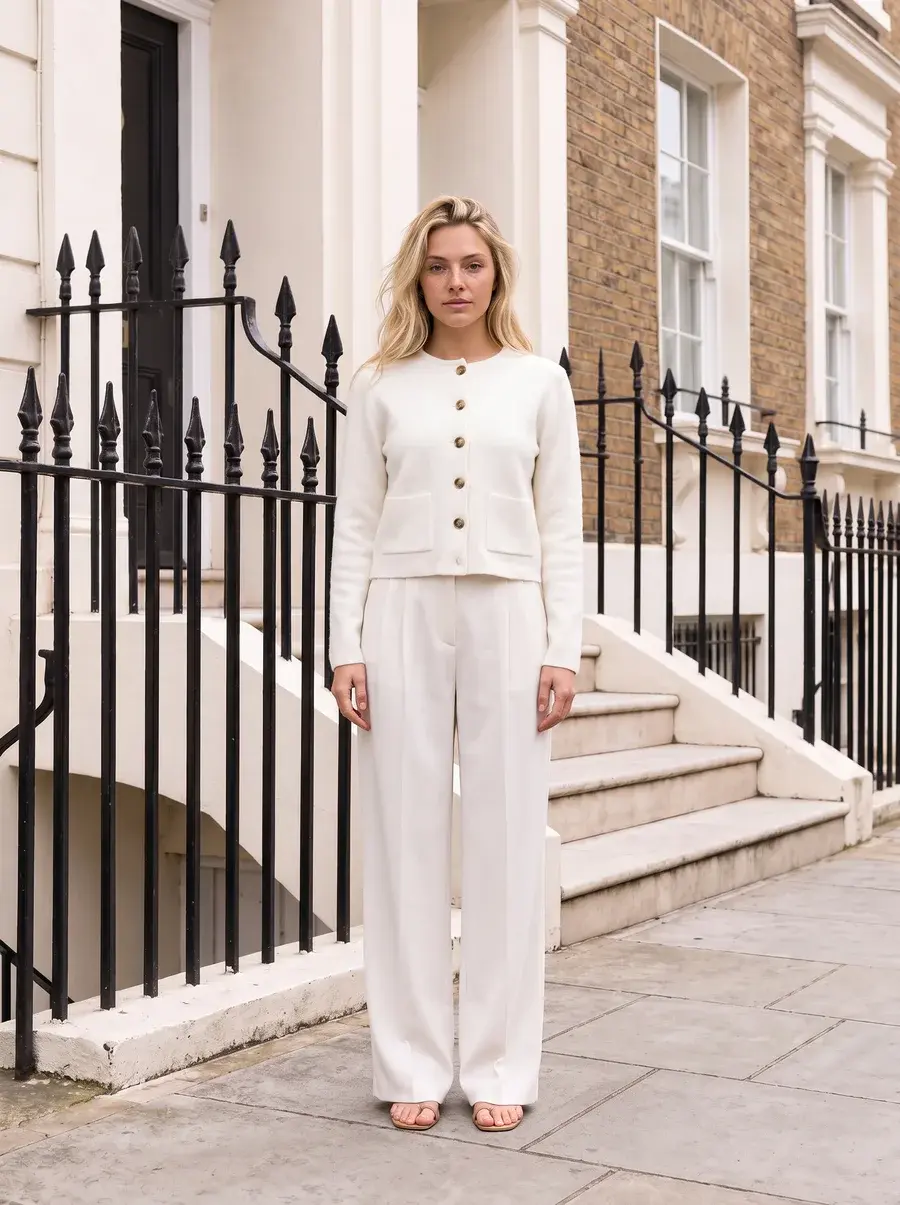
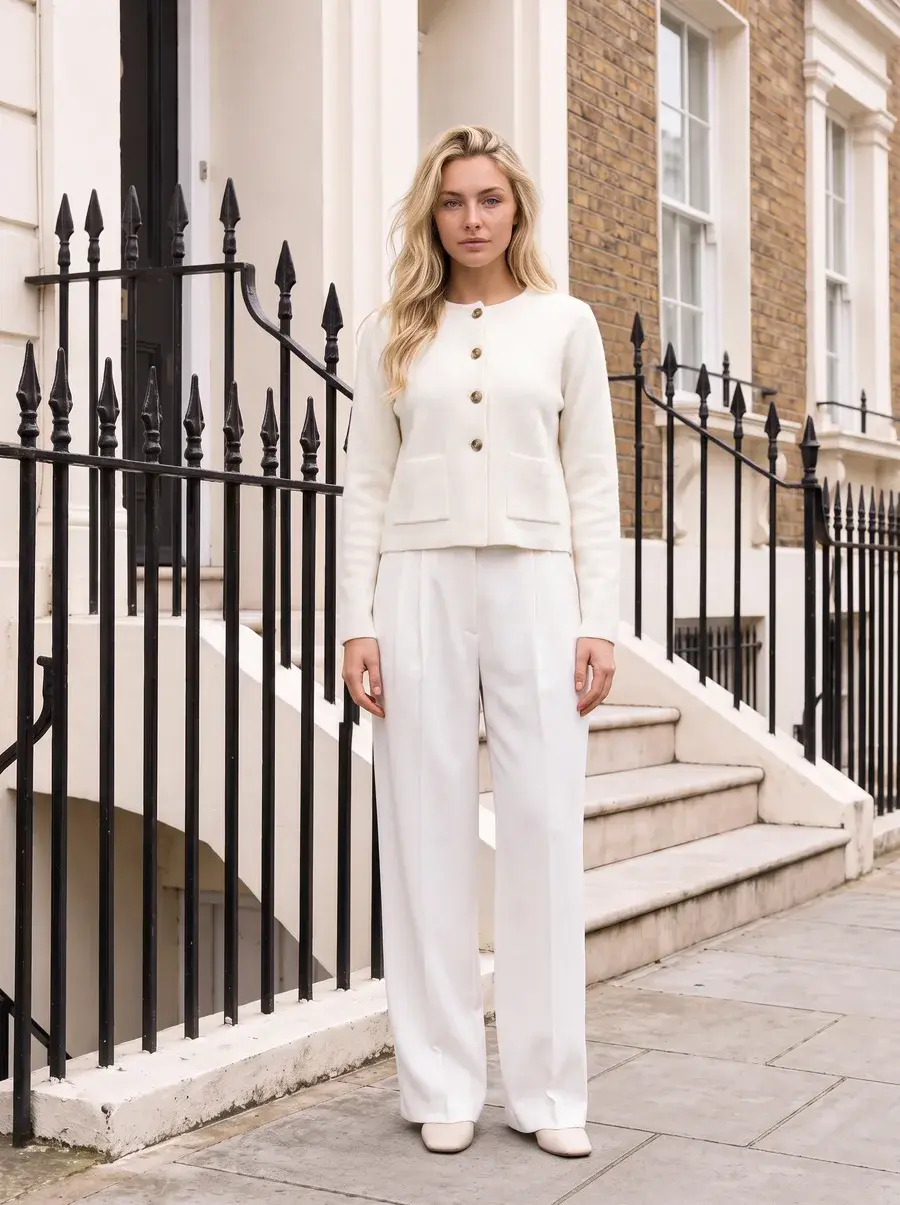
- The product changes. A wrong logo or print, a colour that drifts (navy to black, cream to white), an extra or missing pocket or button, warped or misspelled text on a label, and a hem or sleeve at the wrong length.
- The person is wrong. Extra or merged fingers, a distorted face, a different person from your saved model, or a pose that hides the product.
- The file is not ready. A crop that cuts off the hem or the shoes, a stray object or text in the background, or soft and smeared areas at full size.
The garment mistakes matter most: a photo that shows a product you do not sell leads to returns and complaints. For why each garment detail fails and how to test a tool on your hardest products, read which garment details AI gets wrong.
What should you check on every AI product photo?
Copy this checklist into your review sheet or into the questions of an automatic check. Each line is a pass or a fail, compared with the product photo at the same size.
The garment: is it the product you sell?
- Colour. The same shade as the product photo in the lit areas, not only in the shadows.
- Print. The same print at the same scale; a placed graphic in the same spot and size.
- Logo. The right shape, the right size and the right place; nothing added or missing.
- Text. Every word on labels, prints and tags spelled right and readable at 100% zoom.
- Construction details. The right number of buttons and pockets; zips, seams, collars, cuffs and trims where the product has them.
- Length and fit. The hem, sleeve and neckline land where your fit photos or size chart say.
The model: is the person right?
- Hands. Five fingers on each hand, no merged or extra fingers, and a natural grip on bags or pockets.
- Face. The same person as your saved model when you use one; no distorted eyes, teeth or ears.
- Pose. The pose that was asked for, with limbs that join the body correctly and show the garment.
The image: is the file ready to publish?
- Crop. The framing your product page uses: full body, three-quarter or detail, with nothing cut off that should show.
- Background. Your set, colour and light; no stray objects, text or artifacts.
- Resolution. The size your store needs, sharp at 100% zoom, with no blurred or smeared areas.
How do you check AI product photos by hand?
- Put the product photo next to the output. Same size, on the same screen. A check from memory misses small changes.
- Read in the same order every time. The garment, then the model, then the image, line by line from the checklist.
- Zoom to 100% on text, logos and hands. These look right at thumbnail size and wrong at full size.
- Write the reason for every rejection. “Five buttons, four on the product” tells you what to fix. “Bad photo” does not.
- Count the reasons per product type. When one kind of product fails for the same reason again and again, fix the input, such as a sharper product photo, a close crop of the logo or a back photo, before you generate more.
By hand works for a few dozen photos. For a catalog, the person at the screen becomes the bottleneck, and attention drops by the hundredth photo. That is where an automated check earns its place.
How do automated checks of AI product photos work?
An automated check that compares each photo with its product photo has four parts:
- A reference. The product photo the output was made from, plus the saved model and the brief when you use them. Without a reference, a check can only ask whether the photo looks good, not whether it shows your product.
- A comparison. Two methods, often together:
- A similarity score. An image model such as CLIP or DINOv2 turns each image into a vector, and the distance between the output and the product photo becomes a score. A perceptual metric such as LPIPS does the same for close crops. A score catches a wrong product or a large colour change. It does not count buttons or read a logo. [36][37][39]
- A vision model that answers questions. A model that reads images and text gets the output, the product photo and a list of questions from your checklist (“Is the logo the same shape and in the same place?”, “How many buttons?”). It answers each one with a verdict and a reason. Research on question-based evaluation of generated images, such as TIFA, uses the same idea. This is how small details get checked. [38]
- A decision. Pass, retry or send to a person. A retry asks for a new photo from the same request; a person gets the photos the check cannot decide and the ones that failed every retry.
- A record. The verdict and the reason are stored with the photo, so a reviewer can overrule them and you can count failures by reason.
Calibrate any check before you trust it. Run it on a set of photos your team has already approved or rejected, and count two errors: bad photos it passed and good photos it rejected. The first goes to customers; the second costs retries and review time.
Should the check run during generation or after it?
- During the run. The check sees each photo as it is made and can retry a rejected one before anyone opens the batch. Your team receives fewer bad photos. It only covers photos made in that tool.
- After the run. The check works on finished images from any source: your AI tool, an agency or an old shoot. Each failure becomes a task for someone to fix or regenerate.
How do you set up a QA workflow for thousands of photos?
- Fix the inputs first. Sharp, evenly lit product photos, a close crop of every logo and label, and a back photo when the back is not plain. Many failures start in the input.
- Turn your checklist into questions. One question per line, with a yes or no answer and a reason. Add your brand rules, such as “no jewelry unless the brief says so”.
- Automate the comparison with each product photo. In your generation tool when it has a check, or as a separate step after it.
- Route the results. Passes go to your store or your PIM. Failures are retried a set number of times, then go to a review queue with the reason.
- Keep people where the risk is. A person reviews every flagged photo, every product with small text or a logo, and a sample of the passes.
- Read the reasons every week. Repeated reasons point to a product photo to replace, a question to reword or a product type that needs a person.
Which tools check AI product photos automatically?
Five tools document an automatic check of generated product photos on their own pages, read on November 16, 2026. “Not published” means we found nothing on the vendor’s product pages, pricing page, FAQ or documentation; it does not mean the feature does not exist. Vendors also publish pass rates and accuracy figures; we do not repeat them, because each one measures a different thing on a different workload.
| Tool | The check | What is checked | When | On a fail | Cost of the check | Plans |
|---|---|---|---|---|---|---|
| Uwear (we make it)[1][7][3][2] | AI reviewer (Review & QA) | Each garment against its own product photo: fit, colours, length and details. The person against the saved model, and the shot against the prompt. Custom questions on Enterprise | During the run, before handoff. Also on demand on an existing photo | A verdict with the reason. Batches and the API retry the same request 0 to 5 times, as set for the run; Automations retry once by default. A photo that still fails is marked rejected, and a person can overrule it | No credits for the check. A retry is billed as a new photo | Studio, API and MCP, switched on or off for each run |
| Claid[21][22][23][24] | Checks inside custom workflows | Technical checks (aspect ratio, resolution, orientation, input type and quality) and a consistency check after a model swap. A general check against the product photo: not published | Inside the workflow, for example a resolution check before upscaling and a consistency check after a swap | Retry or refund rule for a failed visual check: not published. Managed fashion production adds a human quality review | Not published as a separate rate; custom contracts | Business plan and custom workflows. Which plans include the checks: not published |
| Photoroom[8][9][10][11][12][13][14] | Visual QA, Fidelity Raters and Visual Fix (Visual Agents) | The fashion rater compares the output with the original image: colour, shape, patterns, textures, logos, graphics, buttons and other garment details. Visual QA also checks content, safety, image quality and composition, with custom criteria. A check of hands or faces: not published | During the run, before publication. A standalone QA API for an existing workflow is also documented | A fidelity score against your pass threshold. Visual Fix regenerates or repairs the image and scores it again, up to a retry limit; images that keep failing go to a person. The Enterprise Guarantee charges only for accepted outputs | Not published as a separate rate. Under the Guarantee, retries are “on us”; outside it, its guide says every retry has a cost | Enterprise only: not included on Pro, Max or Ultra. The API Enterprise plan has an annual commitment; the Fix API is in beta |
| Streamoid Photogenix[16][17] | Auto QC | The rendered garment against the original, pose consistency across a set, and your brand guidelines (from a PDF, a sample site or your own rules). Separate checks for logo, text or hands: not published | During the run, after batch generation | “Anything that fails is regenerated automatically.” Retry limit and human review: not published | Not published | Free, Pro (from $50 a month) and Enterprise plans. Which plans include Auto QC: not published |
| Stylitics AI Image Studio[18][19][20] | AI + Human QA (managed service) | Artifacts, hallucinations and off-brand outputs, against brand-specific criteria. A comparison with the product photo: not published | During production, before delivery | QA agents flag and regenerate, then people review: every image on its studio page, spot checks on its flat-lay page. A miss is regenerated at no charge or refunded | Part of the managed service; a separate rate is not published | A managed program with custom pricing |
Updated November 16, 2026. Where a vendor’s pages differ, the table says so. Stylitics’ studio page says experts review every image, while its flat-lay page describes spot checks [18][19]. Photoroom’s clothing page says a failed Guarantee image is “regenerated or credited back”, while its Guarantee page charges only for accepted outputs [15][12].
Which tools offer a human check instead?
- Botika offers “white glove quality control” on Enterprise: its team reviews and retouches every image by hand before delivery. On other plans you request a Retouch on a finished photo, at 10 credits an image. [25][26]
- Generama offers optional human QA: you check the images yourself, or its QA team does on Enterprise. Its homepage also says bulk images are “checked” automatically, without saying how. Delivered images are charged, even when they look wrong. [27][28]
- Looklet runs a “personal quality control check” on Enterprise, with retouching. The check comes after each garment is processed and before styling; a final check of the finished on-model photos is not published. Its Virtual Studio has limited QC. [29][30]
FASHN, The New Black, Modelia, Photta and Pixelcut do not publish an automatic check of outputs on the pages we read, so with them the check is yours to run, by hand or with your own pipeline. [31][32][33][34][35]
What is each automatic check built for?
The same short entry for every tool: what it is built for and up to four facts about its check.
Uwear
Built for clothing brands that shoot whole collections. Our pick for checking every photo of a self-serve catalog run; we make it.
- The check runs inside the run and compares each garment with its own product photo.
- Every verdict carries a written reason, and a person can overrule it.
- Batches and the API allow 0 to 5 retries for each run.
- The check costs no credits; a retry is billed as a new photo.
Sources [1][7][2]
Claid
Built for image pipelines through an API, with custom workflows designed with its team.
- API workflows include resolution and image checks on the input.
- Custom workflows add a consistency check after a model swap.
- Managed fashion production includes a human quality review.
- A general check of each output against the product photo is not published.
Sources [22][21][23]
Photoroom
Built for product photo editing at scale, with an enterprise service (Visual Agents) for automated production.
- Fidelity Raters score each output against the original image, with your own pass threshold.
- Visual Fix regenerates or repairs a failed image and scores it again.
- Visual QA is Enterprise only; it is not included on Pro, Max or Ultra.
- The Enterprise Guarantee, for food and fashion businesses on annual contracts, charges only for accepted outputs.
Sources [10][11][13][12]
Streamoid Photogenix
Built for AI fashion photoshoots from existing product images, as part of Streamoid’s catalog tools.
- Auto QC checks the rendered garment against the original.
- It also checks pose consistency across a set and your brand guidelines.
- Failed outputs are regenerated automatically.
- Plans are Free, Pro from $50 a month and Enterprise; Auto QC’s plan is not published.
Sources [16][17]
Stylitics AI Image Studio
Built as a fully managed service: Stylitics produces the images and delivers them into your systems.
- Automated quality agents check for artifacts, hallucinations and off-brand outputs.
- Agents regenerate outputs below the brand standard before delivery.
- People review after the agents; its pages say every image in one place and spot checks in another.
- A miss is regenerated at no charge or refunded.
Sources [18][19]
Which kind of check fits which team?
- You run the shoots yourself, on a self-serve account. Our pick is Uwear (we make it): the check runs inside each run you switch it on for. Streamoid Photogenix also documents Auto QC; its plan is not published. [1][16]
- You want a contract that ties price to accepted photos. Photoroom’s Enterprise Guarantee charges only for accepted outputs, for food and fashion businesses on annual Enterprise contracts. [12]
- You want the vendor to own production and quality. Stylitics runs AI and human QA as a managed service; Botika and Looklet offer human QC on Enterprise. [18][25][29]
- You build your own pipeline. Use the four parts above with your own vision model, or Claid’s workflow checks for the technical side. [22]
How does Uwear check each photo?
Uwear’s AI reviewer runs inside the generation run. For every garment in the photo, it compares the fit, colours, length and details with that garment’s own product photo. It also checks that the person is your saved model and that the shot is the one the prompt asked for. Each verdict comes with the reason. [1]
- On a fail. In a batch or through the API, you allow 0 to 5 retries for the run; a rejected photo is shot again with the same request. An Automation retries once by default. A single photo in Studio gets the verdict and a person decides. [1][2]
- Cost. The check costs no credits. A retry is billed as a new photo. [1][6]
- Control. You switch the check on or off for each run, and a person can approve or overrule any verdict in Studio. On Enterprise, the reviewer’s questions are written from your own review standards. [1]
How do you run a checked batch in Uwear?
- From your assistant. Connect the Uwear MCP server to ChatGPT, Claude or Codex and ask it to shoot your products with the check on. It shows the plan and its cost before anything is made, and it can read the verdicts afterwards. [4]
- From your own systems. The Uwear API sets the check and the retries on each request and returns the verdict and the reason on each result. [5][1]
- By hand. In a batch in Studio, switch the check on for the run. The batch QA tutorial shows a failed check up close. [2][3]
A prompt to run a checked batch from chat
Copy it into an assistant connected to the Uwear MCP server. It becomes a costed brief you approve before anything generates.
Checked catalog batch
“Connect to the Uwear MCP server and load the "Product page set" template. Run it on my new products with my saved model and art direction, with QA on and up to 2 retries for each photo. Show me the costed brief before generating. When it is done, list every rejected photo with its reason next to its product photo.”
What else should I know about checking AI product photos?
How do you check AI-generated product photos for mistakes?
Compare every output with the product photo it was made from. Check the garment first (colour, print, logo, text, construction details, length and fit), then the model (hands, face, pose), then the image (crop, background, resolution). At scale, automate the comparison with a vision model that checks each output against its product photo and returns a verdict with a reason, retry or flag the failures, and keep people for the flagged photos and your hardest products.
What are the most common mistakes in AI product photos?
On clothing: a changed colour, a print at the wrong scale, a wrong or warped logo, misspelled text on labels and prints, extra or missing buttons and pockets, and a hem or sleeve at the wrong length. On the model: extra or merged fingers, a distorted face and a pose that hides the product. On the image: a bad crop, stray objects in the background and soft or smeared areas at full size.
Which garment details AI gets wrong, and whyIs an image similarity score enough to check product fidelity?
No, not on its own. An embedding similarity score from a model such as CLIP or DINOv2 tells you whether two images look alike overall, so it is useful to catch a wrong product or a large colour change. It does not count buttons or read a logo. Use a vision model that answers specific questions about each detail, and use the score as one signal among several.
Do you still need people to review AI product photos?
Yes, for fewer photos. An automatic check can pass a photo a person would reject, and reject a photo a person would accept. Let it sort the run, then have people review every flagged photo, every product with small text or a logo, and a sample of the photos that passed, so you can see what the check misses.
Should AI product photos be checked during generation or after?
During the run when you can. A check inside the run can retry a rejected photo before anyone sees it, so the team receives fewer bad photos. A check after the run works on images from any source, including agencies and older shoots, but each failure becomes a task for someone to fix.
How does Uwear check AI product photos?
An AI reviewer compares each photo with its product photo during the run: fit, colours, length and details for every garment, plus the saved model and the requested shot. It records a verdict and the reason. If you allow retries (0 to 5 per run in batches and the API), a rejected photo is shot again with the same request; a retry is billed as a new photo, and the check itself costs no credits. You switch the check on or off for each run.
How Uwear review and retries workSources
We make Uwear. We have not tested the other tools hands-on; their facts come from their own pages, read on November 16, 2026.
- [1] Uwear Review & QA: what the AI reviewer checks and how retries work. Accessed November 16, 2026.
- [2] Uwear batch generation. Accessed November 16, 2026.
- [3] Uwear tutorial: batch AI fashion photography with automatic QA. Accessed November 16, 2026.
- [4] Uwear MCP server. Accessed November 16, 2026.
- [5] Uwear fashion image generation API. Accessed November 16, 2026.
- [6] Uwear pricing. Accessed November 16, 2026.
- [7] Uwear for enterprise: what happens when the AI gets a photo wrong. Accessed November 16, 2026.
- [8] Photoroom Visual QA. Accessed November 16, 2026.
- [9] Photoroom Visual Agents. Accessed November 16, 2026.
- [10] Photoroom Fidelity Raters API. Accessed November 16, 2026.
- [11] Photoroom: how to automate product image quality assurance at scale (September 14, 2026). Accessed November 16, 2026.
- [12] Photoroom Enterprise Guarantee. Accessed November 16, 2026.
- [13] Photoroom pricing (plan comparison). Accessed November 16, 2026.
- [14] Photoroom API pricing. Accessed November 16, 2026.
- [15] Photoroom for clothing and apparel. Accessed November 16, 2026.
- [16] Streamoid Photogenix and its Auto QC FAQ. Accessed November 16, 2026.
- [17] Streamoid pricing. Accessed November 16, 2026.
- [18] Stylitics AI Image Studio. Accessed November 16, 2026.
- [19] Stylitics AI Image Studio: flat lay to model. Accessed November 16, 2026.
- [20] Stylitics pricing. Accessed November 16, 2026.
- [21] Claid custom workflows. Accessed November 16, 2026.
- [22] Claid API workflows. Accessed November 16, 2026.
- [23] Claid AI fashion production. Accessed November 16, 2026.
- [24] Claid pricing. Accessed November 16, 2026.
- [25] Botika pricing and Enterprise. Accessed November 16, 2026.
- [26] Botika FAQs. Accessed November 16, 2026.
- [27] Generama homepage. Accessed November 16, 2026.
- [28] Generama pricing. Accessed November 16, 2026.
- [29] Looklet Enterprise. Accessed November 16, 2026.
- [30] Looklet pricing. Accessed November 16, 2026.
- [31] FASHN API documentation. Accessed November 16, 2026.
- [32] The New Black pricing. Accessed November 16, 2026.
- [33] Modelia pricing. Accessed November 16, 2026.
- [34] Photta pricing. Accessed November 16, 2026.
- [35] Pixelcut pricing. Accessed November 16, 2026.
- [36] Radford et al., Learning Transferable Visual Models From Natural Language Supervision (CLIP), 2021. Accessed November 16, 2026.
- [37] Oquab et al., DINOv2: Learning Robust Visual Features without Supervision, 2023. Accessed November 16, 2026.
- [38] Hu et al., TIFA: Text-to-Image Faithfulness Evaluation with Question Answering, 2023. Accessed November 16, 2026.
- [39] Zhang et al., The Unreasonable Effectiveness of Deep Features as a Perceptual Metric (LPIPS), 2018. Accessed November 16, 2026.
Last updated November 16, 2026. Vendor features and plans change often, so check each vendor’s own page before you buy.