Solutions · Provenance and EU AI Act
Publish AI product images with provenance and EU AI Act disclosure
Generate with Uwear MCP, then assess disclosure and test delivered files. Uwear’s provenance signals support origin checks; they do not determine legal compliance.
What the job involves
Proposed owners: the system provider, your legal team and publishing operations. Separate provider marking, contextual deployer disclosure and destination requirements.[4][5][6]
| Owner | What the source says |
|---|---|
| Amazon | Photorealistic synthetic people in listing and A+ media require a metadata keyword. The rule is not for every AI edit.[4] |
| Google Merchant Center | Requires generative-origin metadata for AI product images and retention of embedded tags. This applies to ads and free listings.[5] |
| Adobe Content Authenticity | Its 24 April 2025 public beta announced batches of up to 50 JPG/PNG files. That historical capacity is not a compliance audit or hourly rate.[6] |
How teams do it today
Requirements and constraints
| Rule | Requirement or guidance |
|---|---|
| Law: Article 50 dates | Article 50 has applied since 2 August 2026. Articles 111(4) and 113 limit the 2 December 2026 transition to provider-side 50(2) marking for systems placed on the market before 2 August.[1] |
| Law: marking and disclosure | Article 50(2) requires machine-readable marking subject to its scope and exceptions. Article 50(4) covers deepfakes; 50(5) requires clear disclosure at first exposure. Assess the placement with your legal owner.[1] |
| Platforms: Amazon | Add contains-synthetic-performer to XMP dc:subject for photorealistic AI people. This specific tag excludes real people merely altered by AI and images without people.[4] |
| Platforms: Google | Retain generative-origin DigitalSourceType metadata. Amazon’s synthetic-person keyword is a different field and does not alone establish Google acceptance.[5] |
| Platforms: Meta | The 1 June 2026 rollout update places AI info in About this ad. Confirm region and placement; a menu-only indicator does not automatically settle first-exposure disclosure.[9][1] |
| Platforms: TikTok Shop | Requires proactive disclosure for fully or significantly AI-generated content. The verified scope is TikTok Shop, not a universal TikTok auto-label rule.[13] |
| Standards: C2PA | Signed provenance assertions support validation of origin/history. A valid credential does not prove product truth, rights clearance or compliance.[7] |
| Standards: IPTC | DigitalSourceType classifies origin, rather than signing it. The canonical generated-media identifier is http://cv.iptc.org/newscodes/digitalsourcetype/trainedAlgorithmicMedia; see the separately cited compositeWithTrainedAlgorithmicMedia term for generative edits.[8][23] |
| Delivery: Cloudflare | With Content Credentials retention disabled, “any existing Content Credentials will always be discarded.” Enable and test the specific transformation route; downstream edits and recompression can remove signals.[10] |
Assistant workflow
How do you run this from your assistant?
Proposed workflow: your assistant runs Uwear MCP; your team owns reference permissions, destination checks and publishing.[16][18][1][17]
Approve the Product page set brief
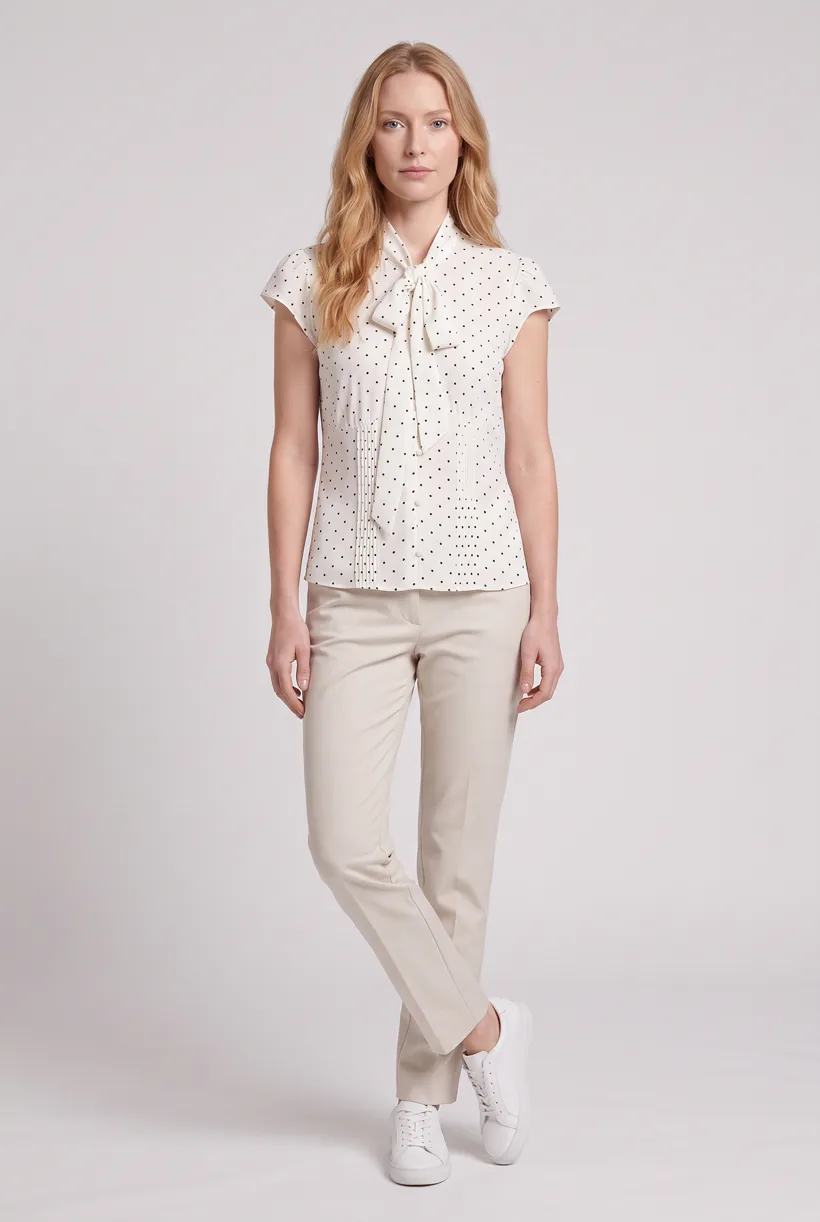
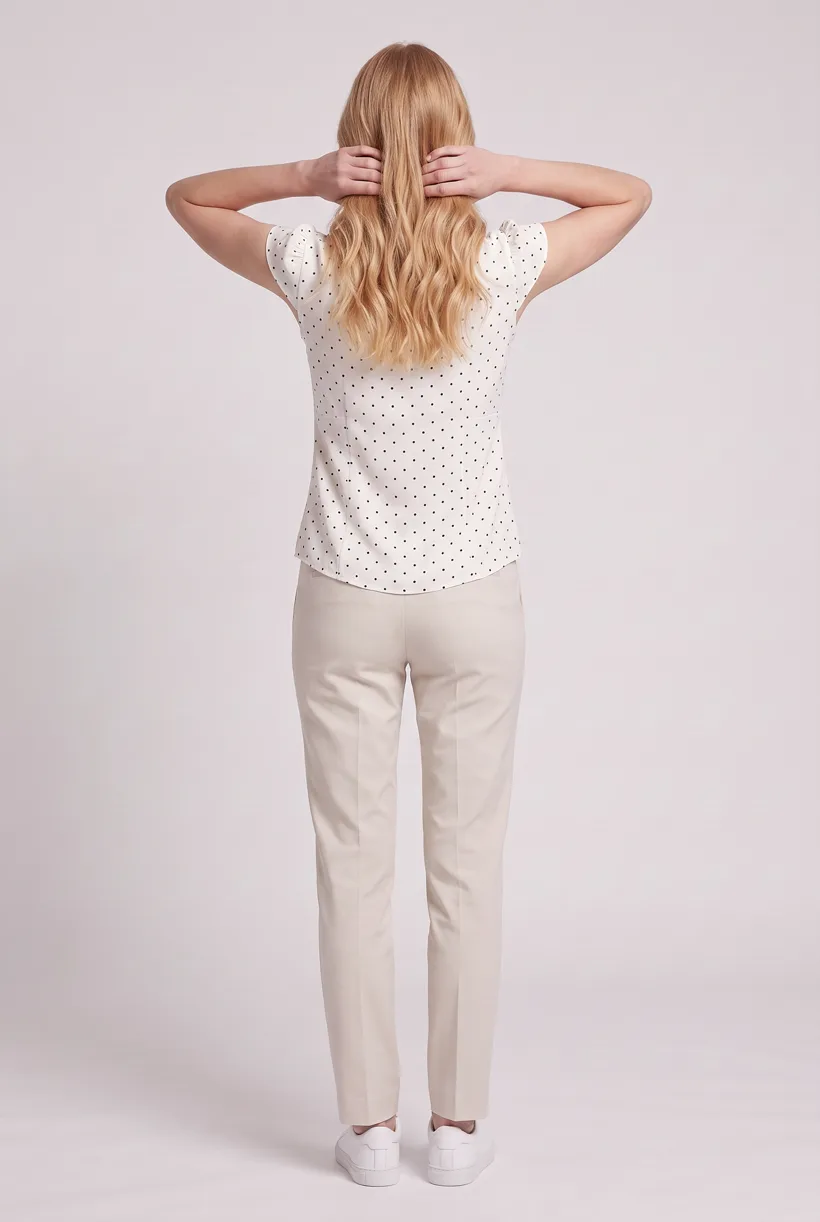
Product page set makes front, upper-body and back white-studio photos plus a 360 video per garment. Review the avatar, art direction and cost in credits before generation.[16]
Verify the file and apply contextual disclosure
Use /verify-ai-image or POST https://api.uwear.ai/public/provenance/verify. Uwear has a visible-label option for outputs classified as deepfakes. Your team tests downstream edits, metadata stripping, recompression and actual first-exposure display.[1][17][18]
Run it from your assistant
Run this photoshoot from your AI assistant with a Uwear template.
Connect the Uwear MCP server to ChatGPT, Claude, or Codex and ask for the Product page set template. It is a batch workflow that runs once per garment: front, upper-body, and back product-page shots on a white studio background, plus a 360-degree video, from one garment photo. Any Uwear account can load it by name, and the assistant shows a costed brief in credits before generation starts.
Proposed prompt: adapt the inputs and delivery checks to your own tools. The template returns assets; your team owns final selection and publication.
Copy this prompt into your assistant
Use the Uwear MCP to prepare Product page set for these adult garments with our approved avatar, Pure White and nano-banana-pro. Show the costed proposal and wait for approval. Turn the AI reviewer on and return image and video URLs. Our team will retain the delivered masters, classify the outputs and placement, apply required metadata and visible disclosure, and test delivered files with the public verifier. Generation and QA are not legal approval; do not publish.
What one run does, per garment
Generate the front hero
One full-body front photo of the garment on the template model, in the Basic white photoshoot art direction on the Pure White studio location.
Edit to the upper-body crop
A camera edit that reframes the front result to an upper-body front frame instead of generating a new image, so the crop comes from the same session as the hero.
Edit to the back view
A second camera edit of the front result to a full-body back frame, so the product page gets the back of the garment from the same session.
Render the 360 turn
A 5-second Kling 3 Pro video from the front photo: the model turns a slow, full 360 degrees in place, garment readable throughout.
Outputs per garment
- Full-body front photo, 2K, 2:3
- Upper-body front photo, 2K, 2:3
- Full-body back photo, 2K, 2:3
- 5-second 360-degree video
The setup the template pins
- Template kind
- Batch workflow: runs once per garment row
- System key
- demo_full_pdp_test_white_studio
- Art direction
- Basic white photoshoot (system art direction)
- Location
- Pure White (system studio location)
- Model
- The Uwear system model by default; the assistant can swap in one of your saved models when it proposes the brief
- Image model
- nano-banana-pro, 2K, 2:3
- Video model
- Kling 3 Pro, 5 seconds
- QA
- Optional. With the AI reviewer on, each result is checked against the source product photo and flagged results are retried
- Approval
- The assistant shows a costed brief in credits before anything generates
Pure automation
Run it without an assistant
Run asynchronous generation
Use REST jobs with polling or webhooks for pure automation. Production Automation can start on garment-processed, tag-added or outfit-created events, with immutable published versions, idempotent runs and upfront credit reservation.[16]
Deliver through your own systems
Your service maps result URLs to the destination and checks the served assets. Studio is the manual path: select the source photos and setup, then download the results.[16]
Tools that target this job
Documented features from the linked sources. These are not independent quality tests.
Adobe Firefly
Adobe documents automatic Content Credentials for entirely Firefly-generated pixels. A fit for that generation path; this does not cover every third-party model or edit.[19]
Adobe Content Authenticity
A provenance companion for existing work, not a fashion generator. A fit for separate attribution; current terms and limits were not verified beyond its 2025 beta announcement.[6]
Frequently asked questions
Yes. Connect Uwear MCP, supply garment photos and approved references, and request a costed Product page set proposal. Approve it before generation; your tools handle destination delivery.[16]
Uwear uses credits at $0.10 per credit; rates are on /models. QA is automatic and toggleable: when on, an AI reviewer compares results with source photos and retries flagged results.[16]
Yes. Studio is the manual path: choose source photos, avatar and generation setup, then download results. Your team handles destination formatting, disclosure and publication.[16]
Research
Sources and access dates
- [1]AI Act consolidated 2026-07-27; Articles 50, 111(4), 113
Accessed 2026-09-07
- [2]
- [3]final Commission FAQ, updated 2026-07-24; scope and verbatim question
Accessed 2026-09-07
- [4]
- [5]Merchant Center generative-AI metadata requirement
Accessed 2026-09-07
- [6]historical free public-beta announcement, batch capacity and inspection tool
Accessed 2026-09-07
- [7]version 2.4 manifest/signature explanation, sections 7.2.1–7.2.2 limitations
Accessed 2026-09-07
- [8]official vocabulary, modified 2024-10-23; canonical identifier and meaning
Accessed 2026-09-07
- [9]Meta ad-label rollout, update 2026-06-01
Accessed 2026-09-07
- [10]current remote transformation retention/signing behavior, updated 2026-05-26
Accessed 2026-09-07
- [13]
- [14]
- [16]sole approved Uwear capability authority, read locally
Accessed 2026-09-07
- [17]
- [18]
- [19]Adobe's stated automatic-credential scope
Accessed 2026-09-07
- [23]official generative-editing vocabulary term, modified 2024-09-17
Accessed 2026-09-07
Next step
Connect your catalog to Uwear.
Start with an assistant-led test, then build the API delivery your catalog needs.