Use cases · Size-inclusive imagery
Generate on-model photos across body types with the avatars you approve
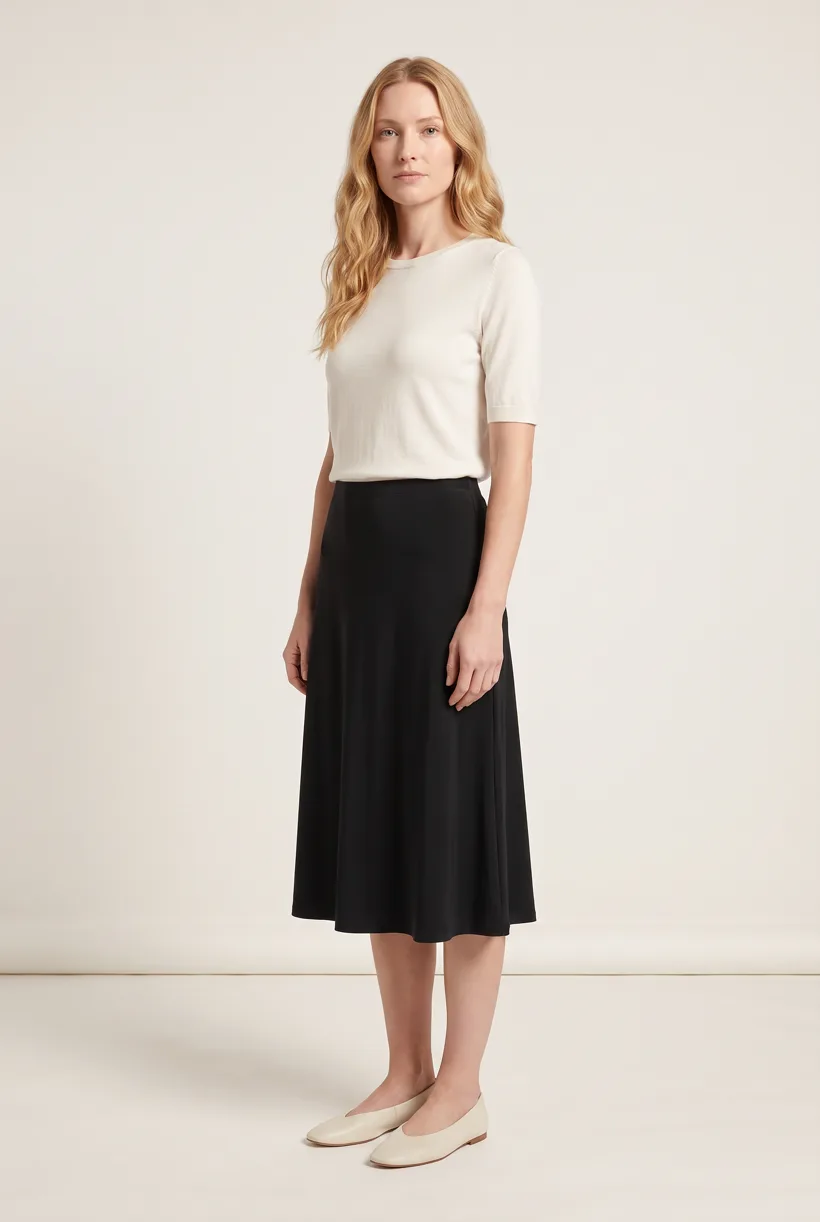
Run Product page set with approved adult avatars and garment references. Check available coverage in your account; generated bodies do not demonstrate physical fit.
What the job involves
Proposed owners: ecommerce content, casting and size-information teams. Plan representation for a launch or size-range extension; keep garment measurements separate from imagery.[1][2][3]
| Owner | What the source says |
|---|---|
| Old Navy | BODEQUALITY shows styles on models in sizes 4, 12 and 18. This is a retailer commitment, not verified coverage for every SKU.[1] |
| Walmart | Choose My Model launched on 2 March 2022 with 50 model options for selected apparel. A shopper-selectable experience differs from fixed product photos.[2] |
| Zalando | Its 31 August 2026 guide permits two models wearing the same article in different sizes. This presentation is optional.[3] |
How teams do it today
Requirements and constraints
| Rule | Requirement or guidance |
|---|---|
| UK advertising: CAP | Rule 1.3 requires “a sense of responsibility to consumers and to society.” This is a responsibility rule, not a model-size quota.[4] |
| US advertising: FTC | Pictures and implied claims need evidence. A generated body is not proof that a sold size fits as depicted.[5] |
| Zalando model views | “Must have been photographed with a real person” appears beside separate AI provisions. Obtain category approval before substituting a synthetic model.[3] |
Assistant workflow
How do you run this from your assistant?
Proposed workflow: your assistant runs Uwear MCP; your team owns reference permissions, destination checks and publishing.[10][3][5]
Check avatar coverage and permissions
Choose library avatars or customer-supplied references with consent. Verify coverage per account; no catalog of sizes or ethnicities is assumed.[10]
Approve the Product page set brief
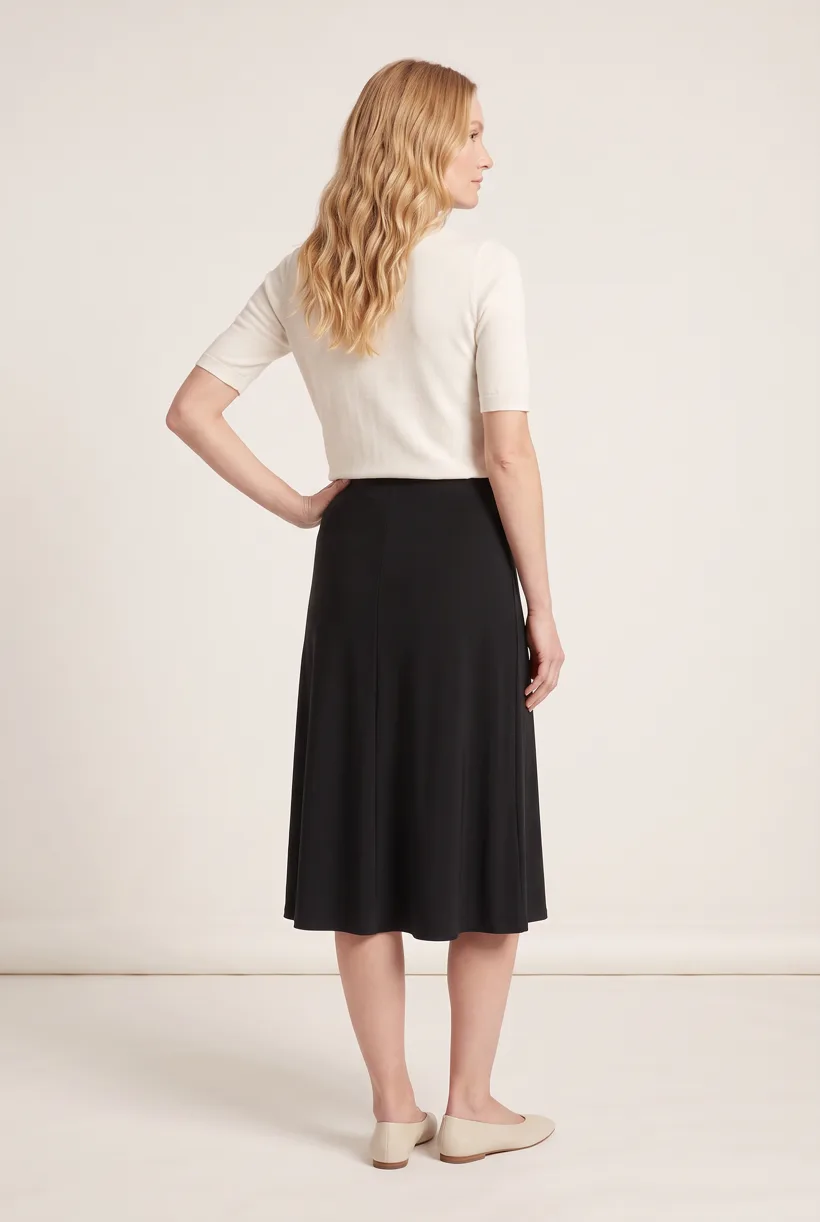
Product page set makes front, upper-body and back white-studio photos plus a 360 video per garment. Review the avatar, art direction and cost in credits before generation.[10]
Run it from your assistant
Run this photoshoot from your AI assistant with a Uwear template.
Connect the Uwear MCP server to ChatGPT, Claude, or Codex and ask for the Product page set template. It is a batch workflow that runs once per garment: front, upper-body, and back product-page shots on a white studio background, plus a 360-degree video, from one garment photo. Any Uwear account can load it by name, and the assistant shows a costed brief in credits before generation starts.
Proposed prompt: adapt the inputs and delivery checks to your own tools. The template returns assets; your team owns final selection and publication.
Copy this prompt into your assistant
Use the Uwear MCP to prepare Product page set for these adult garment photos. First show the avatars available in this account and flag unverified coverage. Use my references only with consent. Reuse the approved avatar and saved art direction for each set. Show the costed proposal and wait for approval. Use Pure White and nano-banana-pro with the AI reviewer on. Return image and video URLs and list missing source views. Our team will check size claims and destination rules; do not publish.
What one run does, per garment
Generate the front hero
One full-body front photo of the garment on the template model, in the Basic white photoshoot art direction on the Pure White studio location.
Edit to the upper-body crop
A camera edit that reframes the front result to an upper-body front frame instead of generating a new image, so the crop comes from the same session as the hero.
Edit to the back view
A second camera edit of the front result to a full-body back frame, so the product page gets the back of the garment from the same session.
Render the 360 turn
A 5-second Kling 3 Pro video from the front photo: the model turns a slow, full 360 degrees in place, garment readable throughout.
Outputs per garment
- Full-body front photo, 2K, 2:3
- Upper-body front photo, 2K, 2:3
- Full-body back photo, 2K, 2:3
- 5-second 360-degree video
The setup the template pins
- Template kind
- Batch workflow: runs once per garment row
- System key
- demo_full_pdp_test_white_studio
- Art direction
- Basic white photoshoot (system art direction)
- Location
- Pure White (system studio location)
- Model
- The Uwear system model by default; the assistant can swap in one of your saved models when it proposes the brief
- Image model
- nano-banana-pro, 2K, 2:3
- Video model
- Kling 3 Pro, 5 seconds
- QA
- Optional. With the AI reviewer on, each result is checked against the source product photo and flagged results are retried
- Approval
- The assistant shows a costed brief in credits before anything generates
Pure automation
Run it without an assistant
Run asynchronous generation
Use REST jobs with polling or webhooks for pure automation. Production Automation can start on garment-processed, tag-added or outfit-created events, with immutable published versions, idempotent runs and upfront credit reservation.[10]
Deliver through your own systems
Your service maps result URLs to the destination and checks the served assets. Studio is the manual path: select the source photos and setup, then download the results.[10]
Tools that target this job
Documented features from the linked sources. These are not independent quality tests.
FASHN
Offers library, description and reference-led model creation. A fit for exploring casting; generated physical size accuracy was not verified.[6]
The New Black AI
Markets diverse virtual models and Shopify visuals. A fit for design visualization; that positioning does not establish fit evidence.[8]
Frequently asked questions
Yes. Connect Uwear MCP, supply garment photos and approved references, and request a costed Product page set proposal. Approve it before generation; your tools handle destination delivery.[10]
Check the library in your account first. Supply approved references with consent when needed. Available coverage is account-specific; no particular body sizes or ethnicities are promised.[10]
Uwear uses credits at $0.10 per credit; rates are on /models. QA is automatic and toggleable: when on, an AI reviewer compares results with source photos and retries flagged results.[10]
Yes. Studio is the manual path: choose source photos, avatar and generation setup, then download results. Your team handles destination formatting, disclosure and publication.[10]
Research
Sources and access dates
- [1]
- [2]Choose My Model launch, model count and ranges; retailer report
Accessed 2026-09-07
- [3]
- [4]CAP rule 1.3, UK non-broadcast responsibility requirement; live version
Accessed 2026-09-07
- [5]US advertising substantiation, deceptive representations and verbatim FAQ
Accessed 2026-09-07
- [6]vendor-described model inputs, usage and verbatim input FAQ
Accessed 2026-09-07
- [8]vendor positioning, Shopify workflow and Starter USD subscription listing
Accessed 2026-09-07
- [9]CAP rules 3.1 and 3.7; live version
Accessed 2026-09-07
- [10]sole approved Uwear capability authority, read locally
Accessed 2026-09-07
Next step
Connect your catalog to Uwear.
Start with an assistant-led test, then build the API delivery your catalog needs.