Use cases · Regional model localization
Generate storefront photos with models cast for each market
Run Product page set against an approved brief for each storefront. Check account-level avatar coverage and local destination rules; appearance does not establish nationality.
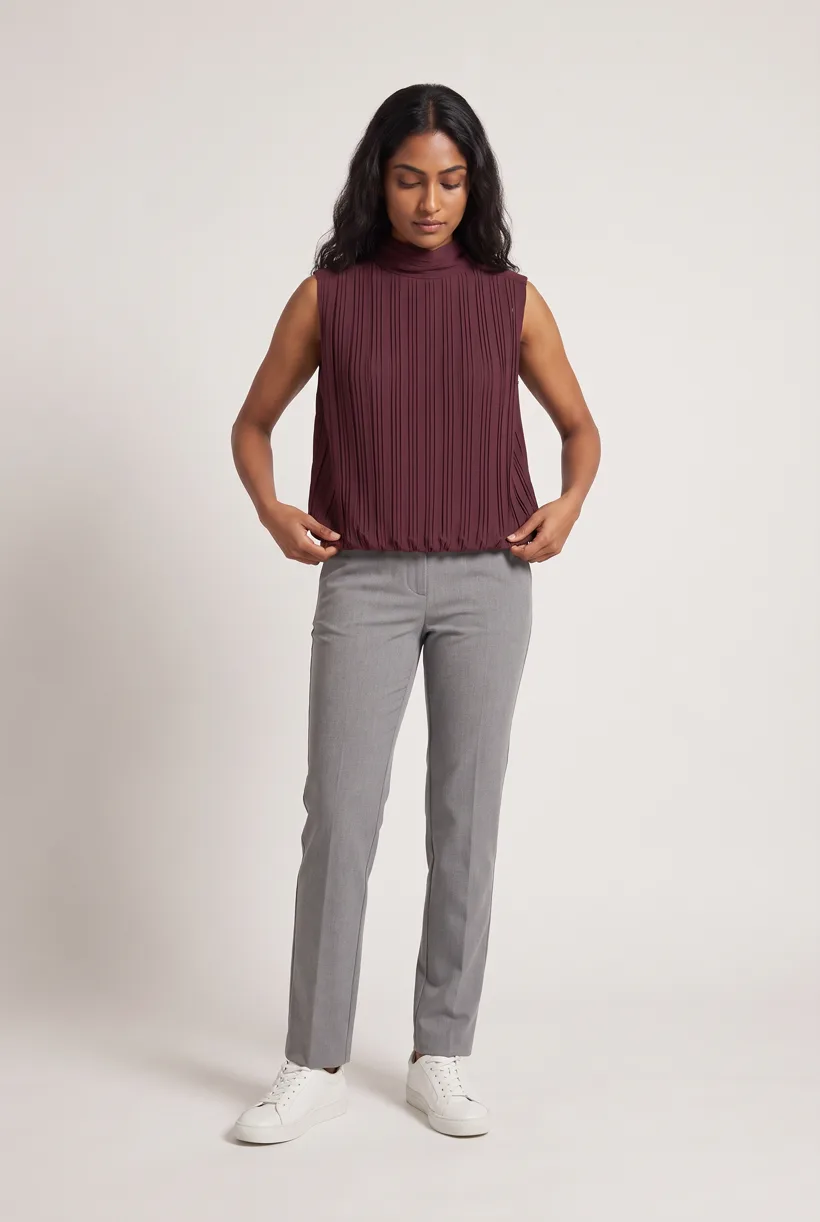
What the job involves
Proposed owners: regional merchandising, creative production and publishing teams. Match casting to an approved market brief without assuming preferences for a whole population.[1][2][3]
| Owner | What the source says |
|---|---|
| Nike × NorBlack NorWhite | The 10 June 2025 India campaign named four participants and announced global distribution. This is creative casting, not four storefront variants.[1] |
| Schutz | Its Summer 25 campaign names Bruna Marquezine and agency Masciottii. No localized image count or production cost was published.[2] |
| Mavi | Historical milestones name international and Turkish talent in 2012, 2013 and 2017. They do not establish a preferred national appearance.[3] |
How teams do it today
Requirements and constraints
| Rule | Requirement or guidance |
|---|---|
| India: advertising and Myntra | ASCI I.4 says ads must not “distort facts nor mislead the consumer”; III.1(b) addresses derision. ASCI is self-regulatory, not a government regulator.[5] |
| India: partner guide gap | Myntra’s first-party portal was unavailable. Fynd’s reported image limits are provider guidance only; obtain the current partner guide before export.[15] |
| Brazil: CONAR | Article 27: “O anúncio deve conter uma apresentação verdadeira do produto oferecido”. The official PDF has a 2026 filename but an Edição 2025 cover; that discrepancy remains open.[6] |
| Brazil: Mercado Livre | Textured fashion covers are allowed for listed categories, excluding Packs. This is a destination rule, not a national casting preference.[7] |
| Turkey: regulator notice | The ministry’s 27 July 2026 notice reports AI-character disclosure effective 1 August: “açık, anlaşılır ve ayırt edilebilir şekilde”. The underlying Gazette clause was not recovered; exact scope remains open.[8] |
| Turkey: Trendyol | Product-create v2 specifies 1200 × 1800 pixels, 96 dpi, HTTPS URLs and at most eight images per barcode. Dimensions do not establish AI eligibility.[9] |
Assistant workflow
How do you run this from your assistant?
Proposed workflow: your assistant runs Uwear MCP; your team owns reference permissions, destination checks and publishing.[18][5][6][8]
Approve casting and check account coverage
Use library avatars or customer references with consent. Verify coverage per account; no body-size, ethnicity or nationality catalog is assumed.[18]
Approve the Product page set brief
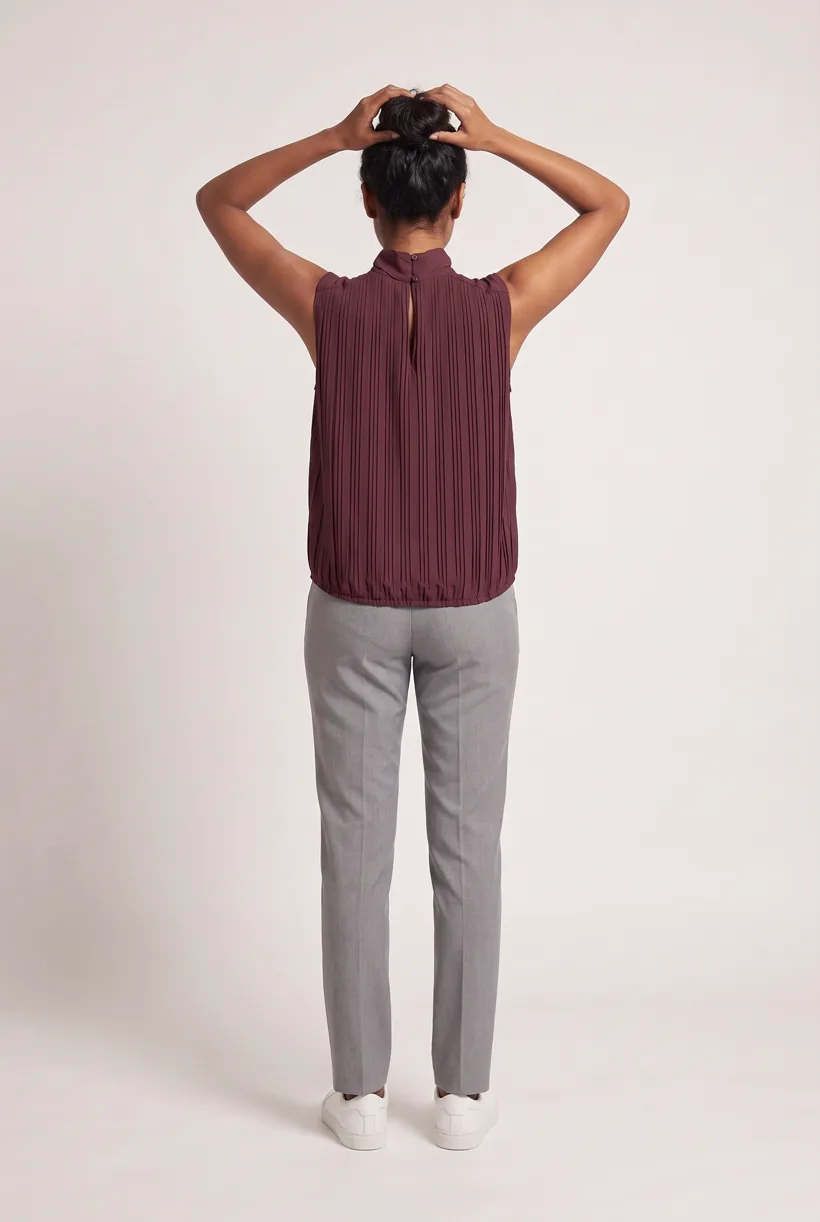
Product page set makes front, upper-body and back white-studio photos plus a 360 video per garment. Review the avatar, art direction and cost in credits before generation.[18]
Run it from your assistant
Run this photoshoot from your AI assistant with a Uwear template.
Connect the Uwear MCP server to ChatGPT, Claude, or Codex and ask for the Product page set template. It is a batch workflow that runs once per garment: front, upper-body, and back product-page shots on a white studio background, plus a 360-degree video, from one garment photo. Any Uwear account can load it by name, and the assistant shows a costed brief in credits before generation starts.
Proposed prompt: adapt the inputs and delivery checks to your own tools. The template returns assets; your team owns final selection and publication.
Copy this prompt into your assistant
Use the Uwear MCP to prepare Product page set for these adult garments and our India, Brazil and Turkey storefront briefs. Show available avatars against the approved references and flag unverified coverage. Use customer references only with consent. Reuse the selected saved art direction for each storefront, with Pure White and nano-banana-pro. Show a costed proposal and wait for approval. Turn the AI reviewer on and return result URLs for regional review. Our tools handle storefront routing; do not publish.
What one run does, per garment
Generate the front hero
One full-body front photo of the garment on the template model, in the Basic white photoshoot art direction on the Pure White studio location.
Edit to the upper-body crop
A camera edit that reframes the front result to an upper-body front frame instead of generating a new image, so the crop comes from the same session as the hero.
Edit to the back view
A second camera edit of the front result to a full-body back frame, so the product page gets the back of the garment from the same session.
Render the 360 turn
A 5-second Kling 3 Pro video from the front photo: the model turns a slow, full 360 degrees in place, garment readable throughout.
Outputs per garment
- Full-body front photo, 2K, 2:3
- Upper-body front photo, 2K, 2:3
- Full-body back photo, 2K, 2:3
- 5-second 360-degree video
The setup the template pins
- Template kind
- Batch workflow: runs once per garment row
- System key
- demo_full_pdp_test_white_studio
- Art direction
- Basic white photoshoot (system art direction)
- Location
- Pure White (system studio location)
- Model
- The Uwear system model by default; the assistant can swap in one of your saved models when it proposes the brief
- Image model
- nano-banana-pro, 2K, 2:3
- Video model
- Kling 3 Pro, 5 seconds
- QA
- Optional. With the AI reviewer on, each result is checked against the source product photo and flagged results are retried
- Approval
- The assistant shows a costed brief in credits before anything generates
Pure automation
Run it without an assistant
Run asynchronous generation
Use REST jobs with polling or webhooks for pure automation. Production Automation can start on garment-processed, tag-added or outfit-created events, with immutable published versions, idempotent runs and upfront credit reservation.[18]
Deliver through your own systems
Your service maps result URLs to the destination and checks the served assets. Studio is the manual path: select the source photos and setup, then download the results.[18]
Tools that target this job
Documented features from the linked sources. These are not independent quality tests.
Frequently asked questions
Yes. Connect Uwear MCP, supply garment photos and approved references, and request a costed Product page set proposal. Approve it before generation; your tools handle destination delivery.[18]
Uwear uses credits at $0.10 per credit; rates are on /models. QA is automatic and toggleable: when on, an AI reviewer compares results with source photos and retries flagged results.[18]
Yes. Studio is the manual path: choose source photos, avatar and generation setup, then download results. Your team handles destination formatting, disclosure and publication.[18]
Research
Sources and access dates
- [1]2025-06-10 launch, named campaign participants and global distribution
Accessed 2026-09-07
- [2]Summer 25 campaign, talent and agency partnership
Accessed 2026-09-07
- [3]
- [4]direct localization positioning and Basic USD plan
Accessed 2026-09-07
- [5]
- [6]
- [7]Brazil fashion cover rules and FAQ; recovered by direct HTTP
Accessed 2026-09-07
- [8]
- [9]Turkey destination image dimensions, URL requirements and count ceiling
Accessed 2026-09-07
- [12]
- [15]provider-reported Myntra guidance; first-party portal access unresolved
Accessed 2026-09-07
- [17]vendor rights FAQ, model variations and compatible inputs
Accessed 2026-09-07
- [18]sole Uwear capability authority, read locally
Accessed 2026-09-07
- [19]vendor model/reference workflow; no national-compliance evidence
Accessed 2026-09-07
Next step
Connect your catalog to Uwear.
Start with an assistant-led test, then build the API delivery your catalog needs.