Seedream 5.0 Pro and More Shoot Control: What's New at Uwear
This roundup gives fashion teams more control over edits and shoot setup. Choose the right model and detail viewpoint, keep looks organized, start from a shared backdrop, set edit resolution, and handle more of the work from Agent Mode.
What shipped
- -Seedream 5.0 Pro edits: make precise changes with strong avatar consistency at 3 credits for 1K or 5 credits for 2K.
- -Front, Back, and Side detail cameras: choose exactly which viewpoint to use for a close-up clothing shot.
- -Named outfits: add a name that stays with each outfit and makes saved looks easier to organize.
- -Shared demo locations: start from a curated backdrop that every account can use.
- -Edit resolution: choose the output resolution for standalone or camera edits, or keep the source resolution.
- -More from Agent Mode: buy credits through a hosted checkout in chat and turn a PDF or line sheet into reusable art direction.
Edit Precisely With Seedream 5.0 Pro
Choose ByteDance's Seedream 5.0 Pro for precise changes and strong avatar consistency across a set. An edit uses 3 credits at 1K or 5 credits at 2K. See the Seedream 5.0 Pro card on the Uwear models page.
Here is one edit, end to end. We took a finished shoreline shot and asked for sunglasses and a straw sun hat. The model, the gingham swim set, the pose, the beach, and the golden-hour light all stayed locked; only the accessories changed.
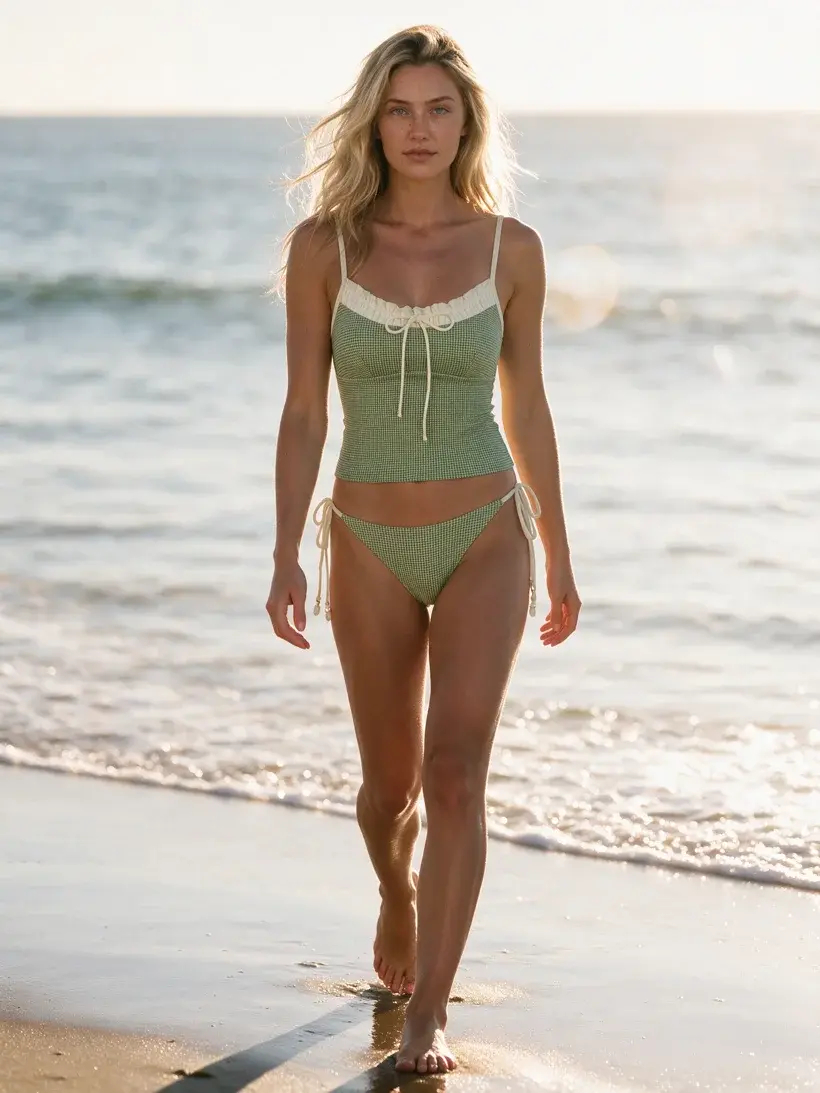
Before: the source generation
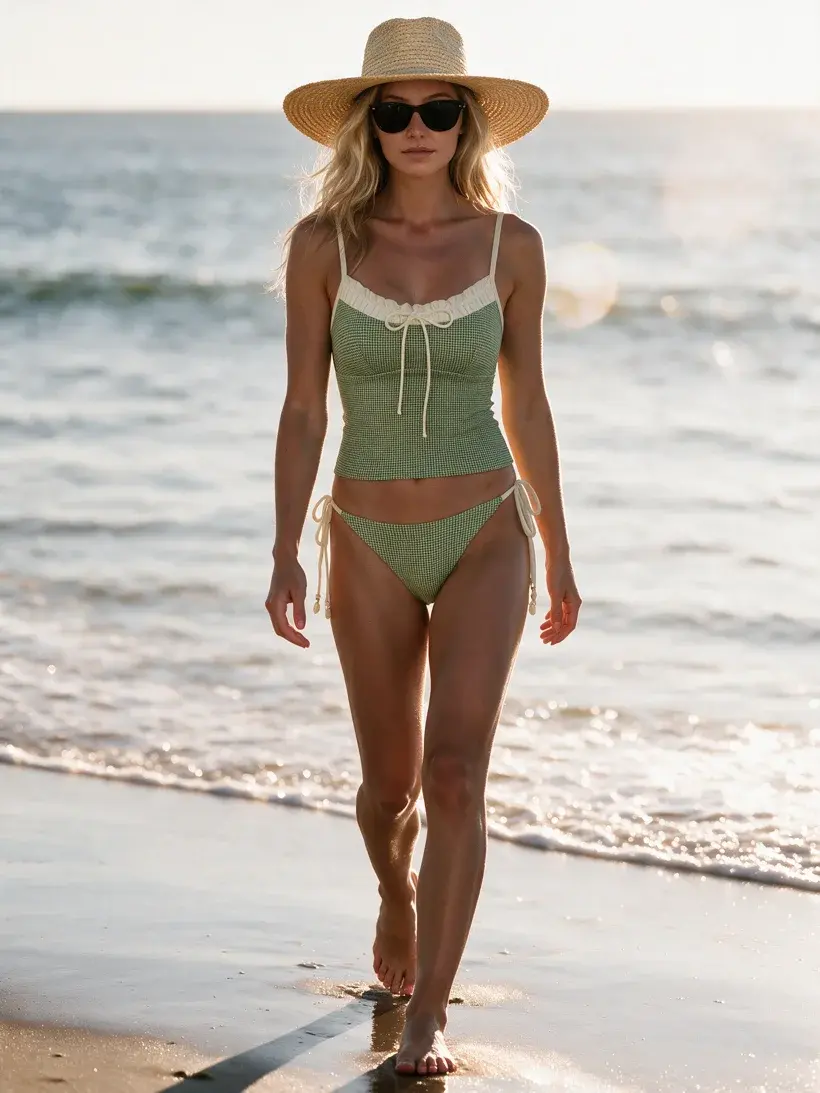
After: one Seedream 5.0 Pro edit, 5 credits at 2K
Choose the Clothing Detail Viewpoint
Choose a Front, Back, or Side clothing-detail preset to frame a close-up from the exact viewpoint the buyer needs to see. These presets replace the single generic Clothing Detail camera, so every close-up starts with a clear angle.
All three close-ups below came from the same source shot above, one per preset. Note the Back viewpoint: the source image never showed the back of the suit, and the camera edit still reconstructs the back tie and trim faithfully.
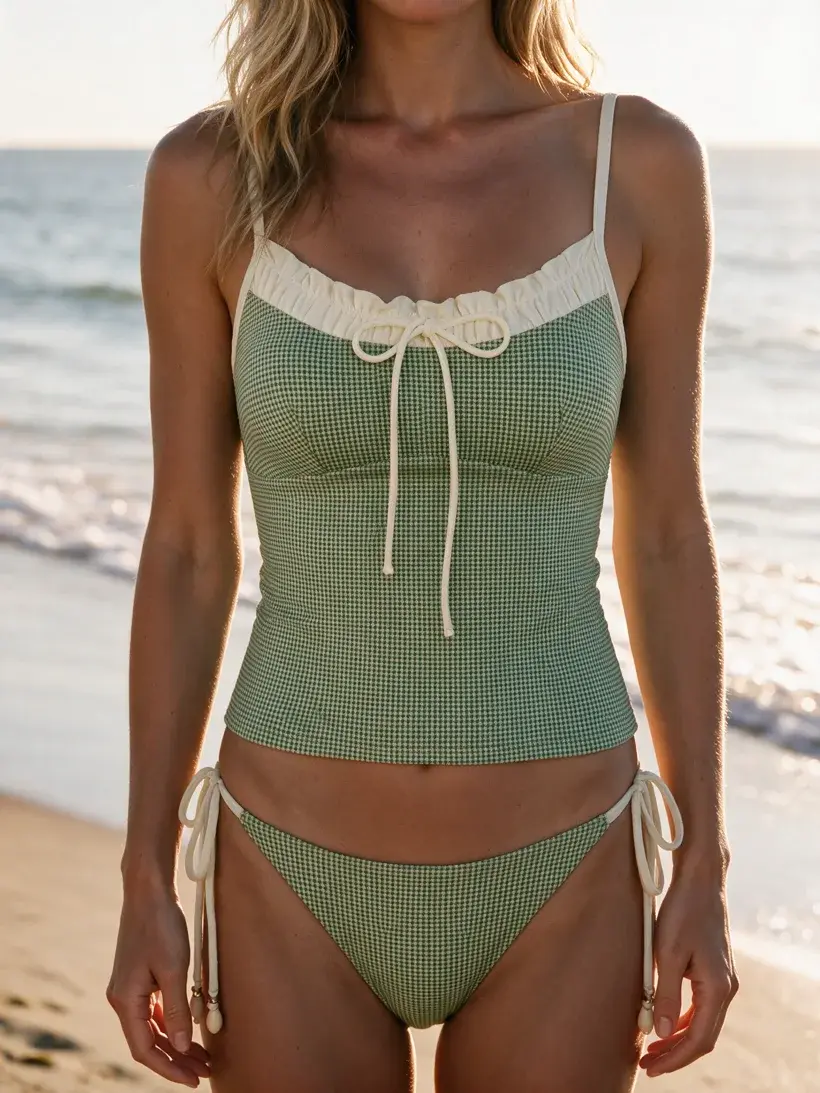
Clothing Detail: Front
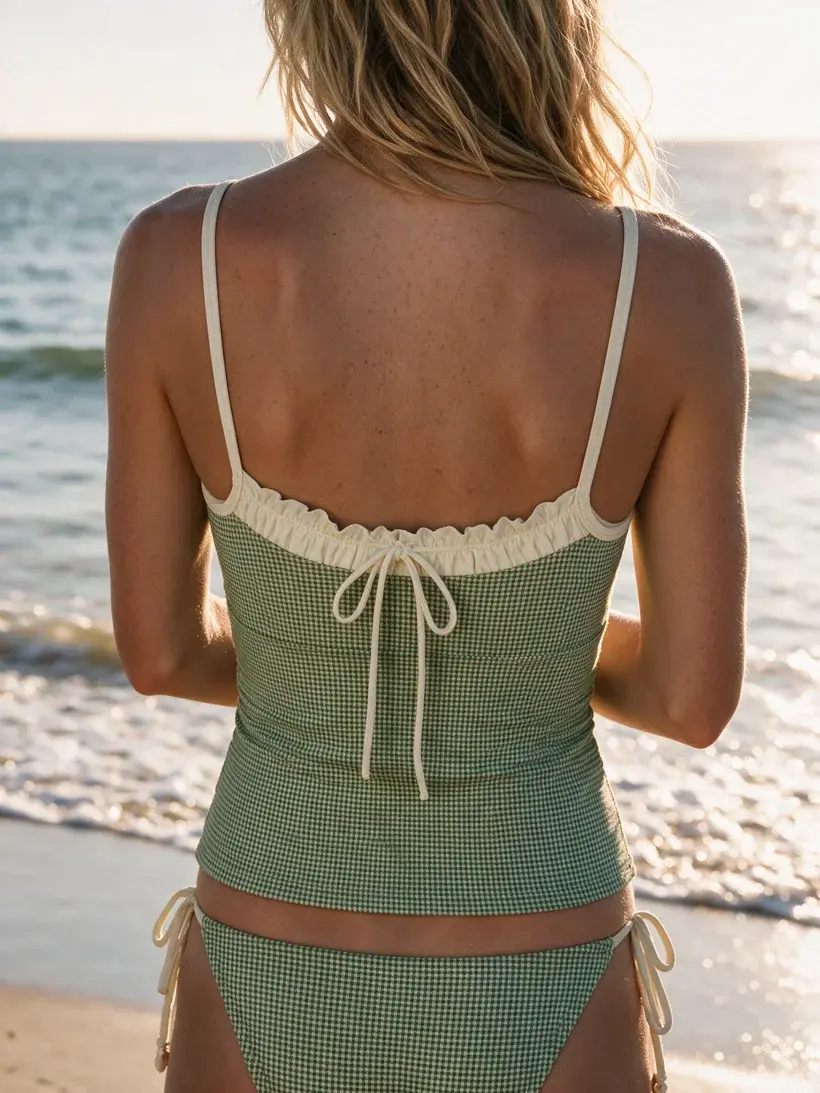
Clothing Detail: Back
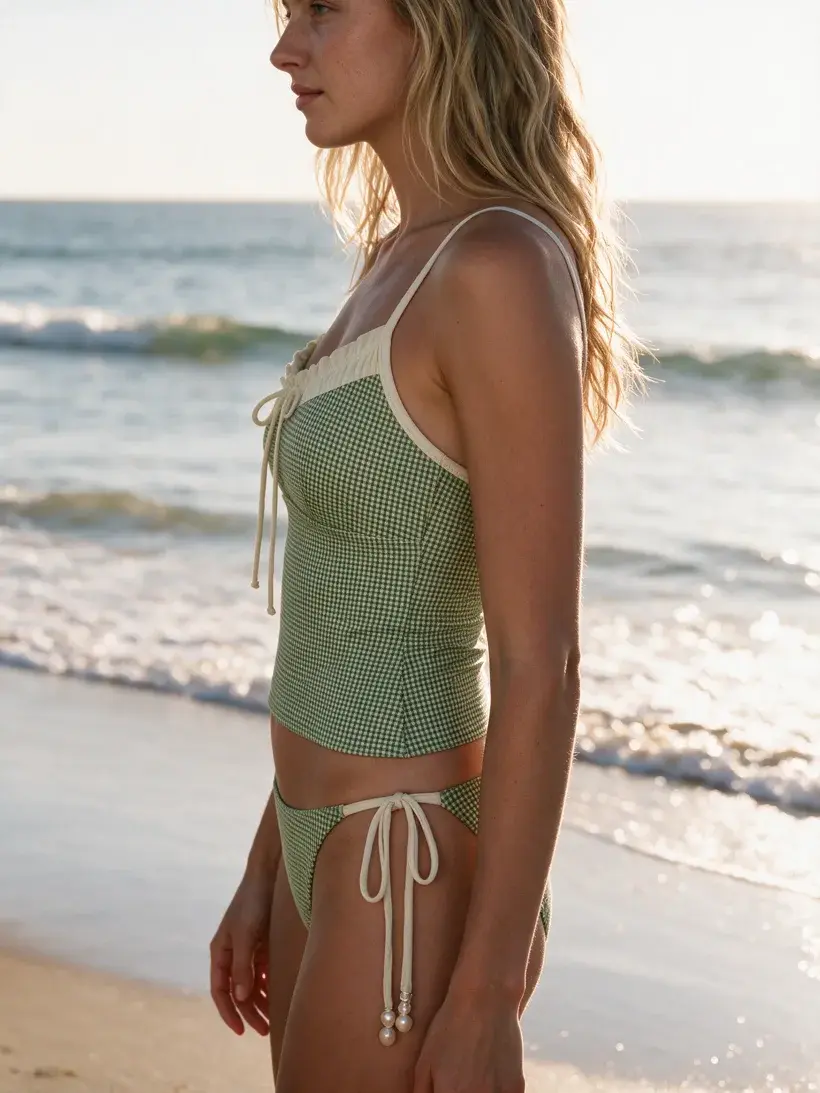
Clothing Detail: Side
Name Outfits for Each Look
Name an outfit for the drop, story, colorway, or look it belongs to. Your custom name now stays with the outfit, making saved looks easier to scan and return to.
Start With Shared Demo Locations
Choose a shared demo location when you need a reliable backdrop quickly. Every account can browse and use these curated locations, shortening the path from a first garment to a strong first result.
Set Resolution for Every Edit
Standalone edits and camera edits now let you choose the output resolution. Leave it unset to keep the source resolution; the credit total follows the resolution you choose.
Buy Credits and Build Art Direction in Agent Mode
Ask Agent Mode to buy credits and receive a secure hosted checkout in the chat. You can also upload a PDF or line sheet and turn its visual direction into saved, reusable art direction for later shoots. Explore the setup on the Uwear MCP page.
Choose a Model or Connect Agent Mode
Seedream 5.0 Pro and the new shoot controls are live now. Compare edit models and credit rates, or connect Agent Mode to work from line sheets and top up credits in chat.