Ghost mannequin photography: how to shoot it, what it costs, and when to put the garment on a model
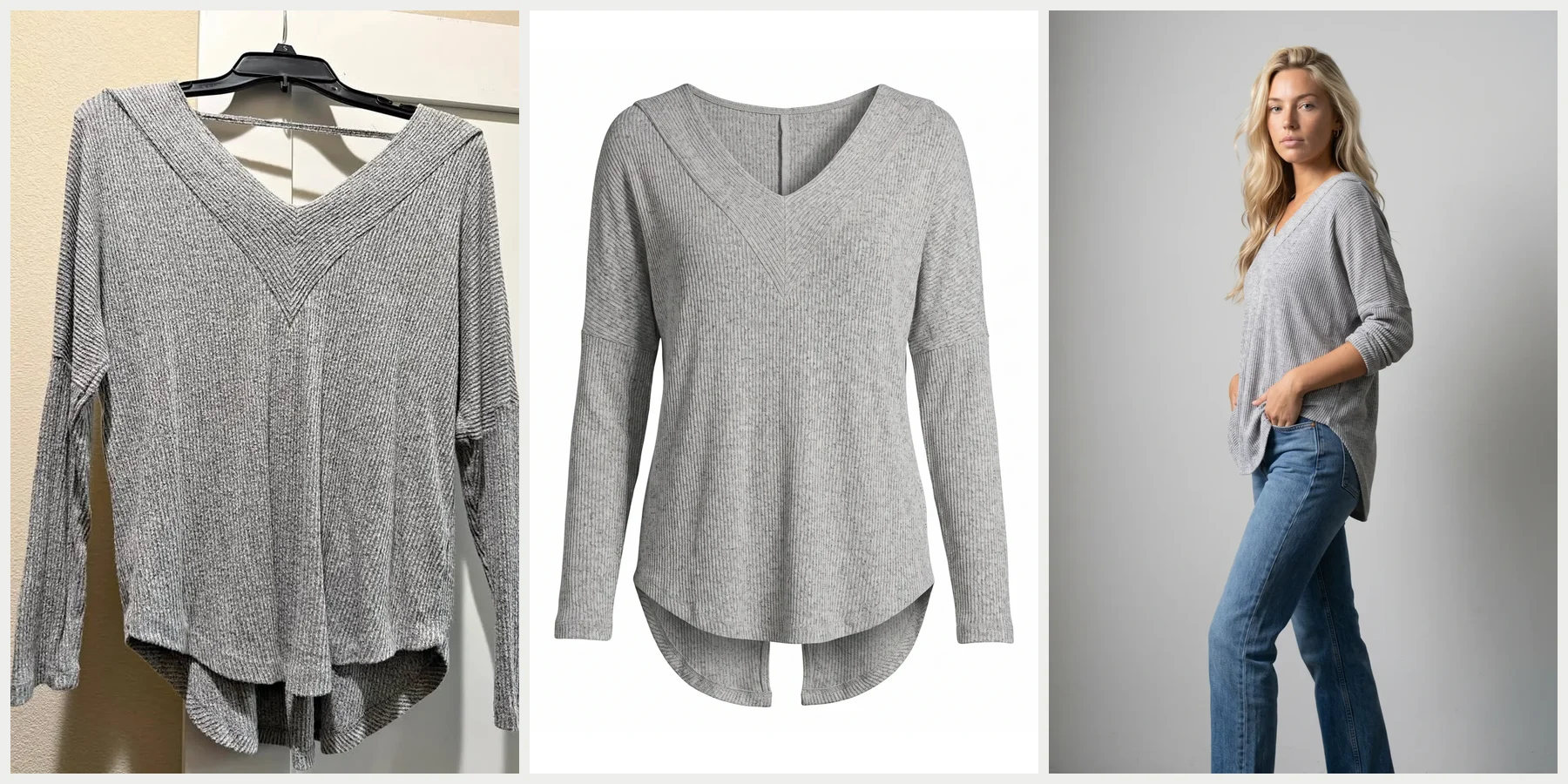
A ghost mannequin is a mannequin with removable pieces used to photograph clothing: the garment is shot on it, the inside of the collar is shot separately, and the mannequin is edited out so the garment looks worn by an invisible body [1]. Ghost mannequin photography costs from $75 an image at a studio [2], or from about $0.50 an image if you shoot it yourself and send out only the editing [4][5]. When the product page also needs the garment on a person, Uwear puts a ghost-mannequin photo on a saved model, front, side and back, at 3 credits a photo (1K, default image model), with a credit at $0.10 [14].
The look is also called invisible mannequin, hollow man or the 3D mannequin effect [1]. It is a product-page staple with one catch: Amazon's 2021 clothing imaging guide asks for adult apparel on a model in the main image, and lists ghost mannequins among what that image must not contain [8]. The photos on this page are real Uwear runs. Uwear has no dedicated ghost-mannequin tool; it puts garments on models.
What is a ghost mannequin?
A matte white form with removable panels for the neck, chest, arms and hips [1]. The panels come off once the garment is on, so the camera can see inside the collar and the mannequin is easy to edit out against white. Retouchers rebuild what the mannequin hid with one of three joints: the neck joint for tees, shirts and knitwear, the sleeve joint for jackets and coats, and the bottom joint for dresses with an open hem [1]. A ghost mannequin costs about $300 to $1,300 [6][7].
How do you do ghost mannequin photography?
| Step | What happens |
|---|---|
| Dress the mannequin | Put the garment on and take off the panels that would show: neck, chest, arms or hips [1][6]. |
| Shoot the outside | Front and back on the mannequin, same light and camera position for every product. |
| Shoot the inside | The inner collar, label, cuffs or hem lining, often with the garment turned inside out or laid flat. Plan three to four shots per product at a minimum [3]; jackets and coats can need six or seven [1]. |
| Edit | Remove the mannequin and fill the neck hole with the inner collar from the interior shot: the neck joint. Jackets also need a sleeve joint, dresses with an open hem a bottom joint [1]. |
What you need
- A ghost mannequin, matte white so it does not reflect and edits out cleanly on white [1][15].
- A camera on a tripod. Photofixal suggests a 50mm or 85mm lens to avoid wide-angle distortion [1]; Photoroom's guide shoots on a phone [15].
- Two softboxes at 45 degrees, plus a light on the backdrop 1 to 1.5 stops brighter than the garment so the white goes pure white in camera [1].
- The camera at chest height for tops and hip height for bottoms. From higher or lower, the garment looks tapered [1][15].
- Manual settings that stay put for the whole session: f/8 to f/11, ISO 100 to 200, a fixed white balance set with a grey card [1].
- A steamer, pins, clips and tissue paper to shape the garment [1].
How to edit it in Photoshop
- Open the outside and inside shots as layers in one file and auto-align them.
- Cut the garment out with the Pen tool and mask out the mannequin.
- Place the inside shot behind the garment, warp it to the curve of the neckline, and mask it so only what shows through the neck opening is left.
- Paint a soft shadow inside the neckline on a Multiply layer, and put the brand label back.
- Remove lint and pin marks, match the inside exposure to the outside with Curves, and export.
Those are the steps in Photofixal's workflow [1]. Apps such as Photoroom do the same with an eraser and an inserted cutout of the inside collar [15].
Can you do ghost mannequin photography without a mannequin?
Yes. Photoroom's guide shoots the garments on a person and erases the body in editing [15]. WearView's guide lists three routes with no form at all: a flat lay lightly stuffed with tissue paper and shot from above, a hanger with clear thread pulling the hem and cuffs into shape, and rolled towels or foam inside the garment for structure. Each still needs a separate photo of the inside of the collar [16].
The top at the head of this page started as a phone photo on a hanger. Uwear made the clean packshot and the photo on a model from it, without a mannequin or a composite.
What are the most common ghost mannequin mistakes?
- A flat neckline with no inside collar showing: it reads as a cutout, not a hollow garment [16].
- Light from one side on the garment and from the other on the pasted-in collar [16].
- Wrinkles left in. Deep folds cast shadows that look like damage, so steam first [16].
- Jagged cutout edges around the shoulders [16].
- A different scale and framing on every product. Tape the tripod, light and mannequin positions on the floor so each product is shot the same way [1][16].
How much does ghost mannequin photography cost?
| Route | Published prices |
|---|---|
| A studio shoots and edits it | Squareshot: from $75 an image, $300 minimum on pay as you go, 8 business days or less [2]. Soona: ghost-mannequin styling from $129 an hour, steaming up to 5 garments an hour, with the floating effect edited in [9] |
| You shoot, a service edits | Neck joint from $0.49 an image (Cutout Experts) [5]; from $0.50 basic, $1.00 neck and sleeve, $1.50 outerwear (Pixel Retouching) [4] |
| An AI ghost-mannequin tool | $0.19 to $1 an image in Photofixal’s comparison, weakest on technical drape and fine interior detail [1] |
| The mannequin itself | $297.99 to $1,327.99 at Mannequin Mall sale prices [6]; $445 for a male V-neck ghost mannequin at Mannequin Madness [7] |
Doing it in house also takes a camera, lights, a steamer and the time to dress, undress and shoot each garment three or four times.
Ghost mannequin vs on model: which should you use?
| Ghost mannequin | Flat lay | On a model | |
|---|---|---|---|
| What it shows | The garment’s shape as if worn, no person | The garment laid flat, seen from above | How it fits and falls on a body |
| Where it works | Product page front and back, a catalog with one consistent look | Social posts, quick listings, small accessories | The product page hero, ads, lookbooks |
| Garments it suits | Structured tops, jackets, dresses [1] | Accessories, unstructured knits [1] | Anything where fit sells it |
| Amazon main image | Listed among what a main image must not contain [8] | Off-model is asked for kids, baby, accessories and multipacks, not adult apparel [8] | “All adult apparel should be imaged on-model” [8] |
Most brands use more than one: on a model for the hero, ghost mannequin for the product page detail, flat lay for accessories [1]. The Amazon row comes from its Spring 2021 clothing imaging guide [8]. It is labelled for information only, so check the current rules in Seller Central before a shoot.
What does an AI ghost mannequin tool do?
It generates the ghost-mannequin image from a photo of the garment on a hanger, a model or a mannequin. Photoroom [10], WearView [11], The New Black [12] and Photta [13] offer one. The New Black lists where it struggles: sheer or lace fabric, complex open backs, and photos cropped so tightly that the hem or the shoulders are cut off [12]. Whatever the tool, compare the result with the garment: buttons, seams and the neckline are where generated images drift.
The difference is what you end up with. A ghost-mannequin tool gives you one thing, the ghost-mannequin image. Uwear puts the garment on a saved model, and the same run gives the packshot, the detail and the back view for listing photos. If the ghost-mannequin image is all you need, one of the tools above is the direct route. If the product page needs the garment on a person too, that is the gap the table shows.
| A ghost-mannequin tool | Uwear | |
|---|---|---|
| What you get from a garment photo | The ghost-mannequin image | The garment on a model: full body, back, detail, and a packshot like the one above |
| The person | None | One saved model, the same on every product in the catalog |
| Amazon main image, adult apparel | The kind of image the 2021 guide lists as not allowed [8] | On-model, which is what the guide asks for [8] |
| Checking the result | By eye, against the garment | An optional AI check compares each photo with the product photo and retries a mismatch |
| When it is the right pick | You only need ghost-mannequin images | You need model photos, or both |
How do you turn ghost mannequin photos into model photos?
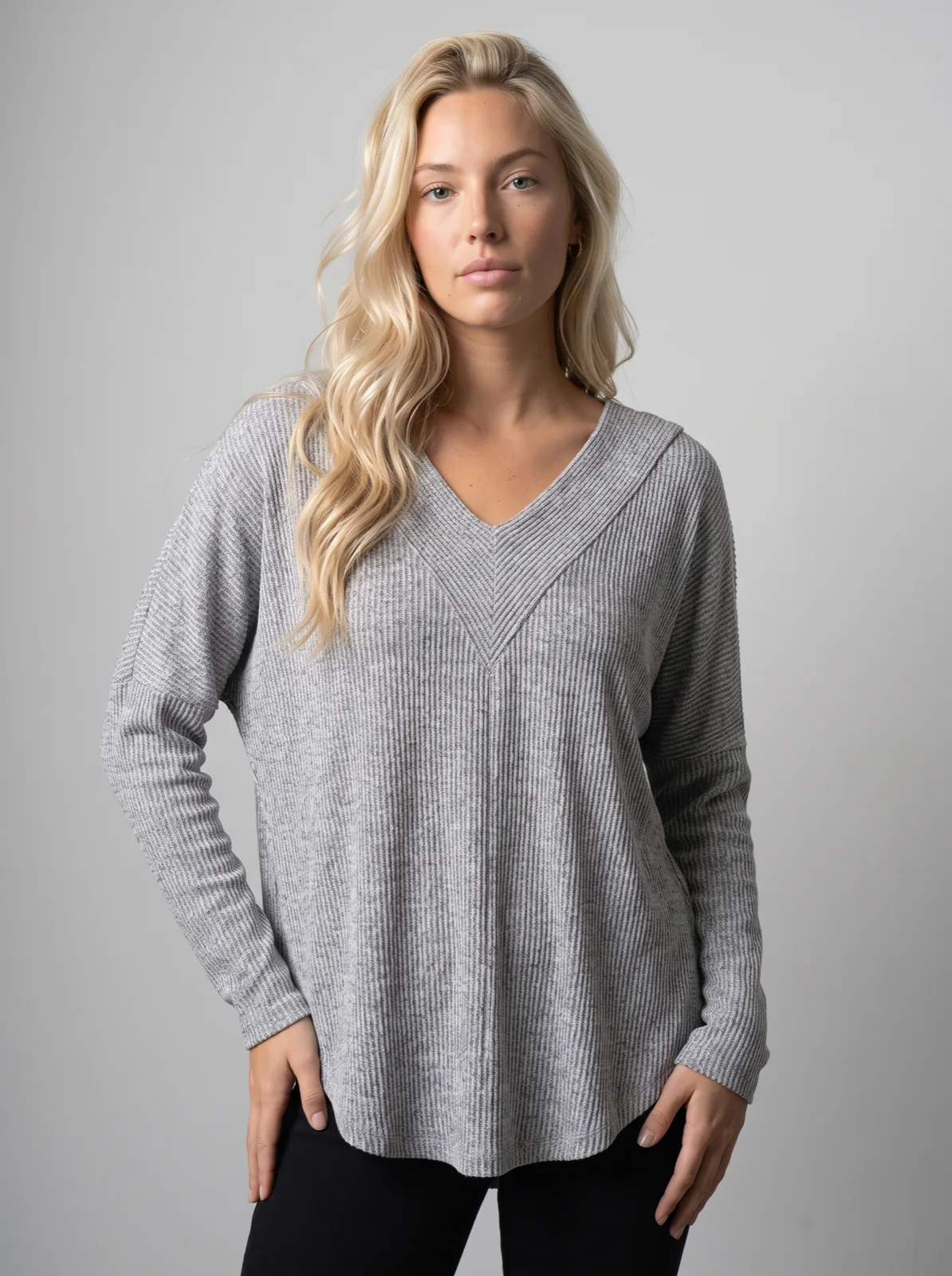
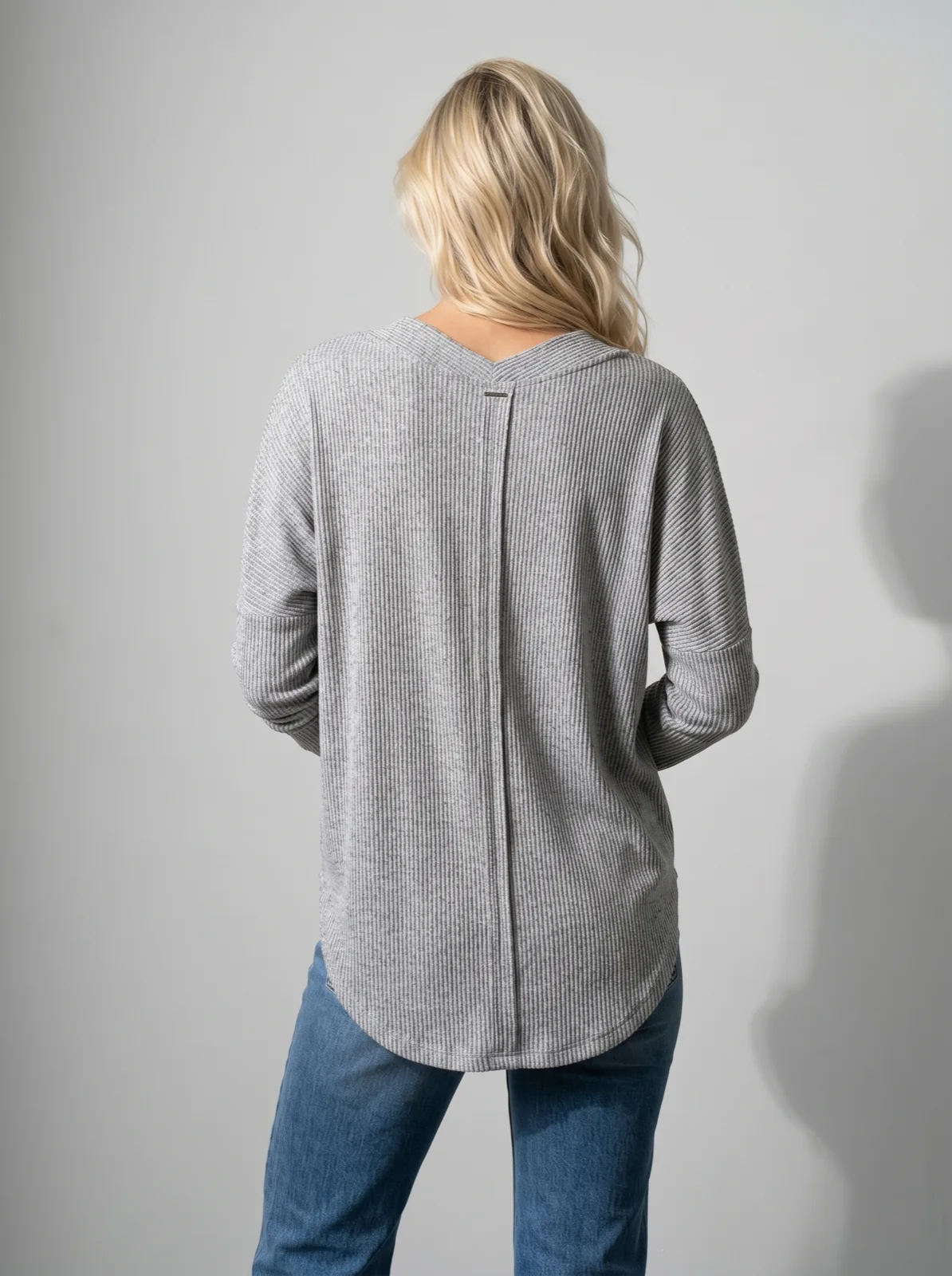
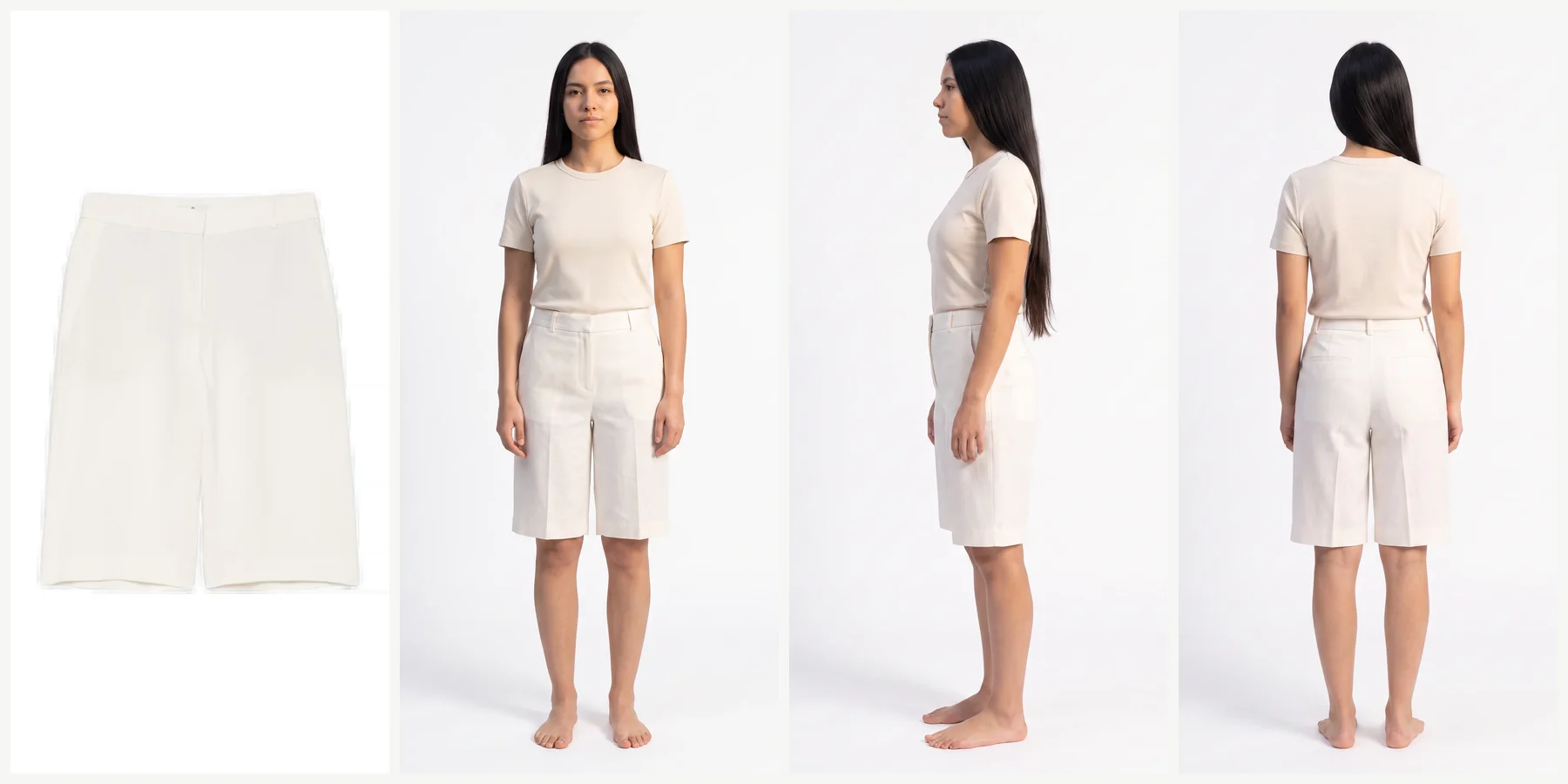
Use the ghost-mannequin photo as the product photo. On Uwear, it goes on a saved model and is shot from the front, the side and the back; the shorts below were a hollow-man shot. The ghost mannequin to model page has the full set and the steps.
| On Uwear | Credits |
|---|---|
| A photo on a saved model | 3 credits at 1K, 5 at 2K on Gemini 2.1 (Nano Banana 2.1), the default image model [14] |
| A back, side or detail view of an approved photo | Priced as a photo |
| Optional AI check per photo | 1 credit |
| A full set for one garment: front, back, detail and packshot at 5 credits each | 20 credits, $2 |
| A credit | $0.10, no subscription |
The set price is an estimate at published rates, not the recorded cost of the photos on this page; rates per image model are on the models page [14]. The estimate is shown before you approve a run.
Questions about ghost mannequin photos
What is the difference between a ghost mannequin and a regular mannequin?
A regular mannequin stays in the photo. A ghost mannequin comes apart, so its neck, chest, arm or hip panels can be removed and the mannequin edited out, leaving only the garment. Amazon’s clothing imaging guide treats them as two separate kinds of off-model image.
How long does ghost mannequin photography take?
Squareshot quotes 8 business days or less after payment for a studio shoot. If you shoot it yourself and send out only the editing, WearView’s comparison puts editing services at 12 to 48 hours. Editing it yourself takes ten minutes to two hours a garment, depending mostly on how well the shot was lit, according to Photofixal.
Is a ghost mannequin worth it for a small brand?
Photofixal’s rule of thumb: it pays off for structured garments such as blazers, jackets, denim and tailored shirts, at price points above about $40, and when you shoot enough products to make an in-house setup repeatable. Below about 30 products a drop, outsourcing the shoot and the editing is usually cheaper than buying the gear.
Which garments are hardest to shoot on a ghost mannequin?
Blazers and jackets need both a neck and a sleeve joint. Dresses with an open hem need a bottom joint. Bulky knits crush the mannequin’s shape and need pins at the shoulders, and reflective or stretch technical fabrics show every wrinkle, so they need more steaming and softer light.
Can AI make a back view from a front-only ghost mannequin photo?
Yes, but the back is inferred, not copied. Uwear made the back view of the shorts on this page from a front-only ghost-mannequin shot. If the back has its own details, such as pockets, a print or a zip, photograph the back too and add it to the garment, so the back view starts from a real photo.
Sources
Prices are as published by each source on its access date. Uwear rates are on the models page.
- [1] Photofixal: Ghost mannequin editing (the form, the three joints, lighting, camera settings, the Photoshop workflow). Accessed October 21, 2026.
- [2] Squareshot: Ghost mannequin clothing photography (price per image, minimum, turnaround). Accessed October 21, 2026.
- [3] Soona: Ghost mannequin photography (shots per product). Accessed October 2, 2026.
- [4] Pixel Retouching: Neck joint service (prices per image). Accessed October 2, 2026.
- [5] Cutout Experts: Ghost mannequin services (prices per image). Accessed October 2, 2026.
- [6] Mannequin Mall: Ghost mannequins (removable pieces, prices). Accessed October 2, 2026.
- [7] Mannequin Madness: Male ghost mannequin, V-neck. Accessed October 2, 2026.
- [8] Amazon: Seller Imaging Guidelines, Clothing & Accessories, Spring 2021 (PDF). Accessed October 2, 2026.
- [9] Soona: Ghost mannequin styling (price per hour, what it includes). Accessed October 2, 2026.
- [10] Photoroom Help: How to use Ghost Mannequin. Accessed October 2, 2026.
- [11] WearView: Ghost mannequin service. Accessed October 2, 2026.
- [12] The New Black: Ghost mannequin clothing from an image with AI (inputs and limits). Accessed October 2, 2026.
- [13] Photta: How to use the AI ghost mannequin feature. Accessed October 2, 2026.
- [14] Uwear models page: per-model credit rates. Accessed October 21, 2026.
- [15] Photoroom: Ghost mannequin photography, a step-by-step guide (phone setup, camera height, light, editing). Accessed October 21, 2026.
- [16] WearView: Ghost mannequin photos without a model or mannequin (routes, mistakes, service turnaround). Accessed October 21, 2026.