Solutions · Resale platforms
Generate on-model photos from one seller photo per item
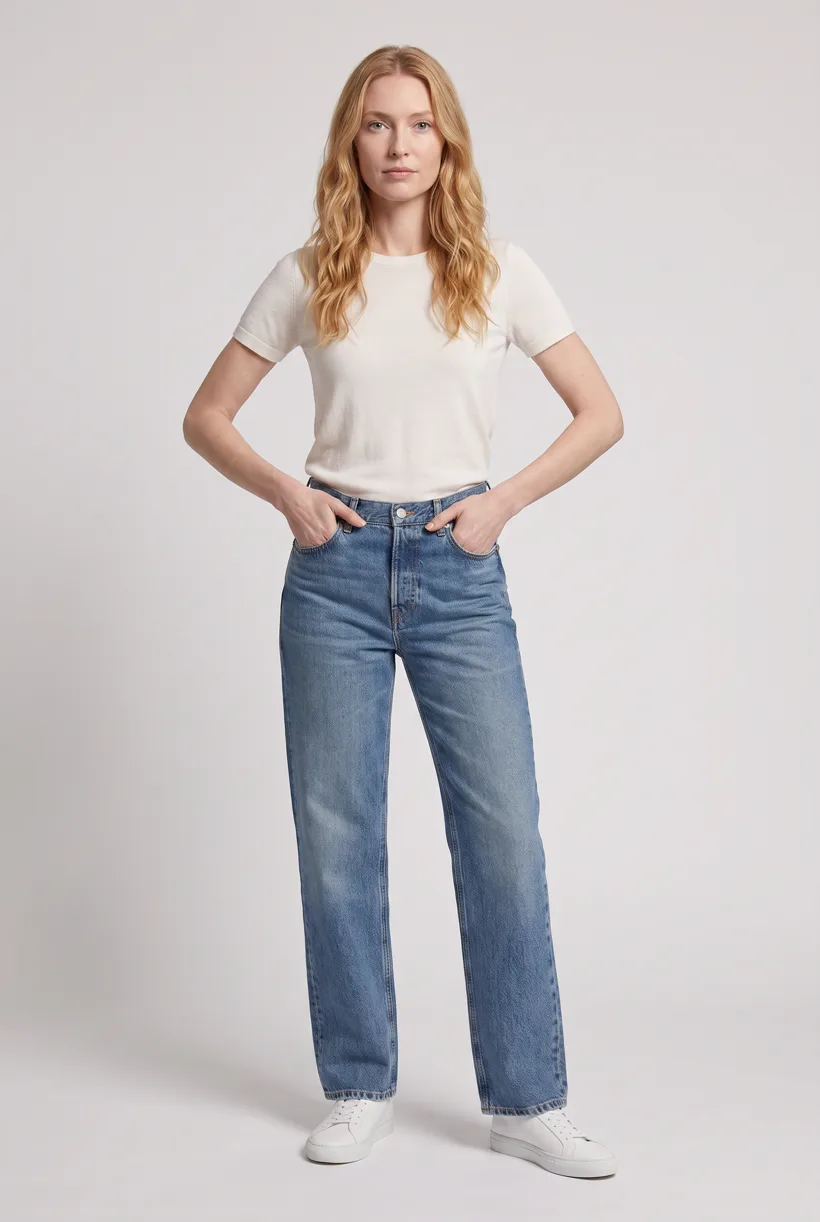
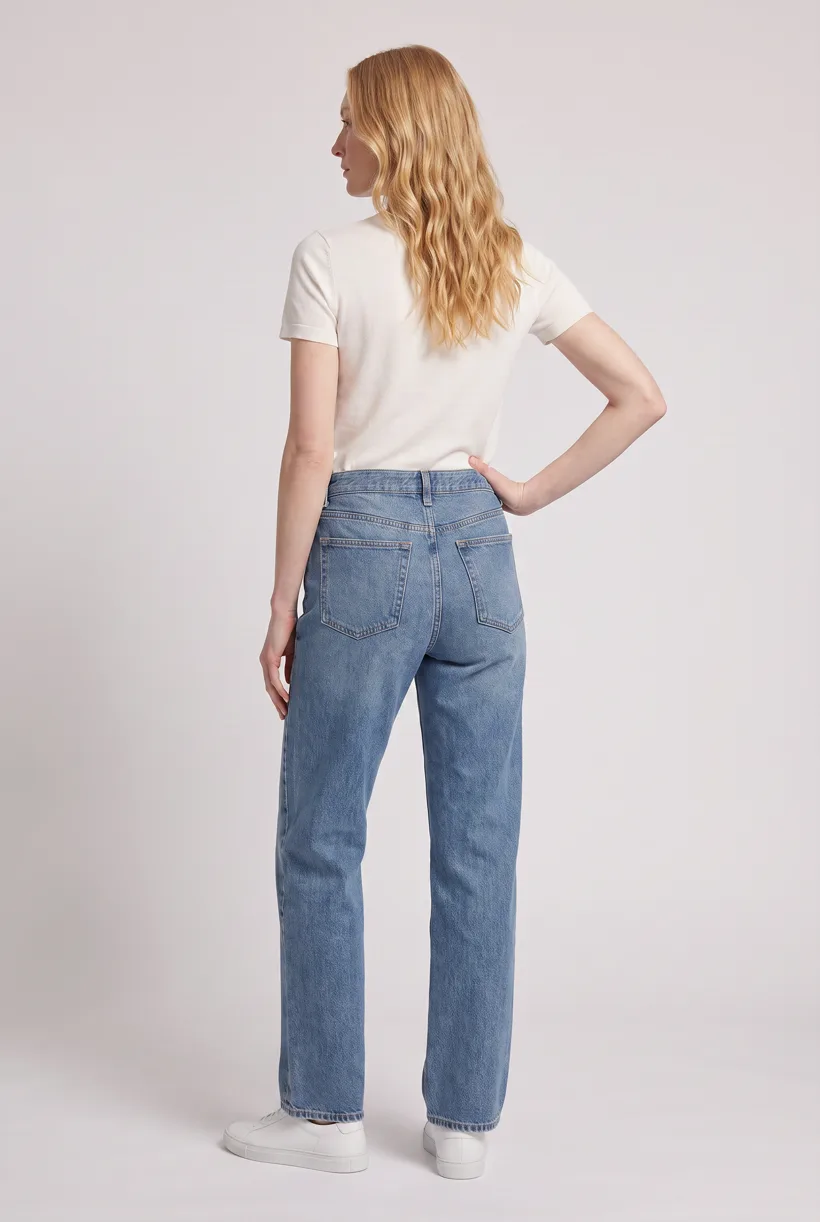
Start a small MCP pilot from actual-item photos. A single front photo can guide a front styling image; back edits infer unseen details and cannot document condition.
Who this is for
For managed consignment and seller-created secondhand listings. Each item’s wear makes it a separate imaging job, even when another listing has the same style.[1][2][3]
| Operator | Published context and limits |
|---|---|
| ThredUp | Its Q2 2026 deck reports around 50,000-plus new listings daily. Listings are not photographs or a typical seller’s workload.[1] |
| The RealReal | Its 2025 report describes luxury consignment and managed authentication, photography and listing services.[2] |
| Depop | Its about page reports 56 million registered users. Registered accounts are not active sellers or inventory.[3] |
How teams produce photos today
Inspect and photograph each item
ThredUp describes intake, inspection, photography, pricing and listing. Managed intake differs from a seller taking a single phone photo.[1]
Edit seller photos during listing
Photoroom’s Depop case documents embedded background removal, shadows and resizing. These edits do not remove the need to record actual wear.[4]
Where the images must land
| Specification | Requirement or guidance |
|---|---|
| Individual item and condition gallery | Keep original condition photos with the item ID. A generated styling view is supplementary, subject to the destination’s rules, and cannot prove unseen condition.[5] |
| eBay photo policy | At least one photo and at least 500 px on the longest side. The policy rejects misrepresentation, stock photos for used or damaged goods, and added borders, text or watermarks. It is not a blanket AI ban.[5] |
| Other resale destinations | Exact Depop and managed-platform export dimensions were not established in the fact base. Get the operator’s requirements before preparing delivery.[4] |
Assistant workflow
How do you run this from your assistant?
Proposed workflow: your assistant runs Uwear MCP; your own systems handle asset matching, destination checks and publishing.[11][5]
Check what the seller actually photographed
Supply item IDs and all actual-item views. A single front photo leaves the back and hidden wear unknown. Flag unsupported angles before deciding whether the full template is suitable.[11]
Approve the Product page set brief
Load Product page set on Pure White with the AI reviewer on. Review the chosen avatar, saved art direction and cost in credits before generation. The template makes front, upper-body and back photos plus a 360 video per garment.[11]
Run it from your assistant
Run this photoshoot from your AI assistant with a Uwear template.
Connect the Uwear MCP server to ChatGPT, Claude, or Codex and ask for the Product page set template. It is a batch workflow that runs once per garment: front, upper-body, and back product-page shots on a white studio background, plus a 360-degree video, from one garment photo. Any Uwear account can load it by name, and the assistant shows a costed brief in credits before generation starts.
Proposed pilot: use Product page set only where source views and destination rules support it. Instagram drop may suit supplementary lifestyle use better, but it cannot establish unseen item condition either.
Copy this prompt into your assistant
Use the Uwear MCP to propose a small resale pilot from these actual-item photos and item IDs. Assess whether Product page set is suitable; flag missing back views, condition details and any unsupported angle before proposing generation. Keep the original condition photos in the delivery manifest. Show the costed brief and wait for approval. Use automatic QA with retries to compare output with the source garment. Return URLs and labels for supplementary images, with a list of items that need review before listing. Use the Pure White studio setup with nano-banana-pro and turn the AI reviewer on. Keep any delivery manifest in our own workflow; do not publish yet. A back camera edit is inferred; the AI reviewer can compare only with the source views supplied.
What one run does, per garment
Generate the front hero
One full-body front photo of the garment on the template model, in the Basic white photoshoot art direction on the Pure White studio location.
Edit to the upper-body crop
A camera edit that reframes the front result to an upper-body front frame instead of generating a new image, so the crop comes from the same session as the hero.
Edit to the back view
A second camera edit of the front result to a full-body back frame, so the product page gets the back of the garment from the same session.
Render the 360 turn
A 5-second Kling 3 Pro video from the front photo: the model turns a slow, full 360 degrees in place, garment readable throughout.
Outputs per garment
- Full-body front photo, 2K, 2:3
- Upper-body front photo, 2K, 2:3
- Full-body back photo, 2K, 2:3
- 5-second 360-degree video
The setup the template pins
- Template kind
- Batch workflow: runs once per garment row
- System key
- demo_full_pdp_test_white_studio
- Art direction
- Basic white photoshoot (system art direction)
- Location
- Pure White (system studio location)
- Model
- The Uwear system model by default; the assistant can swap in one of your saved models when it proposes the brief
- Image model
- nano-banana-pro, 2K, 2:3
- Video model
- Kling 3 Pro, 5 seconds
- QA
- Optional. With the AI reviewer on, each result is checked against the source product photo and flagged results are retried
- Approval
- The assistant shows a costed brief in credits before anything generates
Pure automation
Run it without an assistant
Run asynchronous generation
Use REST jobs with polling or webhook callbacks. Production Automation can instead start from garment-processed, tag-added or outfit-created events, with published versions, idempotent runs and upfront credit reservation.[11]
Tools that target this operator
Documented features from the linked sources. These are not independent quality tests.
Photoroom
Its Depop integration provides editing inside listing creation. A fit for seller photo cleanup; this deployment does not validate synthetic models for condition-sensitive goods.[4]
Claid
Markets marketplace editing and integration workflows. A fit for evaluating platform intake; the cited source establishes neither a resale customer nor condition accuracy.[9]
Frequently asked questions
Yes. Connect Uwear MCP to a supported assistant, supply actual garment photos, and request a costed Product page set proposal. Approve the brief before generation. Uwear returns result URLs; delivery to your catalog needs your own tools and permissions. Start with a small pilot and assess whether the supplied views support the proposed set.[11]
It can guide a front styling image, subject to checking. A back camera edit infers unseen details; it cannot document the actual back, hidden damage or fit. The AI reviewer compares only with source views supplied. Request real back and condition photos before using those views as evidence.[11]
Uwear uses credits at $0.10 per credit; see /models for model rates. The assistant shows a costed brief before generation. QA is automatic and toggleable: when on, an AI reviewer compares results with source photos and retries flagged results.[11]
Yes. Studio is the manual path: select the garment photos and generation setup, then download the results. Your team checks destination rules and uploads the files with its own catalog tools.[11]
Research
Sources and access dates
- [1]
- [2]2025 report, luxury brand breadth and managed consignment services
Accessed 2026-09-07
- [3]Registered-user scale and resale marketplace description
Accessed 2026-09-07
- [4]
- [5]Minimum image size and actual-item/condition restrictions
Accessed 2026-09-07
- [9]
- [11]
Next step
Connect your catalog to Uwear.
Start with an assistant-led test, then build the API delivery your catalog needs.