Solutions · Print-on-demand
Generate on-model photos for print-on-demand products
Start from photos of an actual printed garment and run Product page set through MCP. Review print details before your own tools prepare Etsy or Shopify listing images.
Who this is for
For merch sellers and platforms that produce customized items after an order. Blank, design, color and size combinations create listing variants; fulfillment scale is not photo volume.[1][2][3]
| Operator | Published context and limits |
|---|---|
| Printful | Describes producing and shipping customized goods on demand. Its broad catalog includes non-apparel products.[1] |
| Printify | Advertises more than 1,300 products and a print-provider model. This is not the number of designs in one merchant’s store.[2] |
| Gelato | Its help center describes delivery to over 200 countries and territories, with local production in 32 countries through more than 140 partners.[3] |
How teams produce photos today
Make digital mockups from artwork
Printify’s Product Creator takes artwork, placement, colors and sizes and previews digital mockups. This is not a physical sample shoot for each design.[4]
Where the images must land
| Specification | Requirement or guidance |
|---|---|
| Etsy listing images | Recommend at least 2000 px on both sides; the first image should reach 635 px on each side to avoid search disadvantages. Use sRGB; transparent PNG areas can appear black.[6] |
| Shopify product media | Square 2048 × 2048 px is recommended, with no more than 25 MP and files under 20 MB. These are storefront limits, not print DPI.[7] |
| Manufacturing artwork | Keep print files and product-specific placement/resolution requirements in the provider’s creator. The Uwear job produces sales imagery from product photos, not print-ready files.[4] |
Assistant workflow
How do you run this from your assistant?
Proposed workflow: your assistant runs Uwear MCP; your own systems handle asset matching, destination checks and publishing.[12][6][7]
Supply actual printed-sample photos
Group views by design and garment color. Ask the assistant to flag missing references; do not substitute a blank and a flat artwork file for a photographed finished sample.[12]
Approve the Product page set brief
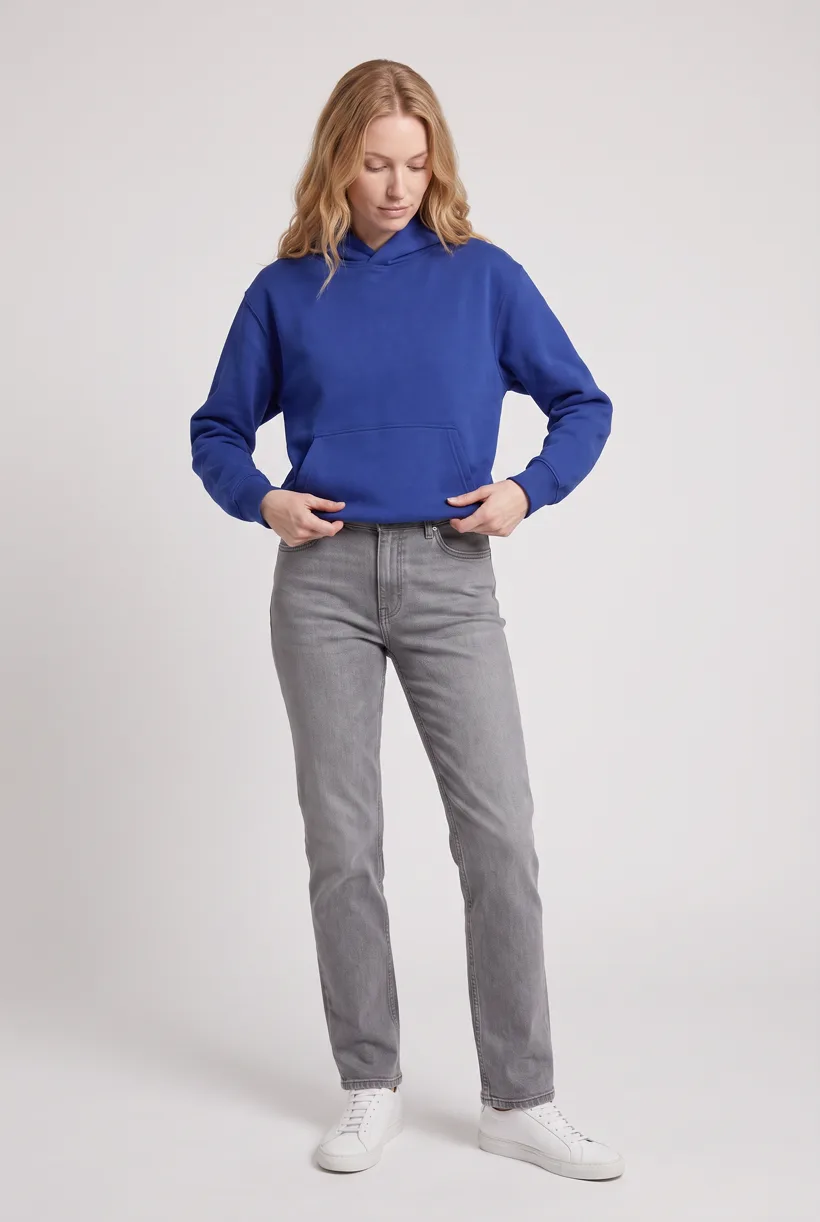
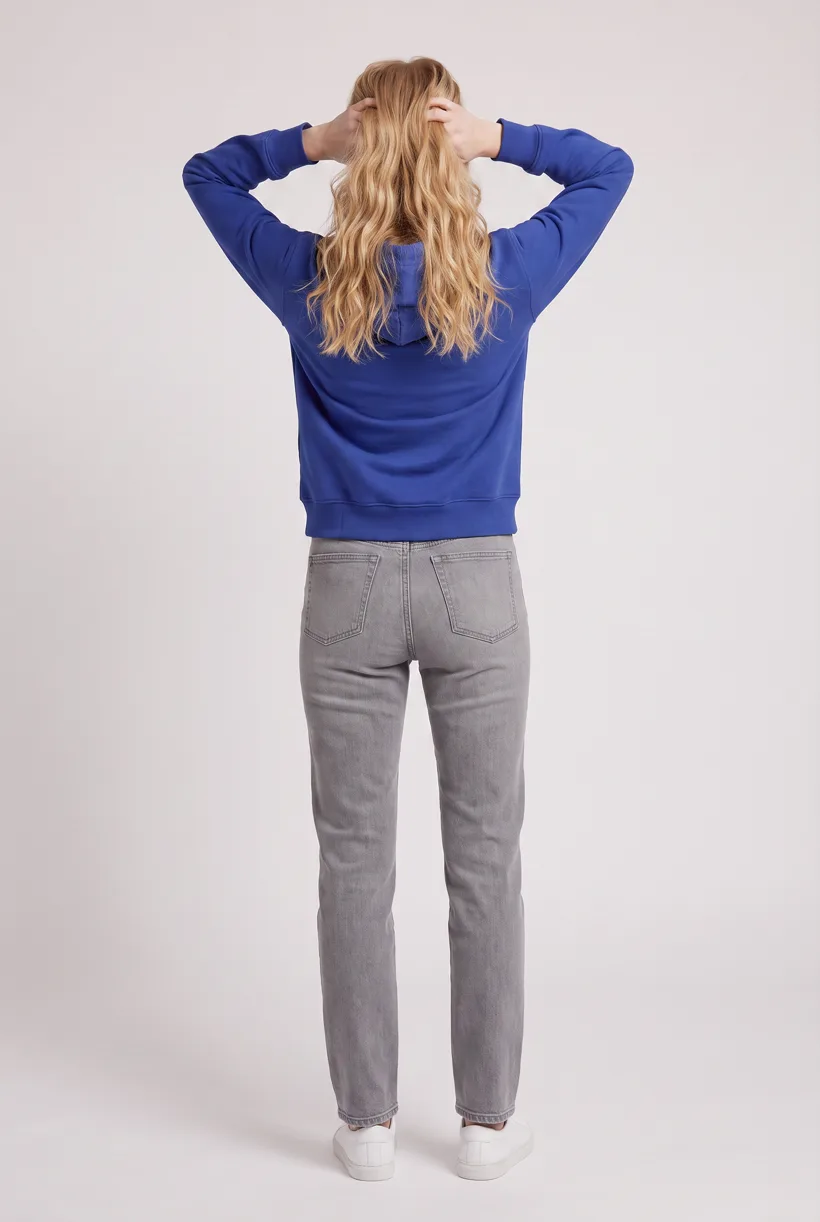
Load Product page set on Pure White with the AI reviewer on. Review the chosen avatar, saved art direction and cost in credits before generation. The template makes front, upper-body and back photos plus a 360 video per garment.[12]
Run it from your assistant
Run this photoshoot from your AI assistant with a Uwear template.
Connect the Uwear MCP server to ChatGPT, Claude, or Codex and ask for the Product page set template. It is a batch workflow that runs once per garment: front, upper-body, and back product-page shots on a white studio background, plus a 360-degree video, from one garment photo. Any Uwear account can load it by name, and the assistant shows a costed brief in credits before generation starts.
Proposed prompt: adapt the supplied identifiers and destination checks to your own systems. A delivery manifest is a workflow request, not a native publishing connector.
Copy this prompt into your assistant
Use the Uwear MCP to propose Product page set from these actual printed-sample photos, grouped by design and garment color. Use a consistent avatar and art direction. Show the costed brief and wait for approval. Use automatic QA with retries to compare the print position, lettering and garment details with the source. Return URLs and a variant manifest for our Etsy and Shopify listings, flagging missing views or outputs needing review. Quote Instagram drop separately for the launch campaign. Keep manufacturing print files outside this image-generation job. Use the Pure White studio setup with nano-banana-pro and turn the AI reviewer on. Keep any delivery manifest in our own workflow; do not publish yet.
What one run does, per garment
Generate the front hero
One full-body front photo of the garment on the template model, in the Basic white photoshoot art direction on the Pure White studio location.
Edit to the upper-body crop
A camera edit that reframes the front result to an upper-body front frame instead of generating a new image, so the crop comes from the same session as the hero.
Edit to the back view
A second camera edit of the front result to a full-body back frame, so the product page gets the back of the garment from the same session.
Render the 360 turn
A 5-second Kling 3 Pro video from the front photo: the model turns a slow, full 360 degrees in place, garment readable throughout.
Outputs per garment
- Full-body front photo, 2K, 2:3
- Upper-body front photo, 2K, 2:3
- Full-body back photo, 2K, 2:3
- 5-second 360-degree video
The setup the template pins
- Template kind
- Batch workflow: runs once per garment row
- System key
- demo_full_pdp_test_white_studio
- Art direction
- Basic white photoshoot (system art direction)
- Location
- Pure White (system studio location)
- Model
- The Uwear system model by default; the assistant can swap in one of your saved models when it proposes the brief
- Image model
- nano-banana-pro, 2K, 2:3
- Video model
- Kling 3 Pro, 5 seconds
- QA
- Optional. With the AI reviewer on, each result is checked against the source product photo and flagged results are retried
- Approval
- The assistant shows a costed brief in credits before anything generates
Pure automation
Run it without an assistant
Run asynchronous generation
Use REST jobs with polling or webhook callbacks. Production Automation can instead start from garment-processed, tag-added or outfit-created events, with published versions, idempotent runs and upfront credit reservation.[12]
Send results to your listing workflow
Your service connects generated URLs to design/color records and formats storefront images. A native POD publishing connector and generation from artwork alone are not established.[12]
Tools that target this operator
Documented features from the linked sources. These are not independent quality tests.
Printify AI mockups
Runs inside the POD product workflow for supported items. A fit for merchants who want existing variant context; check the supported product list and daily attempt allowance.[5]
Claid
Targets POD image enhancement and print-layout preparation through an API. A fit for photo-product resolution work; that page does not establish garment-print accuracy.[10]
Frequently asked questions
Yes. Connect Uwear MCP to a supported assistant, supply actual garment photos, and request a costed Product page set proposal. Approve the brief before generation. Uwear returns result URLs; delivery to your catalog needs your own tools and permissions.[12]
Start from actual printed-sample photos. When on, the AI reviewer compares lettering, placement and garment details with those sources and retries flagged results. Check the final image; no print-fidelity result is promised.[12]
Uwear uses credits at $0.10 per credit; see /models for model rates. The assistant shows a costed brief before generation. QA is automatic and toggleable: when on, an AI reviewer compares results with source photos and retries flagged results.[12]
Yes. Studio is the manual path: select the garment photos and generation setup, then download the results. Your team checks destination rules and uploads the files with its own catalog tools.[12]
Research
Sources and access dates
- [1]
- [2]Published product count and print-provider marketplace model
Accessed 2026-09-07
- [3]Delivery reach, local-production countries and partner network
Accessed 2026-09-07
- [4]
- [5]
- [6]Listing dimensions, sRGB and transparency restrictions
Accessed 2026-09-07
- [7]Optional storefront image dimensions and limits
Accessed 2026-09-07
- [10]POD-focused API offer for photo-product enhancement and print preparation
Accessed 2026-09-07
- [12]
Next step
Connect your catalog to Uwear.
Start with an assistant-led test, then build the API delivery your catalog needs.