Solutions · Multi-brand retailers
Generate one studio look across every brand you stock
Run supplier photos through Product page set with your retailer’s art direction. Keep supplier, style and color linked while your own system handles asset delivery.
Who this is for
For stores that combine several brands under one retail identity. Incoming supplier styles and colorways create the image workload, rather than each physical unit sold.[1][2][3]
| Operator | Published context and limits |
|---|---|
| ASOS | Its 2023 annual report describes an own-brand and partner assortment with an in-house studio. This is a historical workflow statement.[1] |
| Bergzeit | Its 2021 environmental declaration reports 500 brands and 40,000 articles, including outdoor categories. This is not a current SKU total.[2] |
| Nordstrom | Its supplier asset program has a retailer studio fallback for goods arriving without usable photos.[3] |
How teams produce photos today
Collect supplier assets before stock arrives
Nordstrom asks for finished supplier photos 20 days before shipment and can photograph inventory that arrives without them.[3]
Use a central studio when needed
ASOS documented in-house product photography in 2023. These sources do not establish a current retailer-wide cost per image or daily photo rate.[1]
Where the images must land
| Specification | Requirement or guidance |
|---|---|
| Nordstrom supplier intake | Use vendor product number, supplier color name and an ordered suffix. Its forms require disclosure of AI models and flat-to-model conversions; technical compliance alone does not ensure acceptance.[3] |
| Product information and assets | Akeneo documents product-linked assets and asset APIs. Proposed delivery: your PIM stores supplier/style/color/view mappings; no native Uwear Akeneo connector is established.[5] |
| Optional Shopify storefront | Only if your store uses Shopify: 2048 × 2048 px is the square-image recommendation; files must be under 20 MB and no more than 25 MP. This is not Nordstrom’s pixel specification.[7] |
Assistant workflow
How do you run this from your assistant?
Proposed workflow: your assistant runs Uwear MCP; your own systems handle asset matching, destination checks and publishing.[12][3]
Prepare the supplier batch
Supply licensed garment photos with supplier, style and color IDs. Ask for missing views and decide whether selected brands need a separate art direction.[12]
Approve the Product page set brief
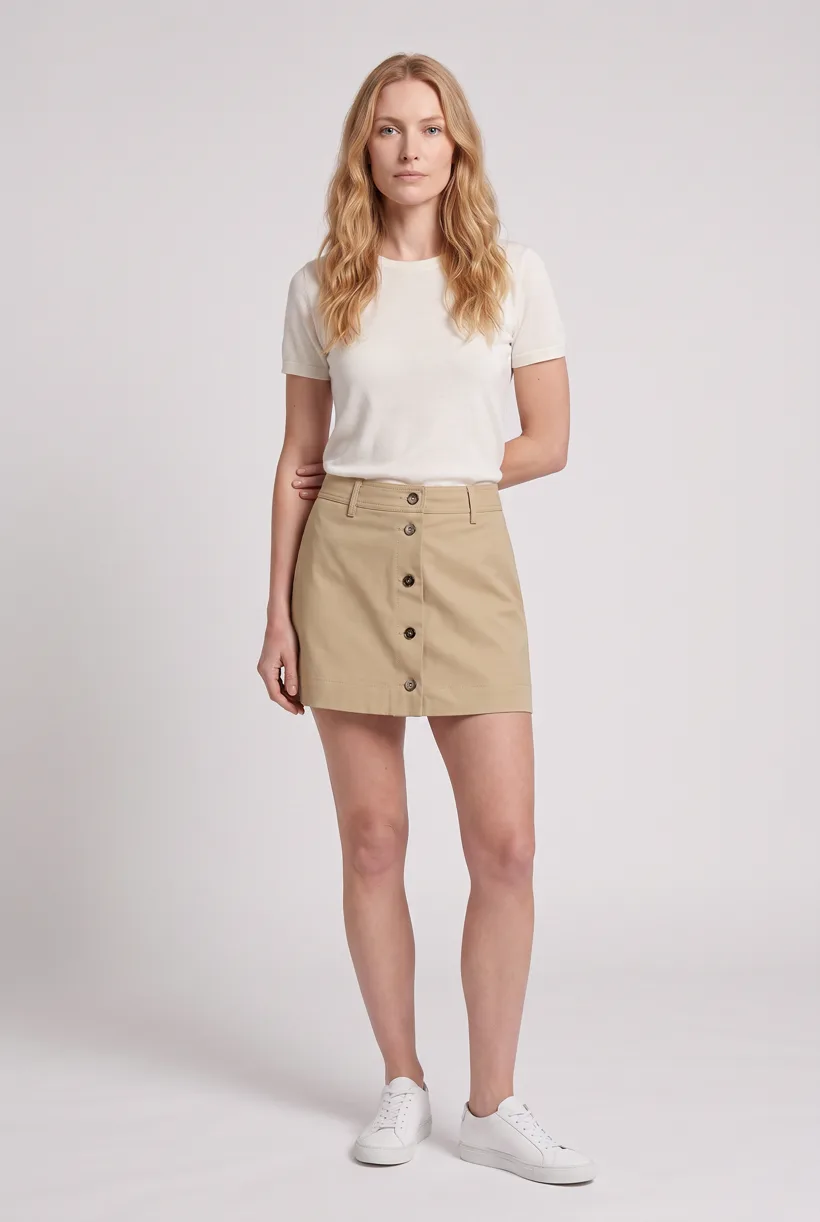
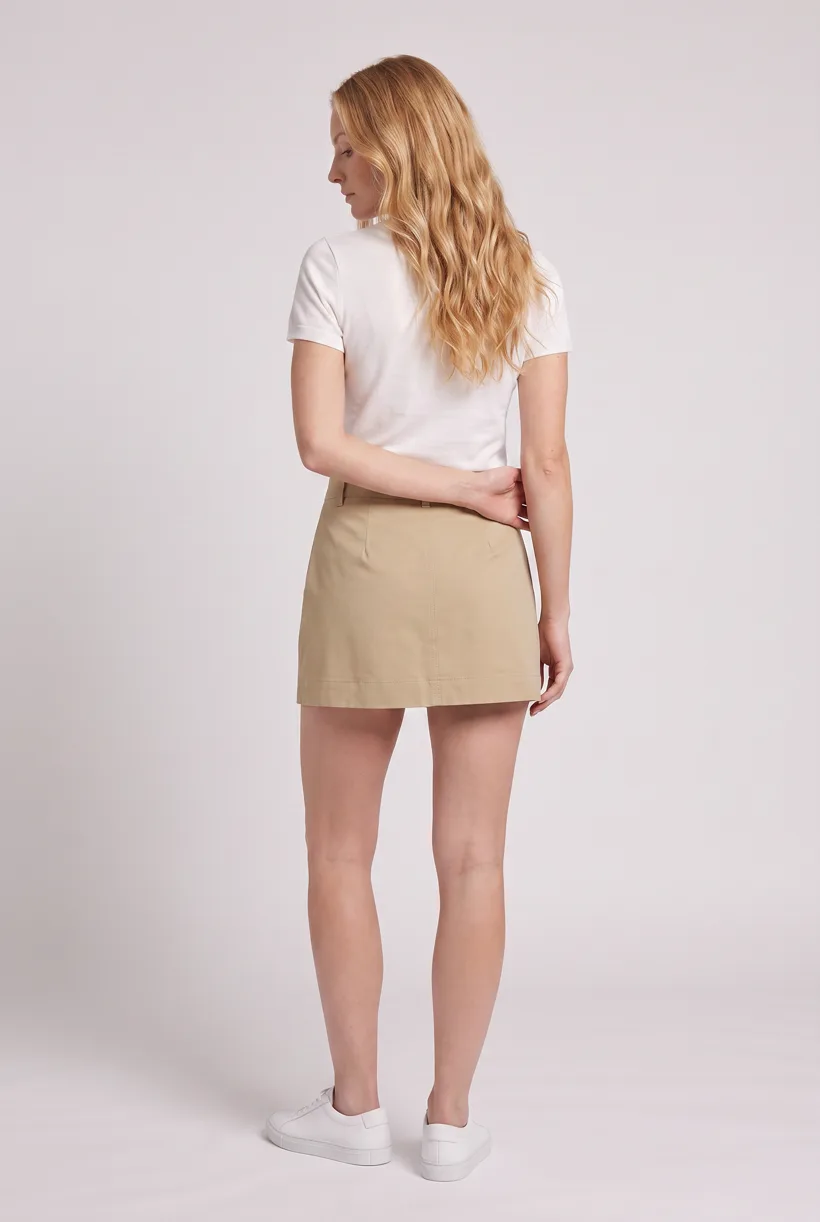
Load Product page set on Pure White with the AI reviewer on. Review the chosen avatar, saved art direction and cost in credits before generation. The template makes front, upper-body and back photos plus a 360 video per garment.[12]
Run it from your assistant
Run this photoshoot from your AI assistant with a Uwear template.
Connect the Uwear MCP server to ChatGPT, Claude, or Codex and ask for the Product page set template. It is a batch workflow that runs once per garment: front, upper-body, and back product-page shots on a white studio background, plus a 360-degree video, from one garment photo. Any Uwear account can load it by name, and the assistant shows a costed brief in credits before generation starts.
Proposed prompt: adapt the supplied identifiers and destination checks to your own systems. A delivery manifest is a workflow request, not a native publishing connector.
Copy this prompt into your assistant
Use the Uwear MCP to prepare Product page set for this supplier batch. Use our selected avatars and retailer art direction. Keep each output linked to its supplier, style and color. Show the costed brief and wait for approval. Enable automatic QA with retries and report visible differences in garment details. Return the result URLs and an ordered image manifest for our product pages, with draft alt text and a list of required retailer AI disclosures. Flag products with insufficient source views. Use the Pure White studio setup with nano-banana-pro and turn the AI reviewer on. Keep any delivery manifest in our own workflow; do not publish yet.
What one run does, per garment
Generate the front hero
One full-body front photo of the garment on the template model, in the Basic white photoshoot art direction on the Pure White studio location.
Edit to the upper-body crop
A camera edit that reframes the front result to an upper-body front frame instead of generating a new image, so the crop comes from the same session as the hero.
Edit to the back view
A second camera edit of the front result to a full-body back frame, so the product page gets the back of the garment from the same session.
Render the 360 turn
A 5-second Kling 3 Pro video from the front photo: the model turns a slow, full 360 degrees in place, garment readable throughout.
Outputs per garment
- Full-body front photo, 2K, 2:3
- Upper-body front photo, 2K, 2:3
- Full-body back photo, 2K, 2:3
- 5-second 360-degree video
The setup the template pins
- Template kind
- Batch workflow: runs once per garment row
- System key
- demo_full_pdp_test_white_studio
- Art direction
- Basic white photoshoot (system art direction)
- Location
- Pure White (system studio location)
- Model
- The Uwear system model by default; the assistant can swap in one of your saved models when it proposes the brief
- Image model
- nano-banana-pro, 2K, 2:3
- Video model
- Kling 3 Pro, 5 seconds
- QA
- Optional. With the AI reviewer on, each result is checked against the source product photo and flagged results are retried
- Approval
- The assistant shows a costed brief in credits before anything generates
Pure automation
Run it without an assistant
Run asynchronous generation
Use REST jobs with polling or webhook callbacks. Production Automation can instead start from garment-processed, tag-added or outfit-created events, with published versions, idempotent runs and upfront credit reservation.[12]
Tools that target this operator
Documented features from the linked sources. These are not independent quality tests.
Botika
Documents on-model replacement and flat-lay or mannequin inputs, with a correction service on annual plans. A fit for teams that want a supported correction route.[9]
FASHN
Offers product-to-model tools. A fit for testing supplier batches; this source does not prove adoption by the retailers named here.[11]
Frequently asked questions
Yes. Connect Uwear MCP to a supported assistant, supply actual garment photos, and request a costed Product page set proposal. Approve the brief before generation. Uwear returns result URLs; delivery to your catalog needs your own tools and permissions.[12]
Reuse your retailer art direction, then compare each result with that supplier’s source photos. Automatic QA can retry flagged differences when enabled; it is not a promise of exact garment reproduction.[12]
Uwear uses credits at $0.10 per credit; see /models for model rates. The assistant shows a costed brief before generation. QA is automatic and toggleable: when on, an AI reviewer compares results with source photos and retries flagged results.[12]
Yes. Studio is the manual path: select the garment photos and generation setup, then download the results. Your team checks destination rules and uploads the files with its own catalog tools.[12]
Research
Sources and access dates
- [1]ASOS own/partner assortment and historical in-house studio model
Accessed 2026-09-07
- [2]Historical 2021 count: 500 brands, 40,000 articles
Accessed 2026-09-07
- [3]
- [5]Asset Manager and product information delivery
Accessed 2026-09-07
- [7]Optional storefront image profile
Accessed 2026-09-07
- [8]Verbatim merchant question and AI background-editing suggestion
Accessed 2026-09-07
- [9]Vendor question, input types and annual-plan correction service
Accessed 2026-09-07
- [11]Observed Basic monthly price, credits and tool scope
Accessed 2026-09-07
- [12]
Next step
Connect your catalog to Uwear.
Start with an assistant-led test, then build the API delivery your catalog needs.