Solutions · Agencies and studios
Generate client catalog photos with a saved art direction per brand
Run Product page set through Uwear MCP with a saved direction for each brand. Keep client approvals, rights checks and final delivery in your agency’s workflow.
Who this is for
For service teams producing client catalogs and campaigns. The queue contains client briefs and approval schedules, rather than one owned retail assortment.[1][2][3]
| Operator | Published context and limits |
|---|---|
| Straub Collaborative | Reports more than one million still and motion assets annually. Assets are not unique SKUs or all still photographs.[1] |
| Spring Studios | Offers creative production, ecommerce, stills, video, retouching and 3D/AI work.[2] |
| Squareshot | Offers clothing photography with published small-batch delivery and model-usage terms.[3] |
How teams produce photos today
Budget by deliverable and review work
Squareshot lists a $500 pay-as-you-go order minimum and six-business-day delivery for up to 50 standard images. Those terms are not a daily capture rate or a universal per-image price.[3]
Where the images must land
| Specification | Requirement or guidance |
|---|---|
| Client asset handoff | Proposed manifest: client, style, color, view, version and approval IDs. Your client contract defines files, naming and rights; your team owns delivery.[3] |
| Akeneo as a destination example | Asset Manager links images, video and PDFs to products; asset APIs support delivery workflows. This does not prove the named studios use Akeneo or establish a Uwear connector.[5] |
| Optional Shopify client profile | For a Shopify client, square 2048 × 2048 px is recommended; files must be under 20 MB and no more than 25 MP. Obtain a separate brief for masters and social crops.[7] |
Assistant workflow
How do you run this from your assistant?
Proposed workflow: your assistant runs Uwear MCP; your own systems handle asset matching, destination checks and publishing.[13]
Prepare one client brief and art direction
Supply that client’s garment photos and chosen avatar. Save the agreed art direction for reuse; keeping a brief scoped to one client does not establish isolated client accounts.[13]
Approve the Product page set brief
Load Product page set on Pure White with the AI reviewer on. Review the chosen avatar, saved art direction and cost in credits before generation. The template makes front, upper-body and back photos plus a 360 video per garment.[13]
Return URLs for client review
Ask for a proposed client/style/color/view manifest and flag export or rights requirements that the tools cannot confirm. Your team handles approvals, billing and DAM uploads.[13]
Run it from your assistant
Run this photoshoot from your AI assistant with a Uwear template.
Connect the Uwear MCP server to ChatGPT, Claude, or Codex and ask for the Product page set template. It is a batch workflow that runs once per garment: front, upper-body, and back product-page shots on a white studio background, plus a 360-degree video, from one garment photo. Any Uwear account can load it by name, and the assistant shows a costed brief in credits before generation starts.
Proposed prompt: adapt the supplied identifiers and destination checks to your own systems. A delivery manifest is a workflow request, not a native publishing connector.
Copy this prompt into your assistant
Use the Uwear MCP to prepare Product page set for this client's garment photos and approved art direction. Keep the brief limited to this client's inputs and use the agreed avatar. Show the costed brief and wait for approval. Use automatic QA with retries. Return result URLs with client, style, color and view labels for our delivery manifest, and flag images needing client review. Quote Instagram drop as a separate campaign option. Identify any client export or rights requirement that the available tools cannot confirm. Use the Pure White studio setup with nano-banana-pro and turn the AI reviewer on. Keep any delivery manifest in our own workflow; do not publish yet.
What one run does, per garment
Generate the front hero
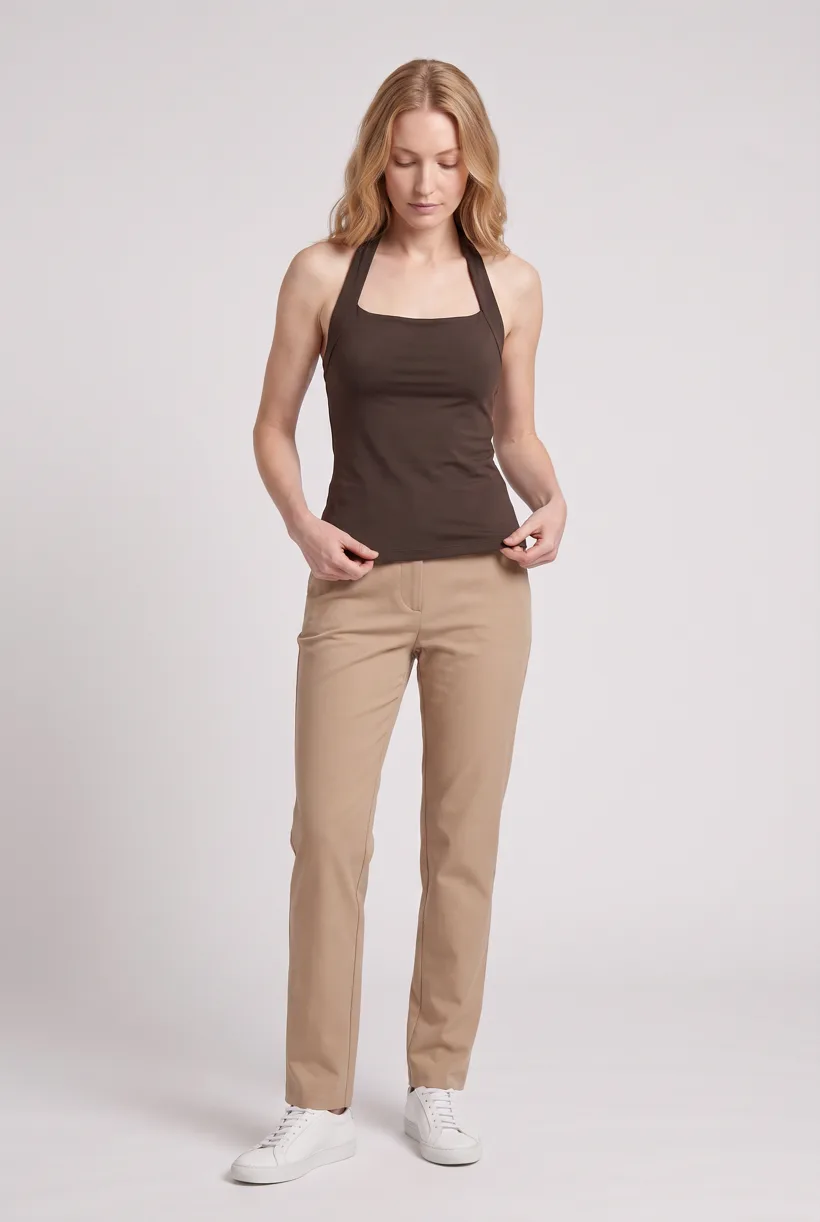
One full-body front photo of the garment on the template model, in the Basic white photoshoot art direction on the Pure White studio location.
Edit to the upper-body crop
A camera edit that reframes the front result to an upper-body front frame instead of generating a new image, so the crop comes from the same session as the hero.
Edit to the back view
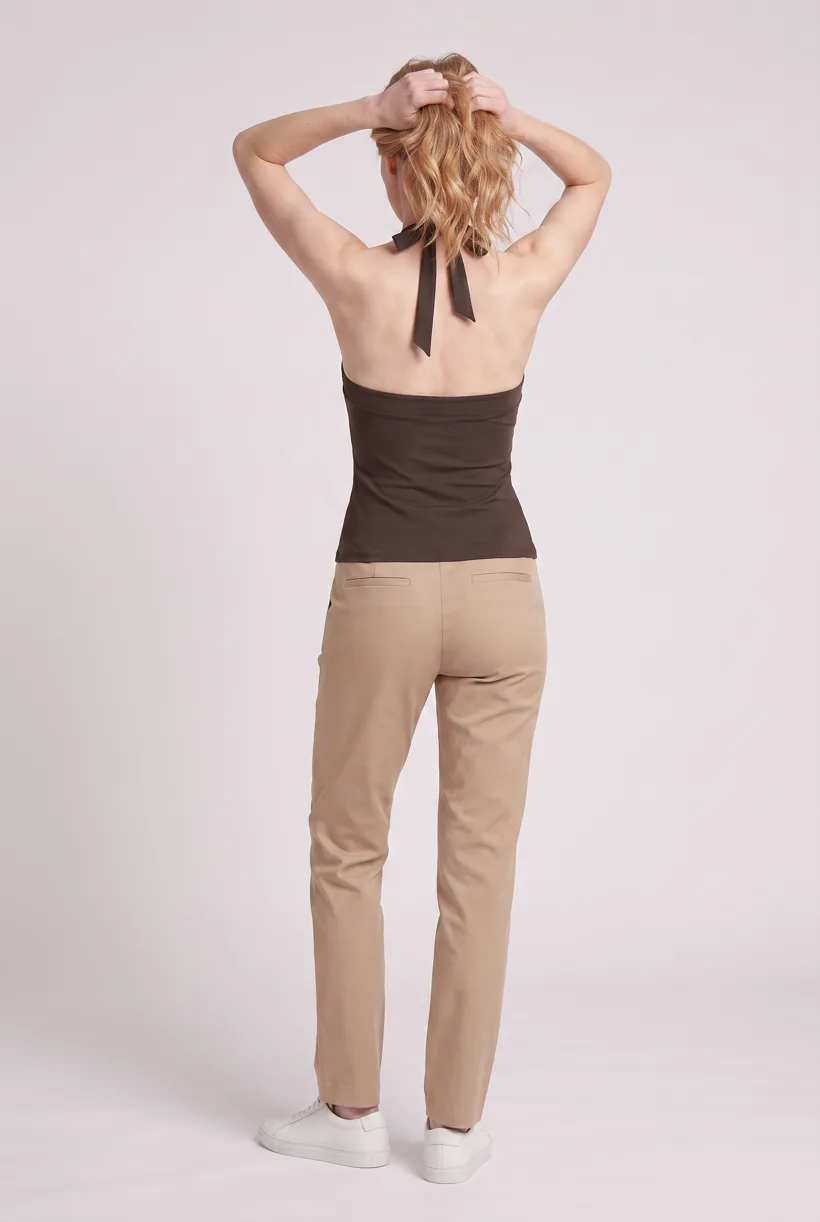
A second camera edit of the front result to a full-body back frame, so the product page gets the back of the garment from the same session.
Render the 360 turn
A 5-second Kling 3 Pro video from the front photo: the model turns a slow, full 360 degrees in place, garment readable throughout.
Outputs per garment
- Full-body front photo, 2K, 2:3
- Upper-body front photo, 2K, 2:3
- Full-body back photo, 2K, 2:3
- 5-second 360-degree video
The setup the template pins
- Template kind
- Batch workflow: runs once per garment row
- System key
- demo_full_pdp_test_white_studio
- Art direction
- Basic white photoshoot (system art direction)
- Location
- Pure White (system studio location)
- Model
- The Uwear system model by default; the assistant can swap in one of your saved models when it proposes the brief
- Image model
- nano-banana-pro, 2K, 2:3
- Video model
- Kling 3 Pro, 5 seconds
- QA
- Optional. With the AI reviewer on, each result is checked against the source product photo and flagged results are retried
- Approval
- The assistant shows a costed brief in credits before anything generates
Pure automation
Run it without an assistant
Run asynchronous generation
Use REST jobs with polling or webhook callbacks. Production Automation can instead start from garment-processed, tag-added or outfit-created events, with published versions, idempotent runs and upfront credit reservation.[13]
Connect your own project and delivery systems
Your service queues client jobs, maps callbacks and sends assets into client review. Native client isolation, resale licensing, layered files and DAM publishing are not established.[13]
Tools that target this operator
Documented features from the linked sources. These are not independent quality tests.
FASHN
Targets agencies with shared team and concurrent generation allowances. A fit for shared production work; those plan limits do not prove client isolation or accepted-output economics.[10]
Claid AI-native agency
Offers managed visual workflows with specialists and AI tools. A fit for clients who want implementation help as well as generation; no fixed public service price was found.[11]
Frequently asked questions
Yes. Connect Uwear MCP to a supported assistant, supply actual garment photos, and request a costed Product page set proposal. Approve the brief before generation. Uwear returns result URLs; delivery to your catalog needs your own tools and permissions.[13]
Those terms are not established by the approved workflow. Confirm licensing and client asset handling for your contract. The proposed job returns image/video URLs, not layered source files; your team handles client approvals and final delivery.[13]
Uwear uses credits at $0.10 per credit; see /models for model rates. The assistant shows a costed brief before generation. QA is automatic and toggleable: when on, an AI reviewer compares results with source photos and retries flagged results.[13]
Yes. Studio is the manual path: select the garment photos and generation setup, then download the results. Your team checks destination rules and uploads the files with its own catalog tools.[13]
Research
Sources and access dates
- [1]Named production studio, annual still/motion asset scale and infrastructure
Accessed 2026-09-07
- [2]Named creative studio and capture/post-production/AI service breadth
Accessed 2026-09-07
- [3]Clothing photo service, $500 order minimum and standard-image delivery terms
Accessed 2026-09-07
- [5]Product-linked assets and channel-specific transformations
Accessed 2026-09-07
- [7]Optional client storefront image limits and recommendation
Accessed 2026-09-07
- [10]
- [11]
- [13]
Next step
Connect your catalog to Uwear.
Start with an assistant-led test, then build the API delivery your catalog needs.