Integration · Magento 2 and Adobe Commerce
Generate on-model photos for your Magento 2 or Adobe Commerce catalog
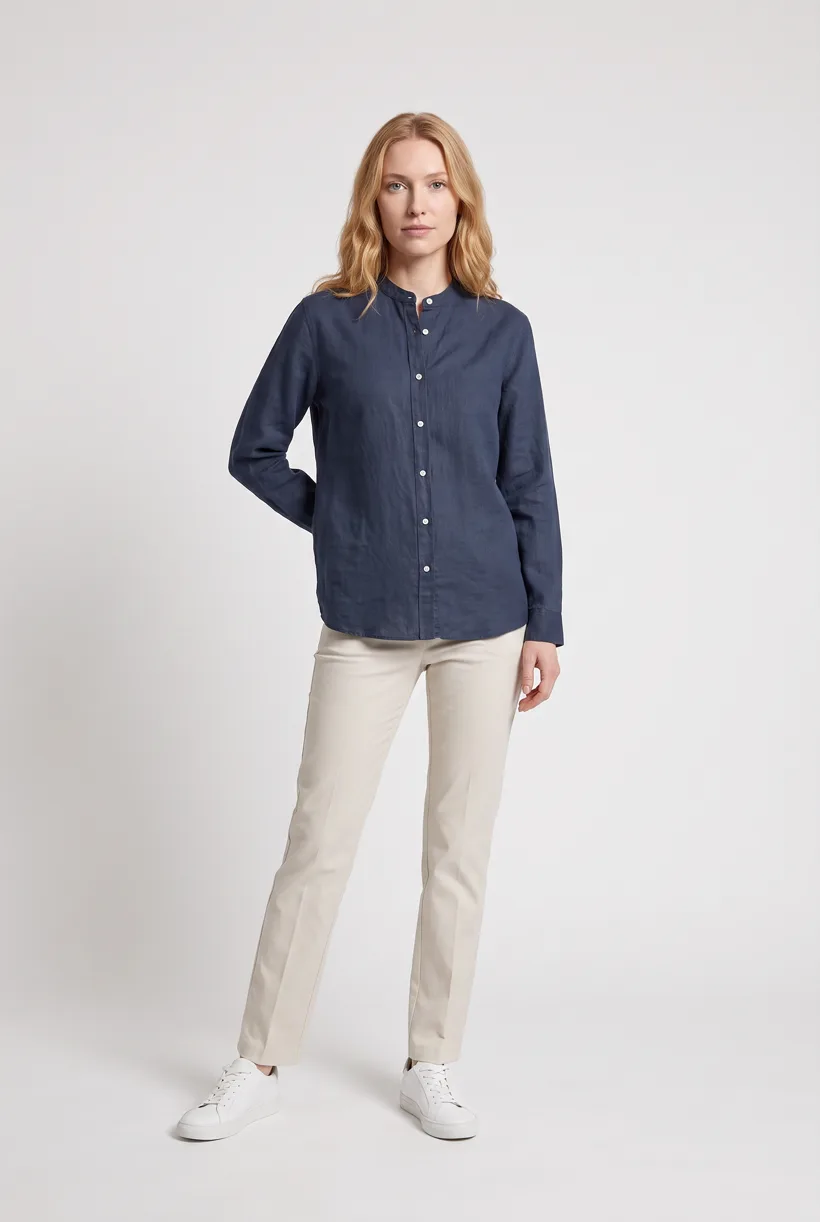
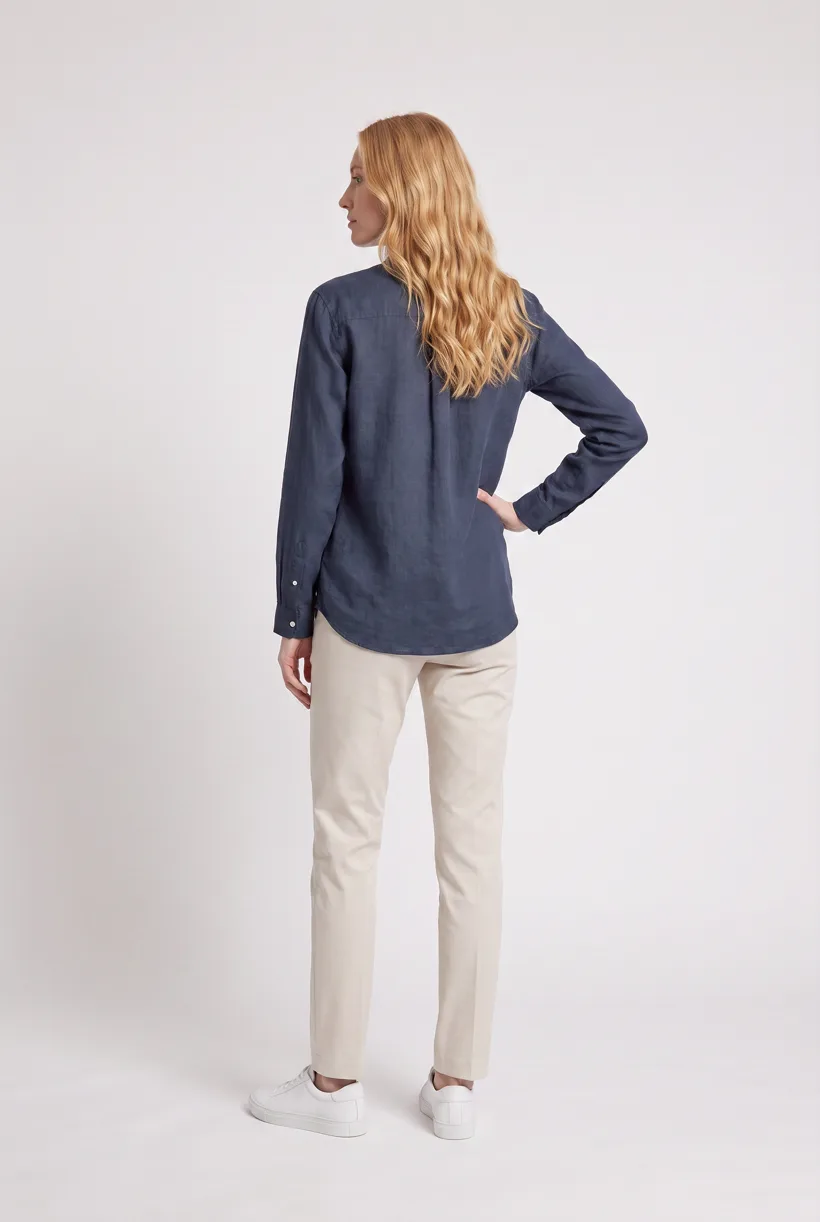
Use your assistant to generate Product page set views from garment photos. Build an authenticated Commerce adapter to deliver each image to the intended SKU.
Use cases
What can you build?
Generate catalog views by SKU
Build storefront virtual try-on
Assistant workflow
How do you run this from your assistant?
Proposed integration, not a preinstalled connection. Use Claude Code, Codex or ChatGPT with Uwear MCP and an authenticated Commerce REST adapter; Adobe developer MCP tools supply development context.[6]
Commerce Developer MCP Server
App Builder MCP Server
AEM MCP Server
Approve the Product page set brief
Load Product page set on its Pure White studio at 2:3 with the AI reviewer on. Review the costed brief in credits before generating. QA is automatic and toggleable: when on, an AI reviewer compares results with source photos and retries flagged results.
Run it from your assistant
Run this photoshoot from your AI assistant with a Uwear template.
Connect the Uwear MCP server to ChatGPT, Claude, or Codex and ask for the Product page set template. It is a batch workflow that runs once per garment: front, upper-body, and back product-page shots on a white studio background, plus a 360-degree video, from one garment photo. Any Uwear account can load it by name, and the assistant shows a costed brief in credits before generation starts.
Copy this prompt into your assistant
Connect Commerce Developer MCP Server for documentation context, the Uwear MCP server and an authenticated Commerce REST adapter in this session. Confirm the Commerce edition and image owner, then read my products and galleries and keep their parent and child SKUs. Load "Product page set" on its Pure White studio setup at 2:3, turn the AI reviewer on, and show me the costed brief in credits before generating. After I approve, download and base64-encode supported image files, propose labels and roles, and deliver through POST /V1/products/{sku}/media under /rest/<store_code>; validate SaaS or AEM delivery separately. Wait for readiness and verify the gallery and storefront alt text before reporting.
What one run does, per garment
Generate the front hero
One full-body front photo of the garment on the template model, in the Basic white photoshoot art direction on the Pure White studio location.
Edit to the upper-body crop
A camera edit that reframes the front result to an upper-body front frame instead of generating a new image, so the crop comes from the same session as the hero.
Edit to the back view
A second camera edit of the front result to a full-body back frame, so the product page gets the back of the garment from the same session.
Render the 360 turn
A 5-second Kling 3 Pro video from the front photo: the model turns a slow, full 360 degrees in place, garment readable throughout.
Outputs per garment
- Full-body front photo, 2K, 2:3
- Upper-body front photo, 2K, 2:3
- Full-body back photo, 2K, 2:3
- 5-second 360-degree video
The setup the template pins
- Template kind
- Batch workflow: runs once per garment row
- System key
- demo_full_pdp_test_white_studio
- Art direction
- Basic white photoshoot (system art direction)
- Location
- Pure White (system studio location)
- Model
- The Uwear system model by default; the assistant can swap in one of your saved models when it proposes the brief
- Image model
- nano-banana-pro, 2K, 2:3
- Video model
- Kling 3 Pro, 5 seconds
- QA
- Optional. With the AI reviewer on, each result is checked against the source product photo and flagged results are retried
- Approval
- The assistant shows a costed brief in credits before anything generates
Pure automation
How does API delivery work?
For Magento Open Source and traditional Adobe Commerce, POST /V1/products/{sku}/media under /rest/<store_code>. Download the result and send entry with media_type: image, label, position, disabled, types and content: base64_encoded_data, type and name. The response is a media entry ID. Do not send a result URL as content.[17][20]
Run generation without an assistant
Submit Uwear REST API jobs and receive completion webhooks or poll. A published Production Automation can also start when a garment is processed, a tag is added or an outfit is created. These are Uwear workspace triggers; platform delivery still needs an adapter.
Platform requirements
What image specifications apply?
| Specification | Requirement or guidance |
|---|---|
| Upload formats | The default Magento 2.4.8 validator accepts image/jpg, image/jpeg, image/gif and image/png. Default WebP or AVIF support is not established.[27] |
| Filename | Admin guidance limits the filename, including extension, to 90 characters. Validate the deployed REST path separately.[4] |
| Ratio and background | Use consistent proportions and check the theme crop. The reviewed guidance does not require a universal square ratio or white background.[5] |
| Alt text and image roles | Use label for alt text, position for order and types for roles. Verify the rendered storefront alt text and affected store views.[23] |
| Video | The standard UI uses YouTube or Vimeo links. Plan external video hosting or a custom storefront player for the 360 clip.[41] |
Existing options
Which AI image tools are already available?
Documented features from the linked sources. These are not independent quality tests.
AI Product Studio, Meetanshi Technologies LLP
A fit for generation and editing inside Product Edit, with gallery save and a Lifestyle Model Try-On preset. Requires a Gemini key and separate usage charges. License price and review counts were not verified; an unselected zero total is not a free license.[30]
AI Base Image Generator, Webkul Software Private Limited
A fit for Admin-to-gallery on-model generation with model controls. The vendor displays US$289 before edition, support and installation options; a paid Gemini plan is required. Marketplace pricing and review totals remain unverified.[32]
Frequently asked questions
The standard Commerce video UI uses YouTube or Vimeo. Use external video hosting or a custom storefront player; a raw Uwear video URL is not proven compatible with that UI.[41]
Uwear uses credits at $0.10 per credit; model rates are on /models. The assistant shows a costed brief before generation. QA is automatic and toggleable: when on, an AI reviewer compares results with source photos and retries flagged results.
Research
Sources and access dates
- [3]child SKUs, shared and variation-specific images
Accessed 2026-09-07
- [4]Admin upload, alt text, roles, filename limit, example image dimensions
Accessed 2026-09-07
- [5]gallery model, theme sizing, consistent proportions, zoom
Accessed 2026-09-07
- [6]developer MCP bundle, install, CLI login, documentation retrieval
Accessed 2026-09-07
- [8]App Builder development, deploy, and invoke tools
Accessed 2026-09-07
- [15]unified AEM MCP, asset writes, release, OAuth and practitioner guidance
Accessed 2026-09-07
- [16]REST gallery read endpoint and response fields
Accessed 2026-09-07
- [17]REST media POST, base64 content, name/MIME fields, returned ID
Accessed 2026-09-07
- [20]official product/media routes, service methods and ACL resources
Accessed 2026-09-07
- [21]bearer, OAuth 1.0a integration and ACL authentication
Accessed 2026-09-07
- [22]SaaS IMS OAuth 2 and server-to-server/user distinction
Accessed 2026-09-07
- [23]gallery scope, labels, visibility, order and inheritance
Accessed 2026-09-07
- [27]default MIME formats and base64/image/name validation
Accessed 2026-09-07
- [29]CSV fields, multiple images and local/external URL imports
Accessed 2026-09-07
- [30]
- [32]
- [33]npm extensions, Targets, Targetables and scope restrictions
Accessed 2026-09-07
- [34]ProductFullDetail/useProductFullDetail wrapper extension point
Accessed 2026-09-07
- [35]gallery/option slots, composed product page and deprecated container
Accessed 2026-09-07
- [36]synchronous hooks and I/O Events alternative for async work
Accessed 2026-09-07
- [37]
- [38]SKU/role/position/alt fields and localized alt-text onboarding limits
Accessed 2026-09-07
- [41]standard YouTube/Vimeo product-video workflow
Accessed 2026-09-07
- [45]image-label to gallery-caption mapping
Accessed 2026-09-07
Next step
Connect your catalog to Uwear.
Start with an assistant-led test, then build the API delivery your catalog needs.