Introducing Uwear One-Click Try-On: AI Virtual Try-On That Finally Works
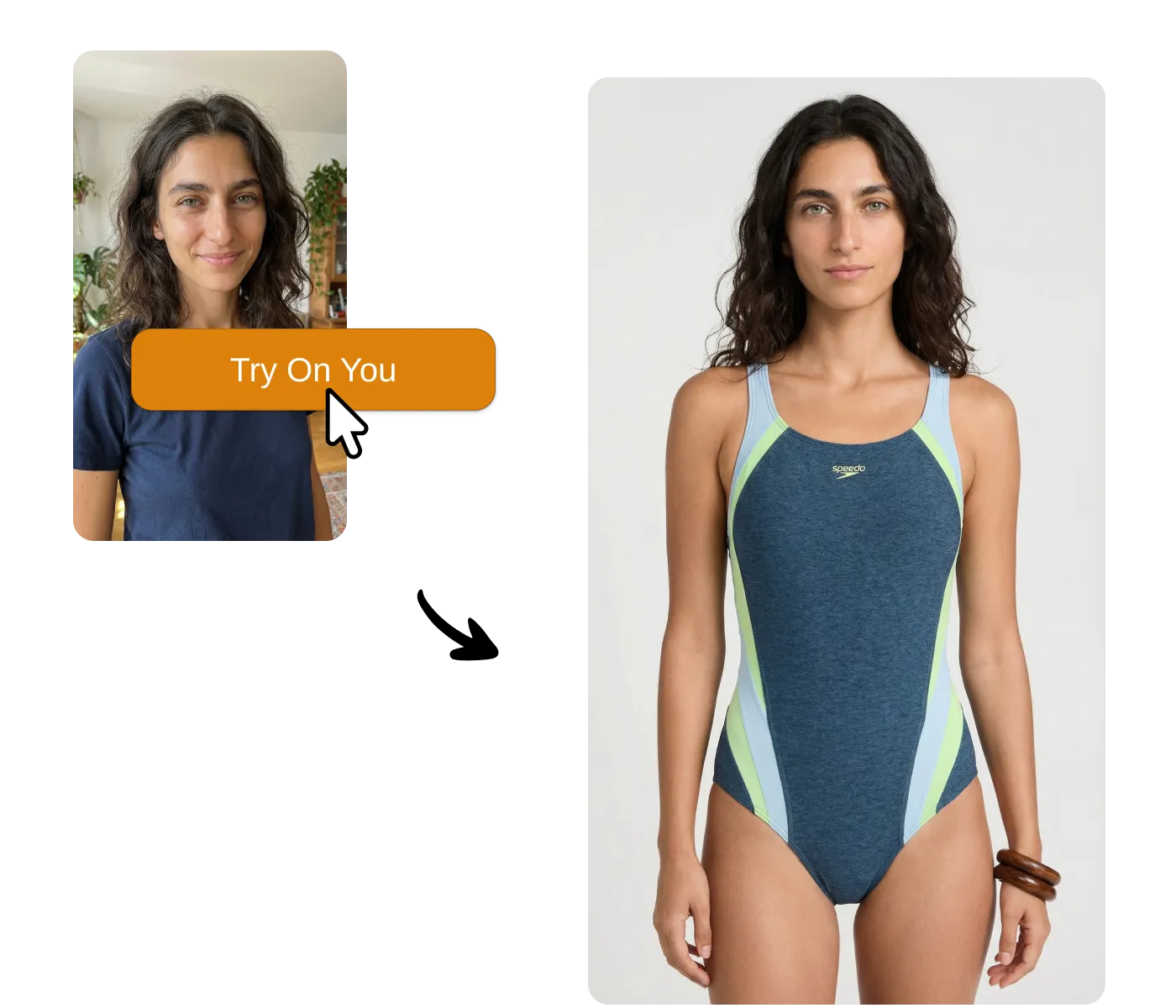
For over a decade, the fashion industry has been promised a revolution: virtual try-on technology that would let online shoppers see how clothes look on them before buying. AR fitting rooms. Virtual dressing rooms. 3D body scanning. The pitch was always compelling. The reality? Clunky apps, artificial-looking overlays, and technology that never quite worked well enough to matter.
That changes today. Generative AI has finally delivered what augmented reality never could: the ability to generate a real photograph of you wearing any piece of clothing, in seconds, with a single click.
"In my years of leading retail strategy, I've seen countless 'tech revolutions' fail the customer. The tech is finally catching up to the promise."
— Retail industry leader on AI virtual try-on
Today, we're announcing Uwear One-Click Try-On—available via our API for custom integrations or as a self-serve Shopify app. Any brand can add a "Try On" button to their product pages and let shoppers see themselves in their products—no apps to download, no camera permissions, no friction.
Why Virtual Fitting Rooms Never Worked
The virtual dressing room has been "just around the corner" for years. Major retailers invested millions in AR clothing try-on solutions. The technology looked impressive in demos. But it never achieved meaningful adoption. Here's why:
The AR Problem
- ✗Friction kills adoption: Shoppers had to download dedicated apps, grant camera permissions, and position themselves in good lighting
- ✗Results looked fake: AR overlays clothing onto a camera feed in real-time—it never looked like a real photo
- ✗Limited catalog coverage: 3D scanning every SKU costs $50-500 per item, so only hero products got the treatment
- ✗Broke the shopping flow: The clunky UX pulled shoppers out of their natural browse-and-buy behavior
- ✗Expensive to implement: Custom AR solutions cost $50K-500K, putting them out of reach for most merchants
The fundamental problem? AR tries to augment reality in real-time. Real-time rendering at consumer-device quality levels will always look artificial. And shoppers don't want to jump through hoops—they want to see how something looks and make a decision.
The Generative AI Breakthrough
Recent advances in generative AI fundamentally changed what's possible. Instead of overlaying clothes onto a camera feed, we can now generate an entirely new photograph—one that shows you wearing the garment as if it were captured by a professional photographer.
Old Approach: AR Overlay
Augment reality in real-time → clunky, fake-looking, requires apps and cameras
New Approach: AI Generation
Generate a new photograph → realistic, compelling, works with one click in browser
The paradigm shift is profound. One photo of the shopper plus one product image equals a realistic try-on photo in seconds. No 3D scanning required. No special hardware. No apps. The quality finally "feels right"—good enough that shoppers trust what they see.
And because it's AI-powered, it scales to your entire catalog. Every SKU can have virtual try-on, not just your hero products.
Why This Matters for Merchants
Fashion e-commerce has a well-documented problem: shoppers can't experience products the way they can in stores. The numbers tell the story:
77.6%
Cart abandonment rate in fashion
63%
Of shoppers "bracket" (order multiple sizes to return most)
$890B
Annual retail returns (clothing is 56%)
This "experience gap" drives both low conversion and high returns. Shoppers aren't confident in how items will look on them, so they either don't buy or they over-order and return. For a deeper dive into these challenges, see our research on reducing clothing returns and increasing conversion rates.
Introducing Uwear One-Click Try-On
Uwear One-Click Try-On brings AI virtual try-on to any e-commerce store—whether you integrate via our API or use the self-serve Shopify app. Here's how it works:
How It Works
- 1Shoppers create a Uwear profile once — They upload a photo and save their measurements. This is verified to ensure real shoppers, not bots.
- 2A "Try On" button appears on your product pages — Integrated seamlessly into your existing theme.
- 3One click generates a photo — AI creates a realistic image of the shopper wearing your product in seconds.
No apps to download. No camera permissions. No friction. It works in the natural shopping flow—browse, click try-on, see yourself, buy with confidence.
Key Features
Verified Shoppers
Every try-on comes from a real, verified shopper—not bots. Shoppers create their Uwear profile once, then can try on products across any store using Uwear with a single click. This means the engagement data you see is real people genuinely interested in your products.
Complete Outfit Grouping
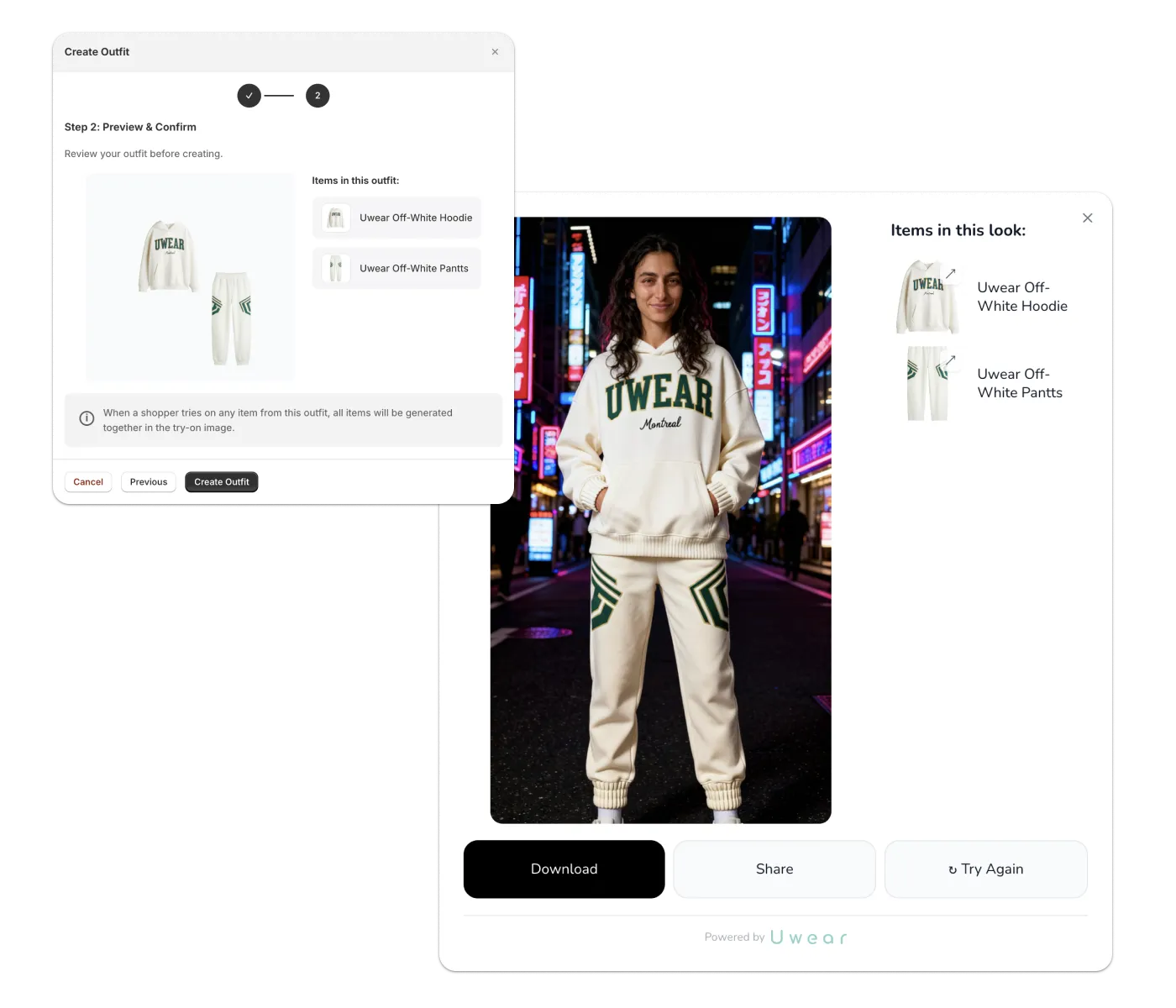
Group products into outfits so they're generated together at every try-on. Help shoppers visualize complete looks—not just individual items. When shoppers see how pieces work together, average order value increases.
AI-Powered Size Recommendations

When you add a size guide to your products, Uwear provides shoppers with accurate size recommendations based on their actual body measurements. Help them pick the right size the first time and reduce costly returns from sizing mistakes.
Analytics & Insights
Track which products shoppers want to try most often. Understand what resonates with your customers and optimize your catalog based on real engagement data—not just purchases, but intent signals that reveal what catches attention.
Brand Customization
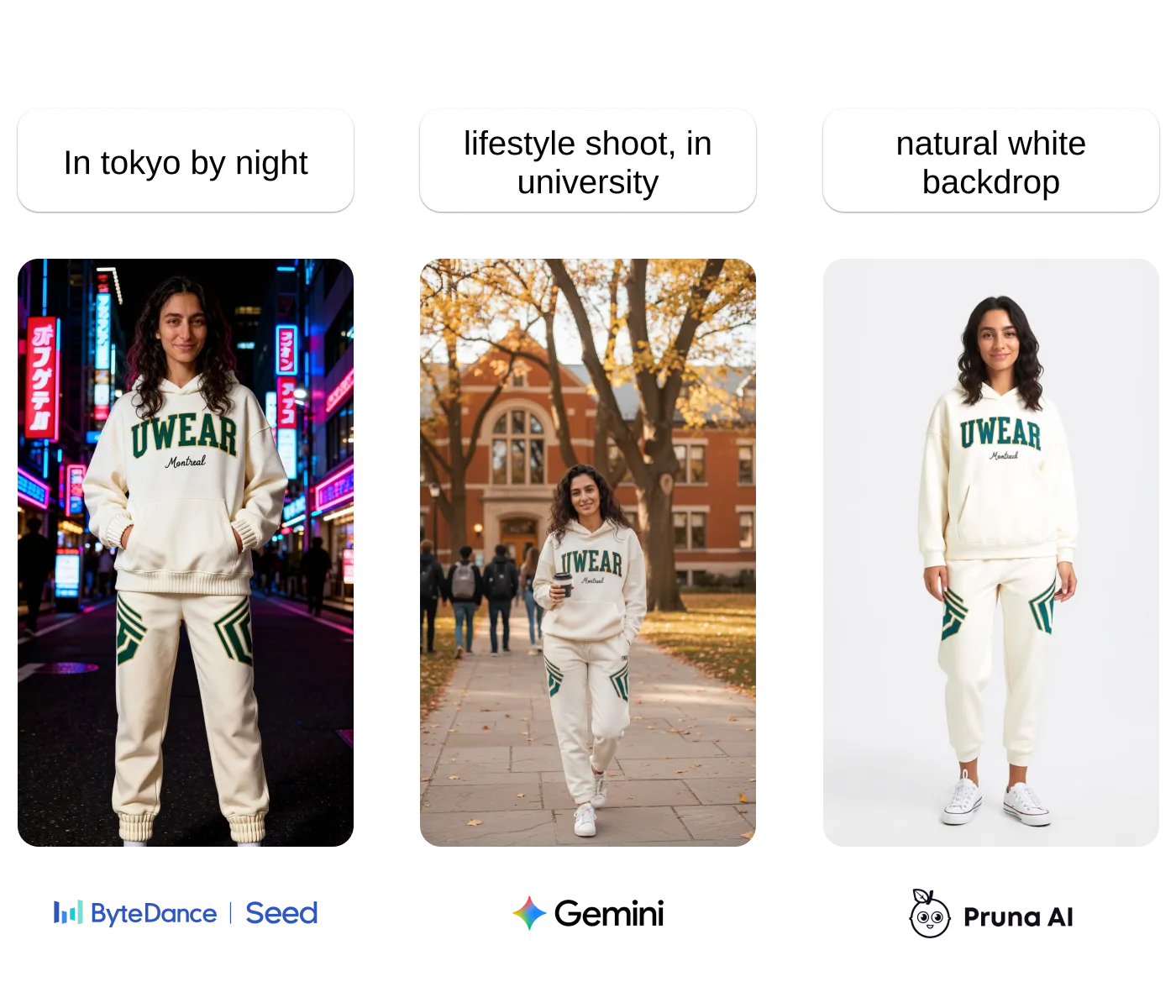
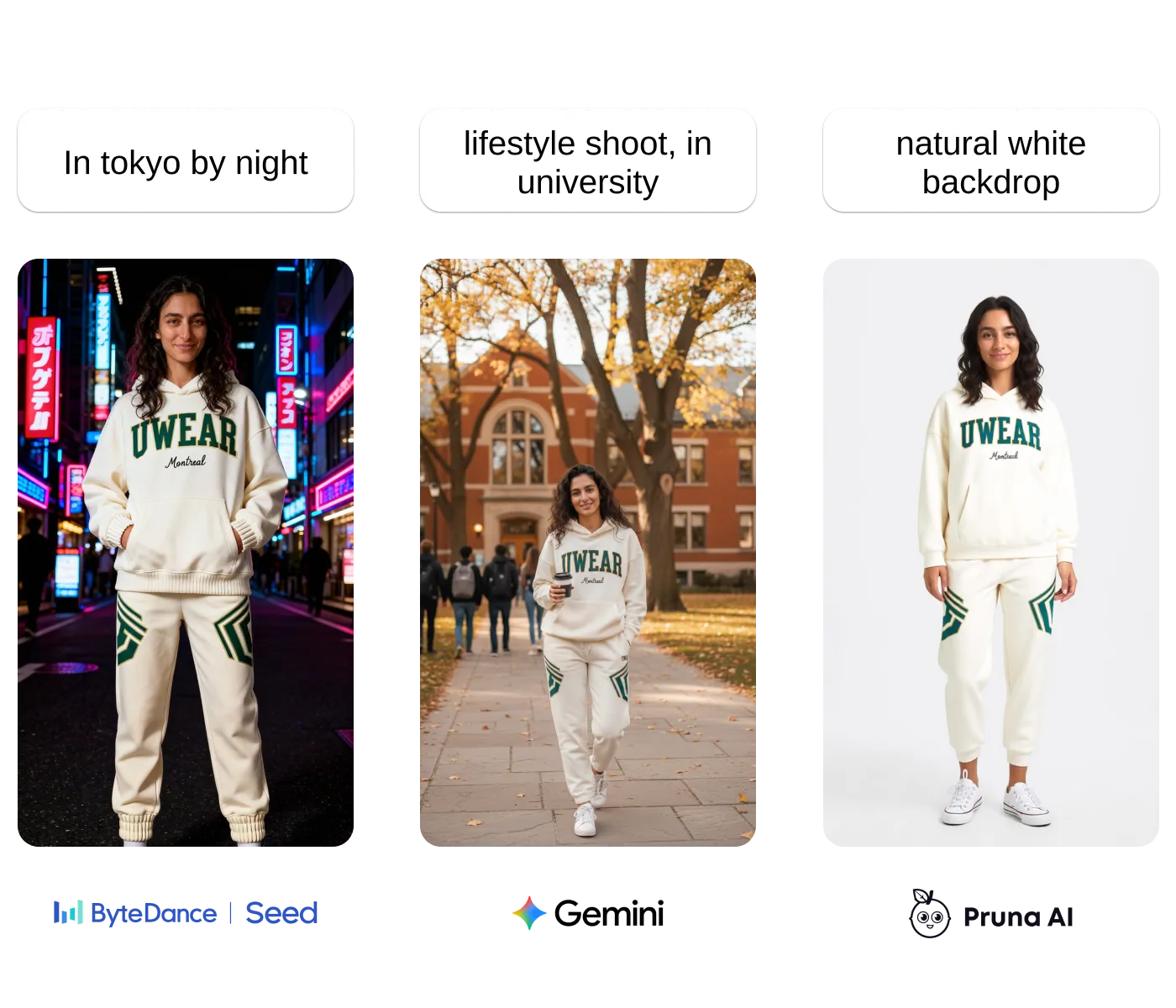
Choose which AI model and prompts power your try-on experience. Create a unique look that matches your brand aesthetic and stands out from competitors. Your try-on experience should feel like an extension of your brand, not generic technology.
The Impact
When shoppers can see themselves in your products before buying, everything changes:
- →Fewer returns — Shoppers buy what they know will look good on them
- →Higher conversion — Confidence replaces hesitation at checkout
- →Increased AOV — Outfit visualization drives multi-item purchases
- →Better for the planet — Fewer shipments, fewer returns, less waste
Want to see the projected impact for your store? Try our ROI calculator.
"Imagine a world where we try on styles we wouldn't dare pick up in-store. Where play, identity, and expression aren't limited by body type, time, or confidence. Empowering, isn't it?"
Install in Less Than 5 Minutes
Getting started is simple. Watch the setup walkthrough:
Three Steps to Launch
Install from the Shopify App Store
One click to add Uwear to your store
Select which products get the try-on button
Choose your whole catalog or specific collections
Add the button to your theme
Seamless integration with your existing design
That's it. Your shoppers can start trying on immediately.
Flexible, Usage-Based Pricing
Uwear One-Click Try-On uses a pay-per-shopper model. You only pay for shoppers who actually use the try-on feature—not for page views or impressions. Pricing scales with your traffic, so you can start small and grow.
See full pricing details and calculate costs for your store on the Try-On product page.
Get Started
API Integration
Our mature API lets you integrate virtual try-on into any platform or custom storefront. Most brands choose this path for full control over the experience. We work closely with your team for fast, seamless integration.
Self-Serve on Shopify
If you're on Shopify and want to get started quickly, install directly from the Shopify App Store and launch in minutes—no engineering required.
Install on ShopifyWant to learn more about the product before getting started? Visit the full Uwear One-Click Try-On page for detailed features, pricing calculator, and industry-specific information.