Save Frames From AI Fashion Videos and Regenerate From the Exact Moment
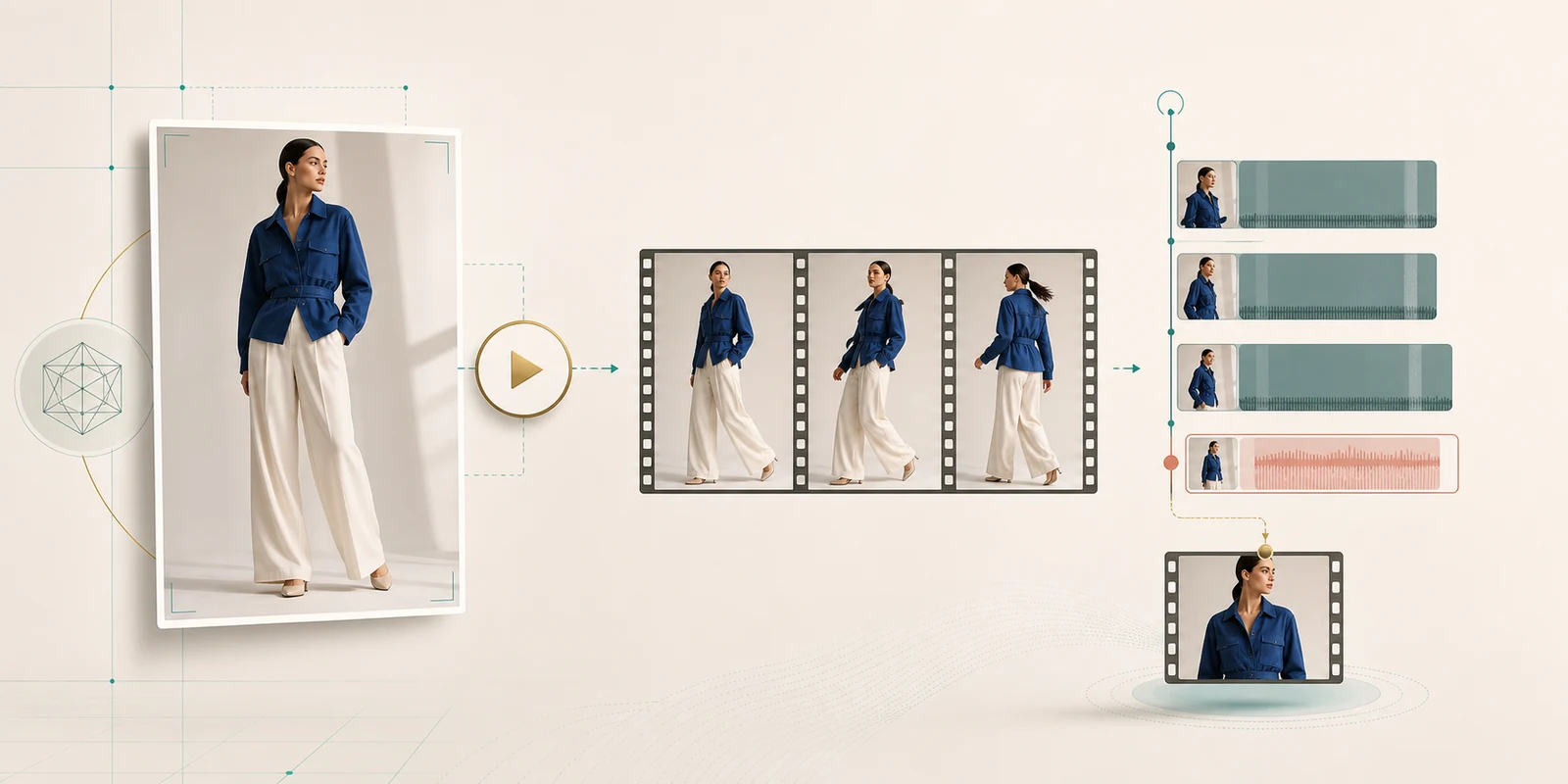
Uwear users can now save a still frame from a video they generated. The main reason is simple: sometimes the best way to make a better video is to start from the exact moment where the last one was working.
Imagine generating a five-second product video. The movement is beautiful until the three-second mark, then the clip drifts. Instead of starting over from the original product photo, you can open the video, scrub to the frame you like, save that frame as an image, and use it as the first frame for the next generation.
Short version: generated videos are now reusable inputs. Save a precise frame from a Uwear video, keep it in your image results, and use it as the starting frame for a follow-up video, a Montage clip, or another creative iteration.
Why AI Video Needs Frame Reuse
AI fashion video is not always a straight line from prompt to final asset. A clip may have one perfect pose, one clean turn, one strong fabric movement, or one composition that should become the start of the next clip.
Without frame reuse, the team has to describe that moment again and hope the model lands near it. With frame saving, the team can preserve the actual visual state: the model pose, garment shape, camera angle, lighting, and styling at that timestamp.
A common workflow
- Generate a short product video from a selected fashion image.
- Review the clip and pause at the strongest frame, for example around second three of a five-second video.
- Save that frame as an image result, keeping it connected to the original generation context.
- Use the saved frame as the first frame for the next video so the iteration starts from the exact moment you approved.
How Save Frame Works in Uwear
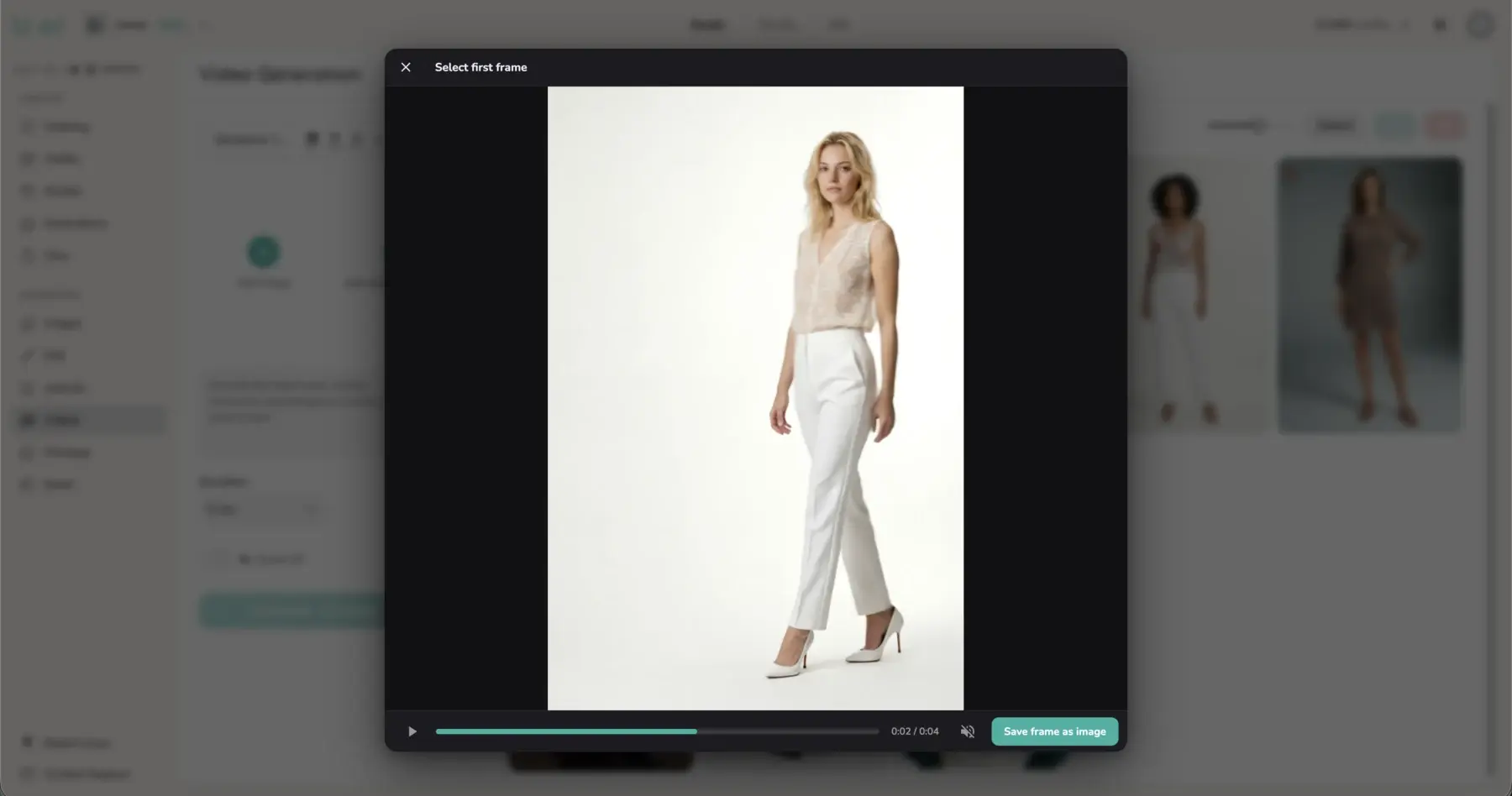
When a generated video is open, Uwear lets you scrub through the clip and save the current video frame as an image. Behind the scenes, Uwear extracts the frame server-side and stores it as a new image result.
That matters because the frame is not just a loose download. It becomes part of the user's generation library, with inherited product context and tags when available. It can appear in search, be selected as an input, and be reused in the same way as other generated images.
POST /generation-result/{parent_generation_result_id}/extract-frame

{
 "timestamp_seconds": 3.0
}
If no timestamp is provided, Uwear resolves to a valid frame near the end of the video. Requested timestamps are clamped so the extraction always targets a frame the video can provide.
Video Results Now Appear When Selecting a Start Frame
Frame saving is also built into the video creation flow. When a user selects a starting frame for a new video, Uwear can now show both image results and video results in the picker.
If the user selects an image, Uwear can use it directly. If the user selects a video, Uwear opens an additional frame-selection step so they can quickly scrub the clip, choose the right moment, and save that frame as the new video input.
Why this is better than downloading a frame manually
- No context loss: the frame stays inside the Uwear asset library instead of becoming an unmanaged file on someone's desktop.
- Faster iteration: users can go from video review to next starting frame without leaving the generation flow.
- More precise direction: the next video starts from an approved visual state instead of a rewritten prompt approximation.
How This Helps Montage Workflows
The feature becomes especially useful alongside Montage. A montage is rarely made from perfect first attempts. Teams generate clips, keep the strongest sections, replace weak transitions, and build toward a finished sequence.
With saved frames, a generated clip can become a bridge to the next clip. If the first video is good until second three, save that frame, use it as the starting frame for another video, and continue the motion from the moment that already works.
| Workflow moment | What the user can do | Why it helps |
|---|---|---|
| A clip starts well but drifts | Save the best frame before the drift starts. | The next generation starts from the approved moment. |
| A montage needs another beat | Use a saved video frame as the first frame for a new clip. | The sequence feels more continuous. |
| A still moment is stronger than the clip | Save the frame as a reusable image result. | One generation can create both motion and still assets. |
Montage export still supports fit modes such as cover and contain, so teams can decide whether a final sequence should fill the target frame or preserve the full source composition with padding.
What Ecommerce Teams Can Do With It
Example uses
- Continue a product motion: save the best frame from one clip and use it to start the next video.
- Recover a good moment: keep the clean pose from a clip even if the rest of the motion is not usable.
- Create campaign stills: turn the best moment of a video into a still asset for email, PDPs, or social posts.
- Build cleaner montages: connect generated clips with more controlled first-frame choices.
The announcement is not just that Uwear can extract a frame from a video. It is that generated fashion videos can now feed the next creative step with much more precision.
Turn useful video moments into the next generation
Use Uwear Studio to generate fashion videos, save the exact frame that works, and continue from that frame in your next clip or Montage.